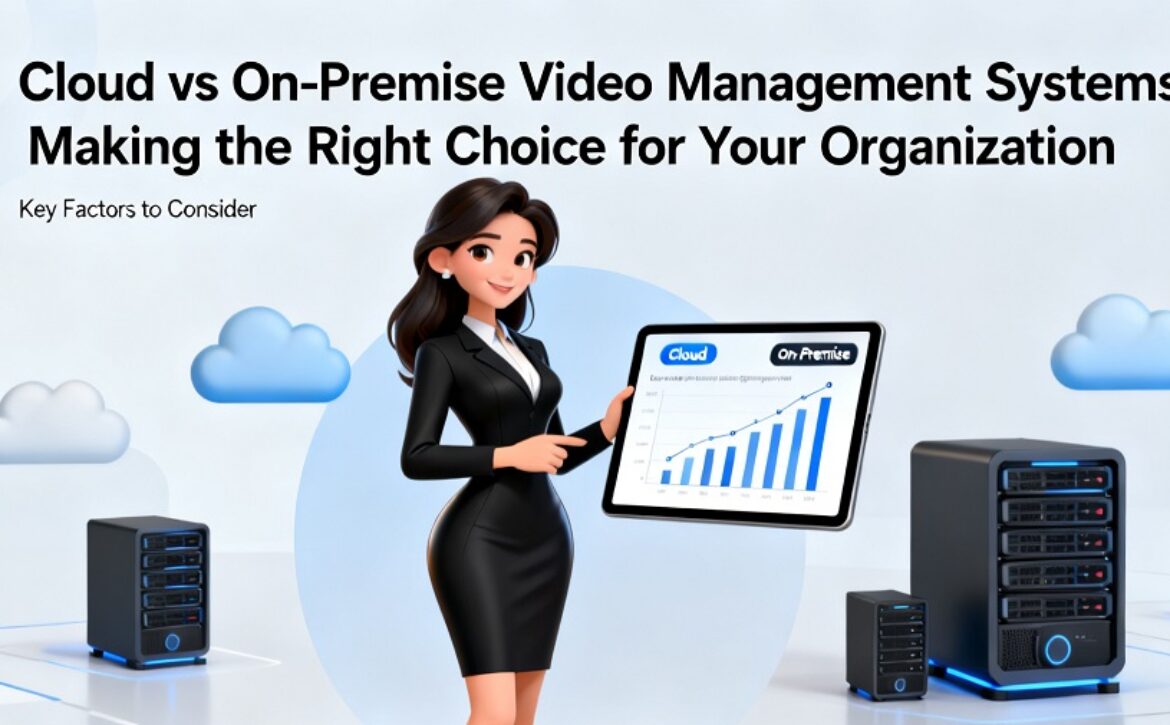
Cloud vs On-Premise Video Management Systems: Making the Right Choice for Your Organization

Nobody picks a video platform just once. Most organizations revisit it every five to seven years, usually without planning it: a server dies, a new branch opens, or the security head asks why footage can’t be opened on a phone. The stakes are higher today. Video used to sit untouched until something went wrong. Now it feeds analytics, access control and city-scale tools such as an intelligent traffic management system. Get the deployment model wrong and the cost shows up for years, in budget and in daily frustration.

People tend to treat this as cloud versus on-premise, as if cloud is modern and on-premise is dated. That isn’t very useful. Both models are proven, and either one can go badly wrong in an organization it doesn’t suit. What matters is whether it fits your budget, your data rules, your sites and the people running it.


What a Video Management System Actually Does

————————-

A VMS is the software layer that makes a pile of cameras actually useful. It talks to the cameras, usually over ONVIF so you’re not locked into one hardware brand, then displays live feeds, records them and lets staff search and replay footage. It also decides who gets to see what, using roles and permissions, and sends alerts when something needs a look.

For one site and a few cameras, none of this is hard. Things change fast when you’re dealing with dozens of locations, hundreds of cameras, several teams with different access rights and AI analytics layered on top. At that scale, the deployment model starts to matter a great deal.

Everything else in your security setup leans on the VMS. Intrusion detection, people counting, vehicle recognition and traffic analytics only work if it gets clean, steady video to where it’s needed, when it’s needed. A weak VMS drags down every tool that sits on top of it.


On-Premise vs Cloud: How They Really Compare

————————-

On-premise means the software and the recordings sit on servers you own, in your building or in your data centre. A cloud VMS, often called VSaaS (Video Surveillance as a Service), is run by the provider, and footage is mostly stored in their cloud, though some may still be kept on local devices. Below is how they stack up on the points that settle the choice.


Control

With on-premise, every decision is yours: hardware, storage, network layout, how long footage is kept and when updates go in. If your organization needs to point to where each recording lives, that control is hard to give up.

Cloud shifts some of that control to the provider. You set things up through their platform, while they run the infrastructure and choose when new versions ship. Plenty of teams are happy to hand that off. Others are uneasy with it, particularly if a forced update has burned them before.


Cost

On-premise front-loads the spending. Servers, storage, licenses and occasionally network upgrades are paid for up front, and replacements must be budgeted as hardware ages. Day-to-day costs seem small, yet staff hours, power, cooling and support contracts slowly pile up.

Cloud moves most of the spend into operating costs. You pay less up front, then a subscription, normally charged per camera or per site. That’s simpler to get signed off in one budget round, but the bills keep coming for as long as the service runs. Over several years it may cost more or less than on-premise, depending on camera count, how long you keep footage and how much IT time it saves.


Scalability

To grow an on-premise system, you buy and install more hardware. That works when growth is slow and predictable. It gets painful when sites are added quickly or compliance suddenly demands much longer retention.

Cloud grows with less friction. A new site is often just a matter of plugging in cameras or a small gateway and adding them in the dashboard. Bandwidth still needs proper planning, but nobody waits weeks for server purchases.


Security and data ownership

Keeping data on-premise makes questions about residency and ownership easy to answer, since footage never leaves your walls. But security is then all on you: OS patches, server hardening, user access and protection from both outside attackers and insiders.

In the cloud, the provider takes care of most of the infrastructure security, and the better ones handle it well. Still, your footage is sitting with someone else. Find out where it’s kept, which provider staff can open it, how it’s encrypted and what becomes of it when the contract ends. Check the actual contract, not just the sales material.


Maintenance

On-premise systems need ongoing attention. Somebody has to install updates, swap dead drives, keep an eye on storage and fix things when a recorder quits at 2 a.m. Without that person, faults go unnoticed until the day you need footage and find nothing there.

Cloud platforms handle updates themselves and the provider watches the core system. Your team still deals with cameras and local network problems, but most of the server work goes away.


Remote access

You can view on-premise systems remotely, but it normally takes VPNs, firewall rules and careful security setup. Cloud platforms are designed for it: open a browser or the mobile app and every site is there. For businesses with many locations, this alone often decides the matter.


When On-Premise Makes More Sense

————————-

Heavily regulated sectors are the obvious example. Government buildings, defence sites, parts of healthcare and critical infrastructure operators often face tight rules on where footage may be stored and who may touch it. With everything local, proving compliance to an auditor is simpler.

It’s also the better fit where internet is weak or patchy. A mine, a remote plant or any site on a thin connection can’t count on uploading footage all day. Local recording keeps things running whatever the link does.

Big, centralized setups with a capable in-house IT team suit it too. If you already have a data centre and staff who look after servers daily, putting the VMS there can cost less over the years than paying per-camera fees with no end date.

City command centres and large surveillance networks often go this way. With huge volumes of incoming video and specialist analytics running day and night, sending all of it to a public cloud eats bandwidth, and that becomes a real problem for cost and reliability.


When Cloud Makes More Sense

————————-

Cloud suits spread-out organizations best. Retail chains, franchises, bank branches, property managers and logistics firms with warehouses in different towns get one dashboard for every site, and no server tucked into every back room.

It’s also right for small or stretched IT teams. If nobody has time to check recorders, a managed service takes that job away and cuts the risk of a silent failure going unseen for weeks.

Rollout speed matters too. If a new site has to be live in days instead of months, cloud usually gets there first, since no server needs to be bought, installed or set up first.

And if your finance team prefers steady monthly bills to big capital requests, cloud fits the way budgets already get planned and approved.


The Hybrid Middle Path

————————-

In practice, plenty of organizations land in the middle. Footage is recorded locally on an edge device or an on-site server, and the cloud handles management, alerts, remote viewing and chosen clips. A properly planned hybrid VMS architecture holds bandwidth in check, keeps recording when the internet goes down and still lets people log in from wherever they are.

Hybrid also lets each site be handled differently. Head office, with its sensitive zones, might stay entirely on-premise while the smaller branches use cloud. If the platform supports both, operators can still work in one interface rather than jumping between tools.

That freedom becomes more valuable as security plans expand. A video management system that runs across both local and cloud deployments lets you bring in analytics, access control integrations or traffic modules later without ripping out camera infrastructure you’ve already paid for. For cities, campuses and industrial parks, room to grow usually counts for more than the very first deployment decision.

Hybrid is more complicated, though. You need clear rules on what is stored where, how long it stays and who can get to it. Skip that step and you inherit the problems of both models without the advantages of either.


Questions to Ask Before You Decide

————————-

Work through these with your own team before talking to vendors. Answered honestly, they tend to make the choice fairly obvious.

What rules apply to your data?
Check regulations, industry standards and your own policies on where footage may live and how long you must keep it. If the answer is “our servers only, no exceptions”, you pretty much have your answer.

How many sites and cameras do you run now, and what will that look like in three years? One campus and fifty branches are not the same problem, and what works for one could easily be the wrong call for the other.

How dependable is the connection at every site?
Measure real upload speeds instead of trusting the ISP’s promises. Recording lots of cameras to the cloud nonstop eats much more bandwidth than people assume.

Who will maintain it?
Be honest about your IT team’s real time and skills. An advanced system that no one maintains does more harm than a basic one somebody checks weekly.

How does your company prefer to spend?
Some finance teams are fine with big capital purchases; others want steady operating costs. Either way, work out total cost of ownership across five years or more, counting staff time, hardware refreshes and subscription fees.

Who needs access, and from where?
If regional managers, auditors or police liaisons often pull video remotely, build that in from the beginning instead of patching it in later.

What if you want out later?
With cloud, ask how footage gets exported and what happens to stored video after the contract finishes. With on-premise, make sure the software uses open standards, so one hardware maker can’t hold you hostage.

What else might you add later?
If analytics, traffic monitoring or links to other security systems are on the roadmap, pick a platform that can take them on without starting from scratch.


Choosing for the Next Five Years, Not the Next Five Months

Neither model wins in every situation. What counts is which one your organization can keep running properly for years, with the staff and connectivity it actually has. Begin with the fixed limits, meaning data rules, bandwidth and staffing, and use them to cut down the options before you look at price. If two choices are still level after that, go with the one your team will keep in good shape. A well-looked-after system protects you better than an impressive one nobody keeps up to date.

Read More
Sanju September 21, 2026 0 Comments

How Data Security and GDPR Protect Your Info in Back Office Outsourcing

Have you ever seen any entrepreneur addressing your queries? Whether you want to sign up for a new account on Outlook, enter your attendance in the HRMS, or even fill out survey forms. Your information begins a journey. Sometimes, it takes your data to a specialized team in a completely different part of the world. This professional support from a specialized expert is called a Back-office outsourcing service.​

The back office is like a high-tech engine room that pulls every major company to success. Think of a famous brand like Nike or Apple. These are some highly recognized brands engaged in shoe- and phone-making activities, respectively. So, they are excellent at what they originally do, but they might hire an external company for a back-office service like promoting their products, managing the data of their products worldwide, etc. So, delegating some non-core activities to an expert to handle that boring but vital stuff like a professional is defined as “business process outsourcing.” ​

Here, a big question arises: If a company in the USA or any part of the world sends its private data or records to a BPO company in India. Is it not afraid of its sensitive records being stolen? Or how does an external partner ensure privacy? Well, these concerns end when that partner follows strict international laws like CCPA, GDPR, HIPAA, or SOC 2 along with ISO security rules.


What Exactly is Back-Office Outsourcing? ​

———————————-

​Before diving deep into security, let’s invest a few seconds in understanding what back-office outsourcing is. Let’s say your front office handles customers and sales at a restaurant. And the team in the backend, like the chef and catering professionals, talks to the owner who takes care of revenues every day. The back-office team, like chefs and others, handles supplies, utility bills, and the orders there. ​

This example clarifies that back office BPO services do the heavy lifting behind the scenes for  businesses. They manage multiple tasks like data entry, market research, HR support, accounting, managed IT support, and compliance management. ​So, these outsourcing partners handle so many personal records like names, addresses, and credit card numbers that they must be more secure than a bank. ​


The Superhero of Privacy: What is GDPR? ​

———————————-

​As niche-based and hygienic data is the new gold, the GDPR is the world’s most elite security cover for it. GDPR, or General Data Protection Regulation, is a law that the European Union (EU) drafted in 2018 for the first time, and then it continued to update it while changing the internet forever. ​

Even if you don’t live in Europe, GDPR still protects your sensitive information. It is simply because the service providers must protect the sensitivity of records for businesses located in Europe. Likewise, companies in the USA get data protection under SOC 2, CCPA, and HIPAA. So, the rules are everywhere in the world to govern data privacy. These are like privacy shields that cover data wherever it goes. ​

The “Big Fine” Fact ​

GDPR is not just a rule; it imposes restrictions and penalties if a company is careless with your data. For instance, British Airways (2020) was fined €22 million for breaching the confidentiality of customers’ data (source). ​

​It’s a lesson for those who leave a password on a sticky note or hack data because they use offbeat software. These are some green signals to hackers to infringe privacy rules. Instances like these can become some strong reasons to fine them a staggering amount of money. For example, 4% of Google or Amazon’s profit is massive. It can be the penalty imposed for misusing or mistreating data while compromising its privacy.

To avoid these consequences, a back-office outsourcing services provider takes your privacy very seriously. ​


The Triple-Lock System of Data Security ​

———————————-

​Delegating back-office services to an experienced company ensures a triple-lock system to keep the bad guys out of it.​

Lock 1: The Digital Handcuffs (Encryption) ​

How panicking the consequences are when a secret is out! And think of its opposite scenario

where only you know its secret code to understand. It is called encryption. ​

Likewise, outsourcing companies follow encryption, which is also necessary under ISO 27001 for the privacy of data. This method scrambles data into a mess of random symbols before sending across the ocean. So even if any hacker tries to intercept beforehand, he or she gets gibberish data like this—*&^%$#@. Without its key, its decryption is impossible. ​


Lock 2: The “Eyes Only” Policy (Access Control) 

BPOs are highly secure companies because they comply with ISO standards and global &

localized laws for data privacy. It is possible by assigning authority to responsible personnel. This system is based on “role-based access control”, which means that the computer allows access to a specific set of data to authorized employees only. Once they are done, the door locks behind them. ​


Lock 3: The Human Firewall (Training) ​

​The biggest threat to data is a mistake that a person does. A hacker can attempt vulnerability, but it becomes successful when the data management has loopholes. A popular study reveals that 88% of all data breaches are an outcome of human errors, like clicking phishing emails. 

IT professional companies providing back-office outsourcing services strictly host training sessions about how to spot fake emails, why to avoid a public Wi-Fi for work, and why to use multi-factor authentication in your phone and email log-ins. ​


Why Compliance is a “Must-Have” for BPOs ​

———————————-

​Compliance sounds extremely common these days. An outsourcing company often complies with regulatory frameworks like GDPR, SOC 2, the DPA, etc. It mandates passing a test to prove that these companies are safe to share data with. Majorly, BPOs strictly adhere to these:​ ISO 27001: This compliance is associated with data security, which audits every digital asset’s data privacy, like cameras, computers, firewalls, networks, etc. ​

SOC 2: This is an audit pervasive in the USA, which looks at how companies handle your privacy while keeping their systems online. ​

​Most reputed companies do not delegate their data processing with companies that are not certified with the ISO community. These certifications signify the trust and reputation of companies that are compliant with regulatory frameworks. ​


Your Rights as a Data Owner ​

———————————-

​GDPR and modern data laws empower companies to seek privacy and confidentiality. Before these laws, it was tough to ensure that your data was safe. ​

GDPR empowers companies with the “right to be forgotten”. It means that you don’t want a company to keep your data anymore; the BPO must delete it. So, this law acts as a giant “undo” button proactively controlling your digital footprints. ​There is another act, empowering you with the “right to access”. It implies that a company can ask anytime, “What do you know about me?” And the business process outsourcing company would share every detail it has on record. ​​


The Future: AI and Cyber-Guards ​

———————————-

As we move further, security-based technology is getting even smarter. Many back -office BPO

service providers deploy artificial intelligence (AI) to guard data. ​These AIs act like sniffer dogs, watching the network 24/7. On seeing any malicious attempt to log in from a weird link or country at 3:00 AM or a massive volume of data movement at once, it makes noise alarming the IT team and shuts the system down instantly. It happens much faster than a human could ever react. ​


Conclusion

​Being more closely connected than ever, the digital world is threatening. Using an app or buying a product online means sharing sensitive information and your data might travel to five or more different countries. Back-office outsourcing service providers make it work globally. They show no leniency in following the strict rules of GDPR and also aligning advanced security related technologies. This practice helps in protecting digital property of the company. 

Read More
Sanju April 23, 2026 0 Comments

Data Management is More Than Managing Data

Did you know that data quality problems cost an estimated $3.1 trillion per year to the US economy?

Such a big loss is indeed a disaster, which clearly indicates that managing datasets is more than managing files or datasets.

This post will help you to understand why data management is more than managing data.


1. It’s not restricted to the IT department

———————————————

The IT department is a big support when it comes to handling data within an organization. It follows a series of steps and protocols to ensure that the data are effectively management. Here are a few key steps that IT professionals have to follow:

Data Collection

IT department focuses on securing and managing backups. These experts help in setting up a stage to collect data from various sources, which can be from internal systems, external databases, or customer communication tools. In this, data scientists, operations team managers, and MIS experts can be deployed to define data capture methods, and ensure data quality.

Data Storage

This is basically related to determining the best fit IT infrastructure for managing files or folders. This can be done easily if you consider factors like data size, security requirements, and access needs. And, these factors should be in the context of databases, data warehouses, or cloud storage solutions.

Data Processing

After collection, the data has to undergo processing for making it analysis-ready. If you look into it for mining, it involves data cleaning, transformation, and analysis. However, IT experts in association with professional data entry operators can help with categorizing, importing, exporting, and taking backups of the clean data. This involves using tools and techniques to arrange data, enabling better decision-making.

Securiting Database

Setting up security is typically a core function of an IT department. It takes robust security measures to protect data from unauthorized access, vulnerability, or data loss. For this purpose, the IT professionals come up with encryption, defining access controls, firewalls, and taking regular backups. Moreover, they establish protocols for sensitive data and managing compliance with relevant data protection regulations.

Data Integration

This is a typical practice of collating datasets from different sources. Here, web or data scraping experts appear in key roles. The technical team integrates them seamlessly to provide a unified view. As per defined process, they use tools to combine data from multiple systems. This is how cross-functional analysis and reporting take place quickly and seamlessly.

With these data management practices and cross-departmental coordination, the operations department can drive to enhance efficiency, reduce costs, and improve customer satisfaction.


2. Data management is a must for all types of enterprises.

———————————————

Managing files or documents is essential for all types of enterprises, regardless of their size or industry. By management, we mean organizing, storing, and analyzing data in a structured and secure manner.


Role of Data Management

The role of data management is unique and incredibly useful for all types of enterprises. Let’s see why.

Organizing Data

Any company requires properly managed data. It means that datasets should be properly streamlined, classified, and labeled. In case, any company, be it small or large, wants to retrieve and analyze relevant information, it will be like a walkover. This is how the business attains continuity.

Data Quality

This processes typically emphasizes maintaining data accuracy, consistency, and completeness. These are the fundamentals of quality management. No matter how big or small company you have, you should implement data validation and cleansing techniques to keep information useful, reliable, and trustworthy.

Keeping Sensitive Data Secure

The global corporate world deals in digital data. Every company must ensure that its databases are invulnerable. The IT team can help in drafting and establishing protocols for protecting sensitive data from unauthorized access. This is how companies comply with regulations like GDPR. This builds trust among customers, partners, and stakeholders.


3. Managing data is a continuous journey.

———————————————

Managing documents is an ongoing process. So, you should be consistent with it to ensure that every detail is effectively organized, stored, and utilized.

There are certain key points that you need to follow regularly to reap its benefits. Let’s examine these points.

Data Quality

Assessing and maintaining data quality should be a routine. You should cleanse, validate, and update data to keep it accurate and reliable. If you do, it can benefit through improved decision-making and enhanced operational efficiency. For instance, a healthcare provider relying on outdated patient records may administer incorrect treatments. This can prove fatal for the health of the patient. Additionally, potential legal consequences can be there.

Data Security

Innovation is taking place every hour. So, you should be up-to-date when it comes to data security. Regularly review and strengthen data security measures if you want to protect sensitive information from breaches and unauthorized access. For this, IT professionals can help with encryption, defining access controls, and conducting security audits. Failure to prioritize data security can have severe consequences. For instance, a financial institution that neglects data security measures may experience a data breach, resulting in financial losses, reputational damage, and legal liabilities.

Data Backup and Recovery

This is again required on a regular basis. You should regularly back up data and test the recovery process. This will prevent data loss because of hardware failures, cyber incidents, or natural disasters. Besides, the business continuity will go on, and the downtime will be minimized. Without proper data backup practices, organizations may lose valuable information. If so happens, it can be a big loss.

Data Governance and Compliance

You should regulate the reviews of data governance policies. Also, ensure compliance with relevant regulations and standards. This includes data privacy regulations like GDPR or industry-specific guidelines. If done, the outcome will be rewarding, which can be related to mitigating legal and regulatory risks and maintaining stakeholder trust.


4. It’s more than data storage.

———————————————

However, it’s already cleared above. Let’s specifically look into why data management is more than just storing datasets. 

Data management extends beyond data storage. It includes a series of activities that enhance the value and usability of data. Let’s discover some key points in this regard.

Combing Data From Different Sources

Data management practices involve combining datasets from different sources and systems. It is done to create a unified and understandable overview of the database. This combination can help an organization look beyond datasets and draw valuable insights to make informed decisions. For example, a marketing team collects customer data from various sources like CRM systems, website analytics, and social media platforms. With it, the marketers develop a 360-degree overview of their customers. This helps in executing targeted marketing campaigns, personalized messaging, and excellent customer experiences.

Data Quality Assurance

Data processing and management involve data accuracy, completeness, consistency, and validity. If these practices are carried out successfully, organizations can maintain high-quality data and avoid costly errors.

Governing and Monitoring Data

This is again important to get fit into the established frameworks for data governance. These can be related to policies, procedures, and guidelines for data usage, privacy, security, and compliance. So, managing files or documents also requires handling them ethically, and that should be in accordance with legal and regulatory requirements. For example, a healthcare organization ensures the privacy and confidentiality of patient records, which is to comply with regulations such as HIPAA.

Data Analytics and Insights

The ultimate goal of data management is to carry out effective data analysis and get into meaningful insights. Interestingly, Machine Learning and AI tools are evolved to uncover patterns, trends, and correlations. With that, drive to feasible decision and business strategies is possible. For example, a retail company that analyzes sales data can identify customer buying behaviours, preferences, and demand patterns. It can help with targeted product recommendations, inventory optimization, and pricing strategies.


5. Benefits of Data Management

———————————————

Managing files or documents can bring many advantages to your company. Let’s check out a few prominent ones.

Improved Decision-Making

With proper data management, your businesses can have accurate and timely information. It means that you can make decisions quickly, accessing relevant details. This will make analyzing trends & identifying patterns an easy journey. Also, you can have data-driven choices.

Enhanced Operational Efficiency

If your data management is right, you can easily streamline data access and retrieval processes. It reduces the time and effort spent on searching for information. Also, your employees, whether in a big or small company, can focus on core tasks and increase productivity.

Enhanced Customer Insights

The main motive of managing data is to get concrete stuff for analysis. Every sized company may require it. Simply put, data management facilitates the analysis of customer data. With it, businesses gain valuable insights into customer behaviour, preferences, and needs. This helps in creating personalized marketing strategies, improving customer satisfaction, and driving customer loyalty.

Strategic Planning

Streamlined data provides organizations with historical and real-time data. On that basis, companies identify market trends, assess competition, and evaluate their own performance. This is a super hit formula of creating effective strategies and setting realistic goals.

Performance Measurement

Every company, be it small or big, tracks key performance indicators (KPIs) and measure their performance against established targets. This facilitates performance analysis, identifying areas for improvement, and making data-driven adjustments to achieve business objectives.


Conclusion

Data management is actually way beyond managing datasets. It includes a number of processes and compliance activities to make it effective for analysis and decision making. 


Read More
Sanju July 30, 2023 0 Comments