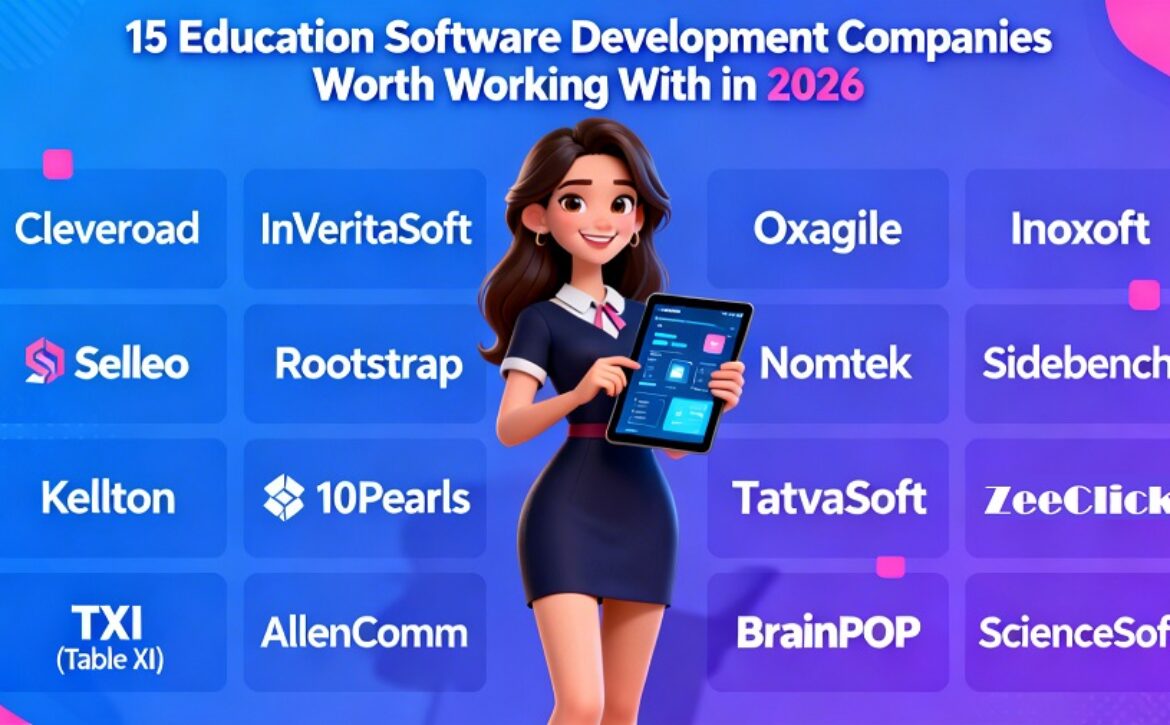
5 Best Enterprise Healthcare Software Development Firms

Enterprise healthcare software feels different from most enterprise projects. You work with sensitive patient data, busy clinicians, and systems that already “hold the hospital together.” One weak link, like a messy integration or unclear access rules, can create real risk and real downtime.

That’s why vendor choice matters. The right team understands healthcare workflows, builds with compliance in mind, and supports the product after launch. Below are five firms that fit enterprise healthcare delivery. Each profile follows the same structure so you can compare them quickly.


What makes a healthcare vendor enterprise-ready?

—————————-

Enterprise readiness shows up in daily engineering habits, not in a sales deck. Use these criteria during selection.

Compliance-first delivery model

Healthcare software needs security built into every sprint. Look for a team that uses secure coding standards, controlled environments, and clear access governance. You also want proof, like traceable requirements, test results, and release notes that make audits easier.


Interoperability expertise

Most enterprise healthcare products plug into existing systems. You may need EHR/EMR integration, identity providers, billing, labs, and analytics. Integration often takes more effort than UI. A strong vendor designs stable APIs, plans data mapping early, and tests integrations to reduce downtime risk.


Role-based workflows and auditability

In healthcare, permissions decide everything. Nurses, physicians, admins, and patients have different access and actions. A vendor should design RBAC early, log sensitive activity by default, and keep audit trails consistent and searchable.


Long-term ownership and support

Enterprise healthcare software needs steady care after launch. Monitoring, incident response, security updates, and performance tuning all matter. A vendor should explain how they support the product and how they handle changes without breaking integrations.


1. Cleveroad

Founded in: 2011
Headquarters: Claymont, Delaware, USA
Hourly Rate: $50–$80
Industry Expertise: Fintech, Healthcare, Logistics, Retail, Media, eCommerce
Reviews: 70+ reviews on Clutch, average rating 4.9/5
Website: cleveroad.com

Cleveroad builds enterprise healthcare software with a focus on practical workflows and predictable delivery. The team supports patient portals, provider-facing apps, telehealth modules, scheduling tools, and analytics dashboards. If you need an end-to-end partner for a regulated product, Cleveroad works as a healthcare software development company that can take responsibility across discovery, architecture, development, QA, and long-term support.

Their delivery usually starts with roles and critical paths. That means the team defines who does what inside the system before they build features. After that, they move into sprint cycles that keep product owners, security stakeholders, and clinical reviewers aligned. This approach supports incremental rollout, which helps when your system includes integrations and compliance checks.

In enterprise healthcare, security depends on process. The above principles for a robust team are to build off of the Access Control requirements upfront, create Encrypted Data Flows and implement Audit Logs into Core Services, which minimizes rework down the road and streamlines the process of review for Compliance & Security teams.

  • Use Case Scenarios
  • Developing a Patient-Facing Application with Usability as the Primary Driver for Adoption
  • Developing a Product with Consistent Release Delivery and Clear Ownership
  • Creating a Roadmap of Continuous Improvement and Support


2. ScienceSoft

Founded in: 1989
Headquarters: McKinney, Texas, USA
Hourly Rate: $50–$99
Industry Expertise: Healthcare, Financial Services, Retail, Manufacturing
Reviews: 30+ reviews on Clutch, average rating ~4.8/5
Website: scnsoft.com

ScienceSoft fits healthcare organizations that prefer a controlled delivery style. This profile works well for teams that run strict stakeholder approvals and need solid project artifacts for compliance reviews. It also suits organizations that value predictable QA cycles over rapid experimentation.

ScienceSoft often works well for modernization and internal healthcare systems where stability matters more than speed. These projects usually include role-based workflows, admin tools, and integration-heavy back-office modules. In that setup, delivery discipline saves time because one change can impact multiple systems and user groups.

If your stakeholders expect clear documentation and a clean release process, this style of vendor can reduce friction. You get fewer surprises near the end of a release and more confidence during rollouts.

Best-fit scenarios

  • You need strong documentation for enterprise approvals
  • You run releases with strict QA gates and rollback planning
  • You modernize legacy systems with high reliability requirements


3. Itransition

Founded in: 1998
Headquarters: London, England, UK
Hourly Rate: $25–$49
Industry Expertise: Healthcare, Finance, Manufacturing, Retail, Insurance
Reviews: 30+ reviews on Clutch, average rating ~4.9/5
Website: itransition.com

Itransition suits enterprise healthcare programs where interoperability drives the project. Many healthcare products sit inside ecosystems that include EHR/EMR tools, imaging systems, lab services, and payer platforms. In those environments, stable integration patterns cut long-term maintenance cost and lower the risk of outages.

This firm can fit patient engagement platforms, provider portals, and enterprise dashboards that aggregate data from multiple sources. A strong integration approach includes versioning, background processing, retries, and monitoring. These details decide uptime and support load after launch.

Itransition also fits teams that want a cost-efficient delivery model while keeping enterprise-grade engineering. If requirements are clear and product ownership stays strong, this kind of partner can move fast without losing control.

Best-fit scenarios

  • You must connect multiple systems and keep data consistent
  • You plan portal or dashboard products with heavy integrations
  • You want cost efficiency plus enterprise engineering maturity


4. ELEKS

Founded in: 1991
Headquarters: Tallinn, Estonia
Hourly Rate: $50–$99
Industry Expertise: Enterprise software, Data and analytics, Cybersecurity
Reviews: 30+ reviews on Clutch, average rating ~4.8/5
Website: eleks.com

ELEKS works well for enterprise organizations that need strong engineering capacity across multiple workstreams. Enterprise healthcare platforms often require more than one team because you may build user-facing apps, integration layers, and data pipelines at the same time. That setup needs consistent architecture and strong technical leadership.

ELEKS also fits scenarios where data and analytics matter from day one. Many healthcare organizations build reporting systems for clinical operations, utilization insight, and patient outcomes. Data-heavy roadmaps need a clear governance approach, strong security controls, and performance engineering that keeps dashboards responsive at scale.

If you expect multi-team delivery, ask how they keep architecture consistent across squads. The way a vendor manages shared components, standards, and release coordination often decides whether your platform stays clean or becomes hard to maintain.

Best-fit scenarios

  • You need multiple squads with shared architecture standards
  • You build data-heavy platforms with analytics and reporting
  • You need strong DevOps and monitoring discipline for uptime


5. Intellectsoft

Founded in: 2007
Headquarters: Miami, Florida, USA
Hourly Rate: $50–$99
Industry Expertise: Enterprise custom software, system integration, product design
Reviews: 40+ reviews on Clutch, average rating ~4.9/5
Website: intellectsoft.net

Intellectsoft fits healthcare buyers that want one vendor to own the full delivery cycle, from product design through integration and post-launch improvements. This model helps when internal stakeholders want a single accountable owner across releases, design changes, and technical decisions.

This type of partner suits projects where usability and integration must move together. Healthcare adoption often depends on UI clarity, but stability depends on integration quality. A vendor that covers both sides can keep delivery consistent and reduce friction between design and engineering priorities.

This profile also fits phased rollouts where change management matters. Many enterprise healthcare systems need training plans, gradual adoption, and controlled feature releases to avoid disruption.

Best-fit scenarios

  • You want one accountable delivery owner across the lifecycle
  • You need a balance of product design and system integration
  • You plan phased rollout with change management and training needs


How to choose the right firm for your enterprise healthcare project

—————————-

Vendor selection becomes easier when you focus on how a team works, not only what they promise. Use this checklist during calls and RFP reviews. It helps you keep the conversation practical and stops vendors from hiding behind generic promises.

1) Start with real workflows, not a feature wishlist

Ask the vendor to walk through day-to-day scenarios for clinicians, admins, patients, and support teams. Define what each role can see and do, plus where approvals happen. This clears up misunderstandings early and makes estimates far more realistic.


2) Treat integrations as core scope

Write down every system your product must connect to: identity, EHR/EMR, labs, billing, analytics, and any third-party services. Then ask how they handle data mapping, retries, timeouts, and monitoring. Integrations break more often than UI, so you need a detailed plan here.


3) Check that security shows up in daily work

Don’t accept “we follow best practices.” Ask for specifics:

  • Identity model and RBAC approach
  • Encryption for data at rest and in transit
  • Audit logs (what events they track and how they store them)
  • Vulnerability management and code review routine
  • Incident response workflow and escalation path

You want examples from real delivery, not theory. A good team can explain how these controls appear in every sprint.


4) Make sure QA and releases feel reliable

Ask the team how they keep old features from breaking when new ones ship. You want to hear a clear plan for test automation, release approvals, and what happens when something goes wrong in production. Also ask how they handle hotfixes and rollbacks. If your security team takes part in reviews, the vendor should explain the release process in simple, audit-friendly language.


5) Get a clear picture of support after launch

Don’t stop at “we provide support.” Ask who watches the system day to day, how quickly they respond, and how they sort issues by priority. Clarify how they handle bug fixes, upgrades, and dependency updates. Discuss SLA options and how communication works, especially during incidents. Healthcare products need steady support because integrations change and compliance requirements evolve.


6) Protect the project from team churn

Ask how the vendor keeps the same key people on your project for the long run. Find out what they do to capture decisions as they go, like architecture notes, diagrams, and clear technical documentation. Also ask how handoffs work if someone leaves and who owns the “project memory.” Stable teams move faster because they don’t lose context every few months.


7) A small pilot program will yield better results than if you were to implement the entire system all at once.

Starting off with a small pilot program that only includes the basic functions will keep the risks low. You can choose one of your team’s daily processes, connect to one meaningful system (based on the data it has), and perform a simple security assessment to determine if the vendor meets your standards. As you utilize the vendor through the pilot program, you will learn how they work, communicate and execute in real-world situations, which will give you more assurance in your ability to deploy them on a larger scale.


Final thoughts

Enterprise Health Software is successful when obtained in a disciplined manner and realistic manner, and includes secure architectures, stable integrations, and robust support practices – but not necessarily a broad feature set. Utilize the criteria listed above to narrow down your vendor list; however, confirm that the vendors you have shortlisted fit your needs through a thorough workflow walkthrough, security review, and a detailed plan for your implementation and long-term support.

To reduce the amount of time spent gathering information, create a simple scorecard for each vendor, perform the same workflow demonstration for every vendor on your shortlist, and evaluate how each vendor handles risk in their products regarding integration, security, quality assurance gates, and after-care support following the launch.

Read More
Sanju January 2, 2026 0 Comments

How Software Development Helps Build Secure and Flexible CMS Platforms

Most people don’t think about CMS platforms until something goes wrong. A page refuses to load. Accessing permission becomes more complicated. A simple update breaks the layout. Or in the worst circumstances, sensitive content becomes visible to the wrong users. When that happens, it’s easy to blame the CMS itself. But in reality, the problem usually starts much earlier. It starts with how the system was built.

This is where software development quietly shapes everything that follows. A CMS is not just a tool that publishes content. In modern environments, it behaves more like a living system. It stores all the structured information, manages user access, connects with other platforms, and evolves over time. When these realities are ignored, security and flexibility always suffer.

A CMS that feels “fine” during the launch can slowly become fragile as real usage begins.


CMS Platforms Have Changed, Even If Perception Hasn’t

——————————–

Earlier CMS platforms were used for blogs and static websites, but as time passes. CMS platforms have often sat at the centre of several digital operations. They support several platforms, including internal documentation, learning portals, financial education platforms, and even systems that display personalized user data.

Once a CMS starts doing more than just publishing text, its responsibilities multiply. Suddenly, questions arise. Who can see what? What happens if data grows tenfold? How are updates handled without breaking the workflows?

At this stage, relying on the default configurations becomes risky. Software development has stopped being a technical choice and has become a structural necessity.


Why Generic CMS Setups Reach Their Limit Quickly

——————————–

Generic CMS platforms are designed to work everywhere. That strength is also their weakness. They assume a level of simplicity that rarely exists in real-world systems.

Some of the common issues that start appearing quietly include:

  • Permissions become messy
  • Plugins overlap or conflict
  • Performance drops without any clear reasons
  • Security updates feel unpredictable

But none of these problems is dramatic and appears on day one. They usually show up gradually, especially when multiple users interact with the system in various ways. This is where custom software development services change the whole equation. Instead of just forcing the CMS to fit in every scenario, the system is shaped around the actual usage.


Security Is Often Treated Too Casually

Security failures in CMS platforms rarely come from one catastrophic mistake. More often, they are the result of small compromises that have been made over time. A plugin that doesn’t get updated. A user role that gets more access “just for now.” A quick workaround that becomes permanent.

When security is handled reactively, CMS platforms slowly become unpredictable. Software development allows security to be treated as part of the system’s foundation, but not an emergency response. Authentication, permissions, and data handling are designed intentionally. This major difference matters the most where people often realize.


Architecture Influences Security More Than Tools Do

Many CMS problems are architectural, not technical. When content logic, user management, and system operations are tightly mixed, issues are spread quickly. A small bug in one area affects everything else.

Strong CMS platform architecture and security practices focus more on separation. Content remains as content. Users stay users. System logic remains isolated. This separation makes problems even easier to contain, and systems become more trustworthy. Plugins alone cannot create this clarity. It requires deliberate design choices that are made during development.


Access Control Is Where Problems Hide

One of the most overlooked areas in CMS platforms is access control. Systems often grant users permissions that they actually need. Over time, this leads to confusion and risk.

With custom CMS software development, access rules can reflect the real behaviour. Editors can edit, reviewers can review, administrators can manage, and sensitive areas stay protected without any supervision.

This structure reduces mistakes and improves accountability. It also makes the CMS easier to manage as teams grow.


Flexibility Determines Whether a CMS Survives Change

Security is one of the important things as it is very important for the system to stay protected. Flexibility determines whether it survives tomorrow or not.

Requirements can change instantly. Content formats evolve over time. Integrations become more necessary. Compliance rules shift. CMS platforms that are rigid can accumulate patches and workarounds, and workarounds can eventually weaken the security.

Custom software development allows systems to evolve without breaking. Features can be added cleanly. Old components can be replaced rather than patched. This adaptability is what keeps the CMS platforms useful over time.


Plugin Convenience Comes With Long-Term Costs

Plugins are tempting because they promise quick solutions. But each plugin introduces some uncertainty. Who maintains it? How often is it updated? What happens when it conflicts with another component? With custom CMS software development, features are built specifically for the platform. There are fewer unknowns. Behaviour becomes even more predictable, and maintenance becomes manageable. Over time, this approach reduces surprises and improves stability.


Enterprise CMS Development Solutions Are About Calm Systems

Enterprise-level CMS platforms behave differently from small websites. Large volumes of content, complex workflows, and heavy traffic can change how systems respond under pressure.

Enterprise CMS development solutions focus on stability rather than speed of deployment. Load handling, caching, and performance optimization are planned from the beginning. This prevents reactive, but fix it later. With the help of structured software development services, CMS platforms remain calm even as usage grows.


CMS Platforms in Finance-Related Contexts

CMS platforms can increasingly support the finance-related content. This includes budgeting guides, dashboards, reports, and user-specific resources. These environments demand more accuracy and trust.

Here, CMS platforms must handle:

  • Structured information
  • Controlled access
  • Predictable workflows
  • Clear data boundaries

Through custom web software development, these systems can operate securely without exposing users to unnecessary risk.


Integrations Should Strengthen, Not Weaken, Systems

Modern CMS platforms rarely operate alone. They connect with the analytics tools, cloud services, and APIs. Each connection introduces the potential exposure.

Poorly planned integrations often bypass the existing security logic. Custom development ensures integrations follow the same standards as the core system.

This is another reason custom software development services reduce their long-term risk rather than just increasing it.


Performance Problems Are Not Just UX Issues

Slow CMS platforms frustrate users, but they also complicate maintenance. Delayed updates, unstable behaviour, and timeouts create several blind spots. Through thoughtful software development, CMS platforms remain responsive and predictable. Clean code and efficient processes make systems easier to secure and even easier to update.


CMS Platforms Are Long-Term Commitments

A CMS is not a short-term tool. It grows alongside the content, users, and their expectations. Systems built without long-term thinking become difficult to maintain.

Good software development assumes change. It builds systems that can absorb new requirements without chaos. This mindset is what separates stable platforms from constant rebuilds.


Where CMS Development Is Headed

CMS platforms are moving toward headless designs, API-driven workflows, and cloud-based environments. These shifts increase flexibility but also complexity.

As systems become more distributed, CMS platform architecture and security will matter even more. Strong foundations become essential.


Conclusion

CMS platforms today are complex systems, not simple publishing tools. Their reliability depends less on features and more on how they are built. Software Development provides the structure needed to protect data, support growth, and adapt to real-world usage. When CMS platforms are designed with intention, they remain assets instead of liabilities.


Frequently Asked Questions

——————————–

  1. Why is Software Development important for CMS platforms?
    Because it allows systems to be designed around real needs rather than generic assumptions.
  2. How does custom CMS development improve security?
    It reduces dependency on third-party plugins and allows tighter access control.
  3. Can CMS platforms securely manage sensitive or finance-related content?
    Yes, when built with proper architecture, access control, and data handling.
  4. What makes enterprise CMS solutions different?
    They prioritize stability, scalability, and predictable performance.
  5. Why does flexibility matter in CMS platforms?
    Because systems that cannot adapt become insecure and difficult to maintain.

Read More
Sanju December 31, 2025 0 Comments

How Agile Development Improves Software Delivery

It’s Friday afternoon. The team just pushed a small, well-tested change into production. By Monday morning, you’ve already seen usage data, a user’s comment, and the tweak is live. No re-dos. No late-night firefights.

That’s not luck, that’s what happens when Agile isn’t just a method on paper, but a way of working. When done right, Agile doesn’t merely speed up development, its re-shapes how you deliver. It becomes the bridge between “code done” and “value realised”.

In this blog, we’ll walk through how adopting Agile genuinely improves software delivery not in vague slogans, but in practical shifts that teams feel.


What “Software Delivery” Really Means?

—————————-

When your team says, “we deliver software”, it often means code goes in. But real software delivery is far more: it’s the journey of an idea becoming something your users touch, interact with and rely on. Planning, building, testing, deploying, and monitoring all of this is part of the delivery chain.

Most delays don’t happen because code takes too long. They happen because

  • someone somewhere didn’t communicate in time,
  • a requirement changed without notice, or
  • An integration issue came up at the last minute.

That’s where Agile kicks in, it doesn’t fix the code-writing alone, but realigns how we work, so delivery becomes smoother.


Understanding Agile in Software Delivery

—————————-

Agile in software delivery is not just a process but rather a mindset, which changes the entire journey of building, testing, and releasing software. Agile is software delivery, replacing the rigid development process and focuses more on adapting quick feedback, small targets, and continuous growth in small pieces.

Rather than spending months developing something that could fail in various levels, Agile co-locates developers, designers, and decision-makers in short and focused cycles called sprints, where progress is assessed regularly, and adjustments are implemented at every moment.

In simpler terms, Agile helps teams develop and deliver software quicker. It makes sure that all the features provided are value-adding, not only to the system, but also to the individuals operating it.

Having known what Agile is in software delivery, it is time to understand how it can enhance the process of software delivery in actual life.


How Agile Actually Improves Software Delivery

—————————-

Agile solves software delivery we have been hearing this all long, but how? This has been a constant question all along, what changes it makes and benefits it gives you. Let us have a view on some of the benefits of agile to software delivery.

Shorter Workloads, Greater Improvement
Agile divides high-level projects into small and easy to handle units. By being smaller in size, these goals are simpler to accomplish, test and deploy, lessening time delays and ensuring that the momentum stays consistent.

Continuous Feedback Loops
In Agile, feedback is immediate and frequent. Teams are frequently updated, user feedback is taken into account and refined. This real time loop makes sure that the software remains relevant and in line with what the users really require.

Cross-Functional Collaboration
Agile creates a single room that includes developers, testers, and business teams, or one sprint board. This is joint ownership so that there are less in terms of hand-offs and miscommunication. Everyone is aiming for the same purpose to achieve quality and speed.

Less Risky with High Frequency Releases
Agile teams do not release one large release but make smaller, incremental releases. This simplifies the early detection of bugs, is much safer in rolling back issues, reduces chances of system wide failures.

Faster Decision Making
Decisions made in an Agile way seem to be quicker since Agile is a team-based business model and is transparent. Obsessively long chains of approval are not part of teams, but teams collaborate, test, and proceed. This reduces delays which tend to slow down conventional development.

Improved Transparency and Management
The progress in Agile can be measured. The work of team members is monitored with the help of sprint board or burn-down chart, which provides all team members, including developers, stakeholders, etc., with a clear perspective on current situations at any specific time.

Constant Testing and Quality Control
Every test within agile is done on the code and then proceeds with further development, meaning that the bugs are identified at a younger stage. This results in more reliable software that is cleaner and less chaos at last-minute fixes.

Better Team Spirit and Proprietorship
Confidence is achieved when the teams get to see that their work reaches the users and receives actual positive feedback. Agile will enable them to own the outputs, not only tasks but extensive motivations and improved teamwork in general.

Want to follow the agile methodology for your software development process, but not sure where to start, how to integrate into your work and train your team? The best possible option is to choose professional software development services, and get things done by experts!


Life Cycle of Agile Methodology

—————————-

Life Cycle of Agile MethodologyThe agile lifecycle helps you break down each project in a particular manner, following which for every task you get, smoother software delivery. This life cycle is usually completed in six steps.   
1) Gathering Requirements

  In this stage, the team is required to gather all the relevant information and expectations of the client, various stakeholders, and subject matter experts. This step majorly includes 

  • creating a plan
  • allocating budget
  • setting objectives
  • assigning resources
2) Planning Design

Next step consists of planning, developing and designing a high-level system architecture, in which teams are generally required to create detailed and specific blueprints with all the relevant data.

3) Development

In this stage, developers are required to write the code and start the technical work in addition to unit testing to check the functionality or every component of the code.

4) Testing

 This is the stage where various types of testing are done to check the code that has been written in the previous step. 

  • Making sure all the components are working together and are user friendly.
  • Testing the entire software system, at a macro level, everything from features, click buttons to the landings pages.
  • Making sure that the software will be able to meet the requirements of the end user.
  • Check the speed and how scalable the software is.
5) Deployment

This is the step where your product finally faces the real world. The software is deployed in the production environment, and people finally use it. This is the step where agile makes things even more easier, if some issues or bugs are caught by users, developers and the team do not wait for the post maintenance phase rather they fix it here only.

6) Review and Maintenance

The agile integrated software delivery process does not end with deployment but rather goes beyond it. You must understand that there may be changes from the users’ side you might not have thought of from the developers’ POV. This helps you to keep your software continuously maintained and smooth for the end user.


This agile life cycle, when used with the right vision, often leads to fixtures of various software delivery processes stated previously in the blog.


The Bottom Line

Wrapping things up, choosing agile is not just a successful Agile delivery isn’t an abstract “agile transformation” banner; it’s the day-to-day rhythm where small, safe changes go to production frequently, teams learn from real usage, and the business gets the speed to act on opportunity.

This isn’t theoretical, it’s repeatable and measurable if you focus on batch size, feedback loops, automation, and cross-functional ownership.

Use the above-mentioned agile cycle and make sure you deploy smoother software delivery the right way! Agile Way!

Read More
Sanju December 5, 2025 0 Comments

What is a Software Process Model? Top 7 Models Explained

If you’ve ever been around a software development company, you’ve probably heard terms like Agile, Waterfall, or Spiral Model. They sound fancy, but they all really answer one question: how do we actually build software in an organised way without losing our minds halfway through?

Because truth be told, writing code is just one part of the story. What really matters is how you plan, build, test, and deliver that code, and that’s exactly what a software process model defines.


What is a Software Process Model?

———————————

A software process model describes the sequence of steps, activities, and tasks required to develop a software product. It organises the development process and creates a structure for what could otherwise be a chaotic process.

As a methodology, some of the questions a software process model helps answer include:

  • What needs to be done first?
  • Who is responsible for what?
  • How will progress be measured?
  • When will the product be ready?

Let’s look at the first seven software process models, all of which have contributed to current software development practices.


Top 7 Types of Software Process Models in 2025

———————————

1. Waterfall Model

The Waterfall Model is one of the oldest and most straightforward software development models. Waterfall is linear and sequential, requiring the completion of one phase before another can begin.

Key Phases:

  • Requirement Analysis
  • System Design
  • Implementation
  • Testing
  • Deployment
  • Maintenance

Once a phase is complete, there is no going back. Waterfall, after all, only flows in one direction.

Best For:

Projects requiring low maintenance, and which have clearly specified, well-understood, and static core requirements.  Examples include government and manufacturing systems.

Pros:

  • Limited project requirements make it easy to manage.
  • Suited to low-maintenance projects.

Cons:

  • Inflexible to the point of rigidity.
  • Poorly suited to projects which evolve.

Many software development companies, particularly for short-term well well-structured projects, are still using the Waterfall.


2. V-Model (Verification and Validation Model)

The V-Model, also called the Verification and Validation Model, is an extension of the Waterfall approach but with a focus on testing at each step of the development cycle. Testing is associated with each development phase, so that a V shape is formed when development and testing progress are visualised.

Best For:

Reliability and accuracy-centred projects like healthcare and banking systems.


Pros:

  • Identifying defects is easier, and the focus is on quality.

Cons:

  • Regrettably, it is inflexible and poorly suited for projects that have rapidly changing needs.

For this reason, the V-Model is widely used in software development by firms that deal with mission-critical systems that could lead to catastrophic consequences in the event of a failure.


3. Incremental Model

The Incremental Model divides the project into smaller pieces or increments. Each increment delivers a working segment of the software, which is further improved with new features in the following iterations. This model facilitates concurrent development and testing, which contributes to the quicker release of functional software.

Best For:

Projects that need to be delivered quickly and require ongoing enhancement.


Pros:

  • Working software is delivered earlier
  • Risks are simpler to handle
  • Changing requirements may be more easily adapted to

Cons:

  • Requires substantial planning
  • Integration may become complicated over time

This model is favoured by contemporary software development companies for client-driven projects that are subject to changes.


4. Iterative Model

The Iterative Model is unique as it permits testing and refining of the application during the various stages of the development process, rather than waiting until the end of the development process to evaluate the entire application.

Best For:

Projects that have requirements that are not completely understood at the beginning but are subject to change.

Pros:

  • Continuous feedback and enhancement of the project
  • Issues are identified earlier and can be resolved promptly
  • The scope can be adjusted easily

Cons:

  • More resources are needed
  • Active client participation and collaboration need to be sustained.

This development model is very common in the software development industry for building dynamic applications and for building prototypes.


5. Spiral Model

The Spiral Model merges components of the Waterfall and Iterative models and is effective for large and high-risk projects where continuous risk evaluation and flexibility are required.

This model consists of four phases, which are completed and repeated in a spiral fashion:

  • Planning
  • Risk Analysis
  • Engineering
  • Evaluation

The model alters each completed loop and advances the product while addressing the risk.

Best for:

Large, complex projects with high potential risk or vague requirements.

Pros:

  • Effective risk mitigation
  • Can extend over long durations
  • Highly versatile

Cons:

  • Time and cost-intensive
  • Requires high-risk management expertise

Software developers in the defence, aerospace, and large enterprise system sectors tend to use this model.


6. Agile Model

One of the most notable and popular ways to approach a project in software development is the Agile methodology. Agile prioritises customer satisfaction, collaboration and adaptability as opposed to the rigidity of classical methods.

Divided into short, rapid development phases known as sprints, which last usually about 2 to 4 weeks. After sprints, a usable chunk of the software is released, and the development team gathers feedback to be used in the upcoming sprints.

Best For:

Projects that need close client collaboration and rapidly changing requirements.

Pros:

  • Very responsive and adaptable
  • Fostering of collaboration and openness
  • Accelerated execution of deliverables

Cons:

  • May pose challenges with large teams
  • Needs client participation

Agile got its name as a result of the feeling it gives to methods used in software development and project management, and has made its way into the methods used by software development companies, from startups to larger corporations.


7. DevOps Model

The DevOps Model functions on development processes. It is a cultural shift model in software development and IT operations as it integrates both. The model automates processes, incorporates continuous integration, and accelerates continual deployment, therefore attaining rapid releases of high software quality. It highlights partnership and streamlines the repetition of processes, and improves productive output.

Best For:

Those organisations that require software development to be rapid, dependable and to expand in size.

Pros:

  • Release software in stages, and high-velocity deployment of software.
  • Minimises system failure occurrences.
  • Promotes integration in operation.

Cons:

  • High-level expertise is a must, and there should be sophisticated tools.
  • Not appropriate for smaller, less organised teams.

For more accelerated software delivery with better quality management, development delivery, many sophisticated software companies are focusing on adopting DevOps.


How to Choose the Right Software Process Model

———————————

Selecting a specific process model requires assessing a variety of conditions.

  • Project Size: For larger projects, the Spiral or Agile models may be more beneficial.
  • Client Alteration: For constant feedback from clients, the Agile or Iterative models work best.
  • Risk: When high uncertainty exists, the Spiral model is ideal.
  • Project Duration: For short-term projects, the Waterfall or Incremental models may be more appropriate.

Professional software development companies tend to analyse project objectives, risk and scalability in order to ascertain the best fitting model.


Final Thoughts

Understanding software development includes grasping the importance of structure in order to achieve quality, effectiveness, and satisfaction on the part of the customer. The software process model is the framework bearing a guiding system that aligns the team in a cohesive manner to mitigate risk in project development and enhance the outcome.

Choosing the right process model that best aligns with the nature of the project and the objectives of the business is truly project success and value. This can be the methodical progression of the Waterfall model, the Ask Change of the Agile model or the constant change of the DevOps model.

Read More
Sanju November 17, 2025 0 Comments

Offshore Software Development: Everything You Need to Consider

A decade ago, hiring developers abroad felt like a gamble. Today, it’s a common practice. From startups to Fortune 500 enterprises, companies turn to offshore software development to reduce costs, accelerate delivery, and access global tech expertise. Still, this approach isn’t without challenges. In this guide, we’ll unpack what offshore development really means, why it’s effective, the pitfalls to avoid, and how to make it deliver results for your business.


What Is Offshore Software Development?

——————————-

Let us say very simply: offshore outsourcing of software development means sending some or all of your software engineering tasks abroad. The destination should provide cheap labor and a ready pool of talented engineers. But offshore outsourcing is not just about cutting costs. It looks to fill the talent gap, reduce time to market, and utilize specialized know-how that would either be hard or expensive to come by locally. Done right, offshore development becomes less of a cost-cutting means and more of a strategic lever for growth.


Why Offshore?

——————————-

Building a fintech app in San Francisco could mean paying over $150,000 annually for just one mid-level developer, before adding benefits, taxes, and overhead costs. With the same budget, you could secure an entire dedicated team of engineers in Eastern Europe or India. While cost efficiency is often the first motivator, it’s far from the only one. Offshore development also provides access to diverse skill sets, faster scalability, and the flexibility to adapt to changing market needs, all while keeping internal resources focused on core business priorities.

Companies turn to offshore development to reach specialized skills such as AI, machine learning, blockchain, or niche frameworks that may be scarce locally. They also accelerate delivery by taking advantage of 24/7 workflows across time zones, while keeping in-house teams focused on strategic priorities. At the same time, offshore partners make it easier to scale without the heavy investment in local infrastructure. Spotify, Google, and Basecamp all work with offshore teams in some form. And countless startups build their MVPs offshore before ever hiring in-house.


Where Are the Top Offshore Destinations?

——————————-

The offshore landscape, this past decade, has experienced shifts. India remains a global leader, with major development and enterprise solutions. Ukraine and Poland are, in intensity, in the East and have excellent engineering education and English proficiency. Vietnam and the Philippines are coming up a lot, especially for web and mobile development. Latin America is also in the rising phase, concerning U.S.-based companies that want nearshore teams in similar time zones.

All popular offshore destinations have something to offer and come with their own strengths and advantages. India has a vast talent pool at a moderately affordable cost, making it perfect for big projects. Countries like Ukraine and Poland have established themselves as GOATs in terms of engineering skills, communication, and cultural proximity to the EU. Vietnam is competitively priced, has a tremendous work ethic, and has an emerging talent pool. In Latin America, skilled teams that align well with time zone and culture exist in countries like Argentina, Colombia, and Brazil. The ultimate choice of location depends on what you prioritize: lowering costs, higher-quality delivery, or ease of collaboration across time zones.


What Can You Offshore?

——————————-

Almost any software-related task that comes to mind is a candidate for offshoring, but that does not mean every single one should be done offshore. Typically, functions like web and mobile development, UI/UX design, and QA are thrown over the wall to overseas teams. Setting up and running infrastructure is another item on the list, alongside data engineering, analytics, and anything involving the modernization of legacy systems. Many businesses also partner up with offshore teams for support and maintenance so that their own products stay stable and current.

More discerning clients will also offshore R&D and AI model development depending on their trust in the team. However, there is a difference between letting a team offshore a well-defined and self-contained task (like writing a React frontend) and letting them offshore some sort of product strategy. The former is good, the latter is risky.


Common Misconceptions

——————————-

One notion about offshore: it is the cheap labor argument. Developments offshore are performed at a reasonable value, and good developers insist upon dignity and fair remuneration. And the other one: offshore may destroy communication, but it will not happen. Slack, Zoom, and proper project management can keep you just as integrated with a team in Lviv as you would be with one in Seattle. One more? Only the big companies offshore. Big corporations may be the ones who traditionally kept offshore services, but of late, even startups have gone crazy about adopting offshore models. It offers fast growth for startups and keeps their runway intact.


Things to Watch Out For

——————————-

An offshore software development operation won’t be one that you can just pull off. So plan for challenges because they will come. 

Time zone difference. With a 10-hour time gap, getting quick feedback is going to be a hard task. Try and ensure at least 2-3 hours of overlap. 

Cultural differences. Different regions have varied work expectations. Maybe a developer in Eastern Europe will give you blunt feedback, while one in Southeast Asia will never say “no” outright to such a request. Neither is good nor bad, just different. You will have to learn to navigate through this. 

Security concerns. You may be sharing codes, data, maybe even customer information. Whatever the case, it is best to sign NDAs, have the parties check compliance (especially for the healthcare, finance, or GDPR-mentioned regulations), and determine levels of access very clearly. 

Quality gaps. Not all vendors are equal. Some types will certainly dazzle you, while others will promise the world, only to disappear three weeks down the line. Do your homework, ask for code samples, and if possible, begin with a test project.


What to Look for in an Offshore Partner

——————————-

Choosing the right offshore team could make or break your project, so you really have to look behind those enticing sales pitches and get to see how they actually function. For starters, look at their experience: Have they done the same thing before? If yes, can they show evidence of that through a good portfolio of past results? Pay attention to communication as well: The best partners will always provide swift and clear responses, making collaboration much smoother. Strong teams work through clear processes: Agile sprints, Git workflows, or fairly structured QA pipelines.

English proficiency is also a factor you must consider; a meeting should be possible without going through a translator. Check Glassdoor reviews, call their past clients, and skim LinkedIn to see how long developers tend to stick around. One of the best tricks is to get on a call or interact with the developers themselves, not just the salespeople, because those will be the ones you work with day-to-day.


Setting Up for Success

——————————-

Hiring offshore isn’t enough: you have to manage it well. Here are some ways to go about it:

Over-communicate. Do not expect others to read your mind. Share documentation, call regularly, and use tools such as Loom to record walkthroughs.

Set scope clearly. Vague specifications bring about misunderstandings. Try to be as specific as necessary. Wireframes, a list of features, and a set of technical notes all help.

Use the right tools. Jira or ClickUp for managing projects. GitHub or GitLab to manage code. Slack or Teams for all daily communications. Ensure everything is open and transparent.

Start small. Rather than signing a 12-month deal, try a 2-week sprint or rush a small feature.

Think long-term. Transactional offshore relationships should not be the best ones. They become strategic partnerships and might power your roadmap for the years ahead.


Use Case: Scaling a Healthtech Platform

——————————-

A New York healthtech startup was looking to build a HIPAA backend, mobile apps for iOS and Android, and a patient dashboard, all on a limited budget. On the other hand, hiring locally was considered too slow and expensive. Hence, they chose an offshore team in Poland.

The result is:

  • MVP within 3.5 months
  • Ongoing QA and DevOps support
  • Cost savings of more than 50%

Today, the company considers the offshore team its very own tech department with full integration into daily stand-ups, roadmap planning, and post-launch support.


Use Case: AI Startup With No Engineers

——————————-

The solo founder, a biologist, wanted to build a machine learning tool for pharmaceutical companies. He had no engineers but had money and a product vision.

The team was contracted in Vietnam to do the entire application work for the web-app, which included training the AI model and delivery of a workable prototype in six months. The founder generated all domain expertise and business development, while the offshore team did everything technical. Soon enough, he raised a $2M seed round and kept the same offshore team post-funding.


So, Is Offshore Development Right for You?

Should faster production, cost reduction, and skill sets not locally available turn into an opportunity, offshore development can turn out to be a game-changer. But offshore development is truly not for everyone. If you find it impossible to even spare a little time to manage a remote team or need to collaborate in the very same room with great attention to detail, then this really is not a good choice.

Still, if it can be implemented correctly, offshore software development is not a shortcut. It is a strategy of creating better, faster, cheaper, and, above all, quality.

Read More
Sanju October 21, 2025 0 Comments

How to Hire Software Developers That Truly Deliver in 2025

Proven guide to hiring high-performing tech talent

Summary: Hiring software developers in 2025 is more than hiring someone who can write code; it depends on appropriately termed software developers who think in systems, foresee potential problems, and help your team move forward. If you are a product manager trying to hire a developer, a founder trying to hire developers for your startup, or a CTO trying to build a tech team, this will be a reality-based approach to hiring talented developers. We will explore what I mean by “results” in today’s software jobs, where today’s best developers live, how to sift away the fluff, and whether or not it is best for you to hire a top software development company or a dedicated team.


Introduction:

It was a straightforward process to hire technical people before. Jobs get posted, resumes come in, and then the ones with the best degrees or longest resumes are selected. Today it is not like that. In 2025, a GitHub profile with flashy ideas or even an interview round on LeetCode matters little in determining whether the person is right for your dev team. Today, businesses need developers who can think beyond functions and features, engineers who get the product, the users, and the pace of scaling. And those people are hard to come by. The hiring ecosystem is saturated, global, and noisy. This is your detailed map to maneuver through the noise: no fluff, step-by-step instructions in hiring software developers that will exceed rather than meet expectations.


1. Define What “Results” Actually Mean for Your Team

——————————-

Before you send that job description or DM a recruiter, stop and define what success looks like in your situation.

  • Need faster iteration cycles? Target developers who’ve worked in agile, CI/CD-based processes and shipped product updates biweekly or faster.
  • Need highly maintainable code? Then seek engineers who value architecture, documentation, and long-term scalability instead of flashy short-term hacks.
  • Need devs with product sense? Then target those who think like product managers who ask questions around users, business objectives, and use cases.

Also, define what type of team you’re trying to assemble. Remote-first? Cross-functional? Fast-scaling? Your answers should directly influence the hiring scorecards and candidate personas you’re creating.


2. Where to Actually Find Developers Who Deliver

——————————-

The common, pervasive myth that “great developers are hard to find” is often just a product of bad sourcing. In 2025, there will be more readily available talent pipelines than ever before, if you know where to look:

● Top software development firms:

These firms have vetted talent for you, are responsible for managing delivery, and can grow and scale at your pace. They are your best option if you need a team that can hit the ground running and own the results.

Global freelance platforms:

Great for specialized projects or interim roles, but only when these projects have clear deliverables and internal oversight.

Open-source developers:

Developers who are contributing to GitHub projects in a meaningful way or answering technical questions on a professional forum like StackOverflow often have real-world thinking behind their code in addition to being peer-reviewed experts.

Dedicated hiring marketplaces:

Platforms you hire dedicated software developers through, or hire dedicated resources with defined timelines and SLAs.

Don’t just post and pray. Contact prospective developers at their place of work, and approach them with context and clarity.


3. How to Screen Developers for More Than Code Quality

——————————-

Too many hiring managers are preoccupied with focusing on tech tests or resumes. That’s a serious mistake. In 2025, the value is in how a developer thinks, collaborates, and adapts.

A better strategy is:

●  Assign real-world tasks:

Instead of a whiteboard puzzle, provide a small, scoped-down task that they’d accomplish on your team. And make it time-boxed to see how they manage speed versus quality.

Assess their technical communication:

Ask them to explain their past projects. Can they talk about their trade-offs, or only the tools they used? That’s experience.

●  Test for decision-making and integrity:

Present a vague brief and observe their questions. Great developers impose transparency, discovery, and propose solutions.

Run collaborative interviews:

Include product managers or designers to demonstrate a simulated stand-up or planning meeting. Watch how they listen, engage, and respond.

The best developers are team multipliers. Your interview process must reflect that.


4. Offshore vs Onshore vs Hybrid: What Makes Sense in 2025?

——————————-

The hiring landscape has evolved. Remote-first is no longer a pejorative in talent acquisition and work with software as you use tools such as Zoom, GitHub, Linear, and Notion.

  • Onshore is great when time zone isn’t an issue for collaboration, and generally works for early-stage product building or mission-critical infrastructure.
  • Offshore is cheaper and routinely more scalable. However, it can still go wrong, unless you are working directly with a competent software development company that can understand how to manage your expectations, overlaps, and product context.
  • It would appear that hybrid styles, incorporating onshore strategic roles for your team and offshore execution pods, are the default for many successful startups in 2025.

Whichever hiring style you pursue, cultural alignment and shared rituals have to be built into your workflows, through daily check-ins or weekly demos.


5. Red Flags That Signal Long-Term Risk

——————————-

It does not take much effort for any developer to look good on paper. However, some characteristics should prompt you to do a little more investigation:

  • Overuse of buzzwords: If the resume reads like a buzzword salad but the discussions do not go deeper, then walk away.
  • No deployed work: Projects in portfolios should link to actual apps, products, or at least working prototypes.
  • “The lone genius” attitude: Be cautious of developers who feel they have built everything by themselves. Software in the real world is built as a cooperative and collaborative discipline.
  • Defensive feedback: If a developer shuts off during code reviews or has trouble accepting constructive criticism, this trait will manifest itself later during sprints.

The cost of hiring the wrong developer goes beyond salary. It costs morale, velocity, and sometimes your roadmap itself. Screen accordingly.


6. Why Hiring Dedicated Developers Is a Competitive Edge

——————————-

Looking to avoid the drawn-out hiring process? Many companies have recently leaned toward verified hiring channels or recruiting a high-quality software development company to bring on dedicated developers. Here are some reasons why:

  • Speed: You can get senior developers started in days instead of months.
  • Focus: Dedicated developers only work on your product and experience no context-switching.
  • Predictable cost: You can pay either at a per-sprint or per-outcome level, not a generalized hourly rate.
  • Accountability: Quality partners offer continuous maintenance, ongoing quality assurance, project management, and can build up or down with your team as you scale.

If you are launching a new product, need to move quickly, or require additional resources to augment your core team, this model lets you operate effortlessly.


Final Take:

Hiring great developers is not just about resumes and interviews. The real thing is creating a model that attracts, identifies, and retains individuals who develop software that works and lasts for the end user. And in 2025, this will mean having a clear understanding of what outcomes look like, properly sourcing talent from various ecosystems, and creating hiring procedures that seek thinkers rather than just coders. Regardless of whether you hire freelancers or engage with a good software development agency that helps you build your teams, the aim is always the same- developers that deliver outcomes, not just code. Once this has been nailed, everything else will fall into place.

Read More
Sanju October 13, 2025 0 Comments

How SaaS Development Can Reduce Costs and Drive Efficient Growth

Today’s businesses are struggling hard to lead in the competitive landscape. However, they are falling back due to rising operational costs.

Time-consuming and error-prone manual processes, outdated software, frequent, costly maintenance, and more. This leads to inefficient workflows and expensive penalties.

And these inefficiencies become the foremost reason for businesses to fall back. Enters SaaS development – The most scalable and affordable solution for businesses.

You might be wondering how. Well, this blog will tell you today in detail how SaaS development can reduce costs and drive efficient growth.


Understanding SaaS Development

—————————–

A few decades back, installing any software solution on a PC was a time-consuming process. It required numerous installations and costly maintenance. However, as time and technology advanced, SaaS applications were introduced.

SaaS development involves building cloud-based applications that can be easily accessed through an internet connection. And that too without any need to install them. A very good example of SaaS development is none other than the famous OTT platform, Netflix.

You can access Netflix on your mobile phone or laptop simply by purchasing any of its subscription plans. This way, SaaS applications save you from investing your precious time and money in cumbersome installations and maintenance. Besides, SaaS applications have built-in scalability. This means they can easily adapt to your business’s changing needs without needing any additional cost.


How SaaS Development Cut Down Costs and Drive Growth

—————————–

Businesses are always on the lookout for solutions that can help them reduce unnecessary costs and deliver effective growth. SaaS development is one of them. The growth-powered development can easily drive numerous benefits to businesses while reducing several costs. Here’s how SaaS development can help businesses to have profitable growth.


Minimum Infrastructure Need with Low Maintenance

Installing traditional software solutions means welcoming several unnecessary costs on hand. Conventional software will require several things to operate smoothly. From technical staff to regular maintenance to costly infrastructure. Everything will come with a hefty price tag. And this is where SaaS development becomes beneficial.

As SaaS applications are cloud-based, they will not require any infrastructure, like servers, for operation. Moreover, SaaS applications have vendors to maintain them. So, you don’t have to spend on costly maintenance hustle, either. This ultimately saves you a lot from infrastructure and maintenance costs.


Powered by Automation

Businesses involve various operations like data entry and reporting, which consume a lot of your time and energy. Moreover, manual operations are more prone to errors, which can cost you a lot. SaaS applications incorporate automation features that can easily automate such mundane tasks.

Moreover, they are easily integrated with different platforms, including CRMs and ERPs. The automation and easy integrations not only save you from putting in manual effort but also save you from costly errors.


Subscription-Based Pricing

In the case of traditional software, you need to pay a hefty amount to install it. Moreover, you need to pay additionally for every update and maintenance.

However, SaaS applications are cloud-based and offer subscription-based pricing models. This means you pay only for the services you use. This flexibility saves you from making huge upfront investments that are compulsorily needed in traditional software solutions.


Built-In Security Protocols

Nowadays, data breaching is a common cyber threat. And when you install software on your PC, you are actually risking your data security. However, SaaS applications are embedded with high-end security protocols.

They are also built in compliance with industrial regulations like GDPR and HIPAA. The high security ensures your important business data always stays safe and secure.


Final Say

Businesses are always looking for ways to deliver effective growth while investing less. And SaaS development is one such investment. With its low maintenance, automation features, built-in security, high-end scalability, and subscription-based pricing, SaaS applications prove to be the most affordable solutions for businesses.

If you are looking for effective SaaS application development services, Technocrats Horizons is the name. We offer highly scalable and affordable SaaS development services. With 13+ years of expertise, our SaaS development company has acquired a detailed understanding of numerous challenges faced by businesses in achieving effective growth. That’s why our SaaS applications are high-performing and also built with scalability in mind to ensure your future growth never halts.

Contact us now to future-proof your business with our SaaS solutions.

Read More
Sanju June 23, 2025 0 Comments

Understanding the Role of AI and Web Development in BFSI Software Optimization

The banking and finance industry runs on day-to-day transactions, information precision, and advanced software, which brings users real-time updates. However, with time, technologies are evolving, opening the window for intelligent changes. For instance, the task of data entry was once paper-based, but it shifted to computers and software decades ago.

Now, to connect it to the premise, this revolutionary shift is now outdated as per the new technologies. BFSI businesses are relying on AI development services to modify such a mundane and manual computer-based task with artificial intelligence. The automation has replaced time-consuming processing with speedy functioning that is modernizing the industry. This change is the reflection of optimizing BFSI software with time, technology, and investment.

Among the many entrepreneurs and decision makers, adopting AI in web and software development is a consideration. To restructure as per the market demand, they are contemplating the role of AI and web development in BFSI software development and optimization. Considering that you are among the revolutionary entrepreneurs on the outlook to bring an intelligent change in your BFSI business, here we bring forth the reasoning strengthening the contemplation points.


Real-World Application of AI and Web Development for BFSI Software Development

————————————

As we speak of the prevailing role of AI and web development, the two are interwined to present the BFSI users with an accessible interface and functionality. For instance, while AI welcomes automation for workforce, the web development brings in the functionality-focused experience.

Keeping that in mind, it becomes imperative for the decision-makers to contemplate the future inclinations of AI in BFSI software development. Since that is the pretext, here we bring forth the applications that can assist you, a banking and finance entrepreneur, to comprise the functionalities.


1. Cybersecurity and Fraud Detection

In sophisticated times, with intelligent technologies vulnerable to cyber attacks, threat intelligence incorporated plays a role worth millions. Coming to the BFSI, the user data holds value, and the integrity must be maintained with resilient inclusions. Such a defence can be instilled with AI during BFSI software optimization, considering ML, an intelligent subset, detects fraudulent activities, and safeguards the system and user data.


2. Conversational Chatbots

Coming to the chatbots, it is evident that the traditional models are eliminated from the market since the emergence of conversational AI. With AI development services, BFSI businesses have included AI-powered chatbots to present their users with convenience in terms of issue resolution and customer experience. When compared to human assistance, these AI-focused chatbots are precision-powered and resolve the issues within minutes.


3. Insurance Risk Management

As we mentioned above, fraud in BFSI is posing a common concern among insurance service providers. They often find themselves reporting fraudulent cases or flagging risky profiles. The insurance claim process, in short, becomes time-consuming manually and is predisposed to human error. However, embedding BFSI software with AI proves to be an efficacious transformation. Based on data, the AI recognizes patterns and flags risky profiles and documents without negligible error chances. This way, the insurance industry finds itself unassailable with risk management.


4. Regulatory Compliance

Protecting personal data and information under GDPR is a core requirement when optimizing BFSI software over time. Among the AI and ML implementation and web-focused changes, it becomes a necessity to regulate the software based on data and secure the organization from possible data breaches that have the potential to damage brand reputations and impose hefty penalties.


5. Tracking Marketing Trends

BFSI software assists in internal tasks while managing the external tasks of a finance firm. However, the updated features welcome the productivity aspect and keep the organization updated with the trends. With AI as the main focus, finance businesses and banks include features that present product recommendations, content optimization, and an omnichannel experience to reinstate the updated version.


6. Data Collection and Analysis

With millions of transactions happening in a day or less, it is evident that BFSI businesses will have large data sets to process and assess. This means that their allocation, collection, and storage play an imperative role throughout. With BFSI software development services, you can build infrastructure for data storage and analysis with the assistance of AI. This way, you can keep it safe from data breaches, evaluate it with intelligent technology to identify patterns, and utilize the data insights to make future-ready decisions.


7. Biometric Authentication

Among the many uses of AI in BFSI, biometric authentication becomes straightforward with data available and the pattern-based recognition capabilities. To say that encrypting passcodes can be easy for cyberattackers, biometric authentication is still the safest. Banking and insurance app users prefer to safeguard their information with fingerprints or face recognition for zero possibility of data breach. Optimizing BFSI software with such a feature allows businesses to build a resilient defense against attacks.


Categorized Roles of AI Development Services and Web Development for BFSI Software Optimization

————————————

Since we have understood the premise towards BFSI software development and optimization, it is high time to reflect on the interrelatedness of all three together. We built this table below for you to understand the role of AI and our development in the context of the software optimization. To phrase, it can be a concluded version of the above pointers, but direct for upfront understanding.


Area AI’s Role Web Development’s Role Optimization Outcome
Customer Experience Personalization, chatbots, and intelligent routing UI/UX design, responsive portals, accessibility Seamless and intelligent digital journeys
Risk & Compliance Fraud detection, real-time alerts Interfaces for KYC/AML workflows Reduced fraud, better onboarding
Operational Efficiency Predictive analytics, automation Dashboards, workflow automation UIs Faster decisions, lower manual effort
Service Delivery AI-driven recommendations, NLP-based queries Progressive web apps (PWAs), scalable SPAs Faster, reliable self-service
Performance Monitoring AI for anomaly detection, log analysis Real-time visualizations Faster, reliable self-service


How to Hire a BFSI Software Development Company with AI and web development experience?

————————————

Now that the significant reasoning is apprehended, it diverts the decision-makers towards an expert who knows how to build AI-powered BFSI solutions. Considering their prior experience, BFSI insights, and hands-on experience can assist throughout the optimization process, these BFSI software development service providers are worth the investment. But how do you hire and make sure you have located a reliable industry leader?

For that, here we bring you a list of things that you must follow prior to finalizing your BFSI service provider.

  1. Shortlist Industry-Leaders
  2. Assess their Review-Based Profiles
  3. Skim Through Their Portfolio
  4. Conduct Expertise-Focused Interviews
  5. Evaluate Proposal With Budget-Friendliness

Once you have aligned yourself with all these processes and have come across a firm that has passed through the steps, you can make your final decision. Get on board and commence with the BFSI software optimization approach using AI development services.


Conclusion

As we wind up the bifurcation on the role of AI and web development in the systematic BFSI software optimization, we hope that it proves to be resourceful for you. Considering that AI and web development are restructuring the banking and finance industry, it becomes imperative for businesses to make a decision in favor of a futuristic approach. Now that intelligent features are taking hold of users and workflow employees, feasibility is what is currently being concentrated on. Since this is high time for consideration and moderation, modifying business solutions with artificial intelligence is mandatory for tangible outcomes and new revenue streams.

Read More
Sanju June 3, 2025 0 Comments

Best Practices for Software Development: Tips for Improving Code Quality

Let us consider code as a recipe. Stepwise instructions are provided to prepare a mouthwatering cake. However, if there are no detailed instructions, it can become difficult. A great example is constructing a cake from scratch and using a recipe hastily written on a napkin. The end product will be a cake that is both unappealing and burnt. It is the same when it comes to code quality to improve software development.

Indeed, with the advancement in technology, the software development market is evaluated to grow at a CAGR of 22.54% from 2020 to 2027, anticipating a revenue of $1039 million globally.

When dealing with software, problems tend to double, if not triple. That is verified by the fact that the best-performing code was completed within the estimated time, half the time. The software with the most bugs was only completed with 2x speed compared to the rest.

For instance, someone might say, “I have implemented some software, and it does marvelous things,” which is a great remark. However, imagine how much better it would be if, instead, the individual stated, “I have quality software.” Writing quality code does not need to be monotonous, excruciating, or painstakingly exhausting.

So, let us dive into a comprehensive study of how to write quality code.


The Value of High-Quality Code in Software Development

————————————–

Set high-quality standards to ensure optimal processes as associated with the Software Development Life Cycle (SDLC). It is already known that this affects application reliability, scalability, and maintainability. Code organization guarantees proper application structuring, modifiability, clarity, and ease of maintenance. Now, let us understand why having a well-structured code is important:


To Manage, Preserve, and Improve Readability

Experts claim the code is easier than the new software development procedure. The ease of extensibility determines if the code is readable, while the ease of maintainability considers if the code is maintainable. A piece of well-organized code has clear-cut adherence to naming conventions, contains comments, and serves as a docstring that explains the purpose behind the code. Following these basic guidelines helps fast-track the time needed for the full functionality of new members and the time taken to reload by existing members.


Reducing Technical Debt

Technical debt is beneficial to companies irrespective of size slabs. All the unplanned work, such as existing bugs, conditional rework, and unexpected work, can end up costing a big chunk to the majority of firms. Lacking certain quality attributes of software would be the intent of incurring budget costs for growth-focused companies. As per the statistics, your business is squandering delivery capability if spending on ‘other’ unforeseen work exceeds 15% of the total.


Fostering Integration Between Developers

Quality code has a positive impact on the breaking down of information silos between development and operation teams, as clear text enables a flow of communication with subordinates and higher-ups. Team members from various backgrounds and experience levels will have the opportunity to pose suggestions, answer questions concerning workflows, and give opinions on the projects.


Ensuring Security and Broader Scope

Adhering to the best coding standards improves the ability to add new features, eases the increase of the number of developers due to simplified processes in training new employees, and scales self-contained units externally, especially in microservices. Thus, the high standard of code developed will guarantee more enhanced flexible structures of solutions and solid firewall security of the program.

Now that we have covered high-quality code, let us turn to the practices that make sure that these practices work towards the execution and operations of optimal software.


Best Practices for Enhancing Code Quality

————————————–

Developers follow a certain set of rules while writing code, referred to as coding standards. These instructions touch on several aspects, such as how to manage errors, how to name identifiers, arranging code, spacing, and how to document the code. To promote clear, readable, low-error, and maintainable code and documentation, consider coding standards as frameworks and the methods and policies that achieve the intended goals. This includes a description of some of the major quality code requirements.


Adhere to Instructions and Coding Standards

The domain of a specific product being developed typically establishes the lines to be followed concerning coding practices and standards. The coding standards for gaming software will differ from those used for luxury car software. Take, for instance, C and MISRA C++; both are developed for the automobile industry and are heavily utilized in applications with safety-critical needs. These are the industry’s best practices as far as coding is concerned. Some accepted industry best practices are those set by Google, Airbnb, or PEP8 for Python standards.


Provide well-structured, readable, and intelligible algorithms.

Write code that is easy to read and understand, and ensure you leave proper documentation.

You can achieve high-quality code by following some simple guidelines, which lead to ensuring the code is clean, neat, and easy to read. As an example, using short sentences makes statements easier to understand.


Implement Version Control

A version control system keeps track of software code changes over time. It enables developers to collaborate, track updates, and revert to previous versions when needed. This can be implemented when effective and clean coding practices are established.

Utilize a powerful version control system like Git because of its superior collaboration, merging, and branching features. For efficient change tracking, follow proper branching outlines, commit prosaically, and leave informative commit messages.


Prioritize Code Documentation

Document all code parts to facilitate easier changes and updates to the codebase and remove the burden of complex components. Implement meaningful comments along lines of code, use proper names for variables and functions, and write comprehensive descriptions of the components to document the code properly.


Conduct Regular Code Reviews

Another best practice is peer review. This is the most effective way to assess how the site is working and whether it has been fully debugged and is running smoothly. Stay current with changes in the industry, including coding standards and new technologies. Participate in workshops, attend conferences, and develop a mindset of perpetual improvement.


Tools and Resources for Maintaining High Code Quality

————————————–

Tool Category Key Features Best For
SonarQube Static Code Analysis Detects bugs, code smells, and security vulnerabilities; supports multiple languages Enterprise-grade code quality monitoring
ESLint Linting (JavaScript/TypeScript) Enforces consistent coding standards, customizable rules Frontend and Node.js development
Prettier Code Formatter Automatic code formatting for readability and consistency Frontend/backend teams using JS/TS
Stylelint CSS Linting Lints style sheets (CSS, SCSS, Less) for consistency Web UI development
Pylint Python Static Analysis Checks for coding errors and enforces PEP8 standards Python developers
Codacy Code Quality + Metrics Automated code review, tracks code quality over time Continuous quality tracking in teams
Jest Unit Testing (JavaScript) Robust framework for writing and running tests with mocking capabilities Testing React apps or JS logic
JUnit Unit Testing (Java) Widely used Java testing framework Java backend and Android development
GitHub Actions CI/CD + Automation Automate testing, linting, builds, and deployments with customizable workflows Integrating quality checks in dev pipelines
CodeClimate Quality + Test Coverage Analyze technical debt, maintainability, and coverage reports Data-driven code reviews and decisions


Conclusion

Like other practices in software engineering, code quality significantly impacts success. It is essential in software development due to its practicality. Meeting customer expectations and business goals requires organizations to enforce code quality standards. Consider code quality and maintain a competitive edge while reducing the need for reworks or rework costs. Remember, creating effective software is only one level of code quality; the standard also requires clear, efficient, maintainable, and clear documentation. Furthermore, remember to build a culture wherein each team member takes responsibility for adhering to the code quality standards.

Read More
Sanju April 26, 2025 0 Comments

Custom Software Development vs Off-the-Shelf Solutions: A Comparative Guide

Planning to invest in a software solution but wondering which one is better? Explore this post for a detailed comparison between custom software vs. off-the-shelf solution. Read on!

We are living in the age of apps and software. There is an app or software for almost everything, including business accounting, CRM, and so on. More and more businesses (small, medium, and large-scale) now rely on these applications to perform day-to-day tasks. However, choosing the right software solution is crucial for a company. When it comes to software development, there are two types to choose from: a custom-made solution or off-the-shelf software. So, what are these two, and how do they differ? If you also have the same question, then read this post. In this post, we will share with you the differences between these two types of software development processes and will help you know how a software development company in India can help you choose the right solution. So, without any further ado, let’s get started…


Table of Contents

Custom Software Development – What Does it Mean?

Benefits of Custom Software Development

Off-the-Shelf Software Solution – What Does it Mean?

Benefits of Off-the-Shelf Solutions

Custom-made Vs Off-the-Shelf Software Solution: How Do They Differ?

Top 5 Differences Between Custom Software Development vs. Off-the-Shelf Solutions

Custom Software Development vs. Off-the-Shelf Software Solution: Which Solution is Right for Your Business?

The Bottom Line


Custom Software Development – What Does it Mean?

———————————-

Custom Software DevelopmentCustom software development is the process of creating or developing a software solution from scratch. These solutions are specifically designed to meet a company’s unique needs. In this type of software development, software development company in India work in close collaboration with the client. The development company gathers all the information, including the market size, target audience, requirements, business goals, etc., prior to creating a tool. These solutions are developed to meet the unique needs and requirements of a business and ensure a customized experience.


Benefits of Custom Software Development

  • Custom-made software solutions are scalable.
  • They offer competitive advantages to businesses.
  • They can be seamlessly integrated into the existing system.
  • They are developed keeping clients’ unique preferences and business goals in mind.
  • They help streamline business processes and improve productivity.
  • Businesses can have full control over a custom-made software solution.
  • Finally, these solutions include unique features and functionalities.


Off-the-Shelf Software Solution – What Does it Mean?

———————————-

Off-the-shelf software solution refers to a pre-built application that can be used immediately after the purchase. These are pre-built solutions that software companies develop in order to sell to clients. These solutions are designed and developed with various industry needs in mind. They are usually created to meet the needs of a broad range of businesses across different industries. These solutions can be used across industries without alteration or modification.


Benefits of Off-the-Shelf Solutions

  • Off-the-shelf software applications are designed to offer a one-size-fits-all solution to clients.
  • They can instantly be integrated in the system.
  • These solutions do not require customization or modification.
  • Off-the-shelf software solutions are budget-friendly options.
  • They help businesses save time and money.
  • They are readily available for implementation.
  • They are easy to implement and use solutions.


Custom-made Vs Off-the-Shelf Software Solution: How Do They Differ?

———————————-

Undoubtedly, both custom-made and off-the-shelf solutions offer distinct features and functionalities. However, choosing the right solution may be daunting, especially for a company just planning to invest in a software application. Choosing the right solution can significantly improve your bottom lines and productivity. Both of these tools have their own plus and minus. Hence, it is advised to carefully evaluate your unique needs and requirements to choose the solution for your business.

Here, we have outlined some of the major distinctions between these two software solutions so as to help you make an informed decision. Go through these distinctions to determine which solution is right for you. Take a look…


Top 5 Differences Between Custom Software Development vs. Off-the-Shelf Solutions

———————————-

Here are the top five distinctions between these two most popular software development approaches. Check them out…

  Aspects Custom Software Off-the-Shelf Solutions
1. Approach Both the solutions differ in their approach. Custom-made software solutions are tailored to meet your unique requirements. These solutions are designed with the company’s unique needs, preferences, and requirements in mind, but that’s not the case with an OTS solution. Software companies design and develop custom software from scratch, considering clients’ business processes, workflows, and user experience requirements. These solutions are designed to address specific challenges and business processes. In contrast, off-the-shelf software is a ready-to-use software application. They are readily available for purchase. They are created to meet broad range of business requirements across multiple industries.


2. Ease of Implementation Custom-made software applications are specifically designed with the client’s unique needs in mind. These solutions need to be implemented by experts. Moreover, they sometimes require training for implementing or using. When it comes to implementing a software solution, off-the-shelf software is easy to implement. They are made in a way that businesses that purchase these solutions can implement these solutions without any professional help. They do not require any customization or modification in order to function.


3. Scalability Scalability is yet another important aspect to consider when choosing a software application. Custom-made software solutions are scalable. They are designed to be scaled with the growth of your business. So, if you plan to expand your business in future, you would be able to scale your software solution as well. Make sure to keep this point in mind when choosing between custom-made software vs. off-the-shelf solutions.


If you want a solution that you can scale according to your business requirements, then off-the-shelf software is surely not for you. This is because they are not scalable.
4. Flexibility and Adaptability When it comes to choosing a flexible and more adaptable software application, custom-made tool stands out. Custom-made software solutions are more flexible and adaptable compared to OTS solutions. This is because custom-made solutions are tailored to meet the specific needs of an organization. These solutions can be updated and modified as the business evolves. That’s not the case with off-the-shelf software solutions. Off-the-shelf software solutions come with limitations. Businesses may not be able to have all the features and functionalities that they may require for the seamless business operations. Additionally, off-the-shelf software applications typically lack features for modification or updates that are often required with expansion.


5. Costing Cost is another very important factor to consider when determining which business solution is right for you. Custom-made solutions are expensive endeavours. They are designed and developed from scratch to meet the unique needs of a business. Therefore, their cost increases. Additionally, custom-made solutions include unique features and functionalities, which again add to the overall cost of the development.


If you are looking for a cost-effective solution to perform day-to-day business tasks, then an off-the-shelf solution is your best bet. These pre-built software solutions come at affordable prices. You can start using them immediately after purchase. These are designed to meet the needs of a diverse array of businesses spanning various industries. Moreover, they are easy to implement and integrate into the existing systems.


Custom Software Development vs. Off-the-Shelf Software Solution: Which Solution is Right for Your Business?

———————————-

You might find yourself stuck when it comes to choosing the right business software solution. Undoubtedly, both custom-made software and off-the-shelf solutions offer numerous advantages. However, the two varies greatly when it comes to scalability, flexibility, adaptability, and cost. Custom-made software is scalable, adaptable, and flexible, but they are expensive endeavours. You may need to spend more money in order to get a tailored solution. Also, there will be a wait (sometimes a very long wait) to get the software solution that you dream of in hand. That’s not the case with off-the-shelf solutions. They are inexpensive applications and are readily available for use. However, you cannot deny the fact that off-the-shelf software may not be able to meet all your business requirements. This is because they are designed and created to cater to a broad range of customer base. More often than not, these solutions include only basic features and functionalities that are common to a wide range of businesses.


Pondering what shall you do now?

First, stop worrying! It is not as complicated to choose software as it seems. It’s very simple. To make a mindful decision, consider your business needs, requirements, and pain points. Ask yourself:

  1. Why do you want a software: is it to meet specific requirements or address general business needs?
  2. What is your goal: is it to improve productivity or to just automate basic business tasks?
  3. Do you wish to expand your business so you want a software that can be scaled up or you just want a solution to undertake day-to-day business activities?
  4. Do you want a solution that is flexible and adaptable, or will any simple solution work for you?
  5. Do you want a solution that is easy to implement and integrate into an existing system?
  6. Are you looking for a budget-friendly option?
  7. Do you want a software that you own completely?
  8. Do you want to have a competitive edge?

Once you have the answer to these questions, you know what exactly you want. Yes, your choice totally depends on your answers. Hence, be clear and mindful when pondering these questions.


Putting it all together…

So, these are the top 5 distinctions between custom software development vs. off-the-shelf solutions. Consider these distinctions when choosing a software solution. Make sure to carefully evaluate your needs and requirements to make the best choice of software solution. Additionally, it is imperative to partner with a best software development company in India to ensure reliable software development. This is because reputable companies have experienced and seasoned software developers who can create a solution fitting your unique needs. They ensure the best for the price you pay!

Thanks for reading!

Stay tuned for more such insightful articles!

Read More
Sanju March 20, 2025 0 Comments