The Fundamentals of White Label Software Development: A Beginner’s Guide

As we are familiar with how fast the market is moving and with that people expectations are also rising. The current market including startups and small to medium enterprises need scalable, agile, and reliable software solutions to thrive. However, building a custom software solution from scratch includes initial costs and investments.

This is where white label software comes into play a practical, cost effective software solution that empowers businesses to brand and resell ready made applications as their own.

This guide has all your answers, knowing from scratch what is white label software to how the future will look and beyond. Let’s explore!

Key Statistics:

  • Revenue in the Software as a Service market is projected to reach US$488.53bn in 2026.
  • 29% of global professionals surveyed note low-code/pre-built frameworks expedite delivery speed by 40% to 60%.
  • Revenue is expected to show an annual growth rate (CAGR 2026-2031) of 11.86%, resulting in a market volume of US$855.63bn by 2031.
  • The average spend per employee in the Software as a Service market is projected to reach US$132.38 in 2026.
  • In global comparison, most revenue will be generated in the United States (US$254.94bn in 2026).

What is White Label Software

————————-

White label software solution means when your company created an application or platform from scratch with all features and requirements based on business goals. These software solutions can be rebranded and resold by another company as their own. For example, Microsoft Teams. In this arrangement the end-user typically has no idea that the product was created by a third party.

The term “white-label” originates from the retail industry, where products without branding (white labels) were sold to retailers who branded them before placing them on store shelves. This same principle applies to software.


How it Works

————————-

Take an example of a company, Company A, that comes up with a strong CRM solution. However, rather than selling directly to the customers, Company A decides to provide the CRM solution as a white-label SaaS solution to Company B. Company B will be responsible for re-branding the CRM solution, with logos, domain name, UI designs, among others, and sell under their own name to their customers.

The provider will remain responsible for all the technical aspects, such as updates and security, while the reseller will concentrate on sales and marketing.


White-Label Software vs. OEM & Custom Software

————————-

It is essential to understand the difference between the white label software model and the rest, such as OEM (Original Equipment Manufacturer) and custom software.

White Label Software
  • Built and functional beforehand
  • Rebrandable and resale ready
  • Quick time to market
  • No need to develop for the reseller
  • Available via subscription or licensing
OEM Software

OEM Software refers to packaging software pieces together in other software or hardware products. Such as pre-installed antivirus in a laptop. OEM mainly deals with backend licensing. Branding is not very flexible in this case compared to white-labeling.

Custom Software

Custom software is developed according to exact requirements, offering highly customizable software. But it is very expensive and takes considerable development time. Maintenance of custom software is also costly.

On the other hand, White label software 2025 solutions provide a balance. They allow businesses to launch robust applications easily and without the cost and complication of developing custom software.


Real-World Examples Across Industries

————————-

White label software solutions do not limit themselves to one kind of software application. They are available for different purposes and different industries. Let’s consider some examples below.

Marketing Automation

White label marketing solutions enable digital agencies to provide their branded services related to email marketing, SEO, and social media automation. This means that a digital agency could use white label software solutions like SharpSpring and Sendinblue.

E-Commerce

Some of the platforms that provide white-label solutions include Shopify and BigCommerce where entrepreneurs interested in operating online marketplaces can benefit from a completely branded online store without coding.

Finance and FinTech

Fintech companies rely on white-label solutions for their digital wallets, payment gateways, and cryptocurrency exchange services. While the Galileo or Synapse offers the back-end technology, startups work on the front-end and experience.

Education Technology

Online course portals, LMSs, and tutoring marketplaces are examples of EdTech platforms which provide white-label SaaS solutions. This means businesses can have a completely branded online learning platform without building it from scratch.


Benefits for StartUps and SMEs

————————-

The most important reason for the increasing popularity of white-label SaaS is the enormous value it brings to start-ups and SMEs. Here is an analysis of its key benefits:

Faster Time to Market

The process of developing a new product can last for months or even years. By using white label software, companies are able to go live within days or even weeks. The speedy launch allows them to act fast.

Lower Costs

Development of custom software will require hiring software developers, graphic designers, and software quality assurance testers. The use of white-label software 2025 provides a means of reducing these expenditures, thus providing an efficient software solution.

Focus on Branding and Customer Experience

Having taken care of all technical aspects, enterprises now have the freedom to think about building their brands and improving their customers’ experiences. This works best for SaaS tools that help start-ups build a market presence fast.

Scalability

The majority of white label software as a service platforms come with scalable solutions that mean as your client base expands, you do not have to worry about adjusting the back end because the underlying infrastructure takes care of everything.

Ongoing Support and Maintenance

The white-label vendor handles updates, patches, and technical issues. This is a huge benefit for non-technical founders or small teams. It also guarantees that your software will be secure and compliant.

Accelerated SME Digital Transformation

By 2025, digital transformation is not an option but a necessity. White-label software helps SMEs become more digitally efficient, engage with customers in a digital environment, and compete in such a market without having to invest large amounts of money in digital technology.

Product Testing and Market Validation

New businesses may have to validate their concepts before scaling up. With a white-label SaaS software platform, new companies can validate their concept and features with real customers without creating their software from scratch.


Final Thoughts

The concept of white label software development helps businesses to offer branded software products at affordable rates. It covers white label SaaS development, white label app development, software product customization, and SaaS white labeling to ensure better growth and branding software solutions. If you wish to start a software reselling business and seek custom software solutions, along with private label software and white label technology solutions, then you should go for white labeling software development.

Read More
Sanju August 18, 2026 0 Comments

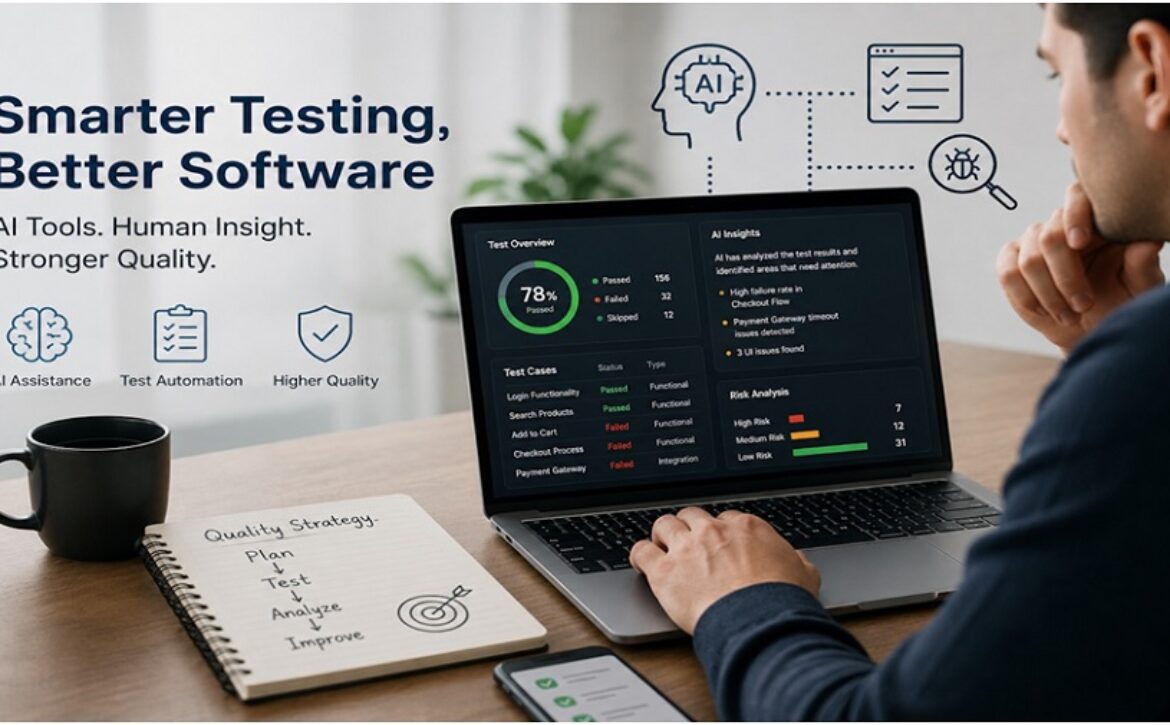
How AI-Assisted Testing Is Changing Software Quality Assurance?

Software teams are being asked to release new features faster while supporting more devices, browsers, operating systems, APIs, and user journeys. At the same time, customers have little patience for broken checkouts, failed payments, slow dashboards, or mobile applications that stop responding after an update.

Quality assurance teams sit in the middle of this pressure. They must examine a growing amount of software without allowing speed to weaken product quality. Traditional manual testing still has a place, and conventional test automation remains useful, but neither approach always keeps pace with the volume of changes found in modern software projects.

AI-assisted testing is beginning to change how quality assurance teams plan tests, review requirements, create test data, maintain scripts, and investigate failures. It does not remove the need for skilled testers. Instead, it gives them new ways to manage repetitive work and focus their attention on areas where human judgment matters most.


What AI-assisted testing actually means

——————————-

AI-assisted testing refers to the use of artificial intelligence tools within software testing activities. These tools may help generate test cases, identify risky areas, analyse logs, suggest automation scripts, create sample data, or group similar defects.

Some products use machine learning to study past test results and predict which parts of an application are most likely to fail. Others use large language models to convert written requirements into possible test scenarios or explain technical error messages in simpler language.

The term should not be confused with fully autonomous testing. Most software products still require people to decide what quality means, which risks deserve attention, and whether a result is acceptable for the business. AI can support those decisions, but it does not understand customers, contracts, regulations, or commercial priorities in the same way an experienced team does.


Test case creation is becoming faster

Writing test cases can consume a large part of a tester’s time, especially when requirements contain many rules, user roles, and possible outcomes. AI tools can read requirement documents, user stories, or acceptance criteria and suggest an initial set of test scenarios.

For example, a requirement for an online payment feature might lead the tool to suggest tests for successful payments, declined cards, expired cards, interrupted connections, repeated submissions, refunds, and different currencies. The tester can then review those suggestions, remove weak cases, and add situations based on business knowledge.

This approach can reduce the time spent creating a first draft. It can also help teams find basic negative cases that may otherwise be missed during a rushed release. The final review still belongs to the tester because generated cases may misunderstand vague requirements or overlook important dependencies.


Requirements can be checked before coding begins

Testing often becomes difficult because the original requirement is unclear. A user story may describe the normal path but fail to explain error handling, permissions, limits, or unusual customer behaviour. These gaps may not appear until development is nearly complete.

AI-assisted requirement review can flag vague phrases, missing acceptance conditions, conflicting statements, and undefined terms. A tool might notice that a requirement says users can export reports but does not state which file formats are supported, which roles have permission, or how much data can be exported at once.

Finding such gaps early gives product owners, developers, and testers a chance to resolve them before code is written. This does not replace conversations between team members. It simply gives those conversations a better starting point and helps teams ask more precise questions.


Automation scripts may require less maintenance

Test automation can save time, but automated scripts are not maintenance-free. A minor change to a page layout, element name, or application flow can cause several scripts to fail even when the underlying feature still works.

Some AI-supported automation tools use contextual information to locate interface elements after small changes. This is sometimes called self-healing automation. Rather than relying on one fixed selector, the tool may examine labels, nearby elements, structure, and past behaviour to find the intended button or field.

This can reduce false failures caused by minor interface updates. Teams should still review self-corrected scripts carefully. A test that silently points to the wrong element can create a false sense of confidence, which may be more dangerous than an obvious failure.


Risk-based testing can become more focused

Not every part of an application carries the same level of risk. A spelling change on an informational page usually deserves less testing than a change to authentication, pricing, payments, or personal data handling.

AI systems can examine code changes, defect history, test results, dependency maps, and usage data to suggest which areas may need deeper testing. A module with frequent defects and many recent code changes may receive a higher risk score than a stable feature with limited use.

This allows teams to make better use of limited testing time. It is especially helpful in large products where running every test after every code change is slow or costly. Risk predictions should support a testing strategy rather than control it because historical data may not capture new business risks or unusual release conditions.


Defect investigation is becoming less repetitive

A failed automated test rarely explains the full problem. Testers may need to examine logs, screenshots, network requests, database entries, device details, and recent code changes before they understand what happened.

AI tools can help by summarising long logs, identifying repeated error patterns, grouping related failures, and suggesting possible causes. When hundreds of tests fail because one shared service is unavailable, grouping those failures can prevent the team from reviewing each one separately.

Generative AI may also help turn raw technical details into a clearer defect report. It can organise steps, expected results, actual results, environment details, and supporting evidence. A tester must verify the report before submitting it because the tool may make assumptions that are not supported by the evidence.


Test data can be created with fewer privacy concerns

Testing often requires realistic customer, transaction, product, or account data. Copying production records into a test environment can expose personal information and create compliance concerns.

AI-based synthetic data tools can create sample records that resemble real data patterns without reproducing actual customer identities. A banking application, for example, may need varied transaction histories, account types, currencies, and fraud indicators. Synthetic records can provide that variety while reducing dependence on live customer data.

Teams must still check whether the generated data represents important edge cases. Poor sample data can hide defects, particularly when it fails to reflect rare values, regional formats, older records, or unusual combinations found in production.


Visual testing can cover more than pixel differences

Traditional visual comparison tools often report minor differences caused by rendering, browser behaviour, or screen size. This can produce a large number of alerts that testers must review manually.

AI-assisted visual testing attempts to distinguish between acceptable visual variation and meaningful interface problems. It may identify overlapping text, hidden controls, broken layouts, missing images, inconsistent spacing, or content that falls outside the visible area.

This is useful for applications that support many screen sizes and browsers. It can help teams review responsive layouts more broadly, but human review remains necessary for brand presentation, readability, accessibility, and overall user experience.


Human testers are still responsible for context

AI can identify patterns, generate suggestions, and process large amounts of test information. It cannot fully judge whether a workflow feels confusing, whether an error message could mislead a customer, or whether a feature behaves appropriately in a sensitive business situation.

Exploratory testing depends on curiosity, domain knowledge, and the ability to notice behaviour that was not described in the requirements. Testers often find serious problems by following unexpected paths, combining features in unusual ways, or questioning assumptions made during product planning.

The value of AI-assisted testing comes from combining machine speed with human reasoning. Teams that treat AI output as unquestionable may miss subtle defects or approve incorrect results. Teams that use it as a starting point can spend more time investigating complex risks.


AI-generated testing also creates new risks

AI tools introduce concerns that quality leaders should address before broad adoption. Sensitive source code, customer information, test records, or internal documents should not be sent to external systems without a clear data policy.

Generated test cases and scripts may contain incorrect assumptions. A convincing response is not necessarily an accurate one. Teams need review rules that define who checks generated material, which tools are approved, and what information may be shared with them.

There is also a risk of skill loss when testers depend too heavily on generated scripts or explanations. QA professionals still need to understand testing methods, system behaviour, APIs, databases, security, accessibility, and automation. Tools should strengthen these skills rather than replace them.


A practical path for adopting AI-assisted testing

Teams do not need to replace their existing QA process all at once. A smaller trial usually provides more useful evidence than a company-wide rollout based on vendor promises.

A sensible starting point is to choose one repetitive activity, such as drafting test cases, summarising failed test logs, or creating non-sensitive sample data. The team can compare the time spent, accuracy, review effort, and defect coverage against the existing approach.

Clear measurements matter. A tool that creates tests quickly but requires extensive correction may not save much time. A log analysis tool may be useful if it reduces investigation work without hiding important details.

Businesses that need help building a broader testing approach may review professional software testing services when assessing manual testing, automation, performance checks, security testing, and AI-supported QA options.


What quality teams should prepare for next

——————————-

AI-assisted testing will likely become a normal part of many QA toolkits, much like test automation, defect tracking, and continuous delivery systems. Its strongest role is not replacing testers but helping them process more information and direct attention toward meaningful product risks.

The teams that gain the most value will set clear boundaries, protect sensitive data, review generated output, and measure whether each tool improves real testing outcomes. They will also keep investing in human skills because good software quality depends on judgment as much as speed.

AI may change how tests are created and maintained, but the central purpose of quality assurance remains the same: understand how software can fail, find problems before users do, and give the business reliable evidence about release readiness.

Read More
Sanju August 16, 2026 0 Comments

How AI Coding Assistants Are Changing Software Development Teams

Ask a software developer where most of the workday goes, and the answer may have little to do with writing complex algorithms. A large share of the day is often spent reviewing pull requests, updating tests, searching documentation, fixing small defects, and writing code that follows familiar patterns.

These tasks are necessary, but they can consume the time developers need for deeper problem-solving.

AI Coding Assistants are beginning to change that balance. They can suggest code, explain unfamiliar functions, draft tests, summarize changes, and help developers investigate errors without leaving the development environment. Used well, they can reduce routine work and help teams move through projects with fewer delays.

The value goes beyond faster code completion. These tools are also changing how developers learn, how teams review work, and how technical knowledge is shared. They can help a junior developer understand an older module or give a senior engineer a quick draft of repetitive code.

Still, their value depends on how they are used. A coding assistant can suggest a useful solution, but it can also produce insecure, outdated, or poorly structured code. Human review remains essential.

For development teams, the real opportunity lies in combining machine-generated support with sound engineering judgment.


Moving Beyond Basic Code Completion

—————————-

Traditional code completion tools suggest variable names, methods, or short snippets based on what a developer is typing. Modern coding assistants go much further.

A developer can describe a task in plain language and receive a complete function. The tool may also explain a code block, create test cases, suggest a fix for an error, or rewrite a method in another programming language.

Suppose a developer needs to build an API endpoint that receives customer information, checks required fields, stores the data, and returns a clear response. A coding assistant can draft the first version within seconds.

That draft is not ready for release. The developer still needs to check input rules, access permissions, data handling, error responses, and project standards. Even so, beginning with a useful structure can save time.

The most practical benefit is not that developers stop writing code. It is that they spend less time staring at an empty file.


Reducing Repetitive Work Without Lowering Standards

—————————-

Every software project includes repeated patterns. Authentication checks, data validation, logging, error handling, and database operations often follow similar structures across different features.

Writing each section manually can slow progress, especially when teams are working under tight release schedules.

A coding assistant can generate much of this routine work. Developers can then adjust the result to match the product’s rules and the team’s coding style.

Consider a team building an order management system. Several features may require the same steps: confirm the user’s identity, validate the request, update the database, and return a response. The details change, but the structure remains familiar.

The assistant can provide that structure. The developer can focus on the business rules that make the feature unique.

This is where coding assistants can have the greatest impact. They remove some of the mechanical work while leaving important decisions in human hands.

Strong teams do not lower their standards because part of the code was generated. They review every change, run tests, and confirm that the final code is readable and safe.


Helping Developers Stay in the Flow

—————————-

Software development often requires uninterrupted focus. A developer may need to understand several files, trace data through multiple services, and remember how different parts of the system interact.

A small interruption can break that concentration.

Developers frequently pause to search for syntax, read framework documentation, or look up the meaning of an error. Coding assistants can answer many of those questions inside the editor.

For example, a developer working with an unfamiliar library can select a function and ask for a plain-language explanation. The tool may describe the inputs, outputs, and likely purpose of the code.

This does not remove the need for official documentation. Generated explanations can be wrong or based on older patterns. Yet they can provide a helpful starting point and reduce the number of times a developer must switch between tools.

That matters more than it may seem. Fewer interruptions can lead to better concentration and steadier progress.


Making Onboarding Less Overwhelming

—————————-

Joining an established software project is rarely simple. New developers must learn the product, understand the codebase, follow team practices, and become familiar with years of technical decisions.

Much of that knowledge may not exist in formal documentation.

A coding assistant can help new team members build an initial understanding of the system. They can ask what a service does, where a function is called, or how data moves through a feature.

These answers can help a new developer find the right files and ask better questions during team discussions.

Human guidance still plays a central role. A tool can explain what the code appears to do, but it cannot always explain why the team made a certain choice. It may not know that a workaround exists because of a customer agreement, an older system, or a past production issue.

Experienced developers provide that context.

The coding assistant handles many basic questions. Senior team members can spend more time explaining the decisions that matter.


Supporting Junior Developers While Preserving Learning

—————————-

Junior developers often need help with syntax, debugging, code structure, and testing. They may wait for a senior engineer to become available before they can move forward.

A coding assistant gives them another source of support.

A junior developer can ask for an explanation of a concept, request a simple example, or get help dividing a large task into smaller steps. This can reduce frustration and make the learning process more active.

There is a clear risk, though. A developer may copy generated code without understanding it.

The task may appear complete, but the developer may not know how to maintain the code or fix it when something changes. That creates a problem for both the individual and the team.

Managers and senior engineers should encourage developers to explain their work during reviews. They should be able to describe what the code does, why the approach was chosen, and what could cause it to fail.

The tool should help people learn faster, not help them avoid learning.


Giving Senior Engineers More Time for High-Value Work

—————————-

Senior engineers often carry several responsibilities at once. They review architecture, investigate production issues, mentor developers, plan technical work, and assess security concerns.

They also spend time on routine tasks that do not require years of experience.

A coding assistant can draft test data, write setup instructions, create simple migration scripts, or produce a first version of repetitive code. These small time savings can help senior developers protect the focus needed for more demanding work.

The impact may not appear as a sudden rise in completed tickets. Software delivery depends on product decisions, team coordination, and outside dependencies. A coding tool cannot solve every delay.

It can still reduce small interruptions and lower the amount of routine work handled by senior staff.

That gives experienced engineers more room to focus on decisions that affect the product over the long term.


Improving the Quality of Code Reviews

—————————-

Code review is one of the strongest checks in software development. It helps teams catch defects, maintain consistency, and share knowledge.

It can also become slow when reviewers spend most of their time on small issues.

A coding assistant can perform an early review before a pull request reaches another developer. It may identify repeated logic, missing error checks, confusing names, or code that does not match nearby patterns.

This allows human reviewers to focus on larger questions.

Does the change solve the right problem?

Could it create trouble in another part of the system?

Will the code remain easy to maintain?

Are security and privacy rules being followed?

Could the same result be achieved with less complexity?

These questions require context, experience, and judgment. A tool can spot common patterns, but it cannot fully understand the effect of a technical decision on users, business goals, or future maintenance.

The best results come when automated suggestions support human review rather than replace it.


Making Test Creation Easier

—————————-

Testing often receives less attention when deadlines are tight. Developers may intend to add tests later, only to move on to the next feature.

Coding assistants can make testing easier to begin.

A developer can select a function and ask for test cases covering valid input, missing values, incorrect formats, failed requests, and boundary conditions. The result provides a first draft that can be checked and expanded.

Generated tests should never be accepted without review.

Some tests simply confirm the current behavior of the code. They may not confirm that the behavior matches the product requirement. Others may miss unusual cases that matter to real users.

A passing test does not always mean a feature is correct.

Developers should compare each test with the requirement, add realistic scenarios, and remove checks that provide little value. The goal is not to increase the number of tests. The goal is to create confidence in the software.


Speeding Up Debugging

—————————-

Debugging can consume hours, especially when an error appears only under certain conditions. Developers may search logs, compare recent changes, check data, and test several possible causes before finding the issue.

A coding assistant can help organize that investigation.

A developer can share an error message, a small code sample, and a description of what happened. The tool may explain the error, suggest likely causes, or identify areas worth checking.

This can be useful when the developer is working with a language or framework they do not use every day.

The first suggestion may still be wrong. The tool may focus on a common cause while missing a problem that is unique to the project. It may also recommend a change that hides the symptom without fixing the source.

Developers should treat suggestions as leads, not final answers. They still need to reproduce the issue, inspect the evidence, and confirm why the failure occurred.

The assistant can shorten the search. The developer remains responsible for the diagnosis.


Keeping Documentation Up to Date

—————————-

Documentation is often postponed because feature work feels more urgent. Over time, setup guides become outdated, comments lose context, and new team members struggle to understand older systems.

Coding assistants can help teams create documentation more often.

A developer can ask the tool to summarize a module, explain an API, or draft setup instructions based on the code. This provides a starting point that can be reviewed by someone familiar with the project.

The review step matters.

Code can show what a function does, but it may not explain why a certain choice was made. It may not include customer requirements, legal limits, or decisions discussed outside the repository.

Useful documentation combines technical detail with business context. The assistant can draft the technical portion. The team must add the reasons behind the design.


Creating Better Conversations Before Coding Starts

—————————-

Many development delays begin before the first line of code is written. A requirement may leave out user roles, failure cases, data rules, or system limits.

Coding assistants can help teams identify missing questions early.

Imagine a product team planning a subscription cancellation feature. The tool might suggest questions about refunds, billing dates, account access, failed payments, and active discounts.

The product manager and developers can then decide which situations apply.

The tool does not define the requirement. It helps the team see areas that need discussion.

This can lead to clearer planning and fewer changes halfway through development. A thoughtful conversation before work begins is often more useful than writing code faster after the work has already started.


Where Generative AI Development Fits

—————————-

Generative AI Development is influencing the full software process, not just code creation. Teams are using these tools to support planning, testing, review, documentation, and knowledge sharing.

That broader use creates a need for clear company rules.

Teams should know which tools are approved, what data can be shared, and which types of code require extra review. They should also decide whether generated code needs to be mentioned in pull requests or technical records.

Without shared standards, developers may use the tools in very different ways. One person may share sensitive code with an unapproved service, while another may rely too heavily on generated suggestions.

A simple policy can reduce those risks. It should explain acceptable uses, privacy limits, review requirements, and ownership of the final code.

The goal is not to block helpful tools. It is to make sure they are used with care.


When AI Consulting Can Support Adoption

—————————-

Some organizations want to introduce coding assistants but are unsure where to begin. They may need help comparing tools, assessing data policies, training developers, or selecting suitable pilot projects.

AI Consulting can support that process by helping teams define practical goals and identify risks before a wider rollout.

A company should not adopt a coding assistant simply because other businesses are using one. Leaders need to understand which tasks consume the most time, where developers need support, and how success will be measured.

A careful pilot often works better than a company-wide launch. A small team can test the tool on low-risk tasks such as documentation, code explanations, and test drafts.

The results can guide the next step.


Protecting Security and Private Information

—————————-

Coding assistants can create serious problems when developers share sensitive information or accept unsafe code.

Generated suggestions may contain weak access checks, unsafe database queries, poor error handling, or outdated dependencies. Developers may also expose customer data, private source code, passwords, or access keys by entering them into an unapproved tool.

Companies should review how each service stores and processes submitted content. Developers also need clear rules about what they can share.

Generated code should pass the same security checks as human-written code. That includes peer review, automated scanning, dependency checks, and testing.

A polished code suggestion is not proof that the code is safe.

Security remains the responsibility of the team.


Avoiding Future Maintenance Problems

—————————-

Generated code may work correctly and still create problems months later.

It might use a style that does not match the project, repeat logic that already exists, or add an unnecessary dependency. These issues can make future changes harder.

Teams should review generated output with maintenance in mind.

Is the code easy to read?

Does it follow the project’s structure?

Can another developer change it safely?

Is there a simpler way to solve the same problem?

Does the project already contain a shared function for this task?

Code should not be accepted only because it runs. It must also be understandable and manageable for the people who will work on it later.


Measuring Results That Matter

—————————-

Lines of code are a poor measure of success. More code does not always mean more progress.

A better assessment looks at the full development process.

Has code review become faster?

Are fewer defects reaching users?

Are developers spending less time on repetitive tasks?

Has documentation improved?

Are junior developers learning more quickly?

Has support work increased after releases?

These measures show whether the tool is helping the team build better software.

A coding assistant that produces code quickly but creates more defects is not saving time. A tool that reduces routine work and supports better decisions may be valuable even when the number of completed tickets stays the same.


Start Small and Keep People in Control

—————————-

AI Coding Assistants can help teams write routine code, create tests, understand unfamiliar modules, review changes, and investigate errors. They can also produce weak suggestions and create security concerns when used without clear rules.

The difference comes down to the process around the tool.

Start with a small pilot. Choose low-risk tasks. Set clear privacy and review standards. Ask developers to record examples of useful and poor suggestions.

Then review the results as a team.

Did the tool save time?

Was the generated code easy to maintain?

Did developers understand what they accepted?

Did code quality improve?

The strongest development teams will not be the ones that generate the most code. They will be the ones that know when a coding assistant is helpful and when human judgment must take the lead.

The technology may support the work, but skilled people still make the decisions that shape reliable software.

Read More
Sanju August 6, 2026 0 Comments

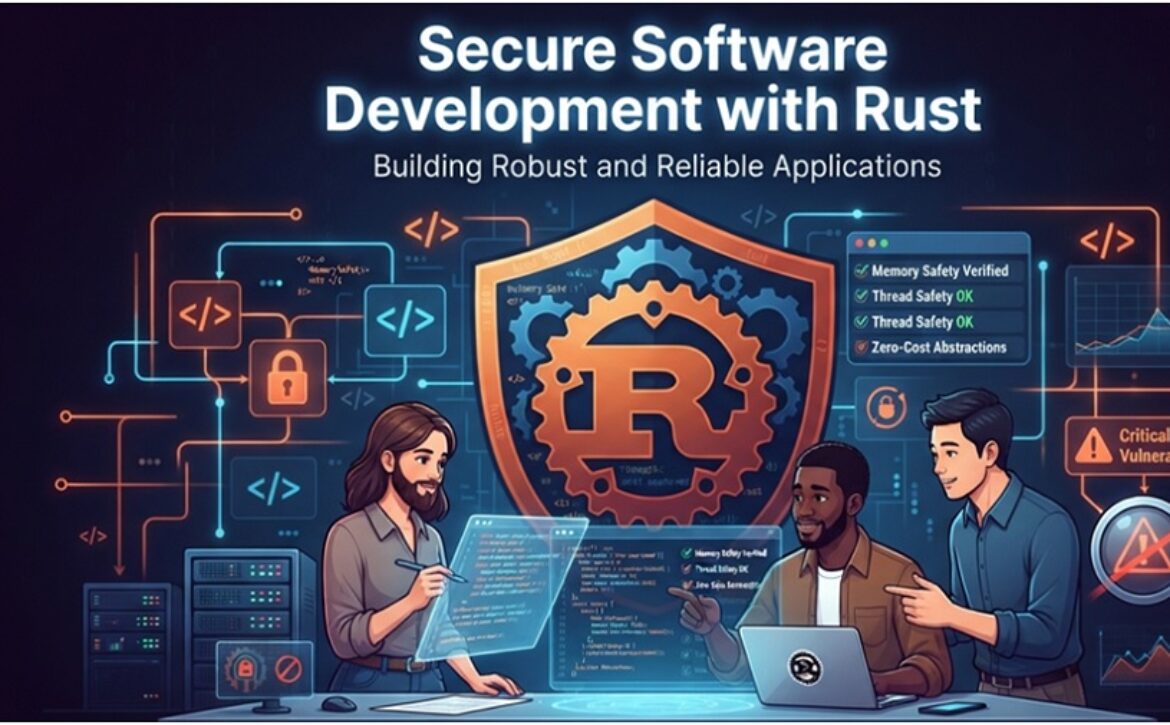
Secure Software Development with Rust: Key Benefits, Features, and Real-World Use Cases

Looking for the benefits or features of software developing with Rust? Or do you want to know the real-world use cases of these software solutions powered by Rust? If yes, then our detailed blog is all you need. Let’s explore.


Key Benefits

——————–

Software development with Rust has been rising recently thanks to its enhanced security. Here we have listed some of the top benefits that make it favorable over others.

Increased Memory Security

Rust provides enhanced memory security.

High Speed of Work

The majority of Rust’s security tools do not affect its performance because the security is based on the compile-time checks.

Programs in Rust run fast enough and can compete with C and C++ in terms of speed.

Concurrent Programming

Rust has fully integrated support of concurrent programming and multithreading.

These capabilities allow developers to increase the performance of Rust by making their programs able to accomplish several tasks simultaneously.

Efficiency

In addition to increased security, the advanced memory management of Rust allows it to write programs that execute faster and consume much less electricity than programs created in any other popular language.

Large Community

Users of Rust have the advantage of a large and active community.

There are many resources available for learning Rust, including manuals, documents and community support.


Secure Programming Features in Rust

——————–

Let’s check out the top programming features of Rust.

Memory Safety

The memory safety feature in Rust secure programming guarantees strict memory rules are enforced during the process of compilation. These memory rules are essential because Rust is able to protect itself against:

  • Buffer overflows
  • Use-after-free
  • Dangling pointers
Concurrency Without Data Races

In Rust, there are no data races, which makes it possible to create multi-threaded applications. This means that concurrency issues can be avoided in Rust secure programming.

Strong Type System

The type system in Rust guarantees that errors are detected during the compilation process.

There Are No Null Pointers and Buffer Overflows in Rust

Rust does not have null pointer dereferencing and safe array indexing like C/C++. This is why Rust is safe even for system-level programming.


Real World Use Cases of Rust in Software Development

——————–

Rust is no longer a niche language. It has proven to be a versatile and reliable tool that is used in various areas of software development.

This includes both low-level system programming and writing cloud-service applications that require top-notch performance.

Let’s take a closer look at the spheres that benefit from using Rust.


System Programming

Using Rust for system programming gives engineering teams the balance between memory safety, performance, and control that they need when writing low-level code.  

It helps developers avoid common pitfalls that occur when working with low-level data structures and languages.

With Rust, you can build reliable and high-performance software at the machine level. 

Memory safety without overhead. You can get rid of such common causes of bugs as dangling pointers and use-after-free vulnerabilities.

At the same time, you can write code that has predictable memory behavior without garbage collection.

Close-to-metal performance. You can reach C/C++ level performance thanks to zero-cost abstractions.

Fine-grained control. Rust provides you with low-level memory and concurrency management, so you can develop complex system software.

These benefits make it possible to create reliable system software with Rust. Because of memory safety, systems built with Rust do not have common vulnerabilities.

Therefore, Rust is great for building drivers, embedded software, and system-level applications.

It also can be used for writing safety-critical components, such as aircraft or medical devices controllers.

Rust is a good fit for kernel development because you can write highly efficient code while keeping control of what happens in the code.

However, there are some caveats that you should consider before you start developing your kernel in Rust.


Embedded & IoT Development

Rust makes an excellent fit for the domain of embedded and IoT computing, where you have to work under the constraints of limited resources, deterministic time, and high safety needs.

It features a no-runtime approach with predictable memory usage, making it possible to compile your program into a microcontroller, bare metal device, and constrained platform.

How can Rust be used for embedded systems then? Let’s take a look at it:

No Runtime and Deterministic

Rust does not require a garbage collector; therefore, you can be sure that Rust provides accurate time and predictable memory usage patterns.

Safe Concurrency for Real-Time Processes

Thanks to its ownership model, Rust can provide safe concurrency even on devices with limited execution threads.

Support for Microcontrollers without std

Developers can create firmware for ARM Cortex-M, RISC-V, and other MCUs without using an OS, keeping binaries light and having complete control over memory and runtime.

Low Memory Consumption

Zero-cost abstractions make it possible to use Rust in systems with small amounts of RAM and flash memory.

Therefore, is it possible to use Rust in embedded systems? Definitely! Rust performs great when it comes to writing firmware and real-time systems.

The Rust language is employed to create a minimalist OS for Raspberry Pi 3.

The embedding of the kernel into an embedded system basically boils down to ensuring that it meets certain hardware requirements.

This is achieved through efficient memory usage, trimming unnecessary parts and optimizing booting procedures.


Secure-By-Design Applications and Cybersecurity Tools

Rust has proven to be the perfect choice for developing high-assurance security tools and programs which should be reliable, memory-safe, and predictable.

Rust’s strong guarantees also make the language a good fit for crypto-related code, isolation, secure agents, and sandboxing.

Some of the major benefits of using Rust for cybersecurity purposes are:

Absence of memory corruption vulnerabilities. Rust forbids buffer overflows, dangling pointers, and other such unsafe operations at the compilation stage, greatly reducing the vulnerability footprint.

Type guarantees. Rust ensures the compiler-enforced type correctness, which makes introducing logical mistakes and unsafe state transitions more difficult.

Safer cryptographic implementations. Rust boasts an extensive cryptography ecosystem (such as RustCrypto), which makes implementing modern cryptographic solutions much easier and does not require starting from scratch.

Support of isolation and sandboxing out of the box. The ownership and borrowing concept of Rust natively supports isolation and privilege separation.

You may use Rust when security is one of the requirements of your system or tool.

Rust is quite well suited for use in security surveillance because of memory safety and data pipelines.

However, in reality, it is important not only to have efficient ways of capturing data but also to ensure its integrity and prevent leaks.

The ownership paradigm in Rust mitigates some memory related risks that may affect the quality of telemetry.


Cloud Native and Serverless Deployment

Rust is now becoming more popular in cloud-native development communities because it provides a combination of performance, reliability, and efficiency required by modern distributed systems.

The lightweight runtime and compile-time guarantees of Rust will be useful for building scalable cloud services without any overhead.

The following are the advantages of using Rust in cloud-native and serverless development:

Ability to process more requests with less usage of compute and memory. Thus, Rust services will cost less to deploy in the cloud and will be easier to scale up.

Low-latency asynchronous execution of services. With modern async runtimes, it becomes possible to perform highly concurrent operations without additional overhead of multi-threaded programming.

Predictable performance in terms of scalability. As there is no garbage collector in Rust, you won’t experience any unpredictable latency bumps when scaling your cloud services. It makes it easier to meet requirements for SLA and autoscaling.

Containerization efficiency and fast cold starts. Efficient containerization and cold starts are possible due to small binary size and fast start-up time.

Integration with cloud services and architectures. The small size and performance guarantees of the language make it easy to use Rust within Kubernetes, Wasm runtimes, and polyglot microservices.

There is good synergy between Rust and cloud native, high-performance scenarios where trade-offs between these factors cannot be made.


Blockchain and Decentralized Systems

Given its emphasis on safety, correctness, and performance, Rust is highly applicable in the blockchain ecosystem.

The compile-time guarantees enable the prevention of errors in logic and memory management which may affect consensus mechanisms and the security of the network.

Rust is also suitable for writing code for components running in a state of constant load.

Why is Rust a good fit for developing blockchain and decentralized systems?

Strong safety guarantees. Rust’s ownership and borrowing provide safety from catastrophic failures and vulnerabilities in consensus-relevant code.

Reliable cryptographic operations. Determinism and safety ensure no side-channel attack vectors and no undefined states when executing cryptography.

Performance good for decentralized networks. Good performance of concurrency enables processing large transaction loads with low latency.

Predictable consumption of resources. No garbage collection means consistent block times and performance under high load.

Integration with existing ecosystems. Rust is the backbone of Substrate and integrates properly with multi-language blockchain stacks.

Since Rust emphasizes trust and precision, you can write efficient and reliable decentralized systems with it.


High Performance APIs and Back-End Development

The language has already shown its worth and can serve as a viable option when building backends that should provide reliable performance in high-load conditions.

Besides being fast, the language also ensures that the team can avoid many pitfalls associated with the development of backend services such as unpredictable garbage collection, memory expansion, and concurrency bugs.

These aspects make Rust a great solution for APIs and other services where it is necessary to have reliable performance in order not to impact the user experience negatively.

This is how teams begin to regard Rust as an alternative to high-performance solutions.

Advantages of using Rust in backend development and API design:

Highly efficient request processing in terms of latency. The language supports asynchronous runtimes, thus allowing handling highly concurrent loads without the need for heavyweight threading.

Efficient management of concurrency and reliable parallelism. The ownership principle eliminates data races and makes debugging much easier in systems that process requests in parallel.

Consistent performance in case of load. Memory determinism ensures that there will be no unexpected pauses.

Established ecosystem for production services. Tools such as Actix Web, Axum,  and Tonic offer developers robust options when working with gRPC, REST, and streaming back ends.

Thanks to all these features, Rust provides you with an excellent platform for building highly performant back ends.


WebAssembly for Edge Computing and Browser

Rust is currently one of the most trusted languages to compile to WebAssembly (Wasm), which ensures fast and safe execution without depending on big runtimes.

Furthermore, its compiling process results in minimal binaries that show predictable behavior.

Rust will assist in your team developing a Wasm product through:

Performance predictability in the browser and edge environment. Rust-to-Wasm compilations ensure near-native execution without stopping for garbage collection.

Efficient and small binaries. Rust has an efficient compilation process to Wasm, reducing load times and resource consumption.

Memory safety guarantees. The ownership system avoids vulnerabilities that could compromise sandbox isolation.

Tooling for Wasm. Tools such as wasm-pack, wasm-bindgen, and wit-bindgen simplify bindings, packaging, and cross-language interoperability.

Rust becomes a great choice for workloads that should run safely in restrictive or sandboxed environments, including browsers and edge environments.

Rust is chosen efficiently to replace the old C components while taking the system-level code to the browser using WebAssembly.

It was noted that the approach minimized memory-related issues and made maintenance easier in the long term.

Rust helped the customer provide secure and low-latency remote connectivity directly within the browser without any runtime.


The trade-offs you should know before you commit to Rust

——————–

The highest costs of using Rust are the steeper learning curve, slow compile time, and smaller talent pool compared to C++, Java, and Python.

None of these is a showstopper, but expect and be ready for them all. The steep learning curve is a fact. Denying it won’t do any good.

The learning curve. The Rust borrow checker that keeps the language safe is what makes people struggle in the first month working in the language.

Most C++ engineers get up and running after a few weeks only.

Compile times. Rust compiles slowly, and not just a bit, but especially for larger projects. However, tooling that helps with this problem exists. Also, it is a valid cost in the development process.

The talent pool. There are fewer people who are fluent in Rust, which is why jobs that require knowledge of this language have a pay premium. Make sure to account for this. 

Ecosystem gaps. There are some special cases where Rust’s library coverage is smaller compared to C++ or Python. Check if it is true for your use case.

Integration with existing code. It is rare for you to build an application from scratch. Because of Rust’s ability to call existing C and C++ libraries through its foreign function interface, this is not a problem either.

The best way to mitigate risk for all these challenges is identical: Start small and measure.

Conduct a piloted test under production conditions, establish benefits on one module, and then decide to do a full re-write.


Conclusion

Rust has become a leading choice for secure software development by combining memory safety, high performance, and reliable concurrency without sacrificing efficiency. From system programming and embedded devices to cloud-native applications, cybersecurity tools, and blockchain platforms, Rust enables developers to build scalable, secure, and future-ready solutions. While it has a learning curve, its long-term reliability and performance benefits make it a worthwhile investment for modern software projects.

Read More
Sanju August 4, 2026 0 Comments

The Rise of Vibe Coding: How AI is Changing the Software Development Lifecycle

Vibe coding is a term that’s floating around that’s been performing the rounds in the engineering world and would have sounded like a joke 5 years in the past. It’s a method of creating software in which a developer types out a description of what they need, then observes an AI model write the code, executes it and guides the results towards something that actually works, mostly by trial and error and experimentation rather than manually coding each and every line.

AI researcher Andrej Karpathy popularized the term, to reflect an actual change in the way many programmers work these days: less code typing and more talking to a model and listening to it. It began as a jest about coding style and now it’s a turning point in the making of software. It’s important to realize why this is so when you consider what software development was like before. For many years the task was to write down a problem in the form of a set of unambiguous and exact instructions that a machine could follow.

Watched tutorials on how to program in languages, learnt the syntax, studied design patterns, and had to spend a tremendous amount of time on the mechanical aspects of the job: knowing which boilerplate to use, memorizing the syntax of repetitive functions, finding the missing semicolon, re-reading the documentation to remember the exact name of a function in a library call. Some of the criteria for determining skill were the ability to write correct and idiomatic code from scratch. In the case of Vibe coding, it’s the opposite. The developer is no longer an author but an editor: one who generates syntax is no longer the one directing intent, assessing results.


How We Got Here

———————

This change wasn’t made in a day. It has been developed over several years of continuous advancement of LLM technology, eventually resulting in tools that can remember the context of a large codebase, learn a project’s conventions and make changes across multiple files based on a single prompt.

The first AI coding assistants provided code autocomplete or completion of a line or a function, depending on pattern matching. This was helpful but doesn’t go far enough. Models that can reason about a job over a more comprehensive range and agentic tools that can read a repository, plan a series of changes, write them, run tests then repeat if something fails would change the game. As AI was able to do more of this, the role shifted from coding to specifying desired results and monitoring the process leading to the results.


Rethinking Planning and Design

It has had an impact on software development lifecycle at almost every stage. Planning and designing can involve ideas that were previously days to prototype and now it can be sketched out in an afternoon. A product manager or designer with a ballpark idea might be able to explain a feature and view a working prototype of it before the meeting that it would normally be discussed on a whiteboard. This is because it reduces the back-and-forth from concept to something tangible and alters the way teams validate concepts. They can go so far as to build the thing and see how it feels rather than debating hypothetically.


Vibe Coding Market

In looking into the direction of this tendency, I came across one very striking projection that provides a sense of the size of this change from perspective. According to a report by Roots Analysis the global vibe-coding market is expected to increase from USD 2.96 billion in 2025 to USD 325 billion by 2040, at a compound annual growth rate (CAGR) of 36.79% for the forecast period of 2025-2040.

That’s a growth curve that goes beyond being merely interested in a new development style. It feels that this conversational coding process will be more common in the future than it is today, and will be adopted by companies, not just by coding enthusiasts or early adopters. It’s a clear example that marketers and tech people should engage with the vibe-coding norm and best practices before they solidify to avoid the possibility of it becoming a forgettable flash in the pan.


Implementation: Speed With a Catch

When it comes to implementation, the most significant difference is the speed but not just that. The entire categories of such “dull” work that used to require a lot of time like writing test scaffolding, converting data formats, writing repetitive CRUD actions, or migrating the code between different frameworks can be performed in a few seconds by using a good prompt and a review pass. It is important to note that this isn’t an indictment of deep understanding of the technical aspects.

The most useful of these tools might be the ones that the developers who already know how to work with systems know enough to know when the code they are generating is slightly off, inefficient or not the best architectural choice. The problem with coding in VIBE with no underlying knowledge is that it will work until it doesn’t, and no one involved will know why.


Testing and Quality Assurance in the AI Era

Testing and quality assurance are not only being transformed but are also being overhauled. AI tools are now capable of creating test cases, simulating edge cases and even creating tests which simulate expected behavior from a description of it. Some teams are using AI to review AI, e.g., one team writes some code, another team reviews it and comments on it, and a human doesn’t look at the pull request until later.

This has made it much quicker for products to be released, but it’s also added to another level of risk. “Plausible” code and code that passes superficial tests can be bugs that no one on the team really grasps, since no one wrote it in the “traditional” sense. This has resulted in a renewed focus on code review discipline because, as the old saying goes, “if a man wrote it, he knows it. This has brought back the focus on code review discipline as the old truism “if a man wrote it, he knows it” no longer holds true.


The Maintenance Problem

Perhaps the most interesting open question is with regard to maintenance and long-term ownership. Easily generated software isn’t necessarily easily maintained. AI-powered code can be quickly generated with an iterative process, and this may result in substandard coding patterns, redundancies, or even decisions being made for the architecture without being intentional or deliberate.

The role of curator is becoming more prevalent and is being assumed by experienced engineers who are getting involved in the process of structuring and imposing standards on output produced by AI, ensuring it remains coherent as it develops. This has led to new practices, such as creating detailed specification documents before writing any code; having very strict style guides that AI tools are told to follow; and always having to pass a human a tweet, architecture and security review, as well as a set of typos.


What This Means for Developers

None of these are indications that traditional programming skills are not needed anymore. But I think the ones benefiting the most from AI to create something are the ones who can still fluently read code, think about system design and understand when a pretty design is actually a real problem.

The only change that has occurred is that people’s focus has shifted. Less is invested in the mechanical process of creating syntax and more invested in judgment; in deciding what to construct and in verifying that what is constructed is correct, and in shaping the structure of a system over time. Vibe coding, in this respect, isn’t actually concerning the replacement of developers. It’s about redefining developer’s role and this redefinition is still ongoing.

Read More
Sanju July 25, 2026 0 Comments

SaaS Development Cost in 2026: Budgeting for Scalable Products

The Software as a Service (SaaS) industry continues to evolve rapidly, making 2026 an exciting year for businesses looking to build scalable cloud-based solutions.

From startups launching their first product to enterprises expanding their digital ecosystem, SaaS applications have become essential for delivering flexible, subscription-based services.

However, before starting a project, one of the most common questions business leaders ask is, “How much does it cost to build a SaaS product?”

The answer depends on multiple factors, including product complexity, technology stack, development team, cloud infrastructure, security requirements, and AI capabilities.

This guide explores the key factors that influence SaaS development cost in 2026 and provides practical budgeting strategies for building scalable, future-ready SaaS products.


Why Is SaaS Development Cost Increasing in 2026?

—————————–

SaaS applications have become far more sophisticated than they were just a few years ago. Users now expect fast performance, intuitive interfaces, enterprise-grade security, seamless integrations, and personalized experiences. Businesses also want products that can scale efficiently as their customer base grows.

These rising expectations have increased the time and expertise required to develop high-quality SaaS platforms. Modern applications often include cloud-native architecture, automation, analytics dashboards, mobile compatibility, and AI-powered features, all of which contribute to higher development costs.

At the same time, investing in quality development reduces future maintenance expenses and creates a stronger competitive advantage.


How Much Does SaaS Development Cost in 2026?

—————————–

There is no fixed price for SaaS product development because every project has unique requirements. However, businesses can use the following estimates as a starting point.

Project Type Estimated Cost
Basic SaaS Application $5,000 to $10,000
Minimum Viable Product (MVP) $10,000 to $20,000
Mid-Level SaaS Platform $20,000 to $35,000
Advanced SaaS Solution $35,000 to $50,000
Enterprise or AI-Powered SaaS Platform $50,000 or more


These estimates typically include product discovery, UI/UX design, frontend and backend development, APIs, testing, deployment, and initial support.

The overall saas development cost ultimately depends on the application’s complexity, timeline, integrations, security requirements, and scalability goals.


What Factors Influence SaaS Development Cost?

—————————–

Several technical and business factors affect the overall SaaS development cost. Understanding these cost drivers helps businesses plan their budgets effectively and build scalable SaaS solutions.

  • Product Complexity

The number and complexity of features directly impact development costs. While a basic application includes core functionalities, advanced features like AI, real-time collaboration, and multi-tenancy require more time and expertise, increasing the cost of SaaS product development.

  • UI/UX Design

An intuitive user experience improves customer satisfaction and retention. A professional SaaS application development company invests in user research, wireframes, and responsive designs to create an engaging and easy-to-use application.

  • Cloud Infrastructure

Cloud infrastructure supports your application’s performance, security, and scalability. Hosting, databases, storage, and monitoring tools all contribute to the overall SaaS development cost, especially as your user base grows.

  • Security and Compliance

Strong security measures protect sensitive customer data and ensure regulatory compliance. Businesses often rely on a SaaS development agency to implement features like encryption, secure authentication, and compliance standards such as GDPR or HIPAA.

  • Third-Party Integrations

Integrating payment gateways, CRM platforms, and other business tools enhances functionality but also increases development effort. An experienced SaaS app development company can streamline these integrations while maintaining performance and scalability.


Why Should Businesses Choose Custom SaaS Development?

—————————–

Many companies consider ready-made software because of its lower upfront cost. However, pre-built solutions often limit customization and scalability.

With custom saas development, businesses can build software tailored to their specific processes and long-term goals.

Key benefits include:

  • Complete ownership
  • Greater flexibility
  • Better scalability
  • Stronger security
  • Unique customer experiences
  • Easier third-party integrations

Although custom solutions require a larger initial investment, they often provide better long-term value.


How Is AI Transforming SaaS Development in 2026?

—————————–

Artificial intelligence is making SaaS applications smarter, faster, and more efficient. Businesses are increasingly investing in AI development to enhance user experiences and automate complex processes.

  • Intelligent chatbots: Provide instant customer support and improve response times.
  • Predictive analytics: Analyze data to forecast trends and support better decision-making.
  • Personalized recommendations: Deliver tailored content, products, or services based on user behavior.
  • Workflow automation: Automate repetitive tasks to improve productivity and reduce manual effort.
  • Smart search: Enable users to find relevant information quickly using AI-powered search capabilities.
  • Document processing: Extract, classify, and manage data from documents with minimal human intervention.
  • Fraud detection: Identify suspicious activities in real time to improve security and minimize financial risks.


Why Should You Work with an AI Software Development Company?

—————————–

Implementing AI successfully requires specialized expertise.

An experienced AI software development company helps businesses design, develop, and deploy intelligent features that integrate seamlessly into existing SaaS platforms.

Their expertise often includes:

  • Machine learning
  • Natural language processing
  • Predictive analytics
  • Computer vision
  • AI automation
  • Data engineering


How Should You Budget for SaaS Development?

—————————–

Budgeting for a SaaS project involves more than estimating coding hours. Whether you partner with a SaaS development agency or build an in-house team, your budget should cover every stage of development to ensure a scalable and successful product.

  • Product Discovery

The discovery phase lays the foundation for successful SaaS product development. It includes market research, competitor analysis, feature prioritization, and technical planning to reduce risks and avoid costly revisions later.

  • UI/UX Design

A user-friendly interface improves customer engagement and retention. During this stage, a SaaS application development company typically creates wireframes, prototypes, and responsive designs that deliver a seamless user experience.

  • Development

Development is the largest contributor to the overall SaaS development cost. It includes frontend and backend development, database architecture, APIs, cloud infrastructure, and, when needed, custom SaaS development to meet specific business requirements.

  • Quality Assurance

Testing ensures your SaaS application performs reliably before launch. An experienced SaaS app development company conducts functional, performance, security, and compatibility testing to deliver a stable product.

  • Deployment

Deployment prepares your application for production by configuring hosting, cloud infrastructure, monitoring tools, backups, and CI/CD pipelines. Proper deployment ensures your SaaS product launches smoothly and scales efficiently.

  • Ongoing Maintenance

Regular maintenance keeps your application secure and competitive after launch. Businesses investing in AI development often continue working with a professional to introduce new features, optimize performance, and support long-term growth.


How Can You Reduce SaaS Development Cost Without Compromising Quality?

—————————–

Reducing costs doesn’t mean sacrificing product quality. Instead, businesses should focus on smart planning and efficient execution.

Some effective strategies include:

  • Build an MVP before adding advanced features.
  • Prioritize high-impact functionality.
  • Design scalable architecture from the beginning.
  • Use cloud-native technologies.
  • Automate testing where possible.
  • Avoid unnecessary feature expansion.
  • Maintain a clear product roadmap.
  • Partner with experienced development professionals.


What Is the Best Way to Budget for a Scalable SaaS Product in 2026?

—————————–

Building a successful SaaS product requires more than estimating developer hours. Businesses must account for product strategy, cloud infrastructure, cybersecurity, compliance, scalability, AI capabilities, maintenance, and future growth.

Understanding the factors that influence SaaS development cost allows organizations to allocate resources wisely and avoid unexpected expenses.

Whether you’re launching your first platform or expanding an existing solution, partnering with an experienced SaaS development agency can significantly improve project outcomes.

At the same time, incorporating AI development with support from an experienced AI software development company can help businesses build intelligent, future-ready applications that deliver exceptional customer experiences.

Ultimately, successful product development depends on thoughtful planning, scalable architecture, and continuous innovation. Businesses that invest in custom SaaS development today will be well positioned to compete in the evolving SaaS landscape and achieve sustainable growth in 2026 and beyond.

Read More
Sanju July 21, 2026 0 Comments

How Generative AI Is Transforming Enterprise Software Development

Enterprise software development has always been a careful balance between speed, quality, cost, and business fit. Teams are expected to build secure applications, support legacy systems, release new features, and respond to changing customer needs without slowing down the business. That pressure is one reason generative AI has moved so quickly from experiment to everyday engineering support.

Generative AI is not replacing software teams. It is changing how they work. It helps teams write code faster, review existing systems, create test cases, document features, analyze requirements, and improve support workflows. For enterprises, the real value is not only faster coding. The bigger shift is how AI helps turn complex business needs into working software with less friction.

Many companies are already exploring AI across healthcare, finance, education, retail, logistics, and internal operations. ZeeClick has covered similar technology adoption trends in areas such as AI-driven healthcare software development and software development services for digital change. Generative AI now adds a new layer to that software journey.


Faster requirement analysis

—————————

Enterprise software projects often begin with long requirement documents, stakeholder meetings, workflow notes, and scattered user feedback. Before a single feature is built, business analysts and product managers spend time turning that information into user stories, process maps, and technical notes.

Generative AI can support this early phase by summarizing documents, finding gaps, grouping similar requirements, and creating first-draft user stories. It can also compare business rules across teams and flag unclear instructions before they create delays later.

This does not remove the need for human review. Enterprise requirements are rarely simple. A finance workflow, healthcare platform, or logistics system may involve compliance rules, approvals, exception handling, and role-based access. AI can speed up the first pass, but product owners and engineers still need to check whether the output matches real business needs.

The benefit is that teams spend less time sorting raw information and more time asking better questions.


AI-assisted coding becomes part of daily engineering

—————————

Code generation is the most visible use of generative AI in software development. Developers can use AI tools to create boilerplate code, suggest functions, explain unfamiliar code, convert logic from one language to another, and draft API calls.

For enterprise teams, this is useful because large systems often include repeated patterns. Authentication flows, data validation, reporting screens, admin panels, and CRUD operations can take a lot of time when built manually from scratch. AI can help produce a first version, while developers focus on architecture, business rules, security, and performance.

The best results come when teams treat AI-generated code as a draft, not a final answer. Developers still need to review logic, test edge cases, check dependencies, and confirm that the code fits internal standards. In enterprise settings, code must be maintainable for years, not just work once during a demo.

This is where experienced engineering judgment matters. A useful AI suggestion can save time, but a poor suggestion copied without review can create future technical debt.


Better modernization of legacy systems

—————————

Many enterprises still run older applications that support core operations. These systems may work well, but they can be hard to change because documentation is missing, codebases are large, and original developers may no longer be available.

Generative AI can help teams understand legacy code faster. It can explain old functions, map dependencies, suggest refactoring paths, and help create missing documentation. This makes modernization less risky.

For example, a team working on an old inventory system can use AI to understand business logic hidden inside stored procedures or outdated application code. Once the logic is clearer, engineers can plan safer migration steps, API layers, or module-by-module upgrades.

This is especially useful for businesses working with custom software development services, where the goal is not to force a generic tool into the company but to build around existing workflows, data, and long-term needs.


Testing gets broader and faster

Testing is another area where generative AI is making a strong impact. Enterprise applications need unit tests, regression tests, usability checks, API tests, security checks, and user acceptance testing. Creating and maintaining these tests can consume a large part of the development cycle.

Generative AI can help create test scenarios from requirements, generate unit test drafts, suggest edge cases, and turn bug reports into repeatable test steps. It can also help QA teams create test data for different user roles, regions, pricing rules, and exception cases.

This does not mean teams should trust every AI-generated test. The quality of a test depends on how well it reflects real business behavior. AI may miss rare but important scenarios unless the team gives it strong context.

The practical gain is coverage. Teams can move beyond obvious happy-path testing and explore more negative cases, boundary cases, and workflow variations. That leads to more stable enterprise software.


Documentation becomes less painful

Documentation is often treated as a task to finish at the end of a project. By then, teams are busy with release work, and documentation may become incomplete or outdated.

Generative AI helps by turning code comments, release notes, user stories, and technical decisions into readable documentation drafts. It can create API guides, onboarding notes, admin manuals, and support articles.

This is valuable for large companies because enterprise software is used by many groups: developers, business users, support teams, compliance teams, and new employees. Clear documentation helps each group understand the system without asking engineers the same questions again and again.

AI can also help keep documentation updated when features change. A developer can provide a code change or release note and ask AI to update the related user guide. Human review is still needed, but the starting point is much better than a blank page.


Product teams can prototype faster

—————————

Before investing in full development, product teams often need prototypes to test ideas with users. Generative AI can help create wireframes, sample content, workflows, user journeys, and feature descriptions.

This makes early discovery faster. Instead of discussing abstract ideas for weeks, teams can review clickable concepts, sample screens, or workflow drafts much earlier. Business users can react to something visible, which often leads to clearer feedback.

Fast prototyping also reduces waste. If users dislike a workflow during the prototype stage, the team can revise it before heavy development begins. That protects budget and avoids building features that people do not use.

ZeeClick has also discussed how businesses evaluate partners when building scalable products, including points covered in its article on software development companies helping startups build scalable products. The same lesson applies to enterprise AI projects: speed matters, but the software still needs a sound product direction.


Security and governance need more attention

—————————

Generative AI brings clear benefits, but it also creates new risks. Enterprise teams must think carefully about data privacy, intellectual property, source code exposure, model accuracy, access controls, and audit trails.

A common mistake is allowing teams to paste sensitive code, customer records, or business documents into public AI tools without policy checks. That can create serious data issues. Enterprises need clear rules about which tools are approved, what data can be used, and how AI outputs should be reviewed.

Governance also matters for AI-generated code. Teams should track whether code was generated, who reviewed it, and whether it passed the same checks as human-written code. AI should fit into the existing development process, not sit outside it.

Security teams may also use AI for code scanning, threat modeling, and policy checks, but final accountability still belongs to the organization.


Enterprise developers will need new habits

Generative AI changes the developer role. Developers still need strong programming skills, but they also need to become better reviewers, prompt writers, system thinkers, and risk assessors.

A developer using AI well does not simply ask for code and paste it into a project. They provide context, check assumptions, compare options, test the output, and improve it. They understand when AI is useful and when it may be risky.

This creates a new skill mix. Developers who understand architecture, domain logic, testing, and security will get more value from AI than those who only use it for quick snippets.

For enterprises, training matters. Teams need shared standards for AI use, prompt quality, code review, documentation, and security checks. Without standards, AI use becomes inconsistent across departments.


AI will not fix broken software processes

—————————

Generative AI can speed up many parts of development, but it cannot fix weak planning, unclear ownership, poor architecture, or missing user feedback. In some cases, AI may even make problems worse by helping teams produce more code before they have solved the right problem.

Enterprise leaders should avoid treating generative AI as a shortcut around good software discipline. The strongest results come when AI supports a mature process: clear goals, strong architecture, secure coding, QA discipline, and active business involvement.

AI works best as a multiplier for good teams. It helps them move faster, explore more options, and reduce repetitive work. It does not replace the need for experienced judgment.


What comes next for enterprise software teams

Generative AI is becoming a normal part of software development. In the near future, enterprise teams will likely use AI assistants across planning, coding, testing, documentation, DevOps, support, and analytics.

The winning teams will not be the ones that use AI everywhere without control. They will be the ones that use AI carefully where it improves real work. They will protect sensitive data, review outputs, train teams, and connect AI tools to measurable business goals.

Enterprise software development is moving from manual-heavy delivery to AI-assisted delivery. The change is already visible. The next step is learning how to use it with enough discipline to build software that is faster to deliver, easier to maintain, and better matched to business needs.

Read More
Sanju July 19, 2026 0 Comments

Custom Financial Software Development: A Guide for Modern FinTech Startups

The purpose or core intention of the FinTech industry has matured beyond simply “digitizing” brick-and-mortar bank branches. Moving forward in 2026, it is more about rewriting the rules of money itself. All decisions on how it moves, who controls it, how fast it can get, and where it should go are the questions you should be asking when planning to build a custom fintech software development project in 2026.

According to the latest reports, the global FinTech market is projected to surpass USD 1,760.18 billion by the end of 2034, driven by accelerating digital payments, embedded finance, and open banking ecosystems. The startups that capture this opportunity are not the ones using off-the-shelf tools. They are the ones building precisely engineered platforms tailored to their users, their compliance requirements, and their growth ambitions.


Why Off-The-Shelf Software Approach Falls Short For FinTech

—————————-

Generic SaaS tools are built for the average use case. FinTech, by nature, is never average.

Different regions and countries have different banking regulations, and these regulations even differ by product type. Risk models differ between lending platforms, neobanks, and investment apps. A payment processing startup in Southeast Asia has entirely different infrastructure needs than a B2B invoicing platform targeting European SMEs. Similarly, Brazil’s Nubank ditched generic CRM tools early, building a custom 100% digital bank serving 80M+ customers with tailored fraud detection for local Pix payments.

When you force a financial product into pre-packaged software, you end up fighting the tool instead of building the business. Custom FinTech software development solves this by giving your engineering team full ownership over every workflow, integration, and compliance rule embedded in the codebase.


What are the 5 Core Components of a Custom FinTech Platform?

—————————-

1. Secure authentication and identity verification

KYC (Know Your Customer) and AML (Anti-Money Laundering) compliance is mandatory for almost any fintech software platform/project. Custom development enables you to integrate third-party identity verification APIs while retaining control over user data handling and storage.

2. Payment processing and gateway integration

Whether you are handling card transactions, ACH payments, or international crypto payments, your system design must support real-time processing with fault tolerance. Generic platforms are not well designed to handle edge cases.

3. Data encryption and security architecture

Financial data is among the most sensitive there is. Security features in fintech platforms should include end-to-end encryption, role-based access control (RBAC), and tokenization, which are foundational. Teams working with platforms built on financial web development often find that early security architecture decisions save enormous remediation costs down the line.

4. Reporting and analytics dashboards

Real-time financial reporting software can also help detect fraud, monitor liquidity, and ensure regulatory compliance. A customized dashboard based on your key performance indicators can prove infinitely more valuable than any other financial reporting software.

5. API-first architecture

Financial systems are no longer islands; they are ecosystems. An API-first strategy facilitates smooth integration with banking partners, data providers, and fintech middleware layers, all of which are important to the growth of fintech startups in the connected world.


Real-World Case Studies in Custom FinTech Development

—————————-

1. Nubank: AI-Native Banking at Scale

The Challenge: As Brazil’s leading neobank, Nubank needed to move beyond traditional, slow-moving credit models to serve over 100 million customers.

The Solution: Nubank built a custom AI-First production platform that abandoned standard “tabular” data processing. Instead, they engineered a system using large-scale transformer architectures (similar to those powering LLMs) to analyze entire sequences of customer behavior in real-time.

The Result: This custom architecture provided a 1.2% lift in predictive accuracy (AUC) for credit decisions, a massive margin in banking that allows them to lend more safely and profitably than competitors using off-the-shelf risk tools.


2. Revolut: The “Sherlock” Fraud Detection Engine

The Challenge: With 40+ million users, Revolut faced sophisticated fraud that generic, rule-based security systems couldn’t detect without blocking legitimate transactions.

The Solution: Revolut developed Sherlock, a proprietary machine-learning-based fraud-prevention system. Unlike standard tools, Sherlock was built on a custom high-speed architecture (using Couchbase) to evaluate transactions in under 50 milliseconds.

The Result: Sherlock catches 96% of fraudulent transactions and saved the company over $3M in its first year of production by outperforming industry-standard fraud tools.


3. Wise (Formerly TransferWise): Building Custom Payment Rails

The Challenge: Traditional international transfers rely on the slow, expensive SWIFT network. Wise wanted to make transfers instant and low-cost.

The Solution: Instead of just building a “skin” on top of existing banking APIs, Wise built its own global payment network. They engineered custom integrations directly into local, domestic “instant payment” rails (like PIX in Brazil or UPI in India) across 100+ jurisdictions.

The Result: By bypassing traditional intermediaries through custom-built infrastructure, Wise can offer significantly lower fees and faster settlement times than traditional banks.


4. Eddbee Shares: Algorithmic Trading Platform

The Challenge: The Eddbee Group, a Swedish FinTech, needed an enterprise-grade platform capable of handling high-frequency algorithmic trading and complex “copy-trading” across 60+ global stock exchanges without the latency issues common in standard web apps.

The Solution: Instead of relying on third-party middleware that might not perform optimally, CMARIX developed a proprietary engine for the trading ecosystem. The engine utilizes Laravel in combination with a very optimized MySQL solution. The company also developed a custom UX that has been A/B tested to ensure that novice traders can easily use the complex features of the trading ecosystem. The features include “Autopilot” for portfolio management.

The Result: By building a tailored infrastructure rather than using a generic trading white-label, the platform successfully scales across international markets (including the ASX). It now supports 13 competitive trading games and provides enterprise-grade security for multi-currency transactions with one-click execution.


Designing Financial Systems with Built-In Regulatory Compliance

—————————-

One of the biggest areas that is not given enough attention in custom FinTech software development is compliance architecture. Many FinTech firms have been known to overlook this, and then when they go for their audit, they find that their system architecture makes their reporting process a pain.

Smart compliance engineering means:

  • Audit logs are immutable and timestamped at the database layer.
  • PCI-DSS, GDPR, or SOC 2 requirements are reflected in your data models, not just your documentation
  • Role-based access (RBAC) guarantees that only authorized personnel can view sensitive records.

This is one of the first discussions any serious fintech company ought to have with its development partner, as “retrofitting” compliance into an existing code base is significantly more costly than “designing in” compliance from day one.


How to Build Your Custom FinTech Software Technology Stack in 2026

—————————-

  • Backend: Bothjs and Python are popular choices among major financial firms because they have well-developed ecosystems that support asynchronous programming (Node.js) and large-scale data processing (both Node.js and Python). Go is also gaining traction in high-frequency trading systems.
  • Database: PostgreSQL remains a dominant choice for transactional data. Teams handling real-time analytics often layer a time-series database such as TimescaleDB or ClickHouse.
  • Cloud infrastructure: AWS, GCP, and Azure all offer solutions that have received specific compliance certifications for financial services. The ability to deploy across multiple regions has become increasingly important to international companies that provide their products and services through global platforms.
  • Microservices vs. monolith: Startups tend to start with a well-structured monolith and move to microservices as usage increases. There is operational overhead to microservices before product-market fit is achieved.

What does the build vs. buy decision actually look like?

—————————-

The honest truth: most serious FinTech startups end up doing both. You buy commodity infrastructure (cloud, authentication, payment systems, etc.) and build your differentiated core, logic, UX, risk models, etc.

The build-or-buy matrix should be driven by one question: Does this component create competitive advantage? If the answer is yes, build it. If not, integrate a best-in-class provider and spend your engineering effort where it counts.

Financial technology innovation happens fastest when development teams are not distracted by reinventing solved problems.


When is the right time to invest in Custom  Fintech Software Development?

—————————-

There’s no need to wait until Series B to start building properly. In fact, teams that build during the seed stage, with a strong foundation, scale much faster and with fewer costly rewrites. This inflection point tends to be when:

  • Your product requirements diverge from what generic tools can handle
  • Compliance obligations require architecture changes that a SaaS vendor cannot support
  • You need data portability and cannot afford platform lock-in.

Choosing the Right  Fintech Software Development Partner

—————————-

Next-generation financial platforms are not built by feature factories. They require partners who understand financial regulation, security architecture, and the realities of scaling a transactional system under production load.

The right development partner does not just write code. They help you avoid the architectural mistakes that slow companies down two years after launch, and they bring experience from having navigated similar compliance and scalability challenges before.


Final Thoughts

Custom financial software development is where product vision meets technical reality. Fintech industry trends are moving towards personalization, open finance, and real-time everything. The fintech startups that succeed are those developing platforms that can adapt as trends continue to change and that get the security and compliance basics right from the start.

If your team is evaluating a custom build, the best time to get the architecture right is before you write the first line of production code.

Read More
Sanju July 17, 2026 0 Comments

MVP Software Development Cost: What Businesses Should Expect in 2026

MVP software development allows businesses to test and validate ideas quickly. Businesses can minimize risk and make wise use of their resources while building something that customers actually want, rather than investing heavily in full-scale development from the start.

CB Insights found that 35% of startups fail because they’re building products that have no real market demand. Still, most businesses are wasting time, money and effort by investing in products that users actually don’t want. That is why MVP development is crucial in product strategy.

Artificial intelligence is also changing how businesses build MVPs in 2026. Developers are increasingly using AI copilots and other generative AI tools to generate code and speed up their design process. These tools also help them with automating testing and analyzing user behavior.

Consequently, all of these factors usually impact the overall MVP software development cost in 2026. If you’re planning to build an MVP, you must have an idea of the MVP development cost as well as the factors that impact overall cost.


How much does MVP software development cost in 2026?

——————————

The cost to build an MVP software product will typically be anywhere from $15,000 – $250,000+. The final cost depends on the overall scope, complexity of features, platform choice, number of integrations and how you develop the application.

For example: a basic MVP with core functions and simple UIs will be significantly less expensive than an AI MVP that would have machine learning algorithms, predictive analytics, or a chatbot.

Here is an overview of general pricing information.

MVP type Estimated cost range Timeline What you get
Basic MVP $15,000–$40,000 2–3 months Core features, simple UI/UX, limited integrations
Mid-level MVP $40,000–$100,000 3–6 months Custom design, APIs, dashboards, better scalability
Complex MVP $100,000–$250,000+ 6–12 months Advanced workflows, real-time features, enterprise-grade architecture
AI-powered MVP $50,000–$200,000+ 4–9 months AI models, LLM integrations, automation, predictive analytics


Your in-house development team also plays a major role in pricing as it includes the cost of salaries, infrastructure and overhead. In contrast, partnering with an established MVP app development company can often provide businesses with reduced upfront costs and timeframes for launching their product.


MVP cost breakdown: Where does your budget go?

——————————

Your MVP development costs are not solely based on coding. Typically, your MVP budget includes several stages of development, from product discovery and design, to development, testing and deployment. It’s important to understand where your budget will go so that you will be able to plan effectively to avoid cost overruns.

Here is a typical cost breakdown in 2026:

Component Description Estimated Cost
Discovery Market research, planning and validation $3,000–$12,000
UI/UX Design Wireframes, prototypes and user flows $8,000–$20,000
Frontend Development Web or mobile app interface $15,000–$40,000
Backend Development APIs, business logic and server-side architecture $20,000–$50,000
Database Database setup and management $5,000–$15,000
Integrations Payment gateways, analytics and third-party tools $5,000–$20,000
DevOps Deployment, cloud setup, monitoring $5,000–$15,000
QA Testing Manual and automated testing $8,000–$20,000
Project Management Sprint planning and delivery oversight $10,000–$25,000

When you want to develop an AI-powered MVP, you’ll require extra budget for AI capabilities. This could include LLM integration, AI model training, data pipelines and cloud compute.

AI Component Description Estimated Cost
AI Modules LLMs, chatbots, recommendation systems $20,000–$80,000+


Key factors that influence MVP development cost

——————————

No two MVPs cost the same, right? That’s why a simple app with basic features will cost much less than a feature-rich or AI-powered MVP. So there are several factors that directly affect your final MVP software development cost.

1. Product complexity

In general, the more complex your product is, the more you will pay to develop it. Therefore, you can expect to pay much more to develop something like a fintech app or fraud detection app that has complicated features, than something that is a simple appointment booking app (with no added complicated feature set).

2. Features and scope

The number of features in your MVP will affect both the development time and cost. For example, a simple eCommerce MVP (with product listings and checkout) will cost less than one that incorporates features such as live tracking, loyalty rewards programs and personalization.

3. Platform choice

The cost of developing your MVP will also be affected by the platform on which you decide to launch. A multi-platform launch on web, iOS and Android at the same time will cost significantly more than a single launch on any of the three platforms. Many start-up companies look for ways to decrease costs by launching on one platform, so they can reduce their overall expenditure during the MVP building phase.

4. Third-party integrations

The use of third-party integrations and APIs will also dramatically affect the cost and amount of time required to complete the MVP development. For example, if you incorporate a payment gateway (e.g., Stripe) into your MVP, you’ll have to spend not only time doing so, but you’ll also have additional testing time associated with that payment gateway as well.

5. AI capabilities

AI capabilities often increase your MVP development costs since they typically require additional infrastructure, APIs and expertise that are not normally required for traditional applications. For example, the cost to build a basic app workflow will obviously be less than the cost to add a chatbot, recommendation engine or predictive analytics.

6. Development team

If you have an in-house team of developers, development costs can be higher due to salaries, infrastructure and operational overhead; however, if you work with an outside agency, you can reduce upfront costs and get faster support for your development process.


Hidden costs behind MVP app development

——————————

Many businesses focus only on development costs and overlook expenses that appear before or after launch. These hidden costs can significantly affect your total MVP budget.

1. Maintenance and updates

An MVP launch is just the start. You need regular updates, bug fixes and performance improvements as well to keep the product stable. All of this adds to MVP app development cost.

2. Cloud and hosting costs

The expenses associated with cloud infrastructure can skyrocket when your traffic increases, resulting in ongoing costs associated with hosting, storage, and servers. For example, AWS and Google Cloud hosted products will often have costs that increase as a result of increased usage.

3. Third-party subscription costs

Many products use third parties to provide payment processing, analytics, communication, or AI capabilities. Platforms like Stripe, Mixpanel and AI APIs typically charge subscription fees and/or charge based on usage.

4. Scaling costs

As you expand your product into larger markets, you will need additional support for infrastructure-related items, including but not limited to,

  • added security for your product,
  • stronger infrastructure for the product,
  • support needs for continued growth and development

All of this could cost more than you may have anticipated.


How businesses can reduce MVP software development costs

——————————

Most businesses believe that reducing the cost means reducing the quality but that’s a myth. When you prioritize only the important things, you plan your MVP wisely. You save not only money but time as well, and still take your step toward creating a quality product.

1. Start with core (minimum viable) features only

Building an MVP requires you to build the most basic functions needed to validate your core concept; the functions that address the major problems of your target audience. Therefore, you should refrain from developing any unnecessary functions while developing your MVP (non core). To determine what is required versus which features to develop first, the use of MoSCoW method (Must Have, Should Have, Could Have, Won’t Have) or creating user journey maps will assist you in identifying what is required and what can be avoided for later.

2. Validate your idea early

Make sure to test your MVP idea before investing any significant amount of resources into developing it. Conduct market research, do some surveys and user interviews, so that you can avoid building something that nobody will use.

3. Use open-source technologies

When you use open-source technologies and pre-built models, you reduce the cost to build an MVP, as well as accelerate the delivery without a quality compromise.

  • Top front-end frameworks are React, Angular
  • Trusted backend solutions are Node.js, Django
  • And databases are PostgreSQL, MongoDB

By adopting existing solutions for user management and payment processing, you don’t need to build everything from scratch, helping you save time and money as well.

4. Consider cross-platform development

Cross-platform frameworks like Flutter or React Native let you build MVP apps for both iOS and Android platforms with a single codebase. This reduces not just time but cost as well. Hence, businesses mostly prefer developing cross-platform MVPs rather than developing separate native apps.

5. Use cloud infrastructure with flexible pricing

You can use popular cloud services (AWS, Azure, or GCP) with their usage-based or flexible pricing models to avoid unnecessary expenses in MVP development. You get benefits from free startup credits such as – Azure for Startups and AWS Activate. Plus, you can use serverless architectures or containerization so that you can optimize costs at times when there is low traffic. This way, you do not waste money on investing in heavy infrastructure until the MVP gains user traction.

6. Outsource to an experienced partner

When you outsource to an MVP development company, you save both your time and money. They bring their expertise as well as provide guidance for avoiding costly errors throughout the entire development process. They also help to optimize the use of your resources and assist with getting your product launched quickly.


Conclusion

MVP software development cost in 2026 can range anywhere from $15,000 to $250,000 or even more, depending on multiple factors as mentioned above. No fixed cost is quoted by any software development company because each product comes with its own goals and challenges as well.

The key takeaway is the importance of building smart because when you strategically plan your MVP, you validate your idea faster and avoid wasting resources.

Another commonality we see in companies, including Techugo, across the industry is: Companies that start out with a lean development approach, validate their concept quickly, and scale strategically build more successful products with less risk.

Read More
Sanju July 13, 2026 0 Comments

Top 7 Software Development Companies Helping Startups Build Scalable Products in 2026

Scaling a startup isn’t just about clean code, it’s more like you need the whole thing lined up, you know. You’re looking for a partner who can plan the architecture, build the core capabilities, stress test product stability, keep the cloud infrastructure humming and then keep adapting the product after launch, even when priorities shift a bit.

To put this together, we basically reviewed 30+ vendors across Clutch, The Manifest, DesignRush, Vendorland, Techreviewer, and the official company websites. We looked at startup experience, technical ability, customer reviews, pricing , the industries they tend to work with, certifications, and the kind of public recognition they’ve gathered over time.


Top Software Development Companies Helping Startups Build Scalable Products

—————————

  1. Cleveroad
  2. Vention
  3. Cheesecake Labs
  4. Brainhub
  5. Rootstrap
  6. thoughtbot
  7. io

1. Cleveroad

Founded in: 2011
Headquarters: Tallinn, Estonia
Hourly Rate: $25-$49/hour
Industry Expertise: Healthcare, FinTech, Logistics, Retail, Education, Travel, Media
Reviews: 79+ reviews on Clutch, average rating 4.9/5

Cleveroad is this full-cycle software development startup company that helps founders build scalable web platforms, mobile apps, SaaS products, AI-powered tools, marketplaces , and cloud-based systems. The team kinda goes along with startups across discovery, UX/UI design, development, QA , DevOps, release, and even post-launch support too.

Cleveroad is also an ISO-certified company, with ISO 9001 and ISO 27001 certifications. Theses standards basically confirm its quality management as well as the information security processes. On top of that the company is an AWS Select Tier Partner which, supports its cloud know-how, plus app development that can scale smoothly.

So for startups Cleveroad tends to be a solid pick when the product requires long-term architecture , careful secure data handling, integrations with third parties, and dependable scaling after the MVP launch.


2. Vention

Founded in: 2002
Headquarters: New York, USA
Hourly Rate: $50-$99/hour
Industry Expertise: FinTech, HealthTech, SaaS, eCommerce, AI, Enterprise Software
Reviews: 98 reviews on Clutch, average rating 4.9/5

Vention does custom software development, cloud engineering, AI development , DevOps, QA, and also dedicated teams, kind of the whole package. They work with both startups and enterprise clients, so it fits especially well when you need products that require fast team scaling, not just a quick fix.

Their engineers support web platforms, mobile apps, SaaS products, data-driven systems, and that more complex backend stuff. Startups can bring in Vention when they need rapid access to specialized engineers, plus mature delivery processes that are already well rehearsed.


3. Cheesecake Labs

Founded in: 2013
Headquarters: San Francisco, USA and Florianópolis, Brazil
Hourly Rate: $50-$99/hour
Industry Expertise: FinTech, Healthcare, IoT, Blockchain, AI, eCommerce
Reviews: 63 reviews on Clutch, average rating 4.9/5

Cheesecake Labs helps startups design and build mobile apps, web platforms, AI integrations , blockchain products, and IoT solutions. Basically the company brings together product strategy, UX/UI design, and engineering in one go, kinda seamless.

The team tends to mesh well with founders who are looking for support with product validation MVP planning, user experience ,and technical delivery. Cheesecake Labs also got several Clutch recognitions for its software development work, which is nice.


4. Brainhub

Founded in: 2014
Headquarters: Gliwice, Poland
Hourly Rate: $50-$99/hour
Industry Expertise: FinTech, Automotive, Healthcare, Education, Technology
Reviews: 53 reviews on Clutch, average rating 4.9/5

Brainhub sort of focuses on JavaScript, .NET , cloud engineering, AI stuff, and product development. In other words it feels like a solid match for startups that need scalable web platforms, backend systems, and code that stays maintainable long term. 

Also their team really puts emphasis on architecture quality and overall product stability over time. So it can be a good option for teams that plan to expand after the MVP release, and they’d like to sidestep the expensive rebuilding later, when everything is already in motion.


5. Rootstrap

Founded in: 2011
Headquarters: Beverly Hills, California, USA
Hourly Rate: $50-$99/hour
Industry Expertise: Healthcare, Retail, Media, Education, FinTech, eCommerce
Reviews: 44 reviews on Clutch, average rating 4.8/5

Rootstrap offers product strategy, UX/UI design, software development, AI consulting, cloud services, plus mobile development. Basically the company helps startups through discovery, MVP delivery and, later, product scaling. 

They team up with founders to validate key assumptions, sort of clarify product roadmaps, and then craft user-driven digital products, which is kinda the whole point. Rootstrap can also be a sensible nearshore choice for North American startups that want smoother collaboration across time zones, and a more pragmatic approach.


6. thoughtbot

Founded in: 2003
Headquarters: Boston, USA
Hourly Rate: $150-$199/hour
Industry Expertise: SaaS, FinTech, Consumer Products, Education, Media
Reviews: 39 reviews on Clutch, average rating 4.9/5

thoughtbot is kindof known for product strategy, UX design, Ruby on Rails development, mobile apps, and also web engineering, sorta all together. The company usually partners with startups that need that senior level product help plus technical direction. 

The team assists founders with idea validation, turns MVPs into something clearer, and helps create software that stays maintainable over time. On top of that, thoughtbot has a real solid open-source footprint, and that tends to strengthen its reputation with engineering minded startups.


7. Altar.io

Founded in: 2015
Headquarters: Lisbon, Portugal
Hourly Rate: $50-$99/hour
Industry Expertise: SaaS, FinTech, AI, eCommerce, B2B Platforms
Reviews: 28 reviews on Clutch, average rating 4.9/5

Altar.io works with early startups on product discovery, sort of business validation, UX UI design, MVP development, and custom software engineering. The company was founded by entrepreneurs, so their process feels a bit like real world startup experience, not just theory. 

Their team helps founders turn product ideas into clearer requirements and also into outcomes that are testable, instead of vague deliverables. Altar.io is a good fit for early-stage startups that need both product advisory and hands on engineering support, kind of in one flow.


How to Choose a Software Development Company for Your Startup

—————————

A proper vendor would depend on your product development stage, budget, and risk assessment. Ensure that before you make the commitment to partner with them, they have:

  • A relevant startup portfolio
  • Scalable architecture experience
  • Good discovery/estimation practices
  • Reviews from reputable sites
  • Quality/security certification
  • Cloud /DevOps /QA integration skills
  • Good communication skills and team stability

Final Thoughts

A startup development partner should help you build a product that can actually grow, not only launch, you know. The companies shown up above they have solid technical groups, verified feedback, and real startup experience you can feel in the process. 

Cleveroad kind of stands out if you’re looking for a full-cycle teammate, with ISO-certified workflows, cloud know-how, wider industry exposure, and also help from idea validation up to post-launch scaling.

Read More
Sanju June 23, 2026 0 Comments