Cloud Firewalls Explained: What Happens Behind the Scenes When Cloud Traffic Is Secured?

The cloud computing environment is increasingly gaining popularity within organizations as one of the means of delivering applications, storing information, carrying out transactions, and conducting other types of digital activities. The security periphery changes when workloads move away from traditional data centers from a physical entity protected by hardware appliances into a dynamic environment where there is constant exchange of data.

A cloud firewall is a virtual barrier that filters, analyzes and controls traffic that passes between the cloud environment and external networks. Unlike physical hardware firewalls, cloud firewalls function with the help of virtualization technologies, which means that security policies can be applied not only to the cloud workloads but also to hybrid cloud and remote access points. Behind each accepted connection or denied request there is a complex process of traffic inspection, security policy application, threat detection, and automated decision-making that occurs within seconds. This process is the reason why cloud firewalls have become an integral part of modern cybersecurity solutions, as well as why there is a high demand for cloud firewalls in the cloud firewall market.


Why Cloud Firewalls Are Different from Traditional Firewalls

—————————-

Traditional firewalls worked with the assumption of static security perimeter. Usually, physical firewall appliances were situated between corporate networks and public internet and formed a gateway where traffic was filtered before entering or leaving the company. Cloud computing altered this paradigm as applications, databases, and users are no longer present in one controlled environment. Workloads might exist in various cloud regions, private networks, remote offices, or third-party clouds.


Cloud Firewalls Differ from Traditional Firewalls as They Are:

  • Software-based and not hardware-driven
  • Integrated with cloud network
  • Automatically scalable depending on workloads
  • Politically managed centrally
  • Designed to inspect both internal and external traffic in the cloud

Such flexibility is required for protection of distributed workloads, which can be deployed, modified, and deleted within minutes.

The Journey of Cloud Traffic Before Reaching the Application

Each time a user opens a cloud application, he goes through a number of security checkpoints. Cloud firewall is constantly monitoring traffic and decides if it should be allowed, restricted, monitored or blocked.


Main Steps of Traffic Security Procedure:

  • Initiating traffic request
  • Route traffic to cloud resources
  • Firewall security policy evaluation
  • Filters traffic by analyzing potential threats
  • Access decision making
  • Establishing secure connection

The first step of the security process is initiating a traffic request for access to a cloud resource made by the user, application or a device. Firewall receives data on request such as source and destination address, communication protocol used, application activity and connection details. The firewall will compare this data to the predefined security policy.


Step One: Traffic Identification and Filtering

The first task in the operation of cloud firewall is identification of traffic that requires analysis. This process is performed using integration with cloud networking tools such as private clouds, subnets, gateways, and routing mechanisms.

When Traffic Arrives at A Protected Cloud Infrastructure, Firewall Analyzes Important Metadata, Including:
  • Source and destination IP addresses
  • Port numbers
  • Protocols
  • Connection status
  • Application details
  • User authentication information

The identification process gives an understanding of origin of the traffic and destination. Modern cloud infrastructures usually use distributed firewalls where security measures are implemented closer to workloads rather than central inspection point.


Step Two: Security Policy Evaluation According to Rules

The next stage after traffic identification is security policy evaluation of traffic according to rules set up by administrators. These security policies are used as decision-making criteria for accepted and denied communication.

For Instance, Administrator of The Organization Could Develop Security Rules That:
  • Promote communication between employees and selected applications
  • Block any unknown external connections
  • Filter out any suspicious IPs
  • Allow accessing databases from specific servers only

Security rules of cloud firewall are typically based on least privilege approach which limits unnecessary access and exposes only necessary information. Effective rule system will prevent unauthorized access while ensuring business continuity. Poor implementation of rules could cause security flaws due to excessive permissions or exposure of critical services.


Step Three: Stateful Inspection and Connection Tracking

Stateful inspection is very important for the proper working of cloud firewalls. Stateful firewalls differ from packet firewalls as they inspect the state of live connections. For example, when a user creates a connection to any application securely, then the firewall saves all the necessary details of this connection. Then when any reply traffic comes to the firewall, the firewall inspects whether it belongs to any live connection or not. Thus, security becomes much better as no hacker can send any isolated packet which is legitimate.


Step Four: Deep Packet Inspection and Application Awareness

While basic packet filtering analyzes limited data, advanced cloud firewalls analyze traffic in more depth. This is referred to as deep packet inspection.

During Inspection Process, The Firewall May Evaluate Such Factors As:
  • Packet Content
  • Applications Protocols
  • User Behavior Patterns
  • Malware Presence
  • Suspect Communication Methods

New age cloud firewalls are not limited to network-based operations but also understand application-based operations. This makes them capable of identifying any threats that may slip through IP-level filtering.


Step Five: Threat Intelligence and Automated Detection

Today’s cloud firewalls depend mostly on threat intelligence systems that continuously gather data on recent cybersecurity threats.

Threat intelligence helps to find:

  • Malicious IP Addresses
  • Malware Communications Patterns
  • Botnets’ Activity
  • Suspected Domains
  • Attacks’ Attempts

A firewall compares current traffic with updated databases of threats and models of security. If traffic corresponds to any attacks’ pattern, it is stopped automatically.


Step 6: Intrusion Prevention and Behavioral Analysis

Modern cloud firewalls are able to provide intrusion prevention and incorporate behavioral analysis, which allows detecting abnormal activities of the network traffic.

Behavioral Analysis Helps to Detect Various Threats Including:

  • Unauthorized lateral movement
  • Unusual login activities
  • Unusually high data transfers
  • Unexpected application requests

If a server usually communicates with a restricted list of internal applications but suddenly makes connection attempts with unknown external services, the cloud firewall will be able to find this anomaly and implement necessary security actions. Such approach makes the security system more flexible than the traditional one based on the set of rules.


Securing North-South and East-West Cloud Traffic

—————————-

It should be noted that cloud firewalls can protect both north-south and east-west cloud traffic. In addition to traffic entering and leaving the cloud environment, modern architectural solutions require protection of the traffic between internal cloud resources. The north-south traffic is the communication between external users and cloud systems. It means that the cloud traffic can be used to access online applications or to connect to cloud services. As it was mentioned before, the east-west traffic is the communication between cloud workloads.

In many cases, cyberattacks target this type of traffic after gaining initial access, therefore, the internal segmentation is critical in securing cloud systems. It is worth mentioning the role of cloud firewalls in securing hybrid and multi-cloud infrastructures. Many organizations have multiple infrastructure types where they use private data centres and cloud platforms simultaneously. It means that there are new security problems related to the secure traffic transfer between different environments.

Cloud Firewalls Can Be Helpful in Creating the Hybrid Security As They Offer:

  • The consistent security policies;
  • The centralized monitoring of traffic;
  • Controlling of traffic crossing different environments;
  • The unified threat detection.

Several Key Technologies Influence the Market Development:

—————————-

Firewall as a Service (FWaaS): A Firewall as a Service is a firewall service provided by cloud systems without the requirement for physical infrastructure purchases and implementation.

Artificial Intelligence-based Analytical Capabilities: Modern artificial intelligence and machine learning methods help detect strange patterns and potential threats. Using those systems, one can effectively analyse vast amounts of network traffic that would be impossible for a human team to analyse manually.

Management Challenges of Cloud Firewall Security Solutions: Despite their advanced protection capability, cloud firewall security solutions require proper management and monitoring.


The Most Common Problems Include:

  • Increasing complexity of cloud environment
  • Incorrectly configured firewall rules
  • Low visibility across multiple platforms
  • Security policy management at a large scale

Security teams need to constantly revise firewall rules and analyse traffic patterns.


Future Direction of Cloud Firewall Technology Development

—————————-

In the future, cloud firewall technology development will be oriented towards increased automation, intelligence, and integration within comprehensive cybersecurity solutions. With the increasing popularity of cloud-native applications, edge computing, and distributed architectures, cloud firewalls will increasingly develop into intelligent security platforms.

Such future improvements may involve more effective automated reaction to threats, better behaviour analysis, and further integration with identity management systems. The industry analysis, such as those done by Pristine Market Insights, indicates that changing cloud adoption patterns and rising cybersecurity requirements influence the development of security solutions suitable for distributed digital environments.


The Increasing Importance of Cloud Firewalls in Digital Security

Cloud firewalls function behind the scene as sophisticated security platforms that analyse, inspect and control digital traffic before it reaches cloud systems. From simple rule checks to sophisticated threat detection and behaviour analysis, each of them requires complex security processes. The role of cloud firewalls will only increase with time as businesses move their operations to cloud-based environments.


Read More
Sanju August 26, 2026 0 Comments

5G Technology Beyond Speed: Exploring Connectivity, Security, and Enterprise Applications

The technology behind 5G has moved beyond just being a faster wireless technology, as it has developed into an advanced connectivity solution, enabling smarter applications and digitization. While past generation technologies used to be mostly about enhancing the performance of mobile internet access, 5G makes possible ultra-low latency, increased reliability, and better connectivity for billions of devices. This technology helps advance new technologies like artificial intelligence, IoT, automation and edge computing. Advanced connectivity solutions continue to expand opportunities within the 5G technology market, which especially happens in sectors like manufacturing, healthcare, transportation and infrastructure. Advanced connectivity solutions combined with speed and security give businesses an opportunity to build innovative solutions that require real-time data transmission.


Enhanced Connectivity with the Introduction of 5G Technology

——————————

The increased connectivity options provided by 5G go beyond normal wireless connectivity. They offer an opportunity for different applications with different performance needs to be integrated into the network. This is achieved through increased reliability, decreased latency, and connections of many devices at the same time, thereby providing a flexible platform on which digital ecosystems are established. Through this, companies can embrace new innovations like automation and IoT, making the 5G technology market an important part of digital transformation.

  • Ultra-Reliable Low-Latency Communication (URLLC): It is one of the main features of 5G technology that guarantees reliable data transmission with low latency. This feature is aimed at providing better network performance by decreasing the delay in transmitting data and stabilising the connection even in difficult situations. Contrary to common networks that focus on overall information transmission, URLLC emphasizes the application that require reliable and uninterrupted communication. This helps improve the performance of wireless networks in terms of precise data transfer, quicker decision-making processes, and more efficient management of interconnected devices. With an increasing dependence of digital systems on constant communication, URLLC stands out as one of the key innovations in the next generation of networks.
  • Massive Machine-Type Communication (mMTC): It allows 5G networks to handle many more connected devices than other wireless networks. The technology is aimed at providing efficient handling of numerous devices while reducing energy usage and optimising network performance. It is especially relevant nowadays as it is a growing necessity to establish connections between sensors, machines and smart devices within expanding digital ecosystems. By enhancing the capabilities of managing large device networks, mMTC contributes to the further implementation of connected devices and the scalability of communication systems. The increasing demand for large-scale connectivity solutions remains a driver of the development of the 5G technology market.
  • Enhanced Mobile Broadband (eMBB): It is one of the core capabilities provided by the 5G technology that allows for faster internet speeds, greater bandwidth, and more efficient network operation than those offered by earlier generations of wireless technology. It enables networks to deal with the ever-increasing amount of data traffic while sustaining the same level of performance within highly interconnected ecosystems. The capabilities offered by eMBB are realised using advanced radio technologies and effective use of spectrum. This allows users and businesses to have the benefits of better connectivity and lower levels of congestion. The eMBB capability constitutes an integral part of the 5G technology market, as it helps to move towards more data-driven digital ecosystems.

Advances in 5G Security and Network Security

——————————

Security is an essential part of the 5G network design, which ensures safer and more reliable connections in an increasingly digital world. In comparison with previous generations, 5G features more robust security mechanisms, offering better data security, access management and network operations control. These features are aimed at facilitating the use of connected technologies in various industries without compromising trust and reliability. The security features of 5G networks provide advanced encryption, smart authentication techniques, and flexible network management systems. All of them contribute to establishing a secure communication environment while meeting connectivity demands. As many companies rely on advanced wireless technologies, the security advances further promote the development of the 5G technology market.

  • Encryption and Authentication Features: In 5G technology, there are encryption and authentication features, which improve data transfer and increase the security of access control within the network. Improved security features guarantee that the communication between different devices, applications, and network systems is safe due to advanced identity and secure data transfer procedures. This will provide organisations with more control over the connected devices due to advanced authentication and identification procedures. With advanced security integrated into the networking process, 5G makes sure that the communication environment is reliable and ensures data integrity and privacy.
  • Network Slicing for Secure Enterprise Functions: It is one of the important features of 5G, as it allows creating multiple virtual networks using the same physical network. Each network can have different performance features and resources allocated. It creates the possibility of setting up specialised connectivity infrastructure in accordance with certain requirements. The separation of network assets and traffic management by means of customised configuration helps optimise network control and management of connected services. Thus, it is possible for enterprises to apply specialised communication solutions in a secure and well-optimised network environment.
  • Intelligent Security and Network Monitoring: The monitoring and management of 5G networks offer advanced monitoring capabilities in order to increase visibility and control over the network operations. Intelligent security systems employ automation, analytics and monitoring to facilitate effective management of the network and fast detection of suspicious patterns of activity. Thus, it becomes possible for network providers and enterprises to have better control over the connected network environments. Automated monitoring systems contribute to the optimization of network performance and proactive network management. Intelligent security systems will become increasingly relevant in the development of the 5G technology market.

Enterprise Applications Changing through 5G

——————————

Using 5G, enterprise can incorporate modern technology into their operations and thus achieve technology into their operations and thus achieve digital transformation. Reliable connections, high network performance and different deployment options of 5G allow enterprises to create smarter and more efficient processes.  5G creates an opportunity to apply it in connected platforms, automation solutions, and smart infrastructure in different industries, including industry and healthcare. Thereby, the growing use of these enterprise-oriented solutions contributes to new development possibilities for the 5G technology market.

  • Industrial Automation and Smart Manufacturing: With the help of 5G, manufacturers are creating highly connected industrial facilities that can exchange information between machines, sensors, and other digital elements of the process. Enterprises utilize 5G networks to enhance process monitoring, automation, and collaboration. With the help of 5G, enterprises can incorporate smart manufacturing approaches and improve the management of production activities and industrial assets.
  • Healthcare and Telemedicine Services: In healthcare, 5G contributes to connected healthcare services through better interaction between health facilities, devices, and software. This technology makes the information exchange more efficient, which is vital for remote diagnostics, connected healthcare devices, and advanced healthcare delivery approaches. Improving digital health infrastructure, 5G allows organizations to enhance the accessibility and efficiency of their services.
  • Smart Cities and Connected Infrastructure: 5G promotes the development of smart cities due to its ability to enable communication between smart city infrastructure systems and devices. 5G ensures efficient management of transportation systems, city services, and infrastructure operations.
  • Autonomous Systems for Automotive and Transportation: The automobile industry is incorporating 5G into connected mobility systems and intelligent transport systems. The technology allows for better connectivity among vehicles, the infrastructure, and various digital platforms in order to create better mobility systems and increase transport efficiencies.
  • Retail & Logistics Optimization through Digital Supply Chain: 5G is facilitating better operational visibility in the retail and logistics industry through the use of connected inventory systems, automation processes, and digital supply chain platforms.

Future Outlook: 5G Growth Beyond Communications

——————————

The future growth of 5G will enhance beyond improved communications towards a broader ecosystem of digital infrastructure. Alongside the integration of different industries with connected solutions, 5G networks will continue to be incorporated with artificial intelligence, edge computing, cloud-based services and advanced automation systems. It will help businesses create more intelligent solutions while optimizing their processes. The further evolution of the 5G technology market will depend on the advancement of private networks more widely as a basis for creating future applications that need secure, scalable and efficient communication environments. Evolution in 5G technologies will be geared towards making the network smarter, more energy-efficient and adaptive in order to accommodate emerging technologies. The movement towards a more advanced wireless ecosystem will reinforce the importance of 5G as a vital part of future digital infrastructures.


5G as the Foundation for Next-Generation Digital Ecosystems

5G technology is transcending its role in providing high-speed internet connections and turning into an essential pillar of secure communication, intelligent infrastructure and business innovations. Due to the advanced features of the technology, like increased connectivity, improved security frameworks, and multiple industry applications, businesses are increasingly leveraging the 5G to create more efficient digital ecosystems. According to Pristine Market Insights, the growing expansion of the 5G technology market will be driven by the rising use of the technology across different industries in need of advanced connectivity solutions.

Read More
Sanju August 24, 2026 0 Comments

Cloud Networking Trends 2026: What CIOs and CTOs Should Prepare For

The worldwide growth of digital transformation brings cloud networking as the main driver for business innovation and competitive advantages. The function of cloud networking will expand beyond its basic connectivity role to become a vital strategic element that supports business resilience and operational efficiency and security measures and agile response capabilities by 2026. The balance of priorities between CIOs and CTOs sees rapid changes because organizations now deal with more complex workloads while facing new security threats and requiring intelligent connectivity solutions that work without interruption. The article tells the most critical cloud networking developments that will drive strategic decisions and investment choices and implementation processes until 2026. The research findings provide technology executives with essential knowledge which enables them to understand future developments in the industry.


Key Focus Areas for 2026:

—————————–

1. Hybrid and Multi‑Cloud Networking as the Default Architecture

Approximately 6 billion people, about 74% of the global population, are using the Internet which shows that people now have access to digital networks that support worldwide cloud networking growth. The system enables enterprises to distribute their operations across public cloud and private cloud and on-premises systems because these hybrid and multi-cloud systems provide essential operational functions to companies.

What CIOs and CTOs Should Do

  • Define transparent workload guidelines matching up performance, security, and regulatory requirements.
  • Standardizing orchestration and operational interfaces for networks across clouds.
  • The development of cross-cloud connectivity solutions should take priority because they enable organizations to move their workloads between different cloud environments without experiencing any decrease in system performance.

2. Automated and AI‑Enabled Network Operations

Cloud networking has developed from its original state which required manual setup and fixed operational rules, to its current stage which uses artificial intelligence for automatic network management and performance monitoring. Gartner and industry reports highlight the strategic shift toward AI-enabled network automation.

Key Priorities

  • AIOps or IT Operations driven by AIOps should be chosen with priority on predictive insights and self-healing capabilities.
  • Merge AI and machine learning into network monitoring, anomaly identification and traffic optimization.
  • Retain efficiency and flexibility by bringing in networking, cloud, and data science skills into play and the formation of various cross-disciplinary teams.

3. Security Convergence and Zero‑Trust Posture

The expansion of cloud-based workloads results in both the dissolution of network boundaries and the escalation of cybersecurity threats. A converged approach, merging networking and security functions into a unified strategy, is emerging as a foundational requirement for cloud networking.

Essentials for IT Leaders

  • The intention of zero trust should be implemented to protect users who do not know about its security measures, yet require their active identity verification and access control for protection.
  • The organization needs to transform its security system from existing point solutions into an essential network component, which will enable uniform policy application throughout its hybrid operational environment.
  • Have identity-aware networking and encryption become the default, rather than optional add-ons.

4. Edge‑Cloud Continuum and Distributed Architectures

The future of cloud networking exists as a distributed system because it does not depend on a single central point. The emerging use cases of Internet of Things devices and real-time analytics and immersive experiences require processing to occur near data generation sites. The edge cloud continuum delivers network services that extend beyond central data centers while maintaining their original connectivity and performance standards.

Steps to Prepare

  • Expand network infrastructure to edge locations that support latency‑sensitive and high‑throughput applications.
  • Develop independent network policies that can link the edge node securely and effectually into the central cloud fabric.
  • Ensure transparency and control across distributed networks.

5. Cloud‑Native Networking and Infrastructure Modernization

Networks infrastructure design and operational methods are transforming through the adoption of cloud native architectures, which utilize microservices and service meshes and container networking. The implementation of these patterns drives enterprise data centers to upgrade their network backbones.

Actionable Insights

  • Organizations need to implement software-defined networking frameworks which enable them to automate their network systems through programmable network management tools.
  • Adopt network function virtualization to decouple from special-purpose hardware.
  • Standardize on consistent APIs and integration frameworks for orchestration across platforms.


6. Enhanced Connectivity and Subsea / Space‑Based Links

The expansion of international digital ecosystems requires networks that can handle increased traffic and maintain operational stability. The development of new underwater cables and different network routes enables cloud services to achieve better performance and reduced delay times across the globe.

Considerations for CTOs

  • Evaluate connectivity partners and network pathways to avoid single points of failure.
  • Plan for redundancy and dynamic routing across diverse physical links.

7. Sustainability and Energy‑Efficient Networking

The worldwide increase in data center and network energy usage has become a major concern for both business executives and regulatory authorities. Organizations that aim to achieve environmental sustainability will adopt sustainable networking practices which include power-efficient infrastructure and carbon-aware routing as their main strategic objectives.

Action Items

  • Include sustainability metrics in network performance and capacity planning processes.
  • Partner with cloud providers that offer transparent sustainability reporting.

Strategic Takeaways for CIOs & CTOs

—————————–

Technology leaders need to view cloud networking as a fundamental component of their digital strategy development because it serves as the main networking infrastructure for their operations. The displayed trends show how all elements of the system maintain interdependent relations. The network needs strong connections for hybrid and multi-cloud deployments, automated operations require AI and analytics systems and security needs to extend across all network components.


Leadership Priorities

  • Governance and Policy: Create cloud networking governance frameworks which establish risk management processes and security controls and financial expenditure limits and performance assessment systems.
  • Skill Development: Invest in advanced networking, cloud orchestration, AI operations, and security engineering training.
  • Performance Visibility: Use tools that cover end-to-end monitoring across diverse environments such as cloud, edge and hybrid environments.
  • Risk Readiness: Give prominence to continuous threat modeling, and adaptive security architectures.

CIOs and CTOs can achieve their organizational goals by implementing cloud networking strategies which develop business value and protection against threats and capacity for future advancements.

The cloud networking market in 2026 will develop through four main elements, such as connected intelligence, distributed architectural systems, complete security frameworks, and environmentally friendly operational methods. As per Pristine Market Insights, organizations that adopt automation together with hybrid systems, AI-enabled networks and advanced governance systems will achieve success in the digital economy. Cloud networking has evolved from its original role as a technical resource to function as the fundamental support system which enables businesses to develop their operations through innovative solutions, resilient practices and competitive advantages.

Read More
Sanju March 8, 2026 0 Comments

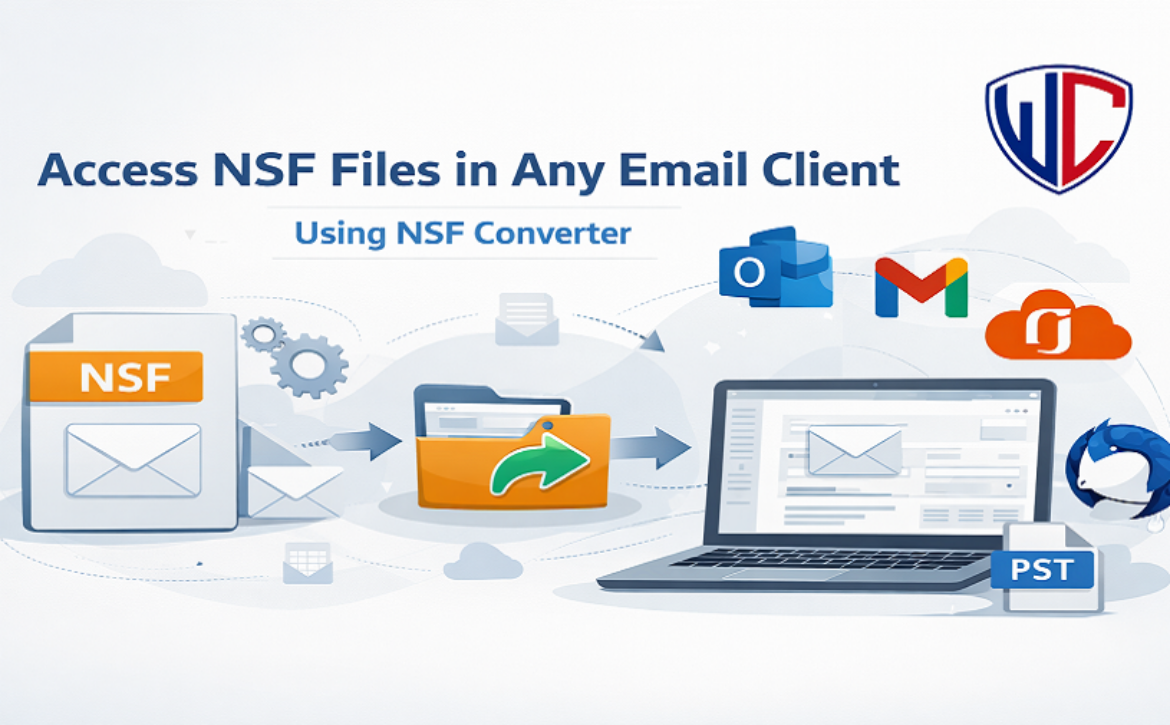
Access NSF Files in Any Email Client Using NSF Converter

Introduction

IBM Lotus Notes and HCL Notes are still used by many businesses and people to send and receive email. These email services keep mailbox data in NSF (Notes Storage Facility) files. When users wish to open NSF files in other email applications like Microsoft Outlook, Gmail, or Office 365, things get tricky. Users require a dependable way to open NSF files because they don’t work with any other programs. This is when an NSF Converter comes in handy. With the correct tool, users can open their NSF files in any email client without losing any data.


What Is an NSF File?

————————–

IBM Lotus Notes or HCL Notes uses an NSF file as a database file. It saves email addresses, contacts, calendars, tasks, journals, and attachments. NSF files can only be opened in Lotus Notes as they are incompatible with other email systems. This constraint makes it hard for people who are moving to email services or who no longer have access to Lotus Notes.


Why Do Users Convert NSF files?

————————–

There are a number of reasons why people convert NSF files:

  1. Switching email providers: A lot of businesses are moving from Lotus Notes to Outlook, Office 365, or cloud-based services.
  2. Lack of access to Lotus Notes: Some customers don’t have Lotus Notes installed anymore, but they still require their old email data.
  3. Better compatibility: More people use and find it easier to manage email applications like Outlook and Gmail.
  4. Backing up and archiving data: By converting NSF files, users can preserve backups in conventional formats that are safe.
  5. Sharing data is easy: You can share converted files with those who don’t use Lotus Notes.

For these reasons, it is now usual to need to convert NSF files.


Challenges in Accessing NSF Files in Other Email Clients

————————–

Other email programs don’t support the NSF format, therefore you can’t open NSF files without converting them. Manual methods are hard, take a long time, and can be dangerous. They need technical know-how and could cause problems with formatting or data loss. Users prefer to utilize professional Lotus Notes Converter software to avoid these issues.


A Simple Solution to Access NSF Files Across Email Platforms

————————–

The WholeClear NSF Converter is a dependable and simple tool that lets users open NSF files in any email client. The program converts NSF files into formats that are widely used, such as PST, EML, MSG, and MBOX. This lets you open NSF data in Outlook, Thunderbird, Gmail, and other programs.
The tool can be used by people who are good with computers and others who aren’t. It keeps the original folder structure, email formatting, metadata, and attachments when it converts. There are no problems converting even big NSF files.

Most Important Features

  • Converts NSF files into many different email formats
  • Can convert a lot of NSF files at once
  • Keeps the attributes of emails and the folder hierarchy
  • A simple and easy-to-use interface
  • Can deal with huge and large NSF files

These features make this converter a good alternative for people who need quick and safe access to NSF data.

How to Use?

It’s easy to use the software. Do these things

  1. Download and install the software on your PC.
  2. Open the tool and choose the option to add NSF files.
  3. Search for and choose the NSF file you want to convert.
  4. Select the format you want for the output (PST, EML, MSG, etc.).
  5. Choose where to save the converted file.
  6. To begin, click the Convert button.

You can open the converted file in your favourite email client without any problems once the NSF conversion is done.

Benefits of Using a Tool

  • Easier and faster than doing it manually
  • Lessens the chance of losing data
  • Lets you open NSF files without Lotus Notes
  • Allows both selective and mass conversion
  • Makes it easy to switch to other email clients
  • It is easy to open NSF files if you have the correct tool.

Final Thoughts

Without the appropriate solution, it can be hard to open NSF files in other email applications. The only real way to deal with NSF files is to convert them because they can only be opened in Lotus Notes. The software is an easy, safe, and effective solution to convert NSF files and get to email data in any email client. This tool is a dependable way to get to old emails or move to a new platform.


Questions and Answers

Q1. Can NSF files be accessed without Lotus Notes?

No, you can’t convert NSF files without having to install Lotus Notes.

Q2. Can the software convert a lot of files at once?

Yes, the software lets you convert many NSF files at once.

Q3: Will my email attachments be safe while they are being converted?

Yes, the software keeps all email properties and attachments.

Q4. Which email programs can open the files that were changed?

Outlook, Gmail, Thunderbird, Office 365, and other programs can open converted files.

Q5. Is it straightforward for beginners to use the software?

Yes, the software has a basic UI that works for everyone.

Read More
Sanju January 24, 2026 0 Comments

How to Export Yahoo Mail to PST – Easy Outlook Migration

For business or professional needs, you want to save your Yahoo emails as records, evidence, or audit files for legal, compliance, or documentation purposes. Second, move to a better or different email client that aligns with your future goals. Therefore, the best solution is to save the Yahoo email data to an offline file format. Thus, in this guide, we will cover the most effective & efficient ways to export Yahoo Mail to PST (Personal Storage Table).  The reason is that the PST files are widely used for secure email storage, backup, and migration.

This guide encompasses the free ways for small transfers. Additionally, the premium Aryson Yahoo Backup Tool, designed for faster, smoother, and more secure Yahoo Mail backup and export operations.

Before that, we will cover why it is preferred by different Yahoo users to save their data in PST.


Why Professionals Export Yahoo Mail to PST Files? 

—————————–

Beyond compatibility with the dominant Microsoft ecosystem, PST files offer Yahoo Mail users distinct advantages for data control and security. The PST files provide a reliable, self-contained archive for long-term local storage and streamlined account migration. Plus, several reasons make Yahoo Mail users store their files in PST.

  • For a reliable offline backup, PST keeps everything safe on your computer, not just in the cloud.
  • For an easy switch to Outlook, it becomes the smoothest way to move your Yahoo mail into a professional Outlook inbox.
  • To meet compliance rules, this migration creates a single file for legal or audit purposes that’s easy to store and find.
  • To take your data with you when leaving a job or closing an account, you have a complete copy of your communications.
  • For better search & organization, to manage and find old emails faster using Outlook’s powerful desktop tools.

Apart from these causes, PST ensures long-term data retention. Therefore, many Business and Individual users tend to convert Yahoo Emails to PST. Let’s move to the most secure methods for this conversion.

Major Yahoo incidents: These include a 2013 global outage and a 2014 breach of 500 million accounts. These incidents led Yahoo users to create local PST backups for greater data security and control.

Consequently, many Yahoo users start creating local PST backups to  make sure the data security.


What are the Best Methods to Migrate Yahoo Mail to PST File?

—————————–

The two most reliable approaches for this migration are manual and professional, listed below:

  1. The Outlook Method
  2. The Professional Method

In the first method, we will utilize Outlook as a bridge to save Yahoo Mail data into the  Microsoft Outlook data file. However, a successful migration depends on proper preparation. Please ensure the following first:

Pre-Migration Checklist: Transfer Yahoo Mail to Outlook

  • Your Yahoo login and password are ready
  • Two-factor authentication access is available
  • Outlook is installed and working
  • Additionally, the computer has enough storage space
  • Target save location is chosen (e.g., Documents, external drive)
  • Moreover, important emails are backed up separately
  • Plus, unnecessary emails are deleted (to reduce file size)
  • Importantly, you have time for the export to complete.
Way 01. Export Yahoo Mail to PST With MS Outlook

This free & manual technique has 05 main steps to save into the MS Outlook data file. It includes:

  1. Step 1: Add Your Yahoo Account to Outlook
  • First, open Microsoft Outlook on your system.
  • Then, go to File Add Account
  • Next, choose Manual setup or additional server types and click Next.
  • After that, select POP or IMAP and click Next
  1. Step 2: Enter Account Details
  • Fill in your Yahoo email address and password.
  • Now, under Account Type, choose IMAP.
  • Post that, put your IMAP Server Settings.
  • Once done, click More Settings.
  1. Step 3: Configure Server & Port Settings
  • Further, go to the Outgoing Server And check My outgoing server (SMTP) requires authentication.
  • Then, select Use same settings as my incoming mail server.
  • Next, switch to the Advanced tab and enter:
  • Incoming server (IMAP): 993
  • Set Encryption to: SSL
  • Outgoing server (SMTP): 587
  • Following that, set Encryption to: TLS
  • After putting in the credentials, click OK.
  1. Step 4: Complete Setup & Test
  • Now, click Next to verify the settings.
  • Afterward, Outlook will test the connection. Once completed, click Finish.
  1. Step 5: Export Yahoo Mail to PST
  • To start the export, in Outlook, go to File Open & ExportImport/Export.
  • Then, choose Export to a file → Next.
  • After that, select Outlook Data File (.pst)
  • Now, choose the Yahoo account or specific folders to export.
  • Next, click Browse to choose where to save your PST file.
  • Finally, select Finish to begin the export.

The aforementioned steps will lead you to a secure & free Yahoo Mail Backup. However, the steps are a bit technically complex. Plus, it is not recommended by many users because it’s time-consuming and does not work very effectively for larger Yahoo Mail accounts.


Common Migration Failures & Fixes for the Manual Method

As you are saving your Yahoo Mail data into a PST file format by using the manual method. There might be a few failures, varied by users’ needs. Let’s discuss the troubleshooting for that before moving to the expert approach to migrate Yahoo Mail to PST.

Issue Real Cause Quick Fix
Login Failed App password not created Generate app password
Missing Folders IMAP “All Mail” disabled Enable “All Mail” folder sync
Export Stuck Mailbox too large Filter by date or label
Outlook Crashes PST exceeds size limit Split PST into multiple files


Way 02. The Best Approach to Export Yahoo Mail to PST

The Aryson Yahoo Backup Tool is engineered with a clear understanding of Yahoo users’ specific needs. This widely compatible software maintains the folder hierarchy after the migration. Further, this feature-rich software allows filtering the data by a date range with multiple other powerful options.

07 Steps to Transfer Yahoo Mail to Outlook

  1. Install and run the Yahoo Backup Tool.
  2. Next, log in with your Yahoo credentials.
  3. After that, select the desired mailbox folders for backup.
  4. Then, choose PST from the Save As
  5. Post that, apply any filters or additional options.
  6. Click Convert to download your emails.
  7. Lastly, save the backup process report (optional).

Now, you have easily migrated all your Yahoo email Data into PST files with the reliable Yahoo Backup Tool. Along with the PST, this software allows users to migrate Yahoo Mail to Office 365 with many other email clients.


What is the Best Way to Export Yahoo Mail to PST?

—————————–

It is very important to pick the right method for an error-free and smooth migration. Therefore, in the table below, we are mentioning all the key details about the bath methods. This Table will help you to decide to choose the best approach for the migration of Yahoo email data.

Facts Outlook Approach (Manual) Aryson Yahoo Backup Tool
Best For          Small mailboxes, one-time migration, and users with technical comfort.                    Businesses, large accounts, non-technical users, bulk & frequent backups.         
Pros     Free, no extra software needed. Fast; secure; maintains folder structure; filtering options; reliable for large mailboxes.    
Cons Technically complex; time-consuming; sync and size limitations; risk of failures. Paid software (Demo version  allows users to back up or download only 50 items per folder for free.)


Ending Quote

Yahoo Mail to PST export is the process of saving Yahoo emails into an Outlook-compatible PST file for offline access, backup, or migration. Therefore, in this blog, we have covered all the aspects of this conversion.

Whether you choose the free, manual Outlook method or invest in a professional tool like Aryson, the goal is the same. For occasional, small-scale needs, the manual approach may suffice.

But for businesses, large archives, or a stress-free experience, a dedicated tool offers unmatched speed, reliability, and control. Ultimately, the best method to export Yahoo Mail to PST is the one that gives you peace of mind and keeps your communications safely in your hands.


Frequently Asked Questions

—————————–

Q.1. Can I transfer Yahoo Mail to Outlook directly?

Ans: Yes, but the manual process is complex and prone to failure. For a direct, reliable transfer, use the Aryson Yahoo Backup Tool.

Q.2. Why do users convert Yahoo emails to PST format?

Ans: For secure local backup and easy migration, especially after past Yahoo outages and breaches. The Aryson Tool ensures a complete, hassle-free export.

Q.3. Do attachments get included when exporting Yahoo Mail to PST?

Ans: Yes, and with the Aryson Tool, all attachments, metadata, and folder structures are preserved perfectly.

Read More
Sanju January 4, 2026 0 Comments

Tiny Text Generator for Web Marketing: Boost Engagement with Unique Text

Nowadays, web marketing is all about interactions rather than being merely visible in the busy world of digital technologies. Millions of posts, advertisements, blogs, and messages are being published every day, and it is becoming progressively harder to be outstanding. Marketers are also in a continual search of innovative and cheap tools to assist in capturing attention without bombarding the users. A very useful tool that has been underestimated is the Tiny Text Generator.

A Tiny Text Generator is used to encode regular text into smaller, stylized unicode characters, which look smaller, prettier, and unusual on most of the digital platforms. Although it might seem that it is easy, its use in the web marketing, branding, social media, SEO, and involvement with users has rather impressive implications.

The article discusses the application of Tiny Text Generator in the web marketing process, its usefulness, and the method by which businesses and creators can utilize it to enhance interaction in the competitive internet world.


What Is a Tiny Text Generator?

 —————————-

The Tiny Text Generator is a web based software that converts normal text into small variants using Unicode characters. These characters are not pictures, they are actual text symbols, which can be copied and pasted in the websites, social media, chat applications, and marketing literature.

For example:

Normal text: Web Marketing

Tiny text: ᴡᴇʙ ᴍᴀʀᴋᴇᴛɪɴɢ

Since the output is in Unicode, it is compatible with most of the modern browsers, operating systems and platforms without special fonts or plug-ins.


The reason why Tiny Text Works is important in Web Marketing

 —————————-

1. Pattern Interruption

It is human nature to have attraction to things that appear to be different. The visual boredom of regular fonts is interrupted by tiny ones, which serves as a disjuncture in the visual objects. Immediately when the users scroll through pages full of content or social feeds, small fonts stand out.

This would especially be useful in:

  • Call-to-action (CTA) elements
  • Headings or subheadings
  • Promotional snippets
  • Highlighted offers


2. Subtlety Without Spam

On the contrary to bright color and the abundance of emojis, small text is gentle and beautiful. It improves visual merit but does not activate the impression of spam. It suits professional branding, minimalistic and content oriented marketing strategies.


3. Cross-Platform Compatibility

Because Tiny Text Generators use Unicode, it can be used with:

  • Websites and blogs
  • Social media networks (Facebook, X, Instagram, LinkedIn)
  • Messaging application (WhatsApp, Telegram)
  • Email subject lines (boundless yet efficient utilization)

This is universal rendering it a flexible marketing instrument.


Important Web Marketing Applications of Tiny Text

 —————————-

1. Social Media Marketing

Tiny text enables the best use in social media.

How it helps:

  • produces captions in a graphic manner.
  • Enhances bios and usernames
  • Highlights hashtags or CTAs
  • Enhances the me progression of dense feeds.

Examples:

  • ᴄʟɪᴄᴋ ʜᴇʀᴇ →
  • ʟɪᴍɪᴛᴇᴅ ᴏғғᴇʀ
  • ғᴏʟʟᴏᴡ ғᴏʀ ᴍᴏʀᴇ

Small text may greatly enhance scroll-stop rate, particularly when accompanied by powerful graphics.


2. Enhancement of Web site User Interface and User Experience

Small text can be utilized in websites tactfully to enhance user experience without distracting the big content.

Common uses:

  • Sub-labels under headings
  • Tooltips or helper text
  • Feature highlights
  • Disclaimer or Excursive Notes.

In the case of e-commerce site, tiny text can be utilized in:

  • LII s
  • g’R sHIIng

This is to bring in clarity when keeping the design clean.


3. Call-to-Action Optimization

Conversion-oriented marketing is driven by CTAs. Small text might make CTAs look more interesting without being offensive.

Examples:

  • BY n
  • sIgn Y
  • g sR

Tiny text CTAs are able to enhance the click-through rates (CTR) when used sparingly by introducing a creative touch.


4. Branding and Visual Identity.

The importance of branding is consistency. Small text may turn into a minor element of your visual language of the brand.

Applications of branding are:

  • Taglines
  • Footer text
  • Campaign slogans
  • Watermarks

It is text-based, which means that it can be loaded immediately and is responsive to design.


Small Text and Search Engine Optimization: Marketers Must Authenticate

 —————————-

Is Tiny Text SEO-Friendly?

Yes–with responsible usage.

Little text consists of Unicode characters that can be indexed by search engines. It needs not, however, to substitute the main keywords in headings or in the body. Instead, use it for:

  • Decorative elements
  • Secondary highlights
  • UX enhancements

Best SEO Practices

  • Do not use small fonts as key main H1 or H2 words.
  • Do not conceal content with small fonts (black-hat strategy)
  • Normal text on core SEO structure.
  • Make sure it is readable and accessible.

Small texts can be used effectively with no negative effect on SEO.


Email Marketing: Tread With Care

Small text may be successful on the email marketing-though, moderation is of the essence.

Where it works:

  • Subject line emphasis
  • Pre-header text
  • Limited CTA highlights

Where to avoid it:

  • Long email paragraphs
  • Legal or transactional material that is important.

Not all email clients will interpret Unicode flawlessly and therefore, it is always good to test emails before making a campaign.


Short Texts in Content Marketing

Blog Writing and Articles

In long-form information, small fonts may be applied to:

  • Highlight tips
  • Emphasize notes
  • Add stylistic separators

Example:

 R I: Make small text brief to get the most out of it.

This enhances content scannability particularly among mobile users.


Landing Pages

Visual hierarchy is an essential part of landing pages. Tiny text can help:

  • Support headlines
  • Clarify benefits
  • Add urgency

When effectively utilized, it helps to improve the persuasion without overwhelming the user.


Psychological Effect of Small Text

Little text makes use of multiple psychological triggers:

  • Curiosity: Bizarre format sparks interest.
  • Newality: Is original and inventive.
  • Minimalism: Will attract those that embrace clean design.
  • Exclusivity: Appearances custom made, not prosaic.

These are minor effects that lead to increased engagement on platforms.


Web Marketing: Best Practices on Tiny Text

To achieve this, the following are the best practices:

  1. Moderate – Excess leads to diminishment of effectiveness.
  2. Keep It Short – Phrases are the best.
  3. Do not use critical type of information – better use common text.
  4. Multi-Device Test – Monitor multidevice display.
  5. Get on Board – Find your visual identity.

Common Mistakes to Avoid

  • Long paragraphs using small font.
  • Making all headings in stylized writing.
  • Disregarding the issue of accessibility.
  • Stuffing it with keywords only.
  • Applying it inconsistently

Keep in mind: small text is not a substitute of powerful content and strategy, but rather an auxiliary one.


Who is the Tiny Text Generator intended to?

The Tiny Text Generators are best suited to:

  • Digital marketers
  • Social media managers
  • Bloggers and content providers
  • Startup founders
  • SEO specialists
  • UX/UI designers

Whether you have a brand to promote, campaigns to be run or you just want to optimize on engagement, a small text can be that extra creative touch.


The Future of Small Text in Mobile Marketing

With the web marketing more visual and user-friendly, such tools as Tiny Letter Generator will remain in the processes of micro-designing and personalizing content. With AI, automation and analytics, tiny text can be dynamically applied to:

  • A/B testing CTAs
  • Personalized messages
  • Adaptive UI elements

It is simple and that is the strength of it–and that is why it is here to stay.


Conclusion

Tiny Text Generators will give marketers a simple, yet highly effective method of standing out in a world where the most valuable currency is attention. On social media and CTAs, on the Web interface and branding, small text makes it more interesting, yet not complicated or expensive.

When applied wisely, it serves as a supplement to SEO, better UX, and personality of online content. The Tiny Text Generator is not just a fad among the web marketers who want to find an innovative way of differentiating themselves, but it is also a tool that is worth considering in your marketing arsenal.

Read More
Sanju December 29, 2025 0 Comments

How Advanced Payment Gateway Integrations Improve Checkout Speed & Security

Customers today are demanding fast, friction free and high level of security shopping experiences; this has made small businesses compete in an environment that is dynamic and ever changing and ever demanding. Even the best product in the world can go to waste when a business processes a checkout slowly or vaguely, customers will turn immediately and go to another competitor with a faster checkout line. This is the point at which advanced payment gateway integrations services come in.

The modern gateways are much more than payment receivers. They automate checkout processes, enhance the success rate of the transaction, reduce fraud and create consumer trust and confidence which are vital to enhance the conversion. A payment gateway is a success growth for small businesses when it is implemented appropriately using intelligent development.


Why Checkout Speed Matters for Small Businesses

——————————-

Checkout speed is one of the biggest make-or-break factors in online sales. When customers encounter delays, redirects, or repeated verification loops, they abandon their cart, often permanently.

A fast, optimized checkout flow gives small businesses a tremendous competitive advantage. Every second you save during checkout increases the likelihood that the customer will complete the purchase, return for future shopping, and recommend your store. At eGrove Systems, we help small businesses build fast, frictionless checkout experiences using advanced payment integrations.


One-Click & Express Checkout Options

Many advanced gateways support one-click checkout, saved cards, and express payment methods. The customers can also finish the transaction in no time without having to reenter their information on payments or shipping.

In small businesses, this decreases friction to a large extent and will promote recurrent orders.


Reduced Redirects for Faster Payments

The old gateways redirect the users to other sites, leading to delays and the user being confused. Contemporary integrations enable on-page and in-line payments, which keep your customers inside of your site and minimize drop-offs.


Mobile-Optimized Payment Experiences

Mobile users are often the first to abandon checkout if the process isn’t seamless. Advanced gateways provide:

  • simplified mobile forms
  • fingerprint/face authentication
  • auto-filled fields
  • mobile wallet payments

All of these dramatically speed up the checkout experience.


How Advanced Integrations Strengthen Checkout Security

——————————-

Security is one of the most important factors influencing a customer’s decision to complete a purchase. With rising cyber threats and fraud attempts, shoppers look for signals that a website can protect their data.

Advanced payment gateways come equipped with multi-layered security features that reassure customers and reduce risk for small businesses. eGrove Systems integrates secure, PCI-compliant gateways that protect your users, your store, and your revenue.


Tokenization & Encryption for Safe Transactions

Modern gateways replace sensitive card details with encrypted tokens. This means payment data is never directly stored on your server, reducing your liability and increasing safety.


Real-Time Fraud Detection Systems

Machine learning algorithms now detect suspicious activity instantly—blocking unauthorized transactions before they happen.

Benefits include

  • fewer chargebacks,
  • safer transactions, and
  • higher customer trust

Strong Authentication (SCA) & Multi-Factor Verification

State-of-the-art gateways ensure the compliance of the PCI-DSS, as well as the customer-authentication (SCA) that frequently is needed with foreign transactions. This will make sure your checkout is still valid and safe but does not slow down the user.


How Advanced Gateways Improve Conversion Rates

——————————-

On the subject of how the Advanced Gateways can increase conversion rates. An effective payment solution does not just enhance payment speed and security but also increases conversion by a long margin. Customers make transactions more quickly and more frequently when they have the feeling of safety and the ability to pay the sum of money using the method of their choice. Our team at eGrove Systems helps small businesses turn payment gateways into conversion engines that boost revenue and retention.


Offer Multiple Payment Methods

Small businesses that support customer-preferred payment options see dramatically higher order completion rates. These include:

  • Credit/debit cards
  • UPI
  • PayPal
  • Apple Pay/Google Pay
  • Buy Now Pay Later options

Providing flexibility means more closed sales.


Higher Transaction Success Rates

Modern gateways use intelligent routing to process payments through the best-performing channel, reducing transaction declines and failures. This prevents revenue loss from issues outside your control.


Seamless Cross-Device Experience

For shoppers who switch from mobile to desktop (or vice versa) during checkout, advanced gateways ensure cart data and checkout progress remain intact. This reduces abandonment and supports multi-device buyer behavior.


Faster Payments, Higher Conversions

The integration of advanced payment gateways is no longer considered a luxury but a necessity to the creation of such a fast, secure, and trustworthy checkout experience. In the case of the small business, they can provide a potent means of cutting down cart abandonment, customer confidence, and sales without having to redesign the entire store.

With faster processing, enhanced security, and a better user experience, your checkout becomes an asset, not a barrier. At eGrove Systems, we specialize in integrating advanced, secure, and high-performing payment gateways that help small businesses grow, scale, and convert more customers. In case you are eager to enhance the speed of checkout, increase the level of security, and maximize conversions, our team can assist you.

Read More
Sanju December 25, 2025 0 Comments

Integrating Payment Gateways: Challenges & Solutions

The payments world moves fast. Users expect transactions to clear in seconds. Merchants want simple flows and low failure rates. Regulators demand clarity, traceability, and control. In this environment, payment gateway integrations sit at the core of digital commerce. They decide how money moves. They decide who stays competitive.

A strong foundation of fintech software solutions helps companies build these systems with precision. Yet the work is not simple. Gateways must pass through layers of compliance, security, routing, and operations. Many teams underestimate the complexity until it slows growth.

This guide explains the real challenges and practical solutions. The goal is clear: help leaders build payment systems that are reliable, compliant, and built for scale.


Challenges and Practical Solutions of Integrating Payment Gateways

———————————–

Payment systems decide how money moves. The work must be exact. The risks are high. Leaders must build systems that are secure, compliant, and resilient.

Challenge 1: Fragmented Payment Ecosystem

Payments are not a single system. They are a chain of many actors: issuers, acquirers, networks, processors, fraud engines, and regulators. Each actor has its own rules, formats, timelines, and APIs.

How this creates problems

  • Companies deal with different API structures when integrating multiple gateways.
  • Error codes vary.
  • Refund logic changes from one gateway to another.
  • Settlement cycles differ based on region and product.
  • Some gateways lack updated documentation.

The result is inconsistent behavior. A small change on the gateway side can break live flows on your platform.

Solution: Build an Aggregation Layer

Leaders are moving toward unified payment orchestration.

This layer:

  • Normalizes APIs across gateways
  • Converts data into standard schemas
  • Creates uniform error handling
  • Allows routing across multiple gateways
  • Reduces vendor lock-in

With this layer, switching or adding gateways becomes a simple configuration change, not a rebuild.

A strong aggregation layer also makes compliance easier because data is centralized and structured.


Challenge 2: High Transaction Failure Rates

Payments fail for many reasons: network breaks, issuer declines, incorrect routing, risk flags, or gateway downtime.

For merchants, each failed payment hits conversion rates. For banks and fintechs, failure rates create distrust and support loads.

Why failures happen

  • Poor routing logic sends transactions through high-risk paths.
  • No retry mechanisms.
  • Missing device or location signals that banks expect.
  • Latency during peak hours.
  • Regional gateway downtime.

Practical Solutions

1. Smart Routing
Route transactions based on:

  • Issuer
  • Card type
  • Amount
  • Geography
  • Time of day
  • Past performance

This improves approval rates without breaking rules.

2. Auto-Retries
A quick retry with another provider or different 3DS flow often saves the transaction.

3. Device Intelligence
Passing data like IP, device ID, and behavioural markers helps issuers trust the transaction.

4. Active Monitoring
Track declines in real time. Alert teams when patterns change.

When combined, these steps can raise success rates by 10–20%. For large platforms, this means millions in recovered revenue.


Challenge 3: Complex Compliance Requirements

Payments involve strict rules. PCI-DSS, KYC, AML, GDPR, and local regulatory guidelines create a heavy load.

Where teams struggle

  • Storing card data incorrectly
  • Missing audit trails
  • Weak transaction monitoring
  • Poor encryption practices
  • No separation between sensitive and non-sensitive data
  • Lack of periodic compliance checks
  • Inability to produce logs on demand

Compliance is not a one-time effort. It demands ongoing discipline.

Solutions: Compliance-by-Design

Strong fintech software solutions embed compliance into the system itself.

Key steps:

  • Tokenize all card data
  • Use HSMs or certified vaults
  • Add automated audit logs
  • Apply role-based permissions
  • Set AML and fraud rules as code
  • Validate all external APIs for PCI compliance
  • Maintain incident response protocols

Systems must show regulators how each transaction moved through the flow. The logs must be unalterable.

These controls cut the risk of penalties and build confidence with banks and regulators.


Challenge 4: Handling Multiple Payment Methods

By 2026, customers expect wide choices: cards, UPI, wallets, BNPL, bank transfers, QR payments, and alternative rails.

Market expansion brings even more:

  • ACH in the US
  • SEPA in Europe
  • PIX in Brazil
  • Fast payments in Singapore and Australia

The complexity

Each method has unique:

  • Data formats
  • Authentication steps
  • Settlement cycles
  • Refund processes
  • Chargeback protocols
  • Reconciliation systems

Failing to support popular local methods can block entry into new markets.

Solution: Modular Payment Method Architecture

Build systems with plug-and-play modules. Each module handles:

  • Data validation
  • Standardized responses
  • Authentication flows
  • Settlement metadata

The orchestration layer decides which method to expose.

This approach avoids rebuilding the platform every time a new payment method appears.


Challenge 5: Security Threats Continue to Rise

Payment systems face constant attacks. Fraudsters test stolen cards, bypass authentication flows, and manipulate APIs.

Common attack types

  • Card testing
  • Account takeover
  • Data interception
  • Credential stuffing
  • Chargeback fraud
  • Man-in-the-middle attacks

Solutions: Security as a Continuous Practice

Security must live inside the system’s daily operations.

Key actions:

  • Encrypt all data in motion and at rest
  • Add real-time card testing defenses
  • Build anomaly detection models
  • Use device fingerprinting
  • Apply strict rate limits
  • Rotate keys and credentials
  • Monitor for unusual API patterns
  • Run red-team simulations
  • Enforce 3DS 2.x for high-risk flows

Security becomes stronger when logs, alerts, and models work together.


Challenge 6: Difficult Reconciliation and Settlement

Reconciliation is often the most painful part of payments.
Different gateways send reports in different formats.
Settlement cycles vary.
Refunds and chargebacks complicate the process.

Why this happens

  • No unified ledger
  • Inconsistent reference IDs
  • Missing webhook retries
  • Manual processes
  • Disjointed refund logic

Errors lead to financial discrepancies, customer disputes, and delayed reporting.

Solution: Build a Central Payment Ledger

The ledger tracks:

  • Authorization
  • Capture
  • Refund
  • Chargeback
  • Settlement
  • Adjustments

Each event updates the ledger in real time. External reports from gateways reconcile against this ledger.

The result:

  • Faster month-end closing
  • Clean audits
  • Reliable data for finance and operations teams

A central ledger also helps with compliance reporting.


Challenge 7: Scaling the System Under Load

Peak hours test payment systems. Flash sales, salary days, and festive periods create traffic spikes. Legacy systems often break under this load.

Where scaling fails

  • Synchronous API calls
  • Single-threaded queues
  • Slow database queries
  • Poor caching strategy
  • No parallelism
  • Large payloads

Solutions: Build for Horizontal Scale

Key design choices:

  • Use message queues
  • Cache issuer and routing data
  • Split API paths by function
  • Reduce synchronous operations
  • Use smaller, modular services
  • Implement auto-scaling rules
  • Optimize payloads

Scaling is not about faster servers. It is about clean architecture.


Challenge 8: Poor Visibility Into Payment Failures

Teams need clarity to act fast. But many platforms lack clear dashboards, logs, and tracing.

What goes wrong

  • No real-time view of gateway health
  • No drill-down on issuer declines
  • No breakdown by card type, device, or geography
  • No alerts for unusual drop in approval rates

Solution: Build Strong Observability

Good observability answers simple questions:

  • Why did a payment fail?
  • Where did it fail?
  • Is it a user issue or a gateway issue?
  • Is it a regional outage?
  • Is fraud causing declines?

Dashboards, structured logs, event tracing, and alerts create this view.


Challenge 9: Managing Global Expansion

Launching in a new market requires local compliance and payment rails. Integration work multiplies fast.

Common challenges

  • Handling local payment methods
  • Meeting local data laws
  • Dealing with regional fraud patterns
  • Integrating country-specific gateways
  • Managing cross-border fees
  • Handling currency conversion

Solution: Build a Global Payment Framework

Key components:

  • Multi-currency ledger
  • Country-specific routing rules
  • Local risk models
  • Configurable tax and fee engines
  • Localized checkout flows
  • Data residency controls

With this framework, teams expand into new markets without major rebuilds.


Challenge 10: Long Integration Cycles

Many teams spend months connecting with a single gateway. Documentation gaps, version mismatches, and sandbox issues add delays.

Why this happens

  • Lack of standardized integration patterns
  • Poor testing environments
  • No mock gateways
  • Incomplete error mappings
  • Missing certification steps

Solution: Reusable Integration Templates

A reusable framework includes:

  • Standardized request and response formats
  • Unified error codes
  • Mock gateway environments
  • Prebuilt test scenarios
  • Automated integration testing

This cuts the time from months to weeks. It reduces integration risk and eases vendor negotiations.

A strong set of fintech software solutions helps teams:

  • Reduce failure rates
  • Improve routing
  • Simplify compliance
  • Support new payment methods
  • Lower risk
  • Expand into global markets
  • Increase revenue
  • Strengthen trust

The companies that invest early win in the long run.

  • They move money with speed and precision.
  • They respond to outages and fraud with calm control.
  • They operate with clean data and stable systems.

The companies that delay struggle as payment volumes rise.


Conclusion

Payment gateway integration is not plug-and-play work. It demands discipline in design, control, and operations. The challenges are real: fragmented systems, rising fraud, scaling issues, compliance pressure, and global expansion demands.

But each challenge has a clear solution. With the right architecture, security, routing, and observability, teams can build systems that run at scale, with low failure rates and strong compliance footing.

In a world where every second counts, the winners will be the companies that treat payment infrastructure as core to their strategy, not a backend task.

Read More
Sanju December 13, 2025 0 Comments

How Integrating Chatbots into Workflow Tools Enhances Productivity

In a specific context, it has been observed that for simple tasks such as sending approvals, checking updates on projects, or creating reports, employees have to switch over communication apps, chat tools, and several other apps and work becomes unproductive as it results in frustration, fatigue, and wasted effort. “Time wasted on such tasks” is often perceived as “work” in such environments

Integrating conversational automation and workflow automation software can enable chatbots to take over coordination functions in business processes and blend tasks, communication, and automation in a more efficient manner to make work faster instead of just arbitrarily automating processes. It is very much possible to incorporate chatbots into business workflow systems, and in business automation, systems integration is more important.


Understanding AI Chatbots and Workflow Management 

———————————

AI chatbots are a type of intelligent assistant and are powered by machine learning and natural language processing. It can carry out specific actions in an automated manner and respond in a conversational manner. Imagine a virtual teammate that can answer questions, retrieve information, or initiate automation processes.

Optimizing and configuring a defined subsequence of activities to attain set organizational objectives is termed as workflow management. While workflow tools establish the framework by outlining how a procedure progresses from inception to termination, AI chatbots provide the communication bridge between individuals and systems.

When these two technologies converge, the outcome is a continuous chain of information. Employees interact with workflows seamlessly using dialogues instead of sophisticated software instructions and commands.


Why Incorporate AI Chatbots into Your Workflows

———————————

Most organizations use a combination of disparate tools for communication and workflow management. Employees typically spend a considerable amount of time switching between systems and completing redundant tasks, such as checking email for updates, logging into a dashboard, and manually entering data. This lack of cohesiveness and integration between systems is a significant cause of delays and errors.

With the integration of chatbots into workflow tools, human intent and digital execution can be more efficiently coordinated, thereby eliminating this challenge. Rather than logging into a system to complete a task, an employee can simply tell the chatbot what action to take. The chatbot is smart enough to initiate, monitor, and complete tasks by itself.

As an illustration, a team member could make a request such as, “Could you change the project status to ‘in progress’?” The system will respond without delay thanks to the integrated workflow automation. Consider it for a personal assistant with exhaustive knowledge of your workflows. It helps you work quickly, easily, and with more efficiency.


Business Use Cases

Chatbots integrated within workflow automation are useful across all industries and all business functions. Below are some use cases across different functions and industries.

  • Customer Service: They create and assign support tickets to the appropriate personnel and respond to common questions automatically.
  • Human Resources: From onboarding tasks to managing leave, bots assist employees with internal HR processes.
  • Sales: They enter and update CRM info, identifying and notifying the sales team about tier-one leads.
  • IT Support: They automate responses for common troubleshooting questions, system access requests, and password resets.
  • Marketing: They oversee and automate social media posting and track campaign progress.

The above functions illustrate the value of combining communication and automation in chatbot technology.


How AI Chatbots Integrate with Workflow Automation

———————————

AI-powered workflow tools determines the “what” of tasks, while chatbots for business processes determine the “how.” Combined, chatbots serve automated workflows as entry points, initiated through everyday dialogues.

This is a typical interaction:

An employee asks a chatbot, “Schedule a meeting with the design team tomorrow.” Without further interaction, the chatbot identifies and executes the appropriate automated workflow, sending the meeting invitation, blocking the calendars of the attendees, and confirming their attendance.

Workflow automation software manages business logic, task routing, and dependencies, while the chatbot simply interprets human commands into a series of machine commands. The frictionless experience is an interplay of conversation automation and workflow automation.


Advantages of AI Chatbots and Workflow Automation  

  • Reduces Manual Efforts  
    No-code automation platform can eliminate the need for routine repetitive tasks, such as approvals and data entry. Instead of performing these tasks, employees can focus on higher-value activities, saving hours every week.
  • Improved Response Times  
    Employees wait for approvals, reviews, or other interventions that may be automated. With chatbots, employees receive instant responses to their queries.
  • Improved Precision  
    Task management automation reduces the risk of human error, especially in tasks that require cross-validation or an approval chain.
  • Enhanced Collaboration
    No longer email threads or forgotten messages. Team members can communicate, delegate duties, and provide progress reports through seamless chatbot dialogue.
  • 24/7 Availability
    Providing help to distant employees is even easier with chatbots, which work non-stop and provide immediate answers.
  • Data-Driven Insights
    All the operational chatbot tools gather data, which can be examined to analyze patterns, uncover pain points, monitor activity, and improve workflows and processes.

All the above makes work processes more efficient, increases employee satisfaction, and delivers productivity improvements that can be quantified.


Real-World Examples 

Businesses across sectors are now able to manage and optimize internal workflows using chatbots.

  • In customer support, teammates are able to automate ticket escalation through chat and issue chatbots are able to log into customer-reported issues.
  • HR departments, similarly, automate onboarding using chatbots, which provide training material, collect documents, and schedule meetings.
  • Sales teams use chatbots to automate data updates and capture leads, ensuring no deals are lost.
  • For Operations managers, chatbots help track project progress and provide instant updates on task completion or delays.

The prior section illustrates the versatility of incorporating chatbots into business streams as a means of increasing productivity across the entire organization.


6 Ways Chatbots Improve Performance and Productivity at the Workplace

———————————

  • Automating Routine Requests: Meeting reminders and data lookups are some of the chatbots and automating other tasks that would take an employee many minutes to perform.
  • Accelerating Approvals: Chatbots can instantly alert decision-makers and capture an automated approval for inclusion in business workflows.
  • Instant Access to Information: Employees no longer need to hunt down files, reports, and policies for details, as they can get everything in an instant.
  • Streamlining Communication: By using one chat system, rather than a potpourri of systems, bots handle conversational leadership.
  • Supporting Smarter Decisions: Bots can access mission-critical data and provide recommendations suitable for a given moment, enabling a rapid response.
  • Focusing on Strategic Work: Chatbots are able to predict and handle mundane tasks, while employees perform the essential work of planning and innovating.

With the bots, the productivity gains are complimented by improved engagement and a work climate that is pleasant and lowers stress.


Conclusion: Smarter Workflows, Smarter Teams 

The work of the future is intelligent, seamless, automated, and conversational. Incorporating chatbots into workflow solutions is the automation of the business processes that work in the background and the effortless communication that works in the foreground.

This combination of workflow automation software and AI Chatbots lets staff get more done in shorter periods of time, work together and harmonize, and minimize operational friction. There is no way to intelligently minimize friction in operational processes. There is no way to intelligently minimize friction in operational processes. Embracing workflow solutions that utilize AI is crucial to preserving velocity and competitiveness in the face of change.

Chatbot integration tools are changing the landscape of the workplace. Innovations that deliver profound results, drive organizational success, and build the organization’s core are just some of the tasks that automation will take away, leaving human staff with profound and important work.

Read More
Sanju November 27, 2025 0 Comments

Guide to Choosing the Best CMMS for Maintenance Teams

In the modern industrial world, where time is of the essence, the unplanned downtime may crash productivity, swell up expenses on maintenance and, not to mention, endanger safety. Maintenance departments are moving to reactive fix-it-breaks attitudes to proactive approaches that predict problems before they arise. An efficient Computerized Maintenance Management System (CMMS) plays the role of a technological basis of this change and is the center of work orders, asset histories, preventive schedules, and analytics. The guide provides maintenance professionals, facility management and operations leaders with an effective system to assess, choose, and adopt the CMMS that will best suit their organizational objectives.


Understanding Your Maintenance Needs 

——————————–

The most important step to making the right choice of CMMS is understanding what you need in terms of maintenance. The maintenance teams work in different conditions, on a manufacturing floor, and large facilities and issues are diverse. You should start by evaluating your existing maintenance activities to determine pain areas like high levels of unplanned downtimes, slow work orders, or ineffective asset documentation. Knowing the underlying factors to such problems helps you to know what your CMMS should preferably be.

The second step is to examine the characteristics of your assets and the nature of the maintenance needed. Does that make your assets mostly mechanical or electrical or a combination of the two? What is the age and status of these assets? This information affects the process of maintaining prevention and predictive service scheduling and defines the value of real-time monitoring capabilities. Making sure that you match your asset profile with the abilities of the system is important so that the CMMS can be useful to your philosophy of maintenance.

Last but not least, establish specific, quantifiable objectives of what you would like your CMMS to achieve. Some of the common goals are to minimize repair times, enhance on-time maintenance compliance, optimize inventory of spare parts, and enhance visibility on the cost of maintenance. Setting these goals early assists in getting your feature requirements straight, and in evaluating vendors, where you make sure that the new system you are buying brings real benefits that are in line with your organizational priorities. 


Essential Features to Look For in a CMMS 

——————————–

A future-proof CMMS must deliver core functionality plus advanced capabilities: 

Work Order Management 

  • Automates the work order generation, allocation and monitoring system to prevent time wastages and lack of communication.
  • Allows prioritization of asset resources based on urgency, criticality of assets, or compliance needs.
  • Records of labor hours, parts consumed and status of completion, to accurately record costs of maintenance and carry accountability.
  • Facilitates automated notifications and reminders so that tasks can be performed on time, and less work orders can be pending. 
  • Enables attaching photos, documents and notes in work orders to improve clarity and documentation. 

Asset and Inventory Management 

  • Keeps current records of assets, such as specifications, maintenance history, warranties and location.
  • Connects inventory management to assets and work orders so that the parts requisition process is automated and that out-of-stock situations can be avoided.
  • Offers real-time inventory, and reorder level alerts to achieve stock optimization and minimize carrying costs. 
  • Supports barcode/RFID scanning that allows monitoring assets and inventory faster and more accurately in the field. 
  • Mapping of the lifecycle of the assets to monitor the depreciation and preempt the maintenance or replacement process. 

Preventive and Predictive Maintenance 

  • Engineers’ preventive maintenance tasks are based on the calendar date, hour usage, or meters.
  • Take advantage of the last, and the AI algorithms to predict potential equipment malfunctions before they occur.
  • Integrates with IoT gadgets to track the position of the assets in real time, such as temperature, vibration, or pressure levels.
  • Provides dashboards with offers and maintenance warnings ondometers for future and overdue maintenance, which leads to better compliance and reduced emergency maintenance.
  • Helps lengthen the life of assets and keep the down time at the minimum with timely interventions.

Reporting and Analytics 

  • Provides tailor-made reports on such important indicators as work order completion rates, mean time to repair (MTTR) and maintenance costs.
  • Plots trend and pattern with the help of dashboards to facilitate decision making process.
  • Enables one to break down to the reason behind the frequent breakdowns or bottlenecks.
  • Enables exportation and distribution of reports to make stakeholders informed and on track.
  • Helps calculate maintenance activities of ROI and encourages continuous improvement.

Mobile Accessibility 

  • Provides the technicians with the possibility to access, update, and close work orders via mobile devices and both online and offline.
  • Offers real-time synchronization to ensure that field updates are immediately recorded in the main system.
  • Allows barcode scanning and photos uploads to make data easy to capture and enhance accuracy. 
  • Improves the productivity of technicians by providing them with asset manuals, history, and troubleshooting manuals. 
  • Enables interoffice communication and office personnel and field personnel to reduce delays and mistakes. 

AI-Powered Maintenance Assistant 

  • Would go through maintenance data and advise on the best scheduling and resource allocation.
  • Forecasts the demand for spare parts to streamline inventory and prevent shortages or excess inventory.
  • Produces recommended working instructions and checklists depending on the asset type and failure mode. 
  • Detection of abnormalities and trends that could go undetected by human operators to enable proactive measures. 
  • Learn continuously through the results of maintenance so as to improve future predictions and recommendations. 

IoT Meter Reading 

  • Indirectly linked to meters and sensors on equipment to collect data automatically and in real-time.
  • Initiates maintenance processes according to the set temperature, pressure, or other important parameters.
  • Eliminates errors and manpower expenditures in the metering process and maximizes the frequency of monitoring.
  • Issues notifications in case of abnormal values that may represent the emergence of faults or safety risks.
  • Allows constant monitoring of the condition to enhance the safety of operation and reliability of the asset.

Complete Asset Lifecycle Management 

  • Tracks asset position based on procurement to commissioning, operation, maintenance and retirement.
  • Processes budgeting and financial forecasting including depreciation and total cost of ownership information.
  • Assures adherence to safety, environmental, and regulatory requirements during the lifecycle of the asset. 
  • Enables the strategic decision-making of repair or replacement based on the lifecycle data and current performance trends. 
  • Combines procurement and inventory to automate acquisition of assets and parts planning.

Evaluating Deployment Options: Cloud vs. On-Premises 

——————————–

Cloud-Based CMMS 

  • Rapid Deployment: Cloud CMMS solutions generally need little IT configuration and can be implemented faster and have shorter time to value. 
  • Automatic Updates: Software updates, patches and upgrades are managed by vendors, and users need not bother with additional efforts.
  • Anywhere Access: Cloud CMMS systems allow devices with internet connectivity to access anywhere and meet the requirements of remote and mobile workers.
  • Lower Upfront Costs: Subscription-based pricing gets rid of huge capital outlays on hardware and infrastructure which is easier to plan.
  • Scalability and Flexibility: Cloud services can easily be expanded to suit the increased requests of the organization, and additional users or features may be added easily.

On-Premises CMMS 

  • Complete Data Control: The software is hosted on the organization’s servers, and the organizations have total control over sensitive maintenance and asset data.
  • Customization Potential: On-premises systems have more often been customized to meet specific workflows or regulatory needs.
  • Integration with Internal Systems: Easily interacts with the uniform internal enterprise systems such as the ERP or SCADA to allow the circulation of information conveniently.
  • Increased upfront capital: Hardware, software license and IT maintenance facilities were to be purchased and hence the start-up costs can be more and lead to higher start up and operating costs.
  • Reliance on IT Resources: Implementation, upgrades, backup and security require IT personnel in the company, and it may be overloading the employees and skills.

The Evaluation and Selection Process 

——————————–

Building a Feature and Vendor Scorecard 

A structured scorecard should be created to make the objective assessment of CMMS options possible. This would include enumerating all the desired features and capabilities of vendors and then weighing them using a weight factor that considers the significance of these features or capabilities to your unique maintenance objectives. The scorecard must be a balanced scorecard on technical functionality, usability, vendor support, scalability, and total cost of ownership. A qualified approach will allow the removal of bias, trade-offs, and focus on solutions that best fit the needs of operations. 


Conducting Demos and Trials 

Experiential demos and trial versions can provide invaluable information besides the marketing documents. The most important step in the process is to engage key stakeholders, such as technicians and planners as well as IT staff, to monitor the integration of the software into the daily processes and how it addresses real-world issues. During this stage, Test plays a critical role such as work order management, the ability to access it on the move, and reporting. The results of these sessions may show usability problems, integration possibilities, and responsiveness of the vendor, which can be vital in the long-term success.


Prioritizing Based on Must-Haves 

The features are not equally important. Concentrating on necessities that are core should be those that immediately respond to your most significant pain points and upkeep goals. Keep the essentials and nice to have separate so as not to be distracted by unnecessary bells and whistles. Prioritization will mean that you invest in a CMMS that provides actual operational benefit and may be measured in ROI rather than one that is loaded with functionality that will not be utilized and embraced in practice. 

Planning for Successful CMMS Implementation 

  • Data Preparation and Cleansing
    Pre-migration Organize and clean existing assets, maintenance, and inventory data. Correct and full information will provide seamless onboarding, as well as reduce mistakes when use the system. 
  • Role-Based Training
    Developed specific training programs, which meet the requirements of technicians, planners, and managers. Practical experience and documentation increase the level of user confidence and uptake. 
  • Clear Change Management Strategy
    Recommend the benefits and changes that will be introduced by the CMMS to the stakeholders. Preempt resistance through early involvement of users, frequent feedback, and realistic expectations.
  • Phased Rollout Approach
    Introduce CMMS to a pilot department or facility to collect feedback and make some modifications first, then introduce it on a large scale. This minimizes interruptions and maximizes the opportunities of success. 
  • Defining Metrics and Continuous Improvement
    Preventive maintenance compliance, the mean time to repair (MTTR), and the decrease of time of downtime are some of the KPIs that can be monitored. Periodically review the performance data to streamline the work process and system performance. 


Conclusion

Selection of the most appropriate CMMS requires a clear vision of what you expect to achieve in maintenance, a strict assessment system, and a strict implementation program. With an emphasis on such key aspects as work order management, predictive maintenance, mobile access, and AI-driven insights, the leaders of maintenance can choose the solution that would provide a tangible ROI, lessen the unplanned downtimes, and improve the efficiency of its operations. This guide is your ultimate road map to proactive and future ready maintenance strategy.

Read More
Sanju November 2, 2025 0 Comments