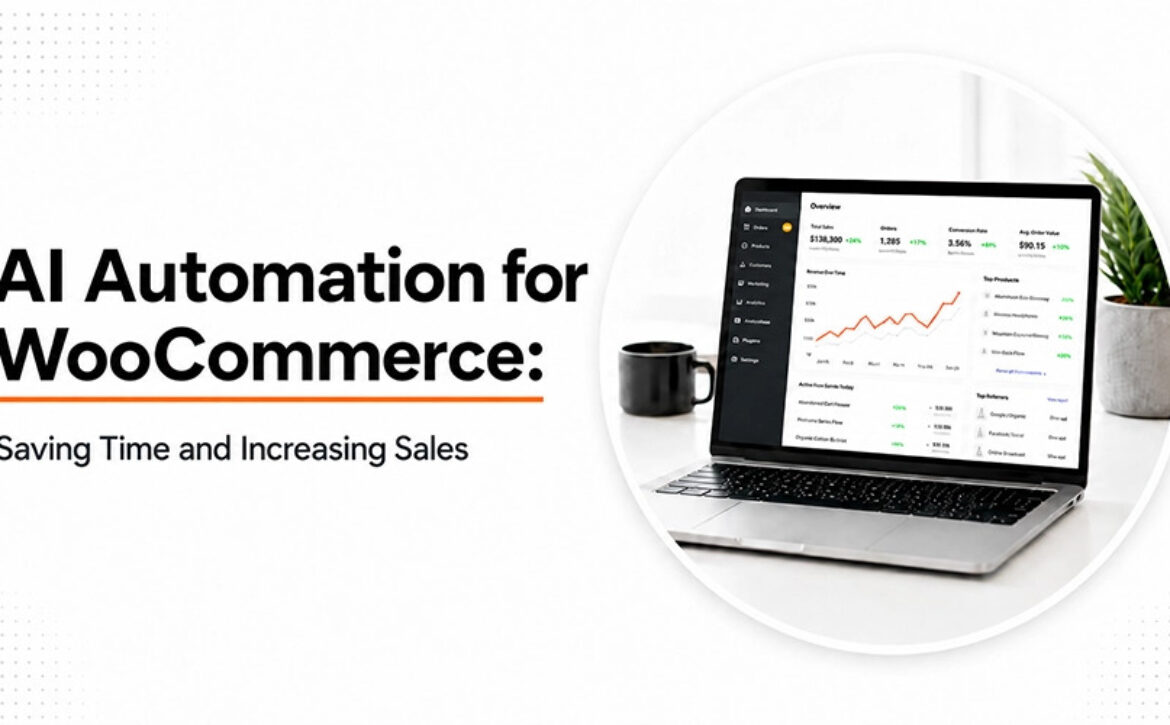
AI Automation for WooCommerce: Saving Time and Increasing Sales

Having a successful WooCommerce store is no longer simply a matter of driving traffic.

Most e-commerce companies end up spending a great deal of time performing tedious activities such as replying to questions raised by customers, stock management, product suggestions, order management, cart recovery, and running marketing campaigns.

It becomes more difficult for businesses as they grow.

This is where AI automation is now playing a role.

As opposed to taking people’s jobs, AI works to empower ecommerce businesses. By automating tedious processes, improving decisions and enhancing the shopping experience of consumers, AI can assist ecommerce businesses in focusing more on growing.

In many aspects, AI is becoming one of the most valuable assets for ecommerce companies.


Why AI Automation Matters for WooCommerce Stores

———————————-

This is a challenge faced by most ecommerce companies.

With increased orders comes increased workload, and teams end up having to spend hours doing work that could be done through automation.

Some of the common activities done manually are:

  • Answering customers’ inquiries
  • Keeping track of inventory changes
  • Sending out marketing emails
  • Customer tracking
  • Handling support issues
  • Product recommendation

However, when all these activities are done manually, the process becomes very time-consuming and costly.

Ecommerce firms making use of professional WooCommerce development in the US have been automating some of their business processes through artificial intelligence.


AI-Powered Customer Support Reduces Workload

———————————-

Customer support may become an overload for expanding eCommerce businesses very soon.

Typical customer requests are as follows:

  • Where is my order?
  • When will I receive my item?
  • What is your refund policy?
  • Is your item in stock?

These queries can be answered with the help of AI chatbots and virtual assistants around the clock.

It does not mean that human support is unnecessary; it means that they will be able to deal with more complicated matters.

The best WooCommerce developers in India will be able to include such tools into your WooCommerce website.


Personalized Product Recommendations Increase Sales

———————————-

The most significant benefit of AI is that it can analyze the behavior of customers.

Some of the features of AI include:

  • Browsing activity
  • Purchase activity
  • Customer interest in products
  • Preferences of shopping for products

Through such data collected by AI, personalized recommendations can be provided to customers from WooCommerce stores.

It should be considered how many times customers tend to purchase more products due to the availability of relevant recommendations for them.

Not only does this enhance the customer experience but also leads to an increased order value.

Several businesses using the services of a WooCommerce development agency in India are adopting such AI-based recommendation systems.


Smarter Inventory Management

———————————-

Inventory management becomes increasingly complex as the number of products expands.

Out of stock situations result in missed sales opportunities. Excess inventory uses up resources that could have been used elsewhere.

AI tools are able to forecast demand through:

Historical Sales Data

AI determines sales trends based on past results.

Seasonal Variations

Changes in demand can be predicted before they happen.

Consumer Behaviour

Purchase behavior helps understand future buying trends.

With correct implementation by expert WooCommerce site designers in India, AI can assist businesses to manage their inventory better without excessive stock problems.


AI Automation Improves Email Marketing Performance

———————————-

Email marketing continues to be one of the most effective e-commerce channels.

The difficulty lies in knowing which message to send at what time.

Here comes AI that will help in automating:

  • Welcome emails
  • Cart abandonment marketing campaigns
  • Product suggestions
  • Customer re-engagement campaigns
  • Post purchase communications

With the help of AI, businesses don’t need to send the same email to each and every customer.

It will allow for the personalization of messages based on customers’ actions.

The businesses that opt for customized WooCommerce development in India often combine AI with marketing automation.


Faster Product Management for Large Stores

———————————-

Dealing with many products will take a lot of time.

AI can help with:

  • Product Classification
  • Support in Content Creation
  • Product Tagging
  • SEO optimization
  • Management of Product Attributes

Although human verification is still required, AI can save a lot of effort when dealing with lots of products.

It may make a huge difference for a growing ecommerce business.


AI Helps Recover Abandoned Carts

———————————-

Cart abandonment is among the most significant problems in ecommerce.

Consumers tend to place products in their cart but do not proceed further to make the actual purchase.

AI automation aids in recognizing:

  • Cart abandonment trends
  • Intentions of consumers
  • Probability of purchase

Taking all of the above into account, an automated process could then initiate actions like reminders or incentives for consumers to return.

A certified WooCommerce developer in the India will be able to implement such systems.


Better Data Leads to Better Decisions

———————————-

One often forgotten strength of AI is the capacity to generate actionable information from large data sets.

In most e-commerce businesses, there is usually an abundance of information but not much practical application thereof.

The data that can be analyzed by AI includes:

  • Trends of customers
  • Performance of products
  • Conversion patterns
  • Effectiveness of marketing strategies
  • Customer lifetime value

Such information allows for more informed decision-making by business owners.


Why Expert WooCommerce Developers Matter

———————————-

Access to the AI tools is getting better, but proper implementation still needs skills.

Wrong configuration of automation could lead to customer annoyance instead of experience enhancement.

That is why a lot of companies consider hiring of WooCommerce developers in India since they want someone who will implement the AI solutions properly.

A professional developer could:

  • Link AI solutions with WooCommerce
  • Optimize automation processes
  • Enhance website performance
  • Provide for the security of the integration
  • Develop custom AI-based features

For big projects, it could be possible to hire a dedicated WooCommerce developer in India.


The Future of WooCommerce and AI

———————————-

The time has passed when AI was something that could be observed by companies without any action taken.

Consumers nowadays have high expectations about personalized interactions, quick assistance, and smooth purchase process.

The versatility of WooCommerce allows implementing innovations related to artificial intelligence whenever they appear on the market.

Companies that introduce AI automation now may create the basis for future success.

Collaboration with a reliable WooCommerce website development company in India or specialized WooCommerce web design agency in India can bring AI solutions into practice effectively and user-friendly.


Conclusion

Through the implementation of AI automation, business owners are now finding ways of increasing efficiency by doing more without having to do more of their work manually.

With solutions such as individualized experiences and automated marketing, intelligent inventory management, and customer service, businesses can easily reduce the amount of work done while increasing productivity and efficiency.

The businesses benefiting most from AI in their operations are not necessarily the biggest ones; instead, they are usually the businesses that have applied automation for their benefit of eliminating redundant activities and offering improved customer experience.

In future, it is likely that AI automation in WooCommerce stores will be the norm rather than the exception in the ecommerce field.

Read More
Sanju July 7, 2026 0 Comments

Top WooCommerce Benefits: Why It’s the Best Platform for Your Online Store

WooCommerce is a free, open-source eCommerce plugin built for WordPress. WooCommerce powering more than 4 million online stores. So as I have written on this brainstorming topic, I analyzed many comments and found people’s comments around that they use WooCommerce for easy coding and building, REST APIs allow them to customize many things, WooCommerce makes them host it anywhere they like, and more like that.

So after gathering all these comments, and made a list of benefits of WooCommerce. In this article, take a look at top 10 WooCommerce benefits, and why it is the best platform for developing an Online Store.


WooCommerce Built in WordPress

——————————-

Did you know? WordPress is used by 43.1% of websites on the internet. That is the reason why it is the big selling point for many. If you are planning to build a blog on your site, then WooCommerce is a great platform to use to build your site.

Currently WooCommerce supports 30% of all ecommerce websites. That is over 5 million globally. These figures prove why they support ecommerce businesses more than other ecommerce platforms out there.


WooCommerce Costs Nothing

When go-to-buy any product, and then you see a free tag on that selling product? This must make you feel surprised and amazed at the same time. That’s how WooCommerce offers Free download and starts using it right away.

You must be familiar with most of the plugins and platforms that are paid and cost plus when you look for additional upgrades and features. Witnessing this WooCommerce costs zero for medium features too. 


Easy Installation and Quick to Use

What’s the unique side of WooCommerce? Users can easily download and install without any hassle, or errors. The platform promotes it takes less than 5 minutes steps to install, which is easy as finding the plugin, pressing install, and activating it.


WooCommerce Allows Complete Control

WooCommerce allows absolute control over ecommerce stores and websites. This allows users to customize the store on their own terms without any privacy policy.This includes what you sell, what your shop looks like, and just about any other feature you can imagine.

WooCommerce is not actually a platform at all, it is an open-source plugin, which means anyone can “inspect, modify, and enhance” it.


Built-in-Analytics

Another amazing feature of Woo is its inbuilt analytics and reporting. At a glance, users can get a complete picture of sales by order, by date, and by category. It is best for lazy people who do not love keeping spreadsheets and running reports, this is a huge relief and time saver.

It is basically the best suite for large inventory ecommerce stores. These analytics and reporting options will certainly come in handy in no time.


WooCommerce is SEO-friendly

Because WooCommerce is built in WordPress, users get all the native SEO features of WordPress included in their experience. Additionally, WordPress plugins, such as Yoast, one of the best free SEO tools out there, are available to enhance your experience.


WooCommerce is endlessly customizable

There are over 6000+ officially verified WooCommerce plugins in the WordPress ecosystems and over 1500 WooCommerce specific themes. This helps to enhance online store overall experience, and improve your business. For example, Blocksy for modern features, WoodMart for heavy catalogs, Astra for fast performance, and Savoy for minimalist.


WooCommerce is Ideal for Scalability & Growth

Unlike many other ecommerce platforms, with WooCommerce you can upgrade your hosting whenever you like as your ecommerce business grows. And you’re in control of the costs you pay.

The result is that, most often, your store’s fees will be lower if you’re scaling with WooCommerce. If your goals are complete control and lower costs, then this platform outperforms all the competition.


WooCommerce handles Global Audience

Woo helps online stores to reach a global audience and make their store a global brand. Easily scale your business internationally with built-in localization, multi-currency settings, and custom tax brackets.


Best for Mobile Devices

Over 70% of WooCommerce traffic comes from mobile devices, and 72% of all orders are placed on smartphones. Even mobile-optimized WooCommerce shops see a 3.5% conversion rate. The platform inherently guarantees that your storefront and checkout are perfectly responsive on mobile devices.


Why WooCommerce Best Platform For Online Store

——————————-

The reason is not only Woo is free, and people here can use themes and features as many as possible without investing any penny. Here we have listed the top reasons Woo is known as the best platform for online stores.

  • The store does not own you, instead you own the store. No platform limitations holding your business back.
  • No subscription plans for custom themes and plugins. Launch your online store without investing a penny.
  • Design your store exactly the way you want, not the way a template allows.
  • No matter if your store sells 1000 or 10,000 products, WooCommerce grows alongside your business.
  • Accept payments through multiple gateways and give customers their preferred checkout experience.
  • Millions of store owners, developers, and experts are ready to help when needed.
  • Keep track of stock, orders, and product updates without the usual headaches.
  • As your business evolves, WooCommerce adapts with new features, integrations, and innovations.

Final Thoughts

With its powerful WooCommerce Features, flexibility, and complete control, WooCommerce remains one of the Best eCommerce Platform choices for businesses in 2026. Whether you’re comparing WooCommerce vs Shopify or seeking reliable WordPress eCommerce Solutions, WooCommerce Store Development offers the freedom to build, grow, and customize your online store with ease.

Read More
Sanju July 5, 2026 0 Comments

10 Proven Tips to Increase Your WooCommerce Sales in 2026

It takes a few days to set up a WooCommerce store. But if you want a reliable source of income, then you need smart execution. For that, there are a few essential things that you need to keep in mind.

  • What are the loopholes your website is currently facing?
  • What is the feedback?
  • Is anything bothering your customer?
  • Does your website work smoothly?
  • Are you not seeing the bounce rate or low conversion?

If you can analyse these issues, you are ready to move to the next step, which is execution. In this blog, we are going to discuss the top proven tips that will help you create a high-converting WooCommerce store in 2026.

So let’s get started.


10 Tips to Make a Profitable WooCommerce Store

——————————

1. Make your Website Load Faster

In the fast world, no one likes a slow website, and this is the major reason why you get ranking, but your customer didn’t convert.  If you ignore this loading speed issue for a long time, this will also hurt your ranking, and it becomes harder for you to come back and profit from online. You can use these to improve your website loading speed:

  • Optimizing images
  • Setting up caching
  • Lightweight themes
  • Using a CDN
  • Cleaning up the database

Fix the speed before you spend money on ads. To get the result faster, you can contact WooCommerce development agency. They will provide you lightfasting WooCommerce stores with their expertise. Fast retailers make money; slow stores give away ads to competitors.


2. Make the Checkout Process Easier

The checkout page is where people finally complete the purchase, and you get income. But if you are facing a high cart abandonment rate or people bounce in the middle of the webpage. You need to analyze the experience of the whole checkout process and data of where people leave abandon the most. This will give you an idea on how to create a smoother and user-friendly checkout process. You can use autofill details or a progress graph.


3. Make it mobile-first, not mobile-friendly

A mobile-first approach makes sure that your store is set up for the best possible user experience from the start.

You need to have the following things on your phone:

  • Big buttons that are easy to tap for easy engagement
  • Quick “Add to Cart” feature
  • Sticky checkout bar to make it easier to get around
  • Pages that load quickly to keep people on them
  • Easy and safe ways to pay

This is important for making your customers more interested, reducing bounce rate, and increasing conversions effortlessly. Mobile optimization is no longer an option in WooCommerce; it’s a key factor in sales growth for modern eCommerce firms. You can contact top experts of WooCommerce development services in India to get a highly responsive mobile first WooCommerce solution.


4. Make Product Pages Better

Your product site is like a digital salesperson that takes the place of the in-store experience and affects people’s decisions to buy. A page that is well-optimized not only gives information but also gets people to do something. Optimizing your product page is also important because it builds product credibility and lessens hesitancy. As a result, converting your website visitors into customers has increased.

To create a product page, experienced WooCommerce development agency recommend following must have things that you need to add:

  • A lot of good pictures
  • Zoom in to see more details
  • Short descriptions that focus on benefits
  • Clear information about delivery
  • Frequently asked questions to answer frequent questions
  • Clear return policy

5. Add Trust Signals to Make People Less Afraid to Buy

Before buying online, major things that customers often worry about:

  • Safety of payments
  • Reliability of the product
  • Problems with returns and refunds

That is why best in class WooCommerce development services in India, suggest businesses like yours to put yourself in the place of a customer and find factors to build credibility for your product. Here are a few things you should try to gain trust from your customers:

  • Reviews and feedback from customers
  • Star ratings for rapid checks
  • Badges for safe payments
  • Contact information that is easy to see
  • Clear rules for returns and refunds

6. Automatically Get Back Carts That Were Left Behind

Automated cart recovery in WooCommerce is a steady source of income that helps you turn missed chances into completed sales.

Make emails that send themselves:

  • After an hour, send a soft reminder.
  • After 24 hours, talk about the product’s benefits and worth.
  • After 48 hours, give them a reason to act right away.

A WooCommerce development company use above mentions hacks to:

  • Brings back interested consumers
  • Brings back money that would have been lost otherwise
  • Lessens reliance on paid ads

7. Use Smart Pricing and Deals

Experimenting with price and discount is a fun part as well as essential. You can offer discounts for the short term to get more to generate more sales. This is the strategic pricing practices that all skilled WooCommerce development companies use to create rewarding systems for your customers and make them feel valued. Some of the clever rewards include:

  • Bundle pricing
  • Buy and get free deals
  • Deals that are only available for a short period to make people act quickly
  • Free shipping limits to increase the value of the cart

After applying these tips, you will significantly notice the following changes in your WooCommerce store:

  • Raises the average value of an order
  • Raises profit margins
  • Makes people more likely to make smarter buying decisions

The purpose of WooCommerce is not only to get more orders, but also to make the most of each one.


8. Use cross-selling and upselling

When you offer product suggestions that are related to their current ones this is called cross-selling. On the other hand, when you offer a high cost product in a similar category that is called upselling. These are the most popular practices that eCommerce business owners do to get better revenue.

Try these strategies:

  • Showing similar goods
  • Making suggestions for useful accessories
  • Giving customers the chance to update their products
  • Making bundles that are based on value

Offer a backpack and a mouse with every laptop purchase. These small extras services make a big difference in sales.


9. Make it Easier to Search Products

When a potential customer visits your website, they need a product. But if you fail to provide accessibility to find the product, what is the use of your website?

So, you need to create a product search process that even a 10-year-old kid can use.

  • A clear category hierarchy for easy browsing
  • Filters (size, color, price) to narrow down options
  • Predictive search bar for quicker finding
  • Breadcrumb navigation makes it easy to go back.


10. Pay Attention to Customers Who Come Back

When your previous customer returns to buy more. This is the actual space where the profit lies in the eCommerce business. Every leading WooCommerce development company and marketers suggest a design flow to retarget your existing customers.  Because acquiring new customers and building trust is expensive, when you get multiple orders from a single customer, that will help you to reduce the per acquisition cost, which is equal to the revenue.  You can try some email marketing to make your customers buy more from you. Those tactics are:

  • Alerts to let customers know when items are back in stock
  • Reminders to reorder for repeat orders
  • Recommendations that are based on how you act
  • Rewards for loyalty to keep customers

In WooCommerce, these practices help you keep customers engaged with the brand and boost your brand loyalty.


Last Thoughts

As you saw, to create a high-converting WooCommerce store you just have to take the right steps in 2026. So you need to be strategic about how you are going to grow your business.  You can follow all the tips which are mentioned in the blog to boost Your User experience and conversion rate. With their experience, they will create a better User experience, which ultimately helps you to gain trust and boost your sales.

Read More
Sanju April 21, 2026 0 Comments

Add YouTube and MP4 Videos to WooCommerce Product Gallery

Are your product images doing enough to convert customers? Are your product images really enough? Be honest. When you land on an online store, scroll through a few pictures, and read a block of text, do you feel convinced? Or do you hesitate? Most shoppers hesitate. They want to see the product. In motion. In real life.

I once worked with a small online electronics store. Great products. Clean website. Decent traffic. But sales were flat. We added one simple thing, a short product video. Nothing fancy. Just a 60-second YouTube demo showing the device in use. Conversions jumped. Not doubled overnight, but noticeably improved. Customers stayed longer. They asked fewer pre-sale questions. It changed everything.

That’s the power of video. And in WooCommerce, adding YouTube and MP4 videos to your product gallery is no longer complicated. It’s practical. It’s strategic. And honestly, it’s expected.


Why Add Videos to Your WooCommerce Product Gallery?

———————————

Because people don’t read. Not much anyway. They scan. They scroll. They judge in seconds. A photo shows a moment. A video shows a story. A jacket on a hanger looks fine. A jacket worn by someone walking outside? That feels real. A blender in a static image is just metal and glass. A blender crushing ice in 10 seconds? That’s convincing.

Videos increase confidence. Confidence reduces doubt. And doubt kills conversions. There’s also psychology involved. When customers watch a product in action, they mentally “own” it for a few seconds. That tiny emotional shift matters. It creates a connection. Subtle. Powerful.

And let’s not ignore something important: reduced returns. When shoppers clearly understand size, features, texture, and usage, they are less likely to say “this isn’t what I expected.” Video removes assumptions. It also increases time on page. Google notices that. Engagement improves. Rankings sometimes follow. It’s not magic. But it helps.


YouTube vs MP4: Which Option Should You Use?

———————————

This question comes up a lot. And the answer is, it depends. YouTube is easy. Upload once. Embed anywhere. It handles compression, bandwidth, and streaming quality. Your server doesn’t struggle. Visitors from different countries still get smooth playback. That matters more than people realize.

But YouTube has branding. Suggested videos. Sometimes distractions. You don’t fully control the environment. MP4 self-hosted videos are different. Cleaner. More professional. No external branding. You control the experience from start to finish. It feels premium.

However, there’s a catch. Hosting videos on your own server can slow things down if not optimized properly. Large files eat bandwidth. Poor compression kills page speed. And page speed is everything in eCommerce. So, what’s better?

If you want performance and simplicity — YouTube.

If you want control and branding — MP4.

Many stores actually use both. Overview video on YouTube. Detailed product demo as optimized MP4. Balance is key.


Methods to Add YouTube and MP4 Videos to WooCommerce Product Gallery

———————————

There are different ways to do this. Some simple. Some technical. Some require plugins. Some don’t. The easiest route? A plugin designed specifically for video integration. A proper WooCommerce Product Video solution allows you to insert videos as featured media, inside the gallery, even on shop pages. No coding. Just configuration.

You install it. Activate it. Then, inside the product edit screen, you see new options. Choose video type. Paste YouTube URL. Or upload MP4. Done. It feels smooth. Organized. Intentional.

Of course, you can also manually embed videos in product descriptions. WordPress makes YouTube embedding easy; paste the link. But it won’t integrate perfectly into the product image gallery slider. It looks separate. Slightly disconnected. If presentation matters (and it does), using a proper gallery integration method is worth it.


Adding Videos as Featured Product Media

Imagine a customer lands on your product page. Instead of a static image, they see a short video preview. Muted. Smooth. Clean. They click. It plays. The product rotates. Moves. Functions. Suddenly, the item feels alive.

Using video as a featured product media grabs attention instantly. Especially for high-ticket products. Electronics. Tools. Furniture. Fashion.

But be careful. Autoplay with sound? Bad idea. Annoying. Always keep it muted by default. Let the user choose to engage deeper. And always add a strong poster image. The thumbnail matters. It’s the first impression before the video even starts.


Adding Multiple Videos to the Product Gallery

One video is good. Two can be better. Three might be too much. Start with a short overview. Then a detailed feature explanation. Finish with a quick testimonial or usage demo. That’s enough.

I once saw a product page with eight videos. Eight. It was overwhelming. Customers don’t want a documentary. They want clarity. Keep videos structured. Logical. Purpose-driven. Don’t just add them because you can. Add them because they answer real customer questions.


Optimizing MP4 Videos for Performance

This is where many store owners make mistakes. Big mistakes. Uploading a raw 200MB video file directly from a camera is not a strategy. It’s sabotage. Compress your videos. Use tools like HandBrake. Reduce bitrate. Keep quality acceptable but efficient. 720p is usually enough. 1080p is fine. 4K? Rarely necessary for product demos.

Short videos load faster. Fast-loading pages convert better. It’s simple math. Also consider lazy loading. Let the video load only when needed. And if traffic grows, use a CDN. It distributes the load. Keeps things smooth globally. Performance is invisible when it works. But painfully obvious when it doesn’t.


Best Practices for Product Videos

Keep it short. Really short. Attention spans are shrinking. A 45-second video that delivers value beats a 4-minute ramble. Show the product in real scenarios. Hands using it. Someone is wearing it—a tool solving a problem and not just spinning in a white background.

Good lighting matters. Clear audio matters more. Bad sound makes even premium products feel cheap. Add subtitles. Many people watch without sound, especially on mobile. And remember, authenticity wins. A slightly imperfect but honest demo often performs better than an over-produced commercial. Customers trust real.


Mobile Optimization Considerations

Most shoppers are on their phones. Waiting in line and sitting on the couch. Half distracted. Your videos must be responsive. They must scale properly. Controls should be easy to tap. Autoplay should be muted. Always. Test everything on mobile before launching. What looks perfect on a desktop might break on smaller screens. Mobile optimization is not optional anymore. It’s standard.


SEO Benefits of Product Videos

Video improves engagement. That’s the first benefit. When customers stay longer on your page, search engines interpret that as relevance. Not always directly. But indirectly, it matters.

YouTube adds another layer. A well-optimized video can rank independently. Driving additional traffic to your store. Use proper titles. Clear descriptions. Relevant keywords. Add links back to your product page.

Structured data can help search engines display video snippets in search results. That increases click-through rates. Small adjustments. Big impact over time.


When Should You Definitely Use Product Videos?

If your product requires explanation, use a video. If your product is expensive, use video. If your product has moving parts, installation steps, unique textures, or transformation effects, definitely use video. Electronics. Fitness gear. Beauty tools. Furniture assembly. Even clothing fit demonstrations. Some products almost demand video. Without it, customers feel uncertain. With it, uncertainty fades.


Conclusion

Static images had their era. They still matter. But alone, they are not enough anymore. Adding YouTube and MP4 videos to your WooCommerce product gallery transforms the shopping experience. It makes products feel real. Tangible. Trustworthy.

It builds confidence. Reduces doubt. Increases engagement. Sometimes dramatically. You don’t need Hollywood production. You need clarity. Authenticity. Smart optimization.

Start small. Add one product video—measure results. Improve. Because at the end of the day, customers don’t just buy products. They buy understanding. And video delivers that understanding faster than anything else.

Read More
Sanju February 19, 2026 0 Comments

Why Role-Based Pricing Works Better Than Coupons in WooCommerce

Are coupons really the best way to offer discounts in your WooCommerce store, or is there a smarter, more scalable pricing strategy you could be using instead?

That question usually appears late at night. After a long day of orders. After answering the same customer email again. “Why didn’t my coupon work?”

Coupons feel safe. Familiar. Almost comforting. WooCommerce includes them by default, after all. But once a store starts growing more products, more customers, more expectations, those same coupons quietly turn into friction. Small at first. Then loud. Then expensive.

This is where role-based pricing quietly steps in. No flashing banners. No codes to remember. Just the right price, shown to the right customer, every time. Clean. Almost invisible. And that’s the point.


Understanding Coupons in WooCommerce

————————-

Coupons are rules. Conditions stacked on conditions. “If this, then that.” They were designed for promotions. Short bursts of excitement. A nudge. A reminder. Enter the code. Feel the win.

WooCommerce coupons usually work like this: Customer finds a code. The customer enters it at checkout. The system checks rules. Then apply a discount. Simple on paper. Messy in reality.


Hidden Problems with Coupons

————————-

1. Coupons Add Friction to the Buying Process

Every coupon introduces hesitation. Even loyal customers pause.

“Do I have a code?”

“Did I miss a discount?”

Now they leave the cart. They search emails. They open another tab. Sometimes they don’t come back. Tiny interruptions matter—a lot. Role-based pricing removes that moment entirely. No thinking. No guessing. The price is just there.


2. Coupon Abuse Is Hard to Control

Coupons escape. They always do. One customer shares it. Other posts it. Then a coupon site index it forever. Suddenly, a “private” discount becomes public knowledge. You can add restrictions. Limits. Expiry dates. But there’s always leakage. Role-based pricing doesn’t leak. It can’t. There’s nothing to share.


3. Coupons Don’t Scale Well

Five coupons feel manageable. Fifteen starts to feel annoying. Fifty becomes chaos. Rules overlap. Discounts stack when they shouldn’t. Someone forgot to turn off a code. Revenue quietly bleeds. Role-based pricing scales calmly. Add a role. Set prices. Done. No expiration panics. No cleanup later.


What is Role-Based Pricing in WooCommerce?

————————-

Role-based pricing ties price to identity. Who the customer is matters more than what code they typed. A wholesale buyer logs in. They see wholesale prices. A member logs in. Member pricing appears. A guest arrives. Retail pricing only.

This approach, often called WooCommerce custom pricing by user role, changes how customers experience your store. Pricing becomes a feature, not a promotion.


Why Role-Based Pricing Delivers a Better Customer Experience

————————-

1. Transparency Builds Trust

Customers don’t like surprises, especially at checkout. Seeing the final price upfront feels honest. Calm. Professional. There’s no “gotcha” moment. No wondering if they paid too much. Trust grows quietly. And trust converts.

2. Personalisation Without Complexity

Personalization usually sounds complicated. Data. Segments. Automation. But role-based pricing is simple personalization. Almost old-school. You belong to a group. This is your price. It feels intentional. Not gimmicky.

3. Faster Checkout = Higher Conversion Rates

Checkout speed isn’t just about loading time. It’s about decisions. Removing coupon fields removes decisions. One less thing to think about. One less reason to stop. Small win. Big impact.


Role-Based Pricing vs Coupons for Wholesale Stores

————————-

Wholesale buyers hate coupons. They rarely say it. But it shows. They often. In volume. Repeatedly entering codes feels amateur. Like the store wasn’t designed for them.

Wholesale pricing should feel permanent. Expected. Professional. This is why most serious B2B stores rely on WooCommerce user role pricing instead of coupons. It respects the relationship. Not just the transaction.


Better Price Control for Store Owners

1. Centralized Pricing Logic

Coupons scatter logic everywhere. One rule here. Another there. Role-based pricing brings it home. Product-level. Variation-level. Role-level. You know exactly why a price exists.

2. Reduced Risk of Human Error

Most pricing mistakes aren’t strategic. They’re accidental. Wrong checkbox. Forgotten expiry. Stackable discounts nobody noticed. When price equals role, mistakes drop sharply. Fewer switches. Fewer moving parts.

3. Easier Bulk Management

Need to adjust wholesale prices store-wide? With coupons, good luck. With role-based pricing, bulk tools do the heavy lifting. Percentages. Imports. Exports. Done before coffee cools.


Improved Brand Perception

Coupons train customers. Sometimes badly. They wait. They expect discounts. They doubt the full prices. Role-based pricing reframes discounts as privileges. You earn better pricing. You belong to something. That feels premium even if the numbers are similar.


Role-Based Pricing Encourages Account Creation

“Log in to see your price.” That sentence works. Not aggressively. Just enough. Customers register. They log in. They return. Suddenly, your store isn’t anonymous anymore. Coupons don’t build relationships. Roles do.


Cleaner Analytics and Reporting

Coupons muddy data. Was revenue lower because of a campaign? Or pricing strategy? Or stacking errors? Role-based pricing produces cleaner numbers. Each role reflects intentional margins. Analysis becomes clearer. Decisions improve. Quiet benefit. Huge value.


When Coupons Still Make Sense

Coupons aren’t evil. They’re just overused. They shine in short moments. Flash sales. Influencer drops—one-time incentives. The mistake is using them as a permanent pricing structure. That’s not what they were built for.


Technical Advantages of Role-Based Pricing

From a system perspective, role-based pricing behaves better. Prices are calculated early. Fewer conflicts. Less checkout drama. Variable products behave predictably. Coupons act late. And late logic tends to break things.


Role-Based Pricing and Long-Term Growth

Growth adds layers. B2B clients. Members. Loyalty tiers. Special contracts. Coupons buckle under that weight. Role-based pricing welcomes it. Pricing evolves alongside the business, not against it.

Coupons shout—role-based pricing whispers. Coupons demand attention. Role-based pricing works. As stores mature, the difference becomes obvious. Less maintenance. Fewer complaints. Better margins. Not flashy. Just effective.


Conclusion

So why does role-based pricing work better than coupons in WooCommerce? Because it respects the customer. Because it respects your time. Because it scales without noise. Coupons ask customers to remember. To search. To try again.

Role-based pricing rewards them quietly, automatically, every single visit. And in eCommerce, quiet efficiency often wins.

Read More
Sanju January 28, 2026 0 Comments

Why Every WooCommerce Store Should Use Redirect Rules for Thank You Page

Running a WooCommerce store ain’t just about selling stuff. It’s also about how you guide folks through the whole journey. Every click they make and every page they land on matters. If your redirection flow is all over the place, people get confused, they bounce or worse, they never come back.

You already know how important redirecting is on login pages or checkout screens. You want customers going exactly where you want them to go. Maybe straight to their dashboard, or back to the shop if they logged in to grab something. These little things make the whole experience smoother for the shopper and easier for you to manage too.

Now let’s talk about the spot most store owners forget. That little old “Thank You” page after checkout. Most stores just leave it plain. A dead end. But you could be using that space to actually keep folks in the loop. Show them what comes next. Tell them how to track their order. Offer them another deal. That page holds more power than people think.

In this blog, we’ll dig into why redirection on the thank you page really matters and how adding simple rules there can help your store keep customers active even after they buy. Stick around if you want to stop missing out on that key moment right after checkout.


Why Every Store Should Use a Thank You Page Redirection

——————————–

When someone finishes buying from your store, that’s not where it ends. What happens after they pay is just as important. The thank you page is your last shot at making a mark. And if you’re still using the plain default one, you’re definitely missing out.

Let’s go over why a custom thank you page with redirection makes sense for every WooCommerce store in 2025.

  1. It shows you’re professional
    When someone lands on a basic WooCommerce page after ordering, it feels boring. However, if you send them to a custom page that is fully embellished with your brand then they may feel like they are getting a more legitimate experience.
  2. It’s your chance to upsell or cross-sell
    This is a golden moment. The customer just bought something, they’re already in buying mode. A thank you page can show related items, offer a limited-time discount or just push another deal. Helps you make more without spending extra.
  3. You can collect feedback or reviews
    Right after someone buys, they’re still focused on your store. Use the thank you page to ask for a review, a star rating, or even a short comment. It’s way better than chasing them later by email.
  4. Keeps your customers in the loop
    You can show delivery info, order tracking, what to expect next and other stuff they might be wondering. That clears doubts and cuts down on support messages too.
  5. It helps with better tracking and analytics
    If you use Facebook Pixel or Google Tag Manager, you can fire events on the thank you page. Makes your data way more accurate and helps you run smarter ads later.

So yeah, skipping the thank you page redirection is just not smart anymore. If you’re serious about WooCommerce, make that page work for you. It’s the easiest way to leave a solid impression and maybe even get another sale before they leave.


What to Look for in a WooCommerce Thank You Page Plugin

——————————–

Picking a thank you page plugin for your WooCommerce store ain’t something you just do randomly. This page shows up after someone buys from you. So yeah, it’s a big deal. You wanna make sure it helps your customer feel good about what they just did. But at the same time, you want it to work in your favor too.

Let’s go over some features that actually matter. These aren’t just bells and whistles. These are things that make the page useful. Not just a blank “thanks for your order” message.


Order Details That Are Easy to Read

Your thank you page should show all the stuff the customer bought. Along with order number, total paid, and maybe the shipping method. That way they don’t have to dig into emails. They get a quick look right there.


Custom Messages Based on the Order

Sometimes you wanna thank people differently depending on what they bought. Like if it’s their first time shopping with you, you can say something special. Or maybe upsell them something that goes well with what they just ordered. This makes the experience more real. Less robotic.


Add a Coupon or Discount for Next Time

Giving a small discount for their next purchase right on the thank you page can help bring ‘em back. Even if it’s a tiny one. It keeps your store in their mind. They might even come back sooner than you’d think.


Let Customers Share Their Purchase on Social Media

This one’s optional, but if you can add a little share button, it might help spread the word. Some people love to show off what they just bought. If your plugin supports social sharing, that’s a nice win for you.


Show Related Products or Recommendations

Why stop the shopping journey just because they already bought something? You can show other items they might like. Especially if it’s stuff that matches what they just ordered. It’s smart and it works.


Let Customers Track Their Order Easily

Add a button that takes them straight to tracking. Or give them the tracking number right there. Saves time. And stops them from emailing you asking where their package is.


Collect Feedback or Reviews

You can throw in a short feedback form. Like a rating or a quick comment box. People are more likely to leave a review while they’re still thinking about their order. Not a week later when they forgot.


Where to Find the Right WooCommerce Thank You Page Plugin

——————————–

Once your customer finishes checkout, that thank you page is more than just a formality. It’s a chance to guide, sell more, or even just leave a good impression. But not all WooCommerce stores have a strong thank you page, and most of the default ones don’t do much at all. That’s why a lot of store owners are now looking for a good WooCommerce thank you page plugin.

If you search around the web, especially in top results, you’ll find a few names that keep popping up. Here’s some worth checking out.

  1. WooCommerce Thank You Page Plugin by Extendons
    This one lets you fully customize what customers see once they finish an order. You can add upsells, show discount codes, thank them in a more personal way, or just guide them on what to do next. You don’t really need to mess with code either, which makes it easier if you’re not too technical.
  2. NextMove – WooCommerce Thank You Page by XL Plugins
    NextMove helps you build custom thank you pages with drag and drop. You can add social share buttons, recommended products, videos and more. It also lets you display different thank you pages based on the product bought or customer type.
  3. FunnelKit’s Custom Thank You Page for WooCommerce
    This plugin is more for those doing funnels or post-purchase campaigns. It lets you set up thank you pages that act as the first step of upselling. It works nicely if you’re combining it with checkout funnel plugins too.
  4. YITH Custom Thank You Page for WooCommerce
    With YITH, you get the ability to redirect users to a specific thank you page per product. It’s helpful when you’re running a mixed store with different types of items that need different follow-up actions. Not too fancy but it gets the job done.

Most of these can be found on WordPress.org or sold on plugin marketplaces. Try a few demos before you commit. Your thank you page might be simple, but what it does next for your customer actually matters a lot.


So Should You Use a Thank You Page Plugin or Not?

——————————–

Running a WooCommerce store means figuring out what makes your shoppers feel remembered. And that’s where a thank you page plugin really comes in. It ain’t just some fancy feature it actually helps build trust and makes sure the customer doesn’t just buy and bounce.

If you want them to come back or maybe even grab something else from your store then yeah this plugin is a smart pick. You get to show them order details, offer a discount, maybe drop in related products right when they finish buying. That’s prime time.

Just don’t overdo it. Keep your thank you page simple, clean and useful. Test it out to see what works best with your store vibe and buyer flow.

Tip from experience? Pair the WooCommerce thank you page with a menu cart plugin so the whole checkout and cart process feels easier for the shopper. Also don’t forget to try things like email follow-up plugins or review request tools. They work great with thank you pages too.

Read More
Sanju August 30, 2025 0 Comments

What’s the Best Way to Build Trust on a New eCommerce Site?

Running an ecommerce store isn’t just about listing products and waiting for sales to roll in. There’s way more going on behind the scenes. Your visitors won’t make a purchase if they aren’t able to trust your store or the person who is running it. So it is pretty important that before you start thinking about promotion and advertisement, you have to first work on making your site feel more reliable and efficient.

In this blog we’ll go over different ways to build that trust. Whether you just launched your store or are still putting final touches on it, this stuff matters a lot. We’ll look at a few small things and a few bigger ones that make customers feel more comfortable. It’s not just about pretty pages, it’s about what your store tells people without saying anything out loud.

You’ll also see how doing this early helps in the long run. Trust doesn’t just get you one sale, it keeps folks coming back. Plus, we’ll go into why some stores just don’t convert even though everything looks fine. Most times, it comes down to missing trust signals. Let’s get into it and break down what makes a visitor turn into a buyer.


What Makes A Site An eCommerce Site?

——————————

Not every site online is an eCommerce site. An eCommerce site is one where people can buy stuff directly. There’s a product, a price, and a way to pay. That’s what sets it apart.

If your site lets folks add things to a cart and check out with their card or wallet, then you’re in the game. It could be physical goods like clothes or books or even digital things like software or music. Services too. As long as users are able to pick what they want and pay for it, that’s what counts.

Think of online stores like ones that sell makeup or phone covers or print-on-demand t-shirts. Those are eCommerce. But even booking platforms or courses that take payments online fall under the same umbrella. It’s all about that transaction happening right on the site.

So whether you’re selling one thing or running a whole catalog, if your visitors can place an order and make payment without needing to contact you first, then congrats, you’ve got yourself an eCommerce site.


Building Trust on Your Site: Steps You Need to Follow

——————————

If your store doesn’t look or feel right people won’t stick around. That’s just how online shopping goes. Building trust ain’t something you do once and call it a day. It’s something that stays on the list. You keep checking in and fixing things that feel off.

Here’s some of the stuff you need to work on if you want your customers to take you seriously.


1. Make Sure Your Branding Looks Put Together

Your store should feel like it belongs to a real person or business. The logo, colors, product photos, all of it should match up and look clean. If your site feels random or thrown together most people will click out without thinking twice. Branding’s not just looks, it’s trust too.


2. Site Should Run Smooth and Load Quick

Nobody waits on a slow site anymore. And if your product pages or cart take forever to load folks just leave. Speed shows people that you care and get things under control. Make sure your hosting and plugins ain’t weighing things down.


3. Write Up Useful FAQs

Customers have questions and they don’t always wanna ask. A FAQ page helps cover the basics. Shipping time, returns, sizing if you sell clothes. That sort of thing makes your store feel legit and saves you some customer support work too.


4. Respond to Customers ASAP

It is very crucial to respond to your customers as soon as possible especially if they have an inquiry related to your product or website. Late responding does not tend to bode well and customers lose trust in your site if you leave them hanging.


5. Utilizing Handy Plugins

Some plugins can actually help you make your store feel safer and easier to use. Stuff like login redirect plugins or review tools can do a lot without you even realizing it.

WooCommerce Login Redirect lets you send people to the right place after they log in. So like if someone’s a buyer they go to their orders. If they’re a vendor they go to a dashboard. This makes it easier for users and helps them feel like the site’s organized. That small change can keep people coming back.

There’s other helpful ones too like:

  • Trust Badges plugins that show payment security icons
  • Live chat plugins so people can talk to you real-time
  • Review plugins that let customers drop feedback others can read

They all add to the trust pile without needing much work.


6. Always Keep Things Updated

An old plugin or broken feature will make your site look abandoned. Update your stuff regularly. That includes WooCommerce, themes, and other plugins. Nothing breaks trust faster than broken checkout pages or expired product info.


7. Show Real Reviews and Testimonials

Social proof still works. Put customer reviews where folks can see them. If possible include names and photos. If people see others had a good time shopping they’ll feel better spending their money on your store.


Why Building Customer Trust Matters for Your Online Store

——————————

  1. Shoppers Feel Safe Spending Money
    If a customer doesn’t feel safe, they won’t buy anything. However, if your site has trustworthy elements such as reviews and payment badges, people will feel more safe from being scammed. .

  2. More Returning Customers
    Trust brings people back. If they got what they ordered, and nothing shady happened, they’re gonna remember that. Next time they need something, your store might be the first one they check. Loyal customers don’t just come from discounts, they come from trust.

  3. Better Word of Mouth
    When people trust your site and have a good experience, they talk about it. They’ll tell a friend or post about it. That’s how word spreads and how your store gets new people without spending big on ads. Reputation comes after trust is built, and speaking on eCommerce, that is worth a lot.

  4. Decrease in Refunds and Chargebacks
    If customers know what they’re getting and feel good about it, they don’t ask for money back. That means fewer refund emails and less back-and-forth. It saves your time and protects your payment record with banks and platforms too.

  5. It Sets You Apart
    There’s so many stores now selling the same stuff. What makes you different is how you treat people. If your store looks honest and feels trustworthy, that becomes your edge. In a crowd of copy-paste shops, trust is what stands out.
 

Final Thoughts

Running a WooCommerce store ain’t just putting products out there. You gotta make sure it all works right and don’t confuse people when they shop. The plugins we listed above ain’t just extra stuff. They’re there to make your store do better and help folks get through it easy.

If your store still feels off or like people don’t trust it yet, start small. Add your store’s contact info somewhere clear, keep the checkout clean and drop the stuff that doesn’t need to be there. Add some reviews, show safe checkout logos and always check how your store looks on phones.

Truth is the right plugins can really shape up how your store feels. Pick the ones that work for what you need and don’t be scared to try a few before settling. WooCommerce lets you build it your way. You just gotta take the time and set it up right.

Read More
Sanju August 26, 2025 0 Comments

Top WooCommerce Side Cart Plugins for Better UX in 2025

Could a floating cart really save your sales?

A customer finds a product they like. Adds it to cart. And then… silence.

Nothing shows up. No popup. No response. They get confused. Click back. Then leave.

That’s how most carts fail.

Now imagine this. They click “Add to Cart.” A sleek panel slides in. Shows the item. Total updates. Buttons for checkout, view cart, continue shopping—all in one view.

Feels better, right?

That’s the power of a WooCommerce Side Cart plugin. These tools change how users shop. Make things faster. Easier. Cleaner. And in 2025, they’re smarter than ever.

In this article, we’ll walk through the top WooCommerce side cart plugins—tools that turn clicks into conversions. We’ll show what makes them tick, and how they help your shop sell more.


Why Side Carts Matter So Much in 2025

————————————

Customers are impatient now. Like, really impatient.

They want instant feedback. If nothing happens when they add to cart, it feels broken. They bounce.

Side carts solve that. No reloads. No page jumps. Just a smooth, floating panel that shows their cart right away.

Here’s what they bring:

  • Instant confirmation (product added).
  • Live subtotal updates.
  • Remove/edit quantity easily.
  • One-click checkout options.
  • Mobile-first design.

Side carts remove the “wait.” Remove the friction. Add clarity. Add speed.

Which means? Fewer abandoned carts. More happy customers. Better UX. More money.

Let’s explore the best tools that make it all happen.


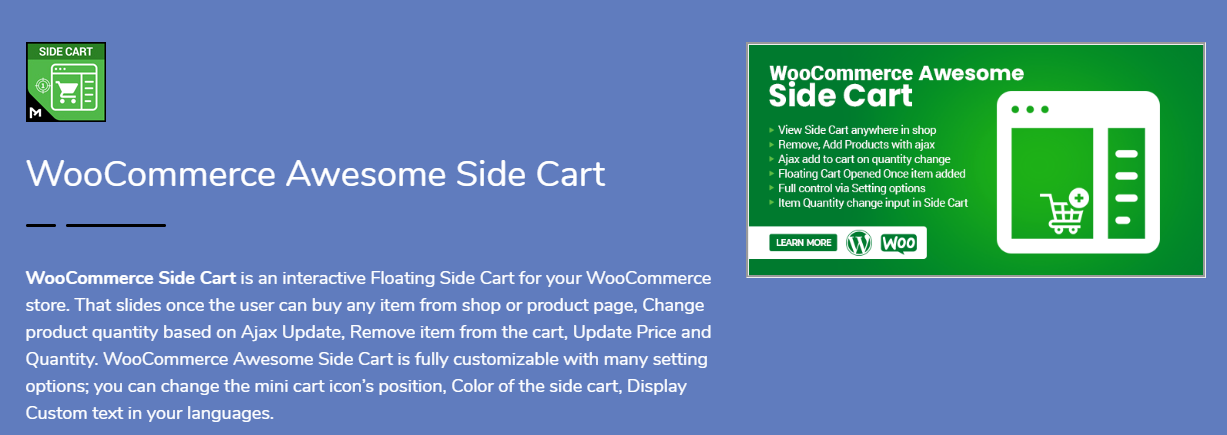
1. WooCommerce Side Cart

WooCommerce Side CartThis one’s sleek. Smart. Gets the job done without drama. WooCommerce Side Cart by Motif Creatives gives you a floating side cart that slides in automatically when someone adds a product. Clean animation. No reloads.
Key Features:

  • Ajax cart updates.
  • Remove items without page refresh.
  • Change quantities instantly.
  • Customizable icon position (left/right).
  • Change colors, labels, headings.
  • 100% mobile responsive.
  • Show SKU, price, quantity, subtotal.

You can control every part. From button color to text language. No code needed. Everything’s in the settings panel.

Perfect for those who want control, smooth performance, and full customization.

Bonus: It also supports Ajax “add to cart” on single product pages. Handy.

If you want a modern, all-in-one side cart experience, start here.


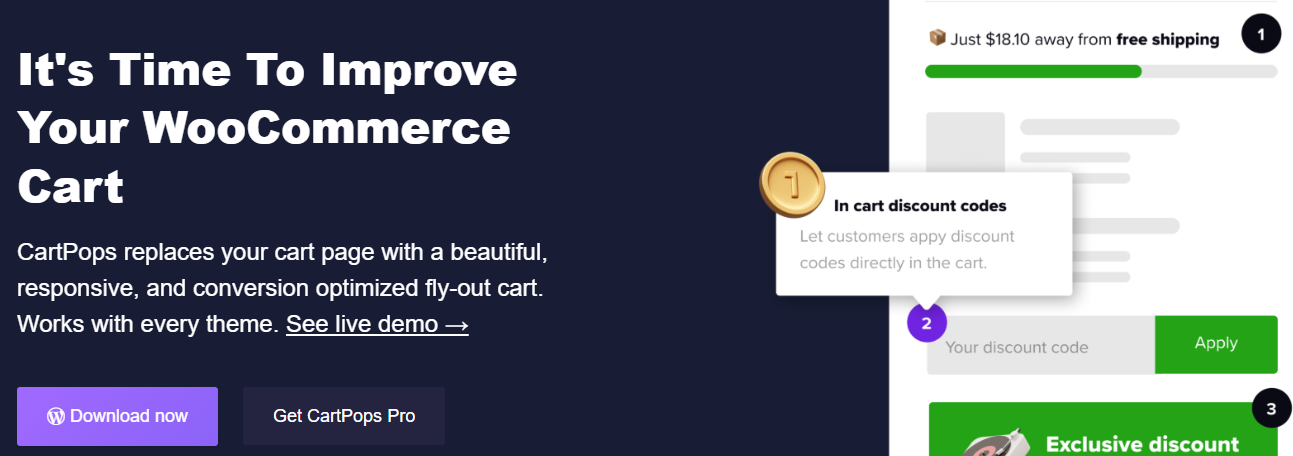
2. CartPops – WooCommerce Side Cart

CartPops – WooCommerce Side CartThis one goes beyond just showing the cart. It’s a whole checkout booster.
CartPops isn’t just about sliding panels. It’s about behavior-based selling. The popup cart appears with smooth animation—but then offers upsells, related items, or promo codes. Smart.

What You’ll Love:

  • Google Analytics & Meta Pixel support.
  • Exit-intent promotions.
  • Sticky Add-to-Cart bar.
  • Timer-based urgency offers.
  • Highly customizable themes.

CartPops isn’t just functional. It’s persuasive. It knows how to guide users toward checkout, increase average order value, and reduce bounce rates.

Great for: Stores focused on conversions, upsells, and analytics.


3. XT Floating Cart for WooCommerce

XT Floating Cart for WooCommerceWant a cart that just works? No frills? But still feels sharp?
XT Floating Cart gives you a clean cart panel with real-time updates. Everything happens on the fly. No loading screens. Just results.

Highlights:

  • Ajax-based quantity control.
  • Inline coupon application.
  • See item images, names, prices.
  • Fully theme-friendly.
  • Works great on mobile.

No fluff. Just fast performance and ease of use.

It also lets you apply coupons directly in the side cart. That’s a time-saver for repeat buyers.

For those who want performance without too many distractions, this plugin delivers.


4. Side Cart WooCommerce

Side Cart WooCommerceClean. Simple. Effective.

Side Cart WooCommerce focuses on what matters—speed and clarity.

No flashy gimmicks. No complex setup. Just install it and go.

What You Get:

  • Ajax-based updates.
  • Lightweight UI.
  • Cart auto-opens after product is added.
  • Change icon, color, and labels.

The plugin fits into any WooCommerce setup without breaking your theme. And the settings panel is super easy to manage.

If you want basic functionality, this is a solid choice. Especially for new store owners or fast-launch stores.


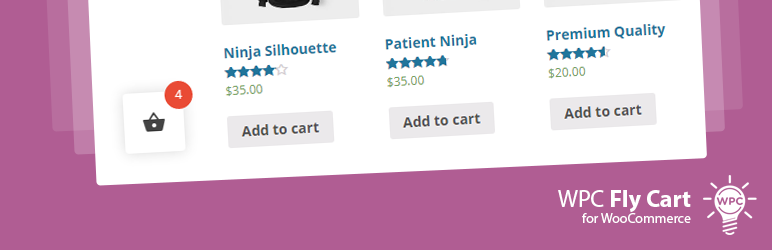
5. Fly Cart for WooCommerce

Fly Cart for WooCommerceLooking for something fancy? Flashy? A little extra sparkle?
Fly Cart is for you.

What It Does:

  • Animated fly-in side cart.
  • Ajax update and remove.
  • Countdown timers inside the cart.
  • Display cross-sells in cart.
  • Fonts, colors, layout—fully customizable.

Perfect for stores with time-sensitive offers, promos, or impulse-driven buyers.

It adds motion. Energy. Urgency.

Not just a cart. It’s a little show.

Great for fashion stores, gadgets, or deals-based shops.


6. Woo Floating Cart

Woo Floating CartSlick design. Animated entrances. Full styling control.
Woo Floating Cart is made for store owners who love attention to detail.

Standout Features:

  • Choose cart icon shape, size, color.
  • Choose from animation effects.
  • Custom checkout and CTA buttons.
  • Works with all major WooCommerce themes.

The cart floats along every page. Adapts to all screen sizes.

This plugin is less about minimalism and more about expressive UI.

It’s like giving your cart a personality.


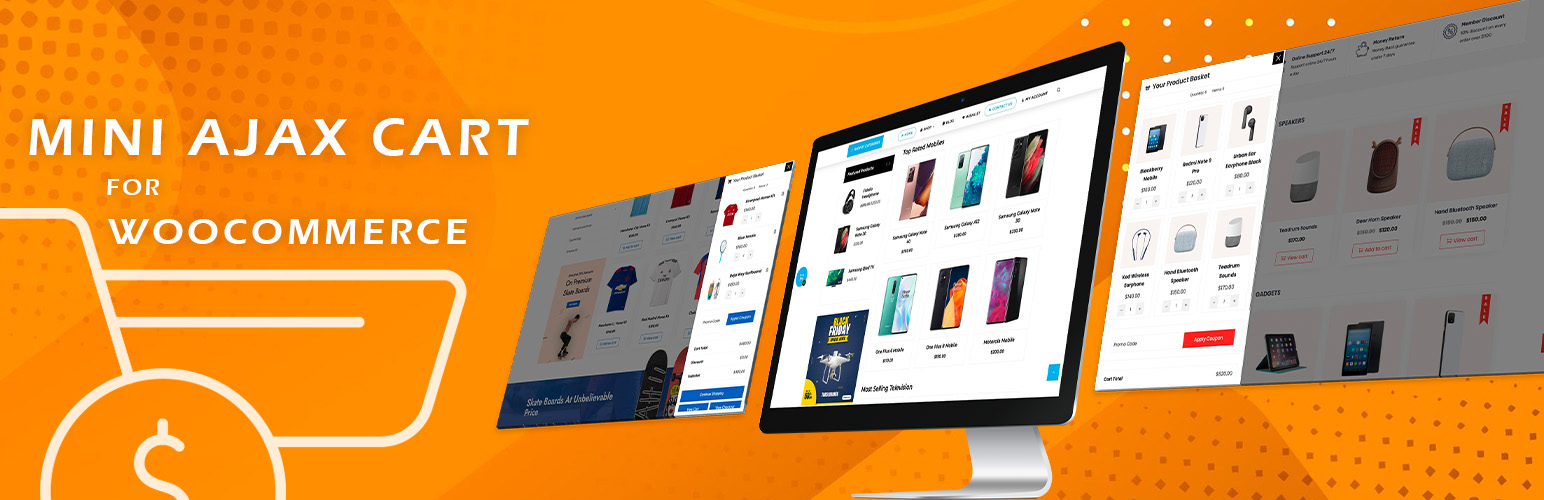
7. Mini Ajax Cart for WooCommerce

Mini Ajax Cart for WooCommerceLight. Fast. Minimal.

Mini Ajax Cart is perfect for those who want something small, fast, and effective.

Features:

  • Small side cart panel.
  • Ajax-based update/remove.
  • Mobile sticky cart bar.
  • Show subtotal, total items, product thumbnails.

It’s not as flashy as the others. But it loads fast. And works well with most themes.

Good for mobile-first stores. Or if you just need to show basic cart info fast.

Sometimes, less is more.


What to Look for in a WooCommerce Side Cart Plugin

————————————

Choosing a plugin can feel overwhelming. But here’s how to make it simple:

Ask Yourself:

  • Do I want simple or stylish?
  • Do I need upsell features?
  • Do I care about loading speed?
  • Is mobile support a must?
  • Do I want full control of design?

If you just need fast and light? Go for Side Cart WooCommerce or Mini Ajax Cart.

If you want customizations? Try MotifCreatives or XT Floating Cart.

If you love animations, upsells, and tracking? CartPops is your friend.

Some have free versions. Test them. Mix and match. See what clicks.


How Side Carts Actually Improve UX (and Conversions)

————————————

Still not sure it’s worth the install?

Here’s what a side cart really does:

  • Reduces steps to checkout.
  • Keeps customers engaged.
  • Shows instant product confirmation.
  • Helps fix cart errors fast.
  • Encourages impulse buying.

It’s not just a cart. It’s part of your sales funnel.

A boring cart is forgettable. A slick one? That’s an experience.

And in eCommerce? Experience = conversions.


Final Thoughts

Don’t treat the cart like an afterthought. It’s not just where people review their stuff. It’s the bridge between interest and purchase. If that bridge is slow, confusing, or ugly? People drop off.

So, make it better. Make it faster. Make it smooth.

From the sleek design of the WooCommerce Side Cart plugin to the behavior-driven power of CartPops, you’ve got a lot of great choices in 2025.

Don’t just install a cart.

Install confidence. Simplicity. Clarity. Speed.

Make side carts your secret UX weapon. It’s a small touch that brings big results. Your customers will feel it.

Read More
Sanju August 18, 2025 0 Comments

Why Managing Product Variations is Easier with a Stock Manager Plugin

Especially if your inventory has several sizes, hues, styles, or other features, managing product changes in a WooCommerce store can quickly turn overwhelming. Although WooCommerce provides basic support for variable goods, it lacks the sophisticated stock management capabilities needed to successfully handle them. That’s where a WooCommerce stock management plugin enters.

Designed to simplify inventory updates, these plugins also enable effective insights for changeable products and help to simplify stock management. Here we will discuss why employing a WooCommerce stock management plugin greatly simplifies the handling of product variations.


Understanding WooCommerce product variations

Let us first grasp the challenge before we start the solution. WooCommerce lets you make variable products by combining several characteristics like size and hue. A T-shirt, for instance, could have three colours—Red, Green, and Blue—and three sizes—S, M, and L. Each of these nine distinct variations might have different inventory levels, prices, and SKUs.

Handling these changes manually inside WooCommerce’s standard user interface takes time and is open to mistakes. Individual stock updating takes precious time, there is no single view, and bulk editing is constrained.


Which WooCommerce Stock Manager Plugins are there?

————————————

A WooCommerce stock management tool increases your store’s stock management features. Without having to go to each product page separately, it offers a centralized dashboard where you may see, modify, and change stock amounts for all goods, including variations.

Filtering tools, mass editing capabilities, stock history logs, low stock notifications, and  CSV import/export functionality are among the popular stock manager plugins available. Particularly for businesses with hundreds or thousands of product varieties, these features help inventory management to be much more effective and precise.


Key Benefits of Using a WooCommerce Stock Manager Plugin for Product Variations

————————————

1. Managed Central Inventory

One of the major benefits is the chance to see all product variations in one interface. You can quickly search, filter, and change stock levels, whether you sell ten or 10,000 SKUs, without having to hand-open every product.

For companies with seasonal sales, freshly arriving inventory, or regular stock variations, this is especially useful.


2. Bulk Editing Capabilities

Bulk editing is effortless with a WooCommerce stock manager plugin. You can:

  • Update stock status (in stock, out of stock)
  • Adjust stock volumes
  • change pricing
  • Edit SKUs
  • Handle backorders.

3. Enhanced Filtering Possibilities

Advanced filters offered by stock management plugins help you to reduce list of inventory. By product type, stock status, variance attribute, category, and more, you can filter products.

When you’re seeking to find something, this capability changes everything:

  • variations running short of inventory
  • Goods without a SKU assigned
  • Out-of-stock choices requiring reordering

4. Real-Time Stock Updates

Many plugins interface straight with your WooCommerce store to provide real-time stock updates. The dashboard displays the most recent data as soon as a product is sold or stock is updated. This lowers the possibility of stock mismanagement or overselling.

Real-time precision gets much more crucial if you’re synchronizing inventory over several sales channels like Amazon, eBay, or physical stores.


5. Increased Inventory Visibility and Decision-making

A nice WooCommerce stock manager plugin shows stock information in a neat, tabular form. This visual clarity enables quick detection of trends, including fast-moving goods, underperforming variations, and restock priorities.

Better awareness leads to wise decisions. Having precise stock information at your disposal is very important, whether you’re organizing your next purchase order or getting ready for a sale.


Extra features that simplify life

————————————

CSV Import/Export

Just export your inventory, change it in Excel or Google Sheets, and reload it if you need to update stock in volume. Handling extensive product catalogues calls for this approach.


Alerts for Out of Stock and Low Stock

Get alerts automatically once a change hits a low level; this enables prompt replenishing and helps prevent missed sales.


Access Based on Roles

Some plugins offer multiuser support, enabling warehouse workers or shop owners to update inventory without total administrative access.


Who Needs a Stock Manager Plugin?

————————————

A stock management plugin is necessary if your WooCommerce store offers items with variations, like apparel, electronics, beauty, automotive parts, or personalized goods. Besides streamlining your processes, it increases consumer happiness and inventory accuracy.

Running a shoe store with 50 different styles, each available in five sizes and four colors, for instance, would be unmanageable and unrealistic by hand. An asset manager plugin transforms a tough chore into a doable process.


Final Thoughts

Though a powerful feature in WooCommerce, product variations present a headache in inventory control without the proper tools. A WooCommerce stock manager plugin helps to remove the trouble by providing focused, effective, and precise stock management for all product kinds.

This kind of plugin is a necessity for serious business owners seeking to grow their companies and reduce stock errors, from bulk editing to real-time updates and sophisticated filtering.

Therefore, if you find it difficult to match your product variations, now is the perfect moment to update your workflow with a stock management plugin created especially for WooCommerce.

Read More
Sanju August 8, 2025 0 Comments

Multi-Step Checkout WooCommerce: Simplifying the Buying Journey

One of the most important steps in any e-commerce company is the checkout process. It’s the point at which all the customer’s choice-making leads to one last act: placing the purchase. Still, several WooCommerce shops miss out on possible revenue at this point because of lengthy, confusing, or badly designed checkout pages. Multistep checkout for WooCommerce comes into play here, transforming a large on-page checkout into a simplified, step-by-step process that enhances user experience and raises conversions.

Here, we will examine multistep checkout in WooCommerce, including its concept, advantages, and implementation, and how this minor improvement can greatly simplify the purchasing process.


What is Multi-Step Checkout in WooCommerce?

—————————–

Rather than trying to squeeze all the fields into one page, WooCommerce’s multi-step checkout is designed to break the process down into chunks. This method allows customers to walk through each part of the checkout process without throwing all of the details at once (invoice details, shipping options, payment options, and order summary).

Each stage might comprise:

  • Step 1: Information on invoicing
  • Step 2: Delivery information
  • Step 3: Delivery technique
  • Step 4: Choosing a payment gateway
  • Step 5: Review and confirmation of order

Why should Woo Commerce employ multistep checkout?

—————————–

Here is why integrating a multi-step WooCommerce plugin will significantly boost the performance of your store:

1. Fewer Rates of Cart Abandonment

For internet merchants, a big issue is cart abandonment. The Bayard Institute reports that approximately 70% of customers abandon their carts before completing a transaction. A drawn-out or unclear checkout procedure is one of the main causes. Multi-step checkout simplifies every step, therefore lowering overwhelm and motivating finishing.


2. Upgraded User Experience

Particularly for first-time consumers, a well-organized flow improves usability. Knowing what to expect next and not being inundated with form fields increases the likelihood that customers will keep going with their transaction.


3. Interface appropriate for mobile devices

Mobile users sometimes find difficulties negotiating lengthy, single-page checkouts. The procedure is divided in a multistep design that makes it easier to swallow on smaller screens. This results in greater mobile traffic conversion rates.


4. Promotes Focus and Minimizes Mistakes

Isolating every step lets consumers focus on providing correct data. Particularly with complicated inputs like billing addresses or payment details, this reduces the likelihood of errors.


How the Official WooCommerce Multistep Checkout Plugin Assists

—————————–

Designed to fit effortlessly into your store, WooCommerce’s premium multistep checkout WooCommerce plugin is a premium solution. Designed for performance and user experience, it Let’s explore more closely how this plugin streamlines the shopping process:

1. Configurable Stages

Based on your store’s needs, the plugin lets you split the checkout process into reasonable parts. You can customize the layout by choosing which data shows on each step.


2. Smooth Integration

With the already available WooCommerce checkout fields, it works right out of the box. Installing, enabling, and setting your steps through the plugin options is all that is required; no complicated setup is necessary.


3. Theme Match

Most popular WooCommerce-compatible themes are intended to work with this plugin. This guarantees that your checkout experience keeps the same look and feel without need for custom development.


4. indicators visually

At the top of the checkout page, it features either a step indicator or a progress bar. This lowers friction and increases consumers’ confidence by helping them follow their progress and identify upcoming actions.


5. Enhanced Performance

Designed to load rapidly, the plugin is lightweight and guarantees it won’t slow your checkout page—a frequently expressed worry with other feature-heavy plugins.


Use Case Example: Streamlining Custom Orders

—————————–

Let’s say you run a WooCommerce store selling personalized gift boxes. Your checkout page includes extra fields for:

  • Recipient’s name
  • Gift message
  • Delivery date

With a traditional one-page checkout, all this information sits alongside payment, billing, and shipping fields, cluttering the screen. With the multistep checkout WooCommerce, you can separate gift-related fields into a dedicated step. This keeps everything organized and improves the shopping experience.


How to Implement Multi-Step Checkout in WooCommerce

—————————–

If you’re ready to optimize your WooCommerce store with multi-step checkout, here’s a simple guide:

Step 1: Install the Plugin

Purchase and download the MultiStep Checkout plugin from WooCommerce.com. Then install it via your WordPress dashboard under Plugins > Add New.

Step 2: Configure Step Layout

Once activated, go to WooCommerce > Settings > Multistep Checkout. Here, you can define:

  • The number of steps
  • Which fields appear in each step
    Labels and icons for each step
Step 3: Customize Design

Most themes will style the checkout page automatically. But if you’d like to personalize the design, the plugin provides CSS hooks and layout controls.

Step 4: Test the Flow

Before going live, test the checkout process thoroughly across devices. Ensure each step loads correctly and that no data is lost when navigating between steps.

Imagine you’re running a WooCommerce store that specializes in personalized gift boxes. Your checkout page has extra fields for:

  • Recipient’s name
  • Gift message
  • Delivery date

In a traditional one-page checkout, all this information gets crammed in with payment, billing, and shipping details, making the screen feel cluttered. But with a multistep checkout in WooCommerce, you can neatly separate those gift-related fields into their own step. This not only keeps things organized but also enhances the overall shopping experience.


How to Set Up Multi-Step Checkout in WooCommerce

—————————–

Ready to streamline your WooCommerce store with a multi-step checkout? Here’s a straightforward guide to get you started:

Step 1: Install the Plugin

First, purchase and download the Multistep Checkout plugin from WooCommerce.com. Then, head over to your WordPress dashboard and install it under Plugins > Add New.

Step 2: Configure Step Layout

Once the plugin is activated, navigate to WooCommerce > Settings > MultiStep Checkout. Here, you can customize:

  • The number of steps
  • Which fields show up in each step
  • Labels and icons for each step
Step 3: Customize Design

Most themes will automatically style the checkout page for you. However, if you want to add your personal touch, the plugin offers CSS hooks and layout controls for customization.

Step 4: Test the Flow

Before you launch, make sure to thoroughly test the checkout process on various devices. Check that each step loads properly and that no information is lost when moving between steps.


Tips for Getting the Most Out of Multi-Step Checkout

—————————–

If you want to get the most from your multi-step checkout in WooCommerce, here are some good practices to consider:

  • Reduce the number of steps in the process: Breaking the process up is important, but you don’t want too many steps. Aim for about 3-5 steps at most.
  • Use clear CTAs: Ensure buttons such as “Next Step”, “Continue,” or “Review Order” all clearly make sense and are all in a logical place.
  • Offer guest checkout: Don’t require account registration. Account creation should be optional, at best, and give them the option of social login.
  • Auto-fill fields: Use WooCommerce to auto-fill customer details for you, which saves everyone time on repeat purchases.

  • Display trust signals: Payment security badges and clear refund policies can help ease buyer anxiety at the final step.

Final Thoughts

In today’s fast-paced e-commerce world, every tick is precious, just like every click. A messy or confusing checkout process can unravel all the hard work you’ve done to get the customer to that point. Thankfully, multi-step checkout WooCommerce plugins offer a viable, easy-to-use solution that can help reduce cart abandonment, improve sales, and create a better shopping experience.
By choosing to implement the Multistep Checkout WooCommerce plugin, you are doing more than beautifying your site; you’re also improving its productivity, usability, and customers’ confidence in you. Ultimately, whether selling digital downloads, physical goods, or custom orders, the WooCommerce Multistep Checkout plugin will provide all customers with a less confusing checkout experience.

Read More
Sanju August 6, 2025 0 Comments