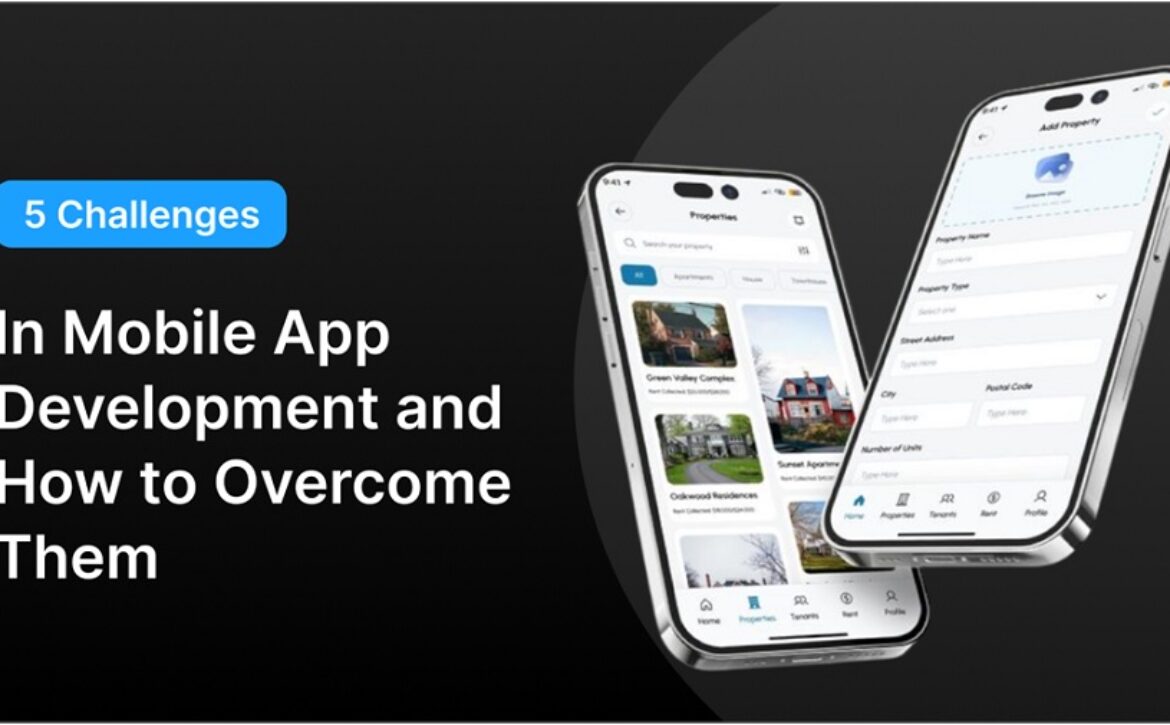
5 Challenges in Mobile App Development and How to Overcome Them

Introduction

Today, every company needs an app to cater to its customers. Due to this, the demand for mobile app development is high. Mobile app development offers several benefits such as personalization, scalability, security, and more. No matter which industry or country we talk about, mobile app development is in trend. However, many challenges come with this. Some challenges are data privacy, continuous updates, device fragmentation, user experience, and more. Read this blog to know what are the top mobile app development company challenges and how to tackle them. Let’s get started.


Top 5 Challenges in Mobile App Development and their solutions

———————————-

A mobile app development services company faces many challenges while creating an app. There are many issues and risks they face while developing an app. Only after tackling these challenges, a company enjoys a high retention rate on its apps. The following are the various challenges and their solutions:


1. Battery consumption

Challenge: Many apps consume a lot of battery on devices. Users facing this problem might leave the app quickly. So, this is a challenge for companies. A good app consumes less battery and still performs better. Companies face the challenge of making an app without battery issues. In the short run, battery issues rarely matter. However, in the long run, people get upset if the app drains battery quickly. This is a problem for people who use a phone for a long time. They might think of deleting the app if it keeps consuming battery.

Solution: There are many ways to fix this issue. One is to be sensitive to power usage. Another is to turn off the GPS when users are not on the app. Developers need to monitor the app while testing for battery issues. If the issue persists, fix it immediately. The QA team needs to take care of any battery issues. They can compress the elements to prevent the battery from draining. Modular coding is also a great way to tackle battery problems.


2. App security and data privacy

Challenge: One of the biggest challenges for any company is to maintain the privacy of the app. The companies store users’ sensitive data in their apps. Therefore, it is necessary to protect the data from cyber attacks. Data leaks not only result in financial loss but also loss of trust. With poor security standards, companies not only risk the user data but also their reputation. When there is no one to keep an eye on the app server, the cyber criminals can easily attack. The details that can be leaked are passwords, payment details, and other personal information. This is extremely dangerous for e-commerce businesses, banks, and insurance companies.

Solution: the developers should use high security protocols such as GDPR, HIPAA, whatever applies to them, depending on their industry and country. Also, they should patch third-party libraries regularly and use encryption models. Use multi-factor authentication and secure communication protocols (HTTPS). Companies can also use the most advanced technology to protect their apps – AI. Yes, you heard right. Organizations can use AI-powered security measures to secure their apps’ data.


3. Choosing development technology

Challenge: Another challenge for a mobile app development company that develops mobile applications is deciding on the correct technology to develop the application. With so many tools, frameworks, cloud environments, and technologies, it’s quite difficult to select one. The nature of the tech stack relies on the nature of the application the company wishes to develop, whether it’s an app hybrid or cross-platform application. It is critical to develop an app that is universal and is available to be run on different types of devices. Choosing the wrong tech stack and subsequently regretting it when wasting time, money, and effort is something no business would wish.

Solution: To solve this challenge, firstly, define your project needs. Find out what type of app you need. Is it a cross-platform app, a native app, or a hybrid app? For good-performance apps, you can use technologies like Swift or Kotlin. Some other factors based on which you can choose the right tools are budget, core features, target audience, and device compatibility. Compare technologies like native (Swift, Kotlin) or cross-platform (Flutter, react native) to find the best tech tools. Consider concerns such as team skillset, third-party integrations, maintainability, performance & testing.


4. User Experience (UX)

Challenge: Providing the best user experience is a challenge for an app development company. If the app is slow, people will uninstall it quickly. Some other problems are lags in between or not working properly. The challenge is to maintain consistency across all devices. Also, the company needs to ensure the onboarding is so smooth that customers easily enroll. Moreover, the company needs to find feedback loops to update the app and keep providing the best user experience to customers. Companies need to reduce loading times so that the customer experience isn’t hurt. Any minor error in the app performance can be a bad signal for users.

Solution: The best way to handle this challenge is to make prototypes. Developers should make dummy models to test performance. Once they are satisfied, they can move ahead. Lastly, they can launch the app for the masses. Developers can also do A/B testing. Another thing they can do is to keep the elements of the app simple and not cluttered. It shouldn’t feel like you have forcefully integrated the elements. There should be enough white space in the application. Moreover, the developers should keep updating the app based on customer feedback. In this way, the app will remain responsive, fast, and easy to use.


5. Regular updates

Challenge: Last but not least, the challenge that mobile app development services companies face is to keep the app updated. This is a big challenge for any company. Users want new features every day. If the company won’t provide that, they will leave the app. Also, as the world is changing, companies need to adapt accordingly. For example, if there is a feature that GPay is providing but Paytm isn’t providing, why will customers use Paytm? Companies need to fix any kind of bug in the app. If there is any error, that also needs fixing. This is an ongoing activity and will have to be done till the time the app is in existence.

Solution: To deal with this challenge, companies can use CI/CD. CI/CD (Continuous Integration/Continuous Delivery) pipelines on their own deploy updates in the app. Companies must monitor the apps to look for any bugs. When they find any errors and bugs, they can fix them. Further, companies can take customer feedback. This can be done through reviews and ratings. By matching user expectations, companies can update the app correctly.


Conclusion

In today’s time, there are a lot of challenges while developing an app. The challenges are data fragmentation, data privacy, user experience, regular updates, and choosing the right technology. Once these challenges are resolved, companies can take advantage of apps. Now you may question how to do away with these issues. Well, you can team up with a mobile app development company, which can meet all your requirements. With the help of a mobile app development organization, you can acquire the best app for your users.

Read More
Sanju November 7, 2025 0 Comments

10 Essential Android App Development Tools Every Developer Needs

Boost your Android projects with the right tech stack

Summary: Building modern Android apps involves much more than simply coding; it’s about providing yourself with the right tools that allow you to write, test, and ship the product faster. Whether you’re an independent Android developer or work at one of the leading Android app development companies, knowing your available tools is necessary. In this blog, we’re going to introduce ten Android app development tools that software developers will be using, and are trusted in 2024 and 2025! We will categorize these into all the possible tools developers might use, including both IDEs, Debugging, and Performance profiling tools, all of which upgrade their workflow, while enabling them to deliver functional and reliable apps faster. Let’s take a look at some important tools that keep Android app developers one step ahead.


Introduction:

A strong app isn’t launched randomly; it’s constructed with powerful tools. Android app development is advancing all the time, and what was good in 2020 could already be ineffective. Depending on whether you are an Android application developer who is beginning your career, or thinking you need to adapt your tool set, there are plenty of powerful technologies that offer standards of performance, UX, and security.  In this blog, we are showcasing ten essential Android application development tools that create a productive experience today for developers in 2025. We will highlight what the Android app development tools do, why they are important, and where they fit in a real development workflow.


1. Android Studio – The Heart of Android Development

——————————

It would be a disservice not to include Android Studio in this list. Developed and maintained by Google, Android Studio is the official IDE for Android app development and is arguably the best IDE to use.

Android Studio offers a high level of integration with the Android SDK, extensive code editing capabilities, amazing layout designer tools, and built-in testing and debugging tools. The newest release, Android Studio 2025, has unveiled Project Marble 2.0, which achieves faster build speeds and improved memory optimization – something that all developers want.

If you are an Android app developer or offer Android app development services to clients, you need to have Android Studio at the core of your stack!


2. Firebase – Simplified Backend Services

——————————

Firebase has become a significant tool for developers wanting to escape the hassle of dealing with server infrastructure. Owned by Google, it provides tools for authentication, cloud functions, analytics, and push notifications.

Here is what the developer loves:

  • Real-time database and Firestore: Synchronizes data between users and devices instantly.
  • Crashlytics: Real-time capture and diagnosis of bugs.
  • Remote Config: Allows the updating of your app without needing to make a push.

By 2026, Firebase will have intelligent predictive analytics, personalized user segmentation that gets smarter each day, and finally, provide developers with real-time, relevant insights to engage users.


3. Jetpack Compose –  UI Development of the Future

——————————

Jetpack Compose is Google’s new toolkit for building native UI in Kotlin, and it is declarative and intuitive, and it dramatically reduces UI development time. Now developers can simply write UIs in Kotlin and not have to deal with XML-based layouts.

Benefits you will see immediately:

  • Less boilerplate: Working with layout files reduces repetitive XML code and adapter code.
  • Faster iteration: Live previews and compose previews enhance our speed for quick UI testing.
  • Tightly integrated with Android Studio and other JetPack libraries.

For top Android app development companies, Compose is no longer an option; it is the new standard for building scalable, maintainable interfaces.


4. Gradle – Smarter Build Management

——————————

Here is also a tool for building, packaging, and dependency management, and Gradle handles those tasks as well. Gradle is a key part of building an Android APK, so it is the unsung hero behind your app.

There have been some recent improvements to Gradle since 2017 to introduce configuration caching, which can reduce build times by 30-50%, especially if you have a large project. For teams with a multi-module app or a microservice architecture, the flexibility of Gradle and Gradle Plugins is still unbeatable.

If you’re part of an enterprise looking for Android app developers for hire, ask them if they know how to optimize Gradle. Knowing how to optimize Gradle separates the seasoned pros from the novices.


5. LeakCanary – Catch Memory Leaks Early

——————————

Nothing kills app performance like a memory leak. LeakCanary, an open-source tool by Square, automatically detects and reports memory leaks in real time.

Here’s why it’s useful:

  • Automatic heap analysis: No need to dig through logs manually.
  • Lightweight and developer-friendly: Doesn’t bog down performance.
  • Easy integration with Android Studio and Kotlin apps.

For developers focused on long-term app stability, LeakCanary is a go-to tool.


6. GitHub Copilot – AI Pair Programmer

——————————

AI is changing how we code. GitHub Copilot, powered by OpenAI, will fundamentally change how we code by not only suggesting code completions in real-time, but even writing full function’s.

By 2026, it will be context-aware. For Android developers, it can identify patterns in the UI, suggest optimized Kotlin idioms, and generate test cases for repetitive tasks. GitHub Copilot is certainly not designed to replace human creativity; it will allow humans to spend less time on boring tasks and assist the human mind to stay focused and energized over a monotonous task.

If you’re scaling a team or offering Android app development services, Copilot can improve velocity and reduce bugs.


7. Postman – Test APIs with Precision

——————————

Most Android apps rely on APIs. Whether it’s fetching product data or handling payments, smooth API integration is critical. Postman allows developers to build, test, and automate API calls effortlessly.

Key highlights:

  • Collaborative collections for team environments.
  • Environment variables and mock servers for rapid prototyping.
  • Automated testing and CI/CD integration.

Using Postman can save hours of debugging time, especially when working with large backend teams or third-party APIs.


8. ProGuard & R8 – Secure and Optimize Your Code

——————————

Security and performance go hand-in-hand. ProGuard and R8 are tools that shrink, optimize, and obfuscate your code before release.

  • R8, now the default shrinker in Android Studio, merges ProGuard’s capabilities with faster compilation.
  • They help reduce APK size, hide sensitive logic, and improve runtime performance.

In an age where apps are frequently reverse-engineered, these tools help protect your intellectual property, essential for startups and product companies alike.


9. Android Emulator – Rapid Testing Across Devices

——————————

Testing on real devices is terrific, but not always practical. The Android Emulator enables us to test our apps just as quickly, with multiple screen sizes, Android versions, and an array of hardware variants.

New in 2025:

  • Improved ARM support for better testing on ARM64-only builds.
  • Sensor simulation for GPS, battery drain, and foldable states.
  • Multi-instance testing, perfect for chat apps or multiplayer games.

For developers working remotely or without access to a full device lab, the emulator is a time-saving essential.


10. Stetho – Advanced Debugging for Network & Database

——————————

Stetho, developed by Meta, integrates seamlessly into Android apps to give developers Chrome Developer Tools access for mobile.

Features developers love:

  • Network inspection: See every HTTP request in detail.
  • Database explorer: View SQLite and Realm DBs on the fly.
  • View hierarchy: Debug complex layouts visually.

If you’re building apps with heavy network operations or local caching, Stetho can dramatically speed up your troubleshooting workflow.


Final Take:

Every developer has their own preferred toolsets, but if you use the right tools, you can upgrade your workflow from bad to good. From building your first app to enterprise solutions, the following are the ten Android app development tools that are the best in class as of today. Each has a role in today’s mobile development lifecycle. Whether you’re writing clearer UIs with Jetpack Compose or debugging smartly with Stetho.

For business, it’s vitally important to work with a top Android app development company that uses this tech stack. And if you’re from a team that wants to hire Android app developers, make sure they’re fluent in these tools because the right setup is half of the battle.

Read More
Sanju October 19, 2025 0 Comments

Mobile vs Web vs Desktop: Which Application Development Is Right for You?

Creating a digital business can be beneficial for your brand’s online presence, but deciding whether a web application, mobile app, or desktop application is the right choice can be challenging. Many businesses require help choosing the right medium for their online presence. Companies often begin with a desktop website, modify it for mobile use, and then develop a mobile application. But which should you start with? Sometimes a web application is sufficient to spread brand awareness, engage users, and fulfil your business objectives through sales. This article will showcase application development services and the distinctions between mobile, web, and desktop apps, and help you make the decision that is best suited to accomplish your company’s objectives.


What is a mobile app?

 —————————–

Mobile applications, often just referred to as native apps, are functional only on mobile devices. Providing enhanced functionality and seamless and optimized user experience, mobile apps access various functions of mobile platforms, such as the camera and microphone. Designed mainly for phones, they provide a significantly better user experience than a mobile website.

Device features mobile app uses:

  • Bluetooth
  • Accelerometer
  • Push notifications
  • In-app calls
  • NFC
  • Camera
  • GPS
  • Augmented reality
  • Microphone
  • Instant payments

Benefits of mobile apps:

  • No constraint in functions
  • Connect to a mobile market
  • Significant competitive edge because of accessibility
  • In-depth analytics and customizable
  • Superior UX to mobile websites
  • Connect with your users via push notifications
  • Additional offline options
  • Safer than mobile websites

Drawbacks of mobile apps:

  • More marketing is required
  • More expensive to develop and support than a website
  • More investment in design
  • High-quality user experience is required


What is a web app?

 —————————–

Web applications are programmes stored on a server. To access these, users are redirected to a web browser interface through the Internet. These apps can include e-commerce businesses, EMI or Financial calculators, stock trading, online banking, etc. These apps usually work on any browser, but some of these are exclusively compatible with specific browsers. They deliver a user experience similar to a mobile app. Web applications, like web pages, are accessible from any device with a browser and internet access. Some of the examples of web apps are:

  • Slack
  • Google Drive
  • YouTube
  • Dropbox
  • Spotify

Benefits of web app:

  • High-quality coverage regardless of phone or operating system.
  • Its deployment requires less time and resources, making it cost-effective to complete.
  • It is widely available and does not require approval from markets or app stores.

Drawbacks of web apps:

  • There might be limitations regarding access to standard mobile device features such as the camera, GPS, and microphone.
  • Requires an internet connection.
  • Lack of push notifications leads to a loss of interest and consumers.
  • User experience is unique for every user since different web browsers interact differently with the operation of the web app.


What is a desktop app?

 —————————–

Does your target audience use laptops and desktops? Then, desktop apps can be an excellent choice! Providing a clean and precise user interface, desktop apps become the perfect choice when apps are required to be highly responsive – perfect examples of these are drawing programmes and games – requiring immediate user action. At certain times, customers are not allowed to install and download software from unknown sources. Large corporations impose restrictions on computers to prevent users from making any modifications. It’s advisable to make a choice keeping these circumstances in mind.

Benefits of desktop apps:

  • Data security for sensitive information since data is saved on the system.
  • No internet connectivity required as it is built into the system and can be accessed anytime.
  • Free availability; for paid apps, the user can keep them for a long time.
  • Limited owners and security concerns
  • Cheaper alternative

Drawbacks of desktop apps:

  • Requires excess hard drive space on the PC. New files added are also saved on the computer, taking up extra space and overloading the system.
  • The process is time-consuming, as it involves downloading, conducting a conformity check, uploading, and then restarting the system to setup the app successfully.
  • Manual downloads and updates
  • These can be used only on one device


How to decide between a web app, a mobile app, or a desktop app?

 —————————–

Choosing between a mobile, desktop, and web app can be tricky, as it will affect your business, sales, and growth. Even though the choice isn’t a simple one, it can be made by analyzing what your business requires, user behaviour and the kind of experience you’d want them to have.

Develop a web-based app if:

  • Need to reach a larger and broader audience.
  • Adding of special features or architecture that is more smooth to use on desktop PCs.
  • Your app delivers additional computer solutions, like connected cooperation.

Develop a mobile-based app if:

  • You want to add features to your app with helpful offline features
  • It requires access to phone/tablet native functionality – GPS, Bluetooth, microphone, etc.
  • Your customers might use the app several times a day
  • Require your app to provide a high-quality user experience; and
  • You can afford significant development and maintenance expenditures
  • Immediate release of app is required, without creating other platform versions
  • Have a restricted budget or would like to spend on a superior product rather than a specific platform.

Develop a desktop-based app if:

You can opt for a desktop programme if your app requires a considerable amount of processing power or requires desktop computer components. If your users are the ones that work in fixed environment and require offline access, developing a desktop app will be the perfect choice.

Things you need to consider before making a decision

  • Target audience
  • Platform
  • Features
  • User interface (UI) and user experience (UX)
  • Development team
  • Budget
  • Marketing and promotion
  • Testing and quality assurance
  • App store submission
  • Maintenance and updates


Web app, Mobile app, and Desktop app – Which is better?

 —————————– 

  Mobile App Web App Desktop App
Download Download required before it is accessible Downloading not required; available from internet browser. Downloading not required; available from internet browser.
Major uses Offer range of products and versatile content. Offer range of products and versatile content. Offers information and other basic stuff.
Development Difficulty Challenging to build, but readily available to all users. Developing is easier than creating an app for other platforms. Easy development through readily available information.
User Adaptability Updates available on the Play Store. Accessible to all users immediately, with no download necessary. Accessible to all users immediately, with no download necessary.
Accessible by A mobile platform Web browsers Web browsers
Authentication Depending on the app, authentication is frequently required. Depending on the app, authentication is frequently required. Authentication is typically optional.
Connectivity An internet connection is required. An internet connection is required. It may be used without an internet connection or with one.
Discoverability App store search Search engine Search engine


Final Thoughts

The best way to decide between web, mobile, and desktop software is to consider your resources and time. For starters, choosing only one platform to develop your app is considered a priority. If accessibility is your objective, a web-based application is generally a good option. Similarly, if security is your primary issue, a desktop version is the best choice for your company. If you prioritize future user experience and are willing to invest in your marketing strategies, developing a mobile app version of your application is a brilliant idea.

Read More
Sanju September 9, 2025 0 Comments

The Benefits of Python for Enterprise App Development

Introduction

Enterprise organizations operating within a rapidly changing digital economy, which is characterized by the pace of change, innovation and automation, are continually trying to find agile and scalable solutions to complex customer requirements. Data-intensive platforms to AI-driven applications and cloud-native microservices necessitate a technology stack which is robust, flexible and efficient in modern enterprise systems.

Python is one of the most popular technologies that can be used in enterprise application development. Python is simple and powerful to build high-performance software quickly and cost-effectively in an organization. As a CTO, product owner, or startup founder, you can hire python developers to get high performing solutions by making wiser technology investment decisions.


Why Python Enterprises?

————————————

Python started as a general-purpose scripting language but has evolved into an enterprise application with web development, APIs, AI/ML, cloud computing, data analytics, and other capabilities. It can flexibly scale as a business grows without ever becoming illegible or unmanageable, and that is a primary reason why it has become the favorite of enterprises such as Google, NASA, Dropbox, JP Morgan, and Netflix.

Why are companies all over the world investing in python web development services to future-proof their operations? Let us find out.


1. Rapid and Agile Development

The simple and readable syntax makes Python easy to code, and even complex enterprise applications can be written and maintained with ease. The following are some of the business benefits:

  • Fast Time-to-Market: Python allows fast iterations, reducing development time. This is particularly helpful in dynamic industries where responsiveness is required.
  • Low Learning Curve: Development teams can be brought quicker, leading to less project delays and less reliance on niche specialists.
  • People Collaboration: Python code is more readable to business analysts and QA teams, therefore making it simpler to communicate across departments.

This ease means faster MVPs, more friction-free implementations of new features, and less technical debt in long-term endeavors.


2. Scalability Architecture

Enterprise applications cannot tolerate scalability. Python enables scalable designs by:

  • Asynchronous Programming: There are tools such as asyncio, and frameworks such as FastAPI, which enable nonblocking execution of tasks concurrently.
  • Microservices: Microservices-based architecture could be used by enterprises to divide large applications into independent services that do not interact too closely. Python is a perfect language to develop it.
  • Task Queues and Distributed Systems: Python is integrated with Celery, RabbitMQ, and Kafka. All are tools to manage large workflow and real-time data processing.

Whether it is increasing the user base to an increase in features, mobile apps with Python do not compromise performance.


3. Multi-purpose Ecosystem

The ecosystem of frameworks and libraries provided in Python is built to cater to a variety of enterprise-level requirements:

Web Development:

  • Django: A comprehensive framework that has security, ORM and the administration panel and scalability hard coded into it.
  • Flask: Fast and minimalistic, suitable for microservices and APIs.
  • FastAPI: Swappy High-Performance API Development Framework.

AI and Machine Learning:

  • TensorsFlow, PyTorch, Keras: Deep learning industry tools.
  • Scikit-learn: Ideal to use in statistical modeling and predictive analytics.

Data Processing:

  • Panda, NumPy, Dask: The processing of huge amounts of data.
  • Advanced data visualization: Matplotlib, Seaborn, Plotly.

With Python, enterprises don’t need to reinvent the wheel. Instead, they build on top of proven, open-source foundations.


4. Seamless Enterprise Integration

Most of the time, applications do not exist in isolation in enterprise settings. Python is:

  • Databases: SQL (supported databases: PostgreSQL, MySQL, SQLite), NoSQL (supported databases: MongoDB, Cassandra).
  • ERP and CRM systems: Develop an interlayer between Salesforce, SAP or Microsoft Dynamics.
  • Cloud Services: AWS Lambda, Azure Functions, and Google Cloud integrations through SDKs.
  • Legacy Systems: Python is also capable of modernizing legacy applications via legacy wrapping with advanced APIs by using frameworks such as Flask.

Python is designed to work in many different IT systems, due to its interoperability and large third-party libraries.


5. Business Intelligence, Data Analytics, and AI

Python is in the lead in the AI and data science world. To meet the demands of the enterprises, Python is becoming the most popular tool to:

  • Automate decisions using machine learning models
  • Create real-time dashboards and real-time analytics tools
  • Use power intelligent chatbots, recommendations engine, and fraud detection systems
  • Manage pipelines of ETL as well as big data processing

Use Python to drive data-driven innovation whether you are doing predictive maintenance in manufacturing or customer segmentation in retail, Python lets you scale.


6. DevOps and Auto Ready

Python is also used in DevOps and enterprise automation process:

  • CI/CD pipeline scripting (e.g. Jenkins, GitLab CI)
  • Infrastructure as Code through such tools as Ansible and Terraform
  • Scripting log and observability monitoring tools such as Grafana and Prometheus

This increases reliability in deployment and efficiency in operation, two key aspects in enterprises.


7. Enterprise-Level Security

The major concern of every business application is its security. Advanced tools of Python usually provide an in-built security:

  • Django restricts the most popular vulnerabilities, such as SQL injection, XSS and CSRF
  • OAuth, JWT, LDAP authentication systems are integrated easily
  • Most frameworks are standardized with Role-based access control (RBAC)

Provided with secure coding and periodic audit, Python apps can certainly handle the current requirements of compliance with such standards as HIPAA, GDPR or PCI-DSS.


8. Cloud-native Support and Container Support

Python also backs the newest in cloud-native development:

  • Easily containerized using Docker
  • Orchestrated with Kubernetes
  • Deployed in serverless environments like AWS Lambda or Azure Functions

This ensures that Python enterprise applications are cloud-neutral and prepared to handle seamless integration, automation, scaling, and zero-downtime app deployments.


9. Reduced Total Cost of Ownership (TCO)

It is common that when using Python instead of enterprise technology such as Java or.NET, this implies:

  • The rapid development requires fewer resources
  • Reduction in licensing fees (Python is an open source)
  • Less work on maintenance since the syntax and codes are modular and clean

This renders it useful in both startups and in large enterprises that wish to be cost-efficient in the project lifetime.


10. Active Developer Community and International Talent Base

The huge number of users of Python guarantees:

  • Constant library updates and security patches
  • Extensive documentation and online support
  • Large talent pool when you need to hire Python developers

From freelance specialists to established Python development services, access to skilled professionals ensures you’re never short on resources.


Real-World Use Cases of Python

————————————

Python has been implemented on a large scale within enterprises. Examples include:

Netflix: Recommendation algorithm and operations analysis to use Python

NASA: Uses Python on the mission-critical systems

JP Morgan: Uses Python as a quantitative analysis application and in risk modeling

Uber: Uses Python as a backend tool and exploration pipeline

Such application examples highlight the fact that Python is versatile and reliable at the enterprise level.


When to Use Python in Enterprises?

————————————

The situation in which you should consider choosing Python is:

  • You want to create scalable web or cloud applications
  • You require quick delivery and short cycles of iteration
  • You are creating AI/ML-based products
  • You must have bespoke APIs or microservices
  • You are targeting data-intensive dashboards or reporting instruments
  • You have the will to modernize legacy systems at low cost

In case any of the former happens, a wise decision is to make an investment by resorting to the services of professional Python developers.


Final Thoughts

Python in the enterprise app development environment has been evident. Its simplicity, flexibility, and strong ecosystem make it an ideal fit to the demands of contemporary businesses. Python is future-proof, regardless of whether you are creating a customer-facing application, internal automation process, or even an advanced data analytics system.

When your business is prepared to scale quicker, innovate smarter, and work more effectively, it is high time you made an investment in professional Python Development Services and when you want excellence, don’t settle to get just a developer, but get Python developers that offer strategic, real-life, and technical expertise.

Read More
Sanju August 16, 2025 0 Comments

5 Cost-Saving Tips When Hiring an OTT App Development Company

In recent years, streaming movies and TV series have taken off with OTT platforms that are modifying the industry. With Amazon Prime and Netflix on top, the business tycoons have established the scope of OTT platforms. That being said, the interest of entrepreneurs is shifting towards, and they are focusing on building their own OTT app.

In such a case, they often look forward to hiring an OTT application development company with extensive experience in building one. However, the decision to build such an app requires immense capital investment. This becomes a deciding factor for the decision makers, and that brings in the idea of cost-saving measures here and there.

While the investment is huge, the necessity is to focus on how to save money as well while maintaining the OTT app’s quality. There can be multiple things we would suggest in that case. Not hiring freelancers is one of them, as the quality might get compromised. However, there can be multiple other factors that might change at both ends. Since cost-saving is a priority, let us understand why OTT app development can get expensive and then look for spaces where cost-efficiency can be counted in.


Reasons Why OTT App Development Can Get Expensive

———————————

As we mentioned above, OTT apps can be expensive when built from scratch, keeping the industry tycoons in mind. Prior to beginning with the tips, we want you to get an understanding of why those suggestions might assist. Understanding the reasoning for hefty capital investment is imperative when thinking about OTT app development.


1. Multi-Platform Support

From a user’s perspective, an OTT platform that streams on multiple devices is an app worth investing in. Not everyone is going to use the same devices or might match their device preference as per the app.

In that case, the expectation of uninterrupted experience across a range of devices will drive revenue but also requires development across web, mobile, smart TVs, and other streaming devices. This becomes expensive if not chosen the right platform for OTT app development.


2. Streaming Infrastructure and Storage Needs

Offering users an extensive range of content to stream from would be the expectation. However, building an infrastructure for streaming and storage simultaneously costs a lot more than expected.

Storage in the context of file size, content complexity, and other factors can be a defining factor when planning storage. This way, the entire process to streamline the infrastructure and storage needs can be costly.


3. Importance of Planning for Long-Term Scalability

When entrepreneurs plan on building a solution for their OTT app, they focus mostly on future scalability. Reason being that the features and functionalities change with time and needs constant upgrade throughout.

Since that is the vision of decision-makers, it can be expensive in terms of building an app, keeping a futuristic perspective in mind. This way, the entire choice of frameworks and development cost may increase when finding a budget-friendly application development company.


5 Major Tips for Cost Saving When Hiring an OTT Application Development Company

———————————

Considering that we have discussed the reasons why hiring an OTT application development company can be expensive, now is the time to look at the tips. These tips are focused on cost-saving while focusing on the streaming app quality. Since that is the premise, you must take a look at the suggestions that should be your priority when thinking about hiring a company for development services.


1. Clearly Define Your MVP (Minimum Viable Product)

It is often seen that starting small and scaling smart is the approach that saves money and brings forth an OTT app that people are looking forward to. Rather than investing capital in all the features at the same time and not locating the user’s issue with the app functionality, you should go by defining the core functionalities of your OTT MVP.

This way, you can save time, money, and resources with a model that flourishes in the market rather than one that is not preferred by the people.


2. Choose a Company with Pre-Built OTT Frameworks or Reusable Components

Another suggestion that might assist in OTT app development is hiring a company that already has a pre-built framework for the OTT platform. Rather than beginning from scratch, it is always preferable to go for one that can be easily composited with existing video CMS solutions, pre-integrated payment gateways, analytics for video playing, and interface templates.

This way, the cost-saving begins, and the project fastens right from the start for the market. Such an application development company keeps this in mind and brings a cost-efficient quotation.


3. Opt for Cross-Platform Development

As we mentioned above, the multi-device feature is much needed for an OTT app that is convenient for all to use across all platforms. In this case, you can plan on building your app with cross-platform development from an application development company that has a decade-long proficiency in building OTT apps with such frameworks.

You can opt for React Native, Flutter, or progressive web apps (PWA), which reduces development hours as you don’t have to sit for different platform development at different times. This also assists businesses in saving money with a single code working on different platforms.


4. Leverage Cloud-Based Infrastructure from the Start

As we also mentioned above that streaming infrastructure and data storage with on-premise approach is costly. However, when businesses prefer cloud as their content and backend infrastructure, it shifts into a cost-effective solution.

You may ask why. Well, cloud platforms like AWS, Azure, and GCP offer entrepreneurs benefits like pay-as-you-go pricing, meaning no upfront and massive capital investment. They also assist in auto-scaling the streaming scenarios as per the active hours and users’ capabilities, causing no lags or buffering. Last but not least, they bring in CDN integrations built into the model for faster content delivery to the OTT apps installed in users’ devices. With an OTT app development company holding expertise in development with cloud infrastructure, you can save money without server-focused problems.


5. Negotiate for post-launch support in the contract

We also have the post-deployment support and maintenance cost which works as an additional but has the probability of getting lowered earlier in the discussion phase. You can ask your service provider to build a contract that consider this fees less and focus on other aspects that are non-negotiable.


Additional Cost-Saving Factors to Focus on When Hiring an Application Development Company

———————————

As we have presented you with the tips that account for the cost-saving, we would also like to bring forth some additional pointers that also influence the cost of OTT app development. These suggestions are dependent on your choice, but they can be of great help if you are planning on bringing a mindful OTT app while focusing on the cost-effective nature.

These are the additional aspects you must consider when you are planning on hiring a company for an OTT mobile app, as they focus on low-key factors that may not appear in the beginning but might cost a lot.

  1. Consider outsourcing to a region with cost-effective yet skilled talent.
  2. Invest in UX upfront to reduce rework later.

That being said, we have presented you with every imaginable factor that can be of great use when trying to save cost while building a quality and future-ready app with OTT app development.


Conclusion

As we wind up the bifurcation on how to save cost when hiring an OTT app development company, we hope that our guide assisted you. Consider the service provider as your assistant till the end and make decisions based on data and quality for the future.

Read More
Sanju August 12, 2025 0 Comments

The Ultimate Guide to Enterprise Mobile App Development for Businesses

In today’s tech-driven world, if your business is still operated using traditional, manual processes, it will be difficult to compete with the competition. Following traditional business processes will result in inefficient workflows, delayed decisions, and missed opportunities.

In such scenarios, the only way to survive the competition is to boost workflow efficiency and productivity. And this becomes possible by having a dedicated enterprise mobile app development for your organization. The mobile app will offer a unified way for your employees to collaborate and help them achieve sustainable growth through enhanced efficiency.

However, most businesses today are unaware of what enterprise mobile app development is. That’s why this blog will give you the ultimate guide to enterprise mobile app development for businesses.


Understanding Enterprise Mobile App Development

—————————–

Enterprise mobile app development involves creating custom mobile applications for businesses to improve workflow efficiency and employee productivity.

Meant to improve overall efficiency, enterprise apps can be easily integrated with existing systems like CRMs and ERPs, which is usually found challenging through consumer apps.


Why Choose Enterprise Mobile Apps

—————————–

When it comes to enterprise mobile apps, businesses always wonder why they should have one. Enterprise apps are designed solely for businesses, resulting in enhanced efficiency needed by organizations for effective growth. Besides, enterprise mobile apps offer several amazing benefits, which make them go-to solutions for organizations.


Enhanced Employee Productivity

Employee productivity is key to successful organizational growth. However, ensuring efficient employee productivity is the most challenging aspect for businesses, especially for organizations with a larger employee base.

Enterprise mobile apps overcome this challenge through their ease of access. Employees can easily access work tools, submit reports, and collaborate with the tip of their fingers. This makes it easy to manage on-site and remote workers, eventually leading to better productivity.


Improved Decision Making

Important strategy and planning can take several days and sometimes weeks to complete. This is because organizations need to analyze huge amounts of customer data manually to identify key needs and solutions. Besides, manual data tracking is prone to errors and does not guarantee the right decisions.

In such scenarios, enterprise apps prove beneficial. The enterprise apps are embedded with AI-powered data analytics tools that can quickly analyze bulk data.

Moreover, data analytics helps analyze future needs and recommend strategies to fulfill those needs. This allows organizations to make essential strategies and evolve in the right way and at the right time.


Automated Workflows

In today’s competitive landscape, the only way for businesses to survive is to adapt quickly to changing needs. Enterprise mobile app development can help.

As enterprise apps are designed solely for businesses, they can effectively boost employee productivity and streamline work operations through automation, eventually leading to better and lasting growth.


The Step-by-Step Process for Enterprise Mobile App Development

—————————–

Now, let’s break down the process needed to build an enterprise mobile app.

Step 1: Thorough Requirement Analysis

The first step is to identify your needs and goals for the mobile app. What major challenge are you currently facing in your work operation, and how will the enterprise app overcome that challenge?

Answering such questions will help you understand the app’s key needs.


Step 2: Design and Development

Once you are familiar with the key essentials of your enterprise app, you need to plan the interface design. As the mobile app is meant to be used by your employees and customers, a clean and intuitive interface design ensures easy navigation and adoption.

After finalizing the design, you can build it using the core technologies needed to meet the app’s required features and functionalities.


Step 3: Integration with Existing Ecosystem

After the desired features are built, you can easily integrate them with your existing CRMs and ERPs. This will allow you to manage everything from a single location in a unified way.


Step 4: Quality Testing and Assurance

Application testing is an essential stage of the app development process. Rigorous testing will allow you to prevent errors and ensure hassle-free usage. So, ideally, test your enterprise app before launching it to avoid future hassle.


Step 5: Deploy and Maintain

Finally, after your app is ready, it’s time to launch it in the desired environment. However, proper app functioning depends on how well you maintain it. That’s why performing and maintaining timely checks for updates becomes necessary.


Final Say

Today, businesses in every industry, from education to eCommerce, strive to cope with the competition. Enterprise mobile apps can be the perfect solution to lead the competition.

With its easy accessibility, improved decision-making, and automated workflows, enterprise mobile can easily help you enhance productivity and achieve efficient and lasting growth.

If you are considering an enterprise mobile app for your organization, Technocrats Horizons becomes your effective partner. Our designed enterprise apps are embedded with AI-powered automation, an intuitive interface, and real-time analytics tools, which help every organization achieve effective growth.

Contact us now to have access to lasting workflow productivity and efficiency.

Read More
Sanju July 21, 2025 0 Comments

How Can Android App Development Boost Sales in eCommerce Businesses?

E-commerce businesses increase their revenue when they shift to building an online presence. The reason is that they can target a wide audience and build trust that attracts customers. That can be done by focusing on building an Android app for the global audience. Why do we say that? It is because Android apps have a market value of $330.61 Bn in 2025, a figure that highlights the global impact it has.

Given this situation, ecommerce decision-makers are finding Android app development to be a way to boost their sales and are initiating the development of their business apps. That being said, you must be wondering the same for your ecommerce business, but would have reservations on the decision. Considering that, it becomes a necessity for you to contemplate the factors, benefits, and features that can strengthen the decision.

Since that is a requirement of the ecommerce entrepreneurs, here we bring forth a bifurcation that can assist you in decision-making for the augmenting user experience and bringing accelerated sales.


Why are Ecommerce Apps a Must for Businesses?

——————————-

Coming to the reasoning behind the necessity, you must ponder the reasons why businesses and users are considering it a must to have an ecommerce app. Online presence, user trust, mobile-first approach, and many more can be stated as reasons. With that in mind, let us understand the app-specific reasons that are bringing in users and keeping them engaged.


1. Bringing in the Mobile-First Approach

Since everyone has access to their mobile devices at all times to make an immediate search, not having an e-commerce app is an advantage to you. No one goes back home and searches for a brand until and unless they have created an impact. However, the ecommerce app provides them the feasibility to do so immediately. You can hire an ecommerce app development company to build an app that allows your business to have a mobile-first approach and target audience at all times.


2. Direct Customer Engagement and Brand Visibility

As we said above, the users focus on brand visibility and prefer to go for ecommerce businesses that are available for them to download as a mobile app. This way, your business gets direct customer engagement and becomes visible to users, so that they become users and later turn into loyal customers.


3. App-Exclusive Features

Ecommerce apps have the capability to offer users features that can’t be accessed on the website. For instance, businesses are opting to present features like augmented reality or immersive experience where they can either try on an outfit with their phone camera, or place a piece of furniture in their house on the screen. Such app-exclusive features are among the top ecommerce development trends that assist users in making better product decisions and ultimately contribute to boosted sales.


4. Improves Customer Retention

To rely on web-based customer retention techniques is considered medieval nowadays. Sending emails to the target audience is effective, but not very helpful for those users who open their email accounts once a month. In those cases, you need to retain the customers with the assistance of push notifications in text to their preference on their phone. With Android app development, you can incorporate apps with features to send notifications of upcoming events and discounts, and retain them when they are losing interest to accelerate sales.


What are the Must-Have Features for Android App Development?

——————————-

Ecommerce app functionalities hold value to engage the users and eliminate the chances of users bouncing. That being said, features focused on convenience for the users have an impact and augment the sales figures from the investment point of view. Let us understand the importance of these must-have features that you must implement in your Android-based ecommerce app.


1. Intuitive Onboarding

It is imperative for you to have an intuitive and smooth onboarding process that does not require hassle. Users prefer to either sign up with their email address or provide less information to preview the ecommerce app. This way, they don’t bounce in the initial experience and app interface to make judgments and make purchases.


2. Advanced Search Bar

Not everyone can provide you with exactly the title that will bring them what they are looking for. However, they do have a list of things that they want in their product. To allow them instant search and a better experience, you must have an advanced search bar with categories that assist users in locating the exact product they are looking for. This is among the top ecommerce development trends that utilize AI to assist them and bring them better results.


3. Multiple Payment Options

Multiple users resonate with the fact that they all prefer to pay for their product differently. In this case, if you provide the users with a single payment option, you might lose them at that stage. In such cases, with Android app development, you must integrate multiple payment options and allow them the mode they prefer to increase sales.


4. Real-Time Order Tracking and Updates

Every person who makes an order prefers to have updates on its whereabouts. No one likes to stay in the dark until the order arrives. This can be rectified with the order tracking feature for updates to build the excitement. Not only that, such experiences encourage users to buy more and build the tracking thrill till the order arrives.


5. Wishlist and Save-for-Later

Making a purchase requires decision-making that sometimes users prefer to hold onto. That can depend on multiple reasons. However, offering them the feature to wishlist it or save the product somewhere assists them in accumulating all the products they need and makes the purchase when everything is aligned well.


6. In-App Chat Support

To say that users need support with issues and returns, your ecommerce app must have in-built chat support that assists them with their queries and provides them with 24/7 assistance. Since nowadays, AI has upturned the customer support industry, you take the assistance of an ecommerce app development company and get it integrated for automated and intelligent responses.


7. Product Reviews With Images

As we mentioned above, users prefer to make decisions by considering every factor; they also look for reviews of the product to verify its authenticity. While simple reviews are helpful, they do not provide a full-fledged understanding. However, reviews with images have been proving a helpful feature for users to make better decisions.


How to Hire an Android-Focused Ecommerce App Development Company?

——————————-

Now that we have understood the importance of an ecommerce app for augmenting business revenue, it brings us to the conclusion that you also need an ecommerce app development company with Android-based experience to build an app. That being said, you must find a company that aligns with your project needs. For that, you must skim through the list of such service providers and locate one that fits well. For that, here we bring in the steps that you must take to hire an app development company.

  1. Look for industry experience and portfolio in retail/eCommerce
  2. Validate their expertise in Android tech stack (Kotlin, Jetpack, etc.)
  3. Ensure they provide UX/UI design, development, QA, and post-launch support
  4. Ask about scalability, integrations, and security best practices
  5. Prioritize transparency in cost, timeline, and communication

Once all of this is done, all you have to do is contemplate and make decisions in the context of the future-focused services provider.


Conclusion

As we wind up the bifurcation, it becomes imperative to account for different features and take a systematic approach to boost the company’s revenue. Keeping that in mind, you must make a decision in context for Android app development for better user engagement and experience.

Read More
Sanju July 13, 2025 0 Comments

How to Scale a Flutter App Without Breaking It?

Maybe your Flutter app is already live, maybe you’re planning a launch. Either way, the big question is “Can this thing actually scale?”

Most people think scaling is about handling millions of users. And yes, that’s part of it. But the real challenge is keeping your app fast, stable, and flexible as it grows.

I’ve seen it happen that apps work beautifully at launch but start breaking down as features get added, users grow, and performance tanks.

I am not saying Flutter can’t scale – absolutely it can. But it depends on the decisions made early on.

I have been working with dev teams from well-known flutter app development company and here’s what I know:

Scaling isn’t just a technical problem but a strategic one as well. And you don’t need to be a Flutter developer to plan for it.


4 Common Flutter App Mistakes That Stop You from Scaling

————————————

The thing about scaling issues is that you don’t always see them coming. Everything seems fine… until suddenly it’s not.

Below are the usual suspects when Flutter apps start to fall apart under pressure:

1. Tangled, tight code

If your app is written as one big block, changing even small features becomes a nightmare. You touch one thing, and five other things break.


2. State management chaos

This one is huge. Flutter app development gives you many ways to manage state (how data flows and changes in the app).

But if your devs pick the wrong approach or mix and match randomly, flutter app becomes unstable, hard to debug, and slow.


3. Heavy UI that wasn’t optimized

Beautiful animations look cool. But not when they slow everything down. Unoptimized images, nested widgets, or ignoring device limitations can make your app sluggish; especially as you add more features.


4. Zero modularity

If every part of your app is tightly connected, it’s hard to scale. You can’t work on one feature without risking another. Modular code means cleaner updates, faster dev cycles, and fewer bugs.


What a Scalable Flutter App Development Actually Looks Like?

————————————

So, what does scalability actually look like in a Flutter app? Here’s how you know your app is built to scale:

  • It runs smoothly whether it’s 100 users or 100,000.
  • You don’t need to rebuild half the app just to introduce a payment option or a new dashboard.
  • It works across different devices without weird bugs.
  • Developers push updates, fix bugs, or tweak UI, and things don’t randomly fall apart.

The Right Flutter App Development Solutions for Growth

————————————

Let’s say you’re building a house. You could just stack bricks until it looks like something… or you could follow a solid plan and build it to last.

That’s how smart Flutter teams think about scaling – foundation from day one. Here’s what that actually looks like:

1. Build in layers

Good apps separate the UI, business logic, and data handling. This means each part can be updated or swapped out without shaking the whole thing.

If your developer says, “We’re keeping presentation, logic, and data cleanly separated” – that’s a green flag. If they say the opposite, it’s time for you to hire flutter app developers.


2, Use a modular approach

Break the app into smaller pieces like login, payments, user profiles that can be worked on individually. That’s how features get added without side effects or delays.


3. Pick the right state management early

This is where a lot of apps fall apart. Your app’s “memory” – how it knows what’s happening where – needs to be clear, predictable, and easy to trace.

There’s no one-size-fits-all answer, but what matters is choosing one approach and sticking to it. If you are not sure which approach is right for you, professional flutter app development services can help you.


4. Test early, not just before launch

Scaling apps need safety nets. That means writing tests for key flows like logins, payments, data sync, so your app doesn’t break when something changes.

It’s not about testing everything but just the stuff that can’t afford to fail.


5. Set up automated pipelines (CI/CD)

This sounds fancy, but it just means your code in the process of Flutter app development gets automatically tested and deployed in a safe, consistent way.


What Non-Tech Founders Should Ask Their Dev Team?

————————————

You don’t need to write code to lead a scalable product. But you do need to ask the right questions – early and often.

Here’s a short list of questions that can reveal a lot about whether your Flutter app is truly built for growth:

  1. Is our app built in modules or is everything tightly connected?
  2. How easy will it be to add a new feature 3–6 months from now?
  3. What happens if we suddenly get 10x more users?
  4. Do we have automated tests and deployment in place?
  5. If something breaks, how quickly can we find and fix it?

When to Bring in Outside Help and Why That’s Not a Bad Thing?

————————————

Not every dev team is built for scale, and that’s okay.

Some teams are great at building MVPs. Fast, lean, good-looking apps that work for now. But once the product gains traction, things get more complex.

At some point, what you really need is experience and a flutter app development company can give you that.


1. Bringing in experts can save time

A professional Flutter app development company won’t just jump in with code. They’ll evaluate your app’s structure, point out weak spots, and suggest changes that future-proof your product.

That means:

  • Faster feature releases
  • Fewer bugs
  • Less firefighting as your user base grows

2. You don’t need a full-time in-house team to scale

Outsourcing flutter app development services doesn’t mean outsourcing control. It means adding strategic support where you need it – whether it’s architecture review, performance optimization, or CI/CD setup.


Final Takeaway

If there’s one thing to remember, it’s this:

  • Scaling isn’t something you do after success. It’s something you build from day one.

Most Flutter apps don’t break because they can’t handle scale. Most Flutter apps break because they weren’t structured to grow.

  • The architecture wasn’t modular.
  • The state management was an afterthought.
  • The testing was rushed or skipped entirely.

And the team was so focused on “just getting it live,” they forgot to ask, what happens when we grow?

A scalable Flutter app is like a strong and flexible bridge. By this, I mean that a Flutter app doesn’t just carry traffic today but is built to carry more tomorrow without cracking under pressure.

So, whether you’re a founder, product lead, or someone managing a Flutter project from the outside, you don’t need to know how to code.

You just need to ask the right questions early, stay involved, and plan for tomorrow.

That’s how you scale smartly. That’s how you scale without breaking.

Read More
Sanju July 11, 2025 0 Comments

Why Investing in a Laundry Service Clone App is a Smart Business Move

The on-demand economy is rapidly expanding, which has food distribution, riding and high-growing house services to businesses. An area that experiences significant growth is an on-demand laundry service industry. As people want more convenience in their daily routines, laundry services provide an easy way to clean their clothes without getting out of their homes.

Getting the laundry service clone app computer software can be an intelligent decision if you are a business or entrepreneur owner searching for a lucrative chance. A clone app is an already-made option that matches the functionality of well-known platforms like Rinse and Washeries, but it can be modified to fit your company’s specific needs.

We’ll go about the benefits of investing in a cleaning service clone app in this blog, including how it can help you make consistent earnings.


Growing Demand for On-Demand Laundry Services

———————————-

Busy Lifestyles and Convenience

Due to work, family, and community responsibilities, people are more crowded than ever. When cleaning clothing takes a lot of time, lots of people would rather hire specialists to do their laundry for them. Families and busy professionals find on-demand laundry apps interesting because they let users arrange pickup and delivery times at their convenience.


Rise of Urbanization

The demand for expert cleaning services increases as more and more people relocate to metropolitan areas. Because houses in urban areas frequently lack suitable laundry facilities, on-demand laundry services are very popular.


Preference for Professional Cleaning

Professional cleaning services have been chosen by many people and establishments, especially hotels, salons, and restaurants, for the reason to uphold high levels of hygiene. By adopting a laundry service app, you may connect with an extensive population of clients, including both residential and business customers.


Low Investment with High Returns

———————————-

Cost-Effective Development

Creating an app from scratch is time-consuming and expensive. However, investing in a laundry service clone app saves you plenty of money as the core functionality is already developed. You can customize the app according to your business model without investing a fortune in development.


Scalable Business Model

You can begin small with an on-demand laundry application and increase your services step by step. You can initiate with a single city or region and then expand based on demand. Since the app handles orders, payment, and logistics, it is simpler to scale up the company compared to a physical laundry shop.


Multiple Revenue Streams

A laundry service app provides various ways to generate revenue, including:

  • Service charges – Customers pay for washing, dry cleaning, ironing, and folding.
  • Subscription plans – Offer weekly or monthly plans for regular users.
  • Commission model – If you connect independent laundries with customers, you can charge a commission on each order.
  • Advertisements – Allow local businesses to promote their services within your app.

Key Features of a Laundry Service Clone App

———————————-

User Panel Features

Your app should provide a smooth experience for customers. Important features include:

  • Simple register and log in with a social media platform, phone number, or email.
  • Service selection for washing, dry cleaning, ironing, and folding.
  • Pickup and delivery scheduling for convenient time slots.
  • Real-time order tracking so users know when their laundry will be delivered.
  • Secure payment options including credit or debit cards, wallets, and UPI.
  • Ratings and reviews to build trust and improve service quality.

Laundry Partner Panel Features

If your business connects customers with third-party laundry providers, the app should include:

  • Order management to accept or reject requests.
  • Payment tracking for earnings and withdrawals.
  • Performance analytics to monitor customer feedback and improve service.

Admin Panel Features

As a business owner, you need control over the entire system. The admin panel should include:

  • User and laundry partner management for smooth operations.
  • Commission and pricing control to set service charges.
  • Reports and analytics to track business growth.
  • Marketing tools for running promotions and discounts.

Competitive Advantage of a Laundry Service Clone App

———————————-

Faster Time to Market

Since clone apps are pre-built, you can launch your business within weeks instead of spending months developing an app from scratch. This allows you to start generating revenue sooner.


Customization and Branding

There is no standard approach with clone apps. Its branding, features, and along may all be customized to make it unique and meet to the preferences of the demographic you are targeting.


Lower Operational Costs

Classical laundry enterprises needed to make essential infrastructural and real estate consumption. You may work together with already-existing laundry centers and participate as an integrator with an app-based a plan of action significantly lowers costs for operations while preserving profitability.


Contactless Service

Post-pandemic, people prefer minimal contact with service providers. A laundry service app enables cashless payments, doorstep pickup, and contactless delivery, making it a safer option for customers.


Steps to Launch Your Laundry Service Clone App

———————————-

Market Research and Business Model Selection

Identify your target market, competition, and pricing strategy. Decide whether you want to own the laundry facilities or partner with local laundries.


Choose the Right Clone App Solution

Select a reliable clone app provider that offers scalability, security, and customization options. Ensure the app is user-friendly and supports multiple payment options.


Customize and Test the App

Modify the app’s design and features to align with your brand. Conduct thorough testing to fix any bugs and improve user experience.


Promote Your App

To entice users, implement digital advertising methods which include influencer collaborations that social media promotional materials, and geographic region promotions. To increase app downloads, give new users discounts.


Launch and Optimize

After launching, continuously analyze user feedback and update the app with new features and improvements to stay ahead of the competition.


Conclusion

Given the increasing requirement for convenient, skilled laundry services, investing in an online laundry service clone app is an intelligent business move. It is a tremendous business the future for entrepreneurs due to offers a cheaper development cost, several revenue sources, and a high potential for return.

With a ready-made solution, you may launch your app fast, customize it to fit your brand, and build your business over time. With an already prepared solution, you can start your app fast, configure it to fit your brand, and develop your company over time. Whether you are an established businessman or an independent entrepreneur, on-demand laundry may represent a lucrative venture for you.

Read More
Sanju April 22, 2025 0 Comments

Salesforce App Development: A Comprehensive Guide

In today’s fast-paced business environment, organizations are constantly seeking ways to enhance efficiency, streamline operations, and improve customer interactions. Salesforce app development offers a powerful solution that allows businesses to create tailored applications that meet their unique needs. This guide will explore the fundamentals of Salesforce app development, its benefits, and a step-by-step approach to building scalable and custom applications.


Understanding Salesforce App Development

————————————

Salesforce app development involves creating custom applications on the Salesforce platform to optimize business processes, automate workflows, and enhance customer engagement. These applications can be utilized internally or shared externally through the Salesforce AppExchange, a marketplace for third-party applications.

Salesforce provides two primary methods for app development:

  1. No-Code/Low-Code Tools: These tools enable users to build applications without writing code. Features like Flow Builder and App Builder allow for the creation of applications through intuitive drag-and-drop interfaces.
  2. Custom Development: For more complex requirements, developers can leverage Salesforce’s proprietary programming languages, such as Apex, and frameworks like Lightning Web Components (LWC) and Visualforce to create sophisticated applications with advanced functionalities.

The cloud-based nature of Salesforce ensures that applications are scalable, secure, and accessible from anywhere, making it an ideal choice for businesses of all sizes.


Key Characteristics of Salesforce Applications

————————————

When developing applications on the Salesforce platform, several key characteristics stand out:

1. Cloud-Based & Multi-Tenant Architecture

Salesforce applications operate on a cloud infrastructure, eliminating the need for on-premises servers and reducing IT overhead. The multi-tenant architecture allows multiple organizations to share resources while ensuring high availability, security, and performance.


2. Declarative & Programmatic Development

Salesforce supports both declarative (no-code/low-code) and programmatic (code-based) development, providing flexibility based on business needs. This dual approach allows organizations to choose the best method for their specific requirements.


3. API-First Integration Capabilities

Salesforce is designed to integrate seamlessly with third-party applications and legacy systems. Robust REST and SOAP APIs facilitate smooth data exchange, ensuring that all systems work together harmoniously.


4. Security & Compliance

Security is paramount in Salesforce app development. The platform adheres to industry compliance standards, offering features like role-based access control, data encryption, and multi-factor authentication to protect sensitive information.


5. AI-Powered Intelligence & Automation

Salesforce’s Einstein AI enhances applications with machine learning and predictive analytics, enabling businesses to make data-driven decisions and automate routine tasks.


6. Mobile Optimization

Salesforce applications are designed to be mobile-friendly, ensuring that users can access critical information and perform tasks on the go. The Salesforce mobile app and responsive UI design enhance user experience across devices.


7. Scalability & Performance

Salesforce applications are built to handle large volumes of data and high transaction loads without compromising performance. Features like bulk data processing and optimized query performance ensure that applications can scale as business needs grow.


8. Built-In Reporting & Analytics

Salesforce provides advanced reporting and analytics tools that allow businesses to track performance and gain insights into their operations. Custom dashboards and automated reports help organizations make informed decisions.


Why Invest in Salesforce App Development?

————————————

While Salesforce offers a robust CRM solution, businesses often require custom applications to address their unique challenges. Here are several reasons why investing in Salesforce app development can transform your organization:

1. Tailored Solutions for Unique Business Needs

Every organization has distinct processes and requirements. Custom Salesforce applications allow businesses to tailor the platform to their specific needs, ensuring that workflows and user interfaces align perfectly with their operations.


2. Enhanced Process Automation

Many businesses still rely on manual processes that can be time-consuming and error-prone. Custom applications enable automation of workflows, reducing manual effort and increasing overall efficiency.


3. Seamless Integration with Existing Systems

Most organizations utilize multiple software tools alongside Salesforce. Custom applications can integrate these systems, creating a unified ecosystem that eliminates data silos and enhances operational efficiency.


4. Improved User Experience

A well-designed Salesforce application enhances user experience, leading to higher productivity and better customer interactions. Custom interfaces and role-based dashboards ensure that users have access to the information they need when they need it.


5. Competitive Advantage and Revenue Growth

Custom Salesforce applications can drive revenue growth by optimizing sales, marketing, and customer service processes. Predictive analytics and personalized customer engagement strategies can lead to increased customer retention and satisfaction.


Approaches to Building Salesforce Applications

————————————

When embarking on Salesforce app development, organizations typically consider four primary approaches:

1. AppExchange-Based Approach

The Salesforce AppExchange offers a variety of pre-built applications developed by third-party vendors. This approach allows businesses to quickly deploy solutions with minimal effort and lower costs. However, it’s essential to evaluate potential customization limitations and vendor dependencies.


2. No-Code/Low-Code Approach

The declarative approach leverages Salesforce’s built-in tools to develop applications without coding. This method is ideal for quick development and easy maintenance, making it suitable for business users without technical expertise. However, it may not be suitable for highly complex applications.


3. Code-Based Approach

The programmatic approach involves writing custom code to create advanced features. This method is best suited for organizations that require fully tailored solutions beyond the capabilities of standard Salesforce features.


4. Hybrid Approach

The hybrid approach combines declarative and programmatic development, allowing businesses to leverage the strengths of both methods. This approach is commonly used to achieve a balance between speed, flexibility, and functionality.


Steps to Build a Custom Salesforce Application

————————————

Building a custom Salesforce application involves several key steps:

1. Define Business Requirements

Begin by identifying the specific needs and goals of your organization. Engage stakeholders to gather insights and understand the challenges that the application should address.


2. Choose the Right Development Approach

Based on your requirements, select the most suitable development approach—whether it’s AppExchange-based, no-code/low-code, code-based, or hybrid.


3. Design the Application

Create wireframes and mockups to visualize the application’s user interface and user experience. Ensure that the design aligns with your organization’s branding and usability standards.


4. Develop the Application

Utilize the chosen development approach to build the application. For no-code/low-code solutions, use Salesforce’s built-in tools. For code-based solutions, write the necessary Apex code and create Lightning Web Components.


5. Test the Application

Conduct thorough testing to identify and resolve any issues. Involve end-users in the testing process to gather feedback and ensure that the application meets their needs.


6. Deploy the Application

Once testing is complete, deploy the application to your Salesforce environment. Ensure that all users are trained on how to use the new application effectively.


7. Monitor and Optimize

After deployment, continuously monitor the application’s performance and gather user feedback. Use this information to make necessary adjustments and improvements over time.


Conclusion

Salesforce app development is a powerful tool that enables businesses to create custom applications tailored to their unique needs. By leveraging the capabilities of a Salesforce App development company, organizations can enhance efficiency, automate processes, and improve customer engagement. Whether you choose a no-code, code-based, hybrid, or AppExchange-based approach, careful planning and execution are essential for building scalable and effective applications. Embrace the potential of Salesforce App development services to transform your business and stay ahead in a competitive landscape.

Read More
Sanju April 6, 2025 0 Comments