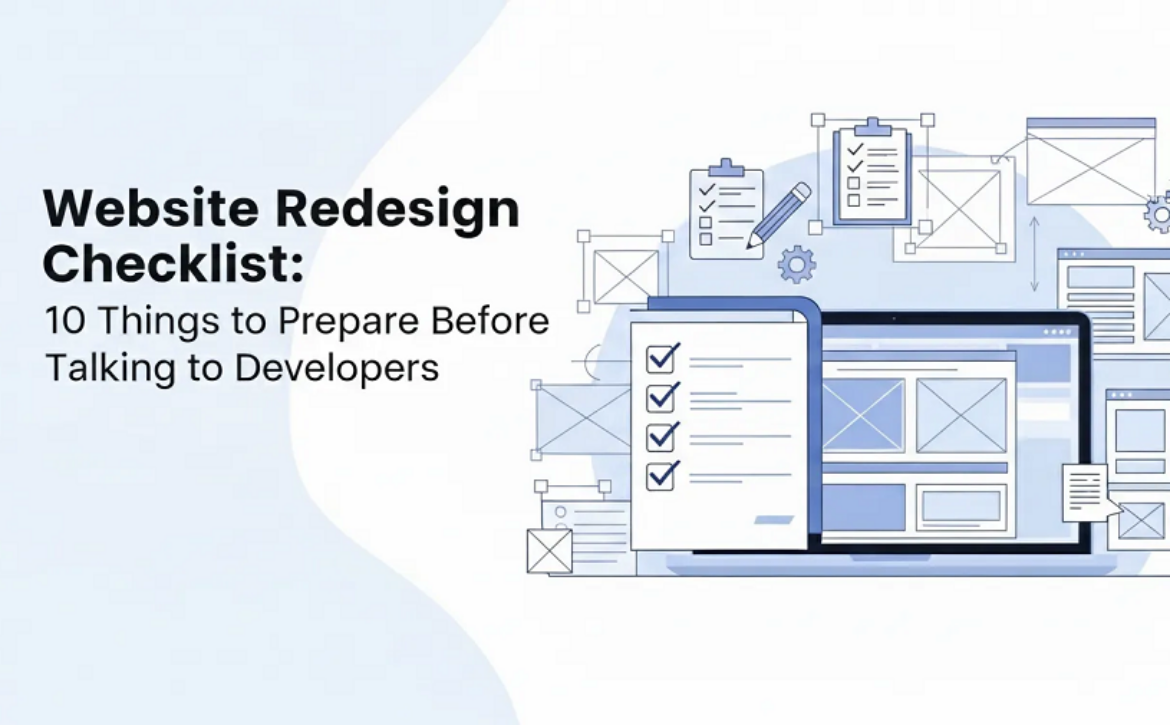
Website Redesign Checklist: 10 Things to Prepare Before Talking to Developers

Introduction

You know your website needs a refresh. Maybe it looks outdated, loads slowly, or simply does not reflect where your business is today. But walking into your first meeting with a developer without preparation can quickly turn into a costly mistake.

Many businesses jump straight into redesign discussions without knowing what they want, what their website currently does well, or what problems they are trying to solve. The result?

Confusing conversations, inaccurate quotes, and projects that take longer than expected.

A little preparation can completely change that experience. When you gather the right information beforehand, developers can understand your needs faster, give you realistic timelines, and suggest solutions that actually fit your goals.

This checklist will help you walk into that first conversation confident and organized, so you can get accurate quotes, avoid delays, and build a website that truly works for your business.


Why It Is Better to Prepare Before Hiring a Web Developer

—————————–

Many website projects run into problems not because the developer lacks skill, but because the project starts without clear direction. When clients come unprepared, developers spend extra time figuring out goals, features, and content. This often leads to delays, changing requirements, and higher costs.

On the other hand, businesses that prepare key information beforehand usually move much faster. In fact, projects where clients bring clear goals, content, and examples can reduce development time by 20–30%. That means fewer revisions, better communication, and a smoother process for everyone involved.

So before you schedule that first call with a website development service provider, it helps to gather a few important details.

Here’s exactly what you need.


What to Consider When Redesigning a Website: A Guide for Business Owners

—————————–

Before you start discussing colors, layouts, or new features, it helps to step back and look at the bigger picture. A website redesign is not just about making things look better. It is about improving how your website works for your business and your customers.

That is why developers often ask many questions at the beginning of a project. The more information you bring to the table, the easier it becomes to plan the right design, features, and structure.

Here are the most important things you should prepare before starting your website redesign.


1.  Your Current Website Analytics and Performance Data

Before changing your website, it is important to understand how the current one is performing. Many businesses skip this step, but it provides valuable insight into what is already working.

If your website has Google Analytics installed, try to gather some basic numbers. You do not need to become an expert in analytics. A few simple metrics are enough to start a helpful conversation with your developer.

For example, look at:

  • Visitors per month – how many people come to your website
  • Top pages – which pages get the most traffic
  • Bounce rate – how quickly people leave the site
  • Conversion rate – how many visitors contact you, sign up, or buy something

These numbers help developers see what parts of the website are doing well and what areas may need improvement. For instance, if one page gets a lot of traffic but very few inquiries, that page might need better design or clearer calls to action.

In other words, analytics help answer an important question: what should stay and what should change?

To begin with, you can export a simple six-month summary from your analytics tool or take screenshots of your main metrics.


2.  Clear Business Goals for the Redesign

One of the biggest mistakes businesses make during a website redesign is having unclear goals. Saying things like “We want the website to look modern” or “We just want something better” sounds reasonable, but it does not give developers much direction.

Instead, think about what success actually looks like for your business. Good goals are specific and measurable. For example:

  • Increase contact form submissions by 50%
  • Get more inquiries from international clients
  • Improve online sales for certain products
  • Reduce the number of people leaving the site quickly

When goals are clear, the design and structure of the website can support them. For example, if your main goal is getting more inquiries, the developer may focus on better call-to-action buttons, simpler forms, and clearer service pages.

However, if goals are vague, the final result may also feel vague.


3.  Your Target Audience Profile

Your website should be designed for your customers, not just for your business. That is why understanding your audience is so important.

Think about the people who visit your website today, or the people you want to attract in the future.

Ask yourself a few simple questions:

  • What age group are they in?
  • Where are they located?
  • What industry do they work in?
  • Are they comfortable with technology, or do they prefer simple interfaces?

For example, a website built for young tech professionals will look very different from a website meant for traditional industries or local service businesses.

It is also useful to think about what problems your visitors are trying to solve. Are they looking for information? Comparing services? Trying to contact you quickly?

Finally, consider how people find your website. Some may come from Google searches, while others arrive through social media, referrals, or advertisements.

When developers understand your audience, they can design a website that matches their expectations and behavior.

Action step: Write a short paragraph describing your ideal customer. Include who they are, what they need, and how they find your business online.


4.  The Competitor You Love (And Hate) Websites

The type of website that you desire is sometimes difficult to describe. That is completely normal. One method that would help solve this problem is through the gathering of examples.

Find three to five competitors or similar business websites. Such instances provide the developers with a better understanding of your preferences.

When looking through these websites, you should observe such things as:

  • The layout of the pages
  • The colors and visual style
  • The structure and the navigation
  • Animations, forms, or product pages are considered to be special

No less important, observe what you do not like.

Perhaps a web site is too cluttered. Perhaps, the fonts are difficult to read. Or perhaps the navigation leaves much to be desired.

By posting such examples, developers are able to know your taste without making assumptions. It also renders the initial discussions quite more fruitful.

Action step: Could you list some simple URLs of websites? Add brief comments regarding what you like and what you do not want.


5.  Must-Have Features and Functionality

Every website has different needs. Some only require basic pages and a contact form. Others may need booking systems, payment features, or advanced tools.

Before talking to a developer, it helps to think about what features your website truly needs. Some common examples include:

  • Contact forms
  • Online booking or appointment systems
  • E-commerce or online store
  • Blog or news section
  • Live chat support
  • Newsletter signup forms

It is also helpful to separate your ideas into two groups.

First, list the features you absolutely need for the website to work. Then list the features that would be nice to have but not essential.

This step is important because features have a direct impact on timeline and budget. The more complex the functionality, the longer development may take.

You should also think about whether there are features from your current website that you want to keep or improve.

This simple list will make your project scope much clearer when you speak with developers.

Now that you have clarity on your data, goals, audience, and features, the next step is preparing the practical details that developers will need to move the project forward.

These next items may sound simple, but they are often the biggest reasons website projects get delayed. Taking a little time to organize them now can save weeks later.


6. Your Content and Brand Asset.

A website cannot be built without the bare essentials that would be reflective of your brand. Unbelievably, most projects end up slacking as a result of these items being lost or being found in various folders.

Your designer will have access to your brand materials so that they can design the site adequately. These include things like:

  • Your logo files (usually in a vector format, AI, SVG or EPS)
  • Your brand colors (hex codes, in case you have one)
  • Any fonts your brand uses
  • Good images or videos that are in relation to your

In addition to the visual content, there should be written material on the front pages of your site. This includes pages like Home, About Us, Services or Products, and Contact page.

In case of missing content, the project might stop and you can come back and write the contents. This usually breeds unwarranted delays.

It does not even have to be flawless in the first place. Even a prototype version will assist the developers to learn the structure and design the layout appropriately.

Action item: Save all brand materials, images, and content in a folder with the help of such tools as Google Drive or Dropbox. This renders it very simple to share everything.


7.  Technical Requirements and Integrations.

The majority of the modern websites are not solitary. They tend to be related to other tools that are used by the businesses on a daily basis.

As an example, your web site may have to reach:

  • A CRM system to manage leads
  • Newsletter email marketing
  • Online buying payment
  • Appointment scheduling

In case your web site requires such interconnections, you should bring them up at the beginning of the discussion.

It is also possible you have special needs such as:

  • A multilingual website
  • Member login areas
  • Third-party APIs
  • Linkage with internal business

One more detail, although not big, can be your current hosting information. In case you intend to retain the same hosting company, the developers might be required to gain access to the account.

These are all technical factors that affect the complexity of the project. Of course, the additional integrations often imply additional development.


8. Budgetary Range and Schedule Expectations.

Discovery of budget may be awkward. Nevertheless, it is among the most useful things you can talk about at the beginning of a project.

Developers come up with solutions depending on the available scope and budget. When they are not aware of your range, they can propose features or designs that are way beyond your expectations.

You do not require an absolute figure. Even a general range helps. For example:

  • A basic business site ranges between 2000 to 5000
  • $5,000 – $10,000 for a more custom design
  • Increased expenditure on complicated systems or on e-commerce

Your schedule is also significant. Do you have a product to be launched on your site? A company event? Or just as a long term improvement?

Disclosing your anticipated date of launch assists the developers in laying out the plan on realistic grounds.

Being transparent on both budget and timeline saves time on both the side, and assists you in identifying those developers who will suit the project size.

In case you would like to go more in-depth in terms of pricing, you may also learn more about costs associated with website development and how they impact the budget in the end.


9.  What You Don’t Want To Be Like.

Most people talk about what they like when it comes to the aspect of the design of the websites. But it is equally useful to tell why you don’t like something.

It is possible that you have read websites that look intimidating or not easy to navigate. Perhaps you do not like having too much animation or fonts that are difficult to read.

The dislikes usually involve:

  • Excessive animations or
  • Bad layouts with excessive
  • Small or hard-to-read fonts
  • Websites that load slowly

And perhaps you are having problems with your present site. Maybe it is tricky to update, cluttered to navigate or not mobile-friendly.

By exchanging such examples, the developers will not create the same issues in the new design.

That is, it minimizes future confusion and delays the revision process towards the end of the project.

Action step: Screenshot or write brief notes about two or three things that you absolutely do not want to do.


10.  Your Degree of Continuing Engagement

And last, it is also a good idea to consider the level of involvement you would like to see in the redesign process.

There are those businesses that like to have a regular check-in once a week, whereas there are those that like to have occasional updates and review of progress. Both methods are not bad, although it is best to have expectations set at an early age.

You should also decide:

Do you want the content of the websites, or do you require any copywriting assistance? Who is going to provide leadership on your team?


Who is the contact of the developer?

—————————–

The other question of concern is the post-launching of the site. Will you handle the updating process yourself or do you want the developer to do the maintenance?

Basic training is also requested by many business owners to maintain the ability to update text, pictures, or blog posts without the assistance of the technical team.

With such roles defined, the working relationship is made much easier.

Action step: Determine who will take charge of the website project on your team and contact the developer.

Using these ten items, you will be able to have a much more productive conversation with a developer. They can build the appropriate solution to your business as opposed to guessing the needs.


Conclusion

Website redesigning does not need to be rocket science. It can actually be a smooth and productive process, given proper preparation.

Once you enter your first meeting with clear intentions, knowledge of the audience, examples, and a list of capabilities, you will have a much more focused conversation. You will and must be well-prepared to discuss quicker feedback on what you require, make the developers offer you more precise quotes and propose appropriate solutions.

The silver lining to it is that redesign preparation does not take weeks to complete. These details can be collected in one afternoon in the majority of cases. It can be so little as a few screenshots, a list of simple features, and a clear understanding of what you want to accomplish.

So next time you are about to schedule that initial developer call, take a moment and go through this list of questions and get your ideas in order.

A better web site is a lot easier to construct than you may think especially with the proper preparation and the right team.

You’ve got this!

Read More
Sanju March 14, 2026 0 Comments

How Outsourced Design and Development Can Accelerate Your Product Launch

Launching a new product is thrilling, yet delays may occur due to a lack of resources and skills or the slowness of internal processes. These delays may impact your competitive advantage in the current fast-paced market. Outsourcing your design and development services can help you work smarter and faster, and launch a high-quality product on time.

This blog explains the benefits of outsourcing that accelerate your product launch. Plus, it explains how outsourcing introduces you to skilled labor, smooth processes, and technology.

Why Companies Struggle to Launch Products on Time

Before we discuss the benefits of outsourcing, it’s helpful to consider the typical problems businesses encounter with in-house design and development.

Limited In-House Expertise

Not all companies have specialists in UI/UX design, product development, testing, prototyping, and engineering. It is costly and time-consuming to get experts in each phase.

Slow Internal Workflows

Internal teams already handle daily operations. The burden of their work with a new product is usually accompanied by burnout, procrastination, and unfinished projects.

Budget Restrictions

It is very costly for a company to develop a complete in-house design and development team. It includes salaries, training, tools, and infrastructure.

Fast-Moving Competition

Competitors who launch faster get ahead. Slower teams lose their market share even if they have a better idea.

Because of these challenges, outsourcing has become a powerful and practical solution.


How Outsourcing Assists Speed Up Your Product Launch

——————————

Outsourcing brings together the right people, processes, and technology exactly when you need them. Here is how it accelerates your product development workflow.


Access to Skilled Designers and Developers Immediately

By outsourcing, you immediately gain access to a pool of talent, including UI/UX designers, developers, product strategists, and testers. You do not need to take months to acquire or to train talent.

An established creative design agency or development partner already has established tools, industry-standard design systems, and workflows. Their experience will help you avoid common pitfalls, get product development off to the right start, and move quickly.


Faster Prototyping and Concept Validation

Prototyping is a crucial step in the early stages of product creation. It helps you see how your idea will look and function before you invest in full development.

Outsourced design and development services include:

  • Rapid wireframing
  • Interactive prototypes
  • User flow mapping
  • Preliminary testing with actual users.

The outsourced team can produce prototypes within days rather than weeks because they work with established procedures. This initial clarity keeps your project on the right track, preventing time-wasting revisions later.


Scalable Teams at Each Stage of Development

Your needs are likely to vary with the product’s lifecycle. You may at times require additional designers. Then again, you might require additional developers or testers.

Through outsourcing, you can easily scale up or down.

  • Need 5 developers for one month? Done.
  • Need testers only during the last phase? Easy.
  • Need UI/UX designers only for the first few weeks? No problem.

This flexibility ensures your product never waits for resources. It moves smoothly through every phase from concept to launch.


Reduced Costs Without Compromising Quality

Many companies worry that outsourcing may be expensive. But it often costs less than building an in-house team.

Outsourcing removes the need for:

  • Full-time salaries
  • Software licenses
  • Infrastructure setup
  • Training and onboarding

Instead, you pay only for the services you need. And because experienced teams work faster and smarter, your product reaches the market sooner, saving even more money.


Better Focus on Business Strategy

It’s common to become sidetracked from your primary objectives, which include marketing, brand expansion, customer acquisition, and operational planning, when you are trying to handle everything internally.

You may clear up internal resources and time by outsourcing design and development work. While the professionals handle the technical work, you are free to focus on business strategy.

This leads to:

  • Stronger customer engagement
  • Better marketing planning
  • More aligned product positioning
  • A smoother launch process

Outsourcing does not take control of you; it simply reduces the burden, so you can focus on what matters most.


Improved Quality and User Experience

Experienced outsourcing partners follow strict quality standards. They perform multiple levels of testing, quality checks, user experience evaluations, and performance assessments.

This leads to:

  • Clean, user-friendly designs
  • Faster load times
  • Fewer bugs
  • Better mobile responsiveness
  • Smooth integrations

A product with top-quality design and functionality always launches better and performs stronger in the market.


Faster Development with Proven Workflows

Outsourced teams already have structured processes for:

  • Requirement analysis
  • UI/UX design
  • Development
  • Testing
  • Quality assurance
  • Version control
  • Deployment

These tried-and-tested workflows eliminate guesswork and minimize delays. Your product moves from one stage to the next without interruption.

Access to Global Tools and Technologies

A specialized creative design agency or development team invests in modern technologies such as:

  • Advanced design software
  • Automated testing tools
  • AI/ML-powered prototyping tools
  • Collaboration platforms
  • Performance monitoring systems

These tools help streamline development, improve accuracy, and deliver a polished product faster.

When you outsource, you benefit from these technologies without having to purchase them yourself.


Faster Time-to-Market = Strong Competitive Advantage

Speed matters in every industry. Launching earlier means:

  • You reach customers before competitors.
  • You collect user feedback faster.
  • You improve the product sooner.
  • You build brand visibility quickly.
  • You generate revenue earlier.

Outsourcing lets you cut months off your timeline and enter the market at the right time.


Minimized Risk Through Expert Guidance

Launching a product is always a risk. Incorrect decisions, design errors, or technical issues can delay the launch or even lead to complete failure.

Experienced outsourcing partners help you avoid these risks through:

  • Expert-level project management
  • Predictable workflows
  • Continuous testing
  • Real-time progress updates
  • Strategic recommendations

They use their industry experience to guide you through challenges and ensure your product moves forward without unnecessary hurdles.

How to Choose the Right Outsourcing Partner

To get the best results from outsourcing, choosing the right partner is crucial. Here’s what you should look for:

  1. Industry Experience: Pick a team that has worked on similar products or within your industry.
  2. Strong Portfolio: Review their design and development work to check quality and creativity.
  3. Clear Communication: Ensure they communicate openly, share updates regularly, and understand your goals.
  4. Transparent Pricing: Choose a partner who is upfront about costs with no hidden surprises.
  5. Scalable Team: The agency should be able to add or reduce resources as needed for your project.
  6. Modern Tools & Technology: They should use the latest design, development, and testing tools.
  7. Defined Timelines: Look for teams that follow structured processes and deliver work on time.
  8. Positive Client Feedback: Testimonials and reviews help you judge reliability and professionalism.

Choosing the right design and development services partner ensures a smoother, faster, and more successful product launch.


Outsourcing Helps You Launch Faster, Smarter, and Better

Businesses can accelerate, reduce risk, and produce high-quality products by strategically outsourcing design and development. Outsourcing provides your company with access to worldwide talent, cutting-edge tools, and effective workflows, whether you are new or established.

Your product can reach the market weeks or even months ahead of schedule with the right innovative design agency or development partner, giving you a significant competitive edge.

Consider collaborating with professionals who can turn your idea into a profitable reality if you want your product to stand out and get to market quickly.  Outsourcing is the smart way to develop, design, and launch in today’s fast-paced world.

Read More
Sanju December 11, 2025 0 Comments

Optimizing Images for Web Design: Formats That Boost Speed and SEO

Have you ever visited a website that felt like it took a long time to load? It’s likely that you felt annoyed and just left. You’re not the only one most people won’t stick around for more than a few seconds while a site loads. And one of the main reasons websites get slow are images that aren’t properly optimized.

But don’t stress you don’t have to be a tech whiz to solve this. Whether you have a small business site, a blog or a portfolio, this guide will help you understand all the important steps to optimize images so your site loads quicker and gets a better position in search results.


Why Optimizing Images Matters

——————————

Think of your website like a restaurant. Your content is the food and design creates the atmosphere and the images serve as the menu. If the menu takes too long to show up or is cluttered and confusing than most people won’t stick around to place an order.

Here’s what happens when you don’t optimize your images:

  • Your site takes longer to load
  • People leave before the page finishes
  • Search engines drop your ranking
  • You lose potential customers or readers

The great news? Repairing your images is one of the simplest and most powerful methods to make your website faster and keep Google satisfied.


Understanding Image Formats: Which One Should You Use?

——————————

Selecting the appropriate image format is similar to choosing the right clothes. You wouldn’t wear a tuxedo to cut the grass. In the same way certain formats work well for pictures while others are more suitable for logos or icons.

JPEG (or JPG)

Best for: Photos, background images or product pictures
Pros: Good quality and small file size
Cons: No transparency

JPEG is your go-to for everyday pictures. It balances quality with speed and is supported everywhere.

PNG

Best for: Logos, graphics or images with text
Pros: High quality and supports transparent backgrounds
Cons: Larger file sizes

Use PNGs when you need a clean look with sharp edges like your logo or a button image.

WebP

Best for: Everything (if your platform supports it)
Pros: Smaller than JPEG and PNG great quality
Cons: Not 100% supported by very old browsers

WebP is like the hybrid car of image formats, efficient and fast. Most modern browsers now support it.

AVIF

Best for: Cutting-edge performance
Pros: Even smaller than WebP
Cons: Not supported everywhere yet

AVIF is still pretty new but it’s great if your website platform or CMS (like WordPress or Shopify) supports it.

SVG

Best for: Icons, logos and illustrations (not photos)
Pros: Scales without losing quality and super lightweight
Cons: Not for real-life images

SVGs are like vector superheroes. Perfect for flat graphics and logos and they look sharp on any screen size.


How Image Size Affects Loading Speed

——————————

Think about trying to lift a big refrigerator up a set of stairs. That’s how your website feels every time it has to load a huge image.

Large images = heavy files = slower websites.

And speed matters. A one-second delay in page load time can mean:

  • 11% fewer page views
  • 7% loss in conversions
  • Lower search engine rankings

The main point is If your images are too large you are actually driving visitors away.


The SEO Side of Image Optimization

——————————

Google aims to provide the best content quickly. If your website is slow due to large images it negatively impacts your SEO.

Optimized images help with:

  • Faster page load speed (a ranking factor)
  • Lower bounce rates (people don’t leave right away)
  • Better mobile performance
  • Higher chances of showing up in Google Images

Also Google “reads” the names of your image files and the alt text so how you name your images is important for SEO (we’ll talk more about that soon).


Step-by-Step: How to Optimize Images Without Being a Tech Whiz

——————————

You don’t have to have expensive software or know how to code. You can convert JFIF to JPG online without downloading any software. Here’s an easy method you can use each time:

1. Pick the Right Format

We already covered this. Just remember:

  • Photos = JPEG
  • Graphics or transparency = PNG or SVG
  • Speed = WebP or AVIF

2. Resize Before Uploading

Don’t upload a 5000-pixel image if you only need it to be 800 pixels wide.

Tools:

  • Canva (great for beginners)
  • Preview (Mac) or Paint (Windows)
  • Pixlr (free online editor)

Aim to keep image widths under 1200 px unless you’re using them as large banners.


3. Compress the File

This means making the file size smaller while still keeping good quality. Compression can reduce your images by 40–80% without affecting their appearance.


4. Use Descriptive File Names

Instead of using names like IMG_0038.jpg for your images try naming your file something like chocolate-chip-cookie-basket.jpg.

Why it matters:

  • Google understands what the image is
  • Helps with SEO
  • Makes your files easier to manage

5. Add Alt Text

Alt text which stands for alternative text, appears when an image fails to load and it also assists users who are visually impaired. Additionally, it serves as a subtle method to enhance SEO.

Good alt text examples:

  • “Black leather wallet on wooden desk”
  • “Smiling dentist with patient in modern office”

Bad examples:

  • “Image123.jpg”
  • “Wallet buy now free discount leather best”

Keep it clear, accurate, and natural.


6. Make Images Responsive

This simply means that your pictures need to look nice on phones, tablets and computers. Most current website builders (such as Squarespace, WordPress and Wix) take care of this for you.

But here’s an easy tip: avoid using huge desktop images on mobile devices. They will make everything slower. If your website allows it, upload different versions for mobile and desktop.


Real-World Example: Before and After Optimization

——————————

Let’s say you have a homepage with five big images:

  • Each one is 2MB
  • That’s 10MB total (yikes)

After resizing and compressing:

  • Each image is now 300KB
  • Total = 1.5MB

Your website can load up to 7 times quicker, and your Google PageSpeed score improves a lot. That’s what image optimization can do.


File Size Guidelines: How Small is Small Enough?

——————————

There’s no magic number, but here’s a helpful cheat sheet:

Image Use Max File Size
Hero/Banner Image Under 500 KB
Blog Post Image Under 300 KB
Thumbnail/Icon Under 100 KB
Background Images Under 800 KB

Aim to keep the total size of your page (including all images) below 2MB so it loads faster.


Common Mistakes to Avoid

Let’s save you from some beginner headaches:

  • ❌ Directly uploading original photos from your phone (they’re way too large!)
  • ❌ Using PNG files for pictures instead of JPEGs
  • ❌ Naming files like IMG2023_01.jpg
  • ❌ Forgetting to add alt text
  • ❌ Using the same large image for both desktop and mobile
  • ❌ Believing that compression makes images look blurry (it usually doesn’t!)

Bonus Tips: Go the Extra Mile

Want to get even more out of your images? Try these:

  • ✅ Take advantage of lazy loading (most website builders include this feature now)
  • ✅ Include captions below images to provide context
  • ✅ Utilize image sitemaps if you have many graphics (this is especially useful for stores or portfolios)
  • ✅ Regularly check your site and update old images for better optimization

Conclusion

Making images better isn’t as hard as it seems. It’s a bit like cleaning your room. Just a bit of time and work can really help.

By choosing the best format, reducing your file sizes, and adding good alt text, you can make your website quicker, more user-friendly and more likely to appear on Google.

Keep in mind, every second is important. And every image is significant.

So, the next time you add a picture, take a moment to optimize it. Your visitors and your search rankings will appreciate it.

Read More
Sanju June 19, 2025 0 Comments

10 Conversion-Boosting Web Design Strategies for 2025

Suppose you are visiting a website to purchase a new product. However, instead of finding what you seek, you face slow load times, confusing navigation, and a design that does not quite fit your requirements.

Frustrating, isn’t it?

This is how businesses lose prospects. In 2025, users expect more than aesthetics; they want a smooth experience that effortlessly and quickly fulfills their needs. Hence, well-crafted and innovative web design strategies are a must for businesses.

Did you know that it takes around 3 seconds for a user’s eyes to land on the website area that most influences their first impression? Therefore, a high-converting website is much more than just visual appeal. It is about creating a smooth journey that ensures a compelling first impression and guides users toward taking specific actions.

In this blog, we will venture into 10 web design strategies to boost your website’s conversions. So, without further ado, let’s explore!


How to Boost Website Conversions with Effective Web Design Strategies?

——————————–

1. Hyper-Personalization

Hyper-personalization goes much beyond essential personalization. It uses AI and ML to assess user behavior, historical data, and preferences to deliver highly customized content and experiences. It includes tailored product recommendations, dynamic landing pages, and personalized email sequences based on user’s previous interactions.

Recommended Actions:

  • Implementation of AI-driven recommendation engines.
  • Usage of real-time data to adapt content.
  • Segmentation of users based on preferences and behavior to deliver personalized experiences.

2. VSO (Voice Search Optimization)

Voice search has become crucial with the rise of voice assistants and smart speakers. In 2025, optimizing websites for voice search means comprehension of natural language queries while structuring the content to provide conversational and direct answers.

Recommended Actions:

  • Emphasis on conversational phrases and keywords.
  • Optimizing the website’s FAQ to align with voice search queries.
  • Ensuring the structuring of conversion-oriented content and layouts to answer questions directly.

3. AI Chatbots

AI chatbots are no longer restricted to customer service but are integral to user experience. It provides tailored assistance, guiding users efficiently through the sales funnel and boosting conversions.

Recommended Actions:

  • Implementation of chatbots that are capable of handling complex queries and providing tailored recommendations.
  • Integration of chatbots with the CRM to provide a seamless user experience.
  • Constantly train the chatbots, which can improve their responses and understanding of queries.

4. Advanced Accessibility

In the contemporary era, accessibility is not just about compliance. It is also about ensuring that users can fully use your website, regardless of their capability. By prioritizing advanced accessibility, you can comply with regulations while expanding your reach to a broader audience.

Recommended Action:

  • Usage of AI to adjust content for users with disabilities.
  • Implementation of voice navigation along with various assistive technologies.
  • Regular site audits for accessibility improvements and compliance.

5. Custom Themes and Dark Theme

Offering the dark mode feature is crucial because of its growing popularity. Websites that allow users to switch between dark and light modes or select custom themes can be rendered more user-friendly, leading to better engagement and enhanced user comfort.

Recommended Actions:

  • Provide a toggle to enable dark mode on the website.
  • Offering custom themes that users can choose to personalize their experience.
  • Ensuring dark mode is optimized for performance and readability.

6. Immersive AR and 3D Experience

Immersive experiences are becoming the norm in 2025. Whether through AR or 3D features, these technologies enable users to interact with products more efficiently.

Recommended Actions:

  • Integration of AR features and 3D models into the product pages.
  • Usage of AR to enhance user engagement.
  • Ensuring that these technologies are accessible and support mobile optimization for web conversions.

7. Minimalist Navigation

This is one of the web design strategies that will be crucial in 2025. It necessarily means reducing clutter while ensuring that users can find whatever they are seeking easily without distractions. The primary goal is to make the user’s journey as enjoyable and straightforward as possible.

Recommended Actions:

  • Reduction of visual clutter through collapsible or hidden menus.
  • Simplification of navigation paths.
  • Focusing on a minimalist and clean design element that enhances the UX.

8. Performance and Speed

As user patience dwindles, website performance can be considered one of the most crucial web design strategies. A slow-loading website can increase bounce rates while reducing conversions. Optimizing the website’s speed and performance involves leveraging lazy loading, minimizing JavaScript, compressing images, and more.

Recommended Actions:

  • Optimize and compress images and other media.
  • Implementation of lazy loading for videos and images.
  • Usage of CDN (Content Delivery Network) to improve load time.

9. Privacy-Centric Web Design

Data privacy is a serious concern for users today. Designing a website with privacy in mind ensures that the data collected, stored, and used are utilized transparently. Implementing a user-friendly consent mechanism, transparent privacy policies, and robust security features can help nurture user trust.

Recommended Actions:

  • Implementation of transparent consent practices and data collection.
  • Regularly updating the privacy policy to comply with the latest regulations.
  • Usage of encryption and secure storage of data to protect user information.

10. Inclusive Design

This ensures that people with all abilities, cultures, and backgrounds can use the website. It is much more than accessibility, considering factors like socioeconomic backgrounds, cultural differences, and language.

Recommended Actions:

  • Designing the website with diverse audiences in mind.
  • Ensuring the content is available in a wide variety of languages.
  • Usage of inclusive imagery while avoiding cultural biases in the content and design.

Wrapping Up

Incorporating these 10 web design strategies in 2025 will ensure that your business website meets and exceeds user expectations. By following these web design best practices, you will not only stay ahead of the curve but also provide exceptional user experience.

By considering these practices, you can create a website that is both aesthetically pleasing and highly functional, which can boost conversions. To achieve this, you can contact a reputed conversion-focused web design company to stand out in this highly competitive digital landscape.

Read More
Sanju May 26, 2025 0 Comments

Web Design Tips To Boost Your Website’s User Experience

The attention span of most individuals is shrinking like a sinking ship. In such a scenario, being able to hold the attention of your website users for a considerable time might seem like a miracle. However, it’s got more to do with the magic of web design than anything else. The most important thing that makes web design such a crucial thing for your business is that it can either take your business to the next level or even down as well. In such a scenario, you need to pay a lot more attention to the web design of your website than anything else. In this article, you’ll learn about the topmost web design Mississauga tips that you can follow to boost your website’s user experience. So, let’s begin!


10 Web Design Tips To Boost Your Website’s User Experience

—————————————

1. Focus More on Mobile-First Design

The mobile usage has trumped the desktop computer or laptop usage by quite a huge margin. That’s why having a mobile-first approach holds so much importance. This approach ensures that the website functions flawlessly not just on mobile phones but tablets as well. This approach involves crafting responsive designs which can be adapted to different screen sizes, better loading speed for the website along with touch-friendly navigation.


2. Optimize Your Website For Speed

Did you know that if your website doesn’t load in two to three seconds, you’re bound to lose your prospective customer? To ensure that it doesn’t happen with your website, you can optimize the images, utilize browser caching, and even minimize the HTTP request. By opting for a Content Delivery Network(CDN), you will be able to distribute your content on different servers, which will significantly reduce the latency.


3. Implement Intuitive Navigation

The more simple the navigation, the more intuitive it will be for your audience. For this purpose, you can use a logical site structure along with a properly organized menu. Alongside this, you can also incorporate breadcrumbs to help users in knowing about their current location within the website. By implementing a search functionality, discovering the content will become quite easy for your core audience.


4. Improve The Readability With Strategic Typography

To improve readability, you can opt for appropriate font sizes. A great strategy is to have an adequate amount of white space, which will prevent visual clutter and improve comprehension by a huge margin. Having proper headings and subheadings will help in breaking up long blocks of text into readable ones. You can also utilize bullet points so as to represent information in an organized manner. Moreover, you will have to make sure that there’s enough contrast between the text and the background colours. Maintaining consistent space and alignment in your whole website will go a long way to keep the user engaged.


5. Use High-Quality Visuals To Capture Attention

Impeccable quality visuals are important to capture and retain the user’s attention. You can use the best quality images and videos that are in high resolution which are according to your website. Don’t forget to optimize the images for the website by minimizing their file sizes and that too, without hampering its quality. You can also incorporate infographics and data visualizations for presenting information in an easy to understand manner. The best approach that you can follow is to use coherent visual branding to better your brand identity. Moreover, you can use interactive visuals and animations to improve user engagement. At last, you need to ensure that different types of visuals can be accessed by the users that have visual impairments with the help of descriptive alt text.


6. Include Compelling Call-To-Actions(CTAs)

CTAs can be the secret of your website’s success. It’s because they can persuade the leads to take the desired actions. Some examples of such actions are making a purchase of your product or service and even subscribing to a newsletter. For these CTAs, you can utilize strong action verbs, which will create a sense of urgency. Furthermore, don’t forget to place the CTAs strategically at specific positions on your website. It will ensure that they are visible and accessible to the leads. You can also design visually appealing CTAs that will look distinct apart from the surrounding content.


7. Ensure Accessibility For Different Users

Did you know that accessibility isn’t just about following what’s right but is also a legal imperative? In fact, you need to ensure that your website is compliant with the guidelines according to which your website should be accessible to those users who are disabled. For this purpose, you can provide alt text for the images and opt for the right type of colour contrast, along with providing keyboard navigation. Furthermore, you can provide transcripts for audio and video content.


8. Use Social Proofs To Build Trust

Nowadays, people are relying on social proof more than ever before. So, including genuine customer reviews and testimonials on your website can go a long way in not just growing your website but your business as well. By having real case studies on your website, your credibility will improve by quite a margin. You can even showcase the social media mentions on your website so as to boost your authenticity. If you or your business has won any award in the past or got any recognition, you can display it on your website as well. Don’t forget to use only the real photos and names of individuals who have given you these testimonials.


9. Integrate Interactive Elements For Improved Engagement

Interactive elements play a huge role in boosting user engagement and crafting a much more immersive experience. For this purpose, you can include interactive quizzes, surveys, and even polls to get feedback from your website users. Along with this, you should use interactive maps and 360-degree product views. By implementing micro-interactions like animated buttons and hover effects, your website will become a lot more engaging and visually stunning. With the help of chatbots, you can provide instant customer support and even get to answer frequently asked questions.


10. Regularly Test According To The User Feedback

Continuously improving your website is the key to ensuring a positive user experience on your website. By implementing A/B testing, you will be able to compare different variations of the designs. It will help you in identifying what works best for your audience. Alongside this, you can utilize analytics tools to track the behaviour of the users and find out the areas of improvement. You should also gather user feedback with the help of surveys and usability testing. Moreover, you must also conduct regular website audits to make sure that your website is up to date and relevant.


Wrapping Up

Nowadays, creating the best user experience is no longer an option but something that must be done by every website owner. In such a scenario, implementing the above-listed ten tips will take your website design to the next level. You just have to focus on creating a breathtaking user experience for your website visitors, and they’ll take care of your growth. The best part is that following these web design tips will create a seamless user journey that will build trust and take your business to new heights. So, start following these web design tips to improve your website’s user experience from today onwards.

Read More
Sanju April 30, 2025 0 Comments

Dark Mode Design: Why It’s a Must-Have for Modern Websites

Approximately 81.9% of 2,500 Android users use dark mode on their phones. Have you ever wondered why this dark mode has gained the popularity it has gained today? Recently, dark mode website design has been in the spotlight on web development features that every website owner wants to have for their website. From various apps to mobile interfaces, everyone is offering alternatives for their displays with a darker theme. People prefer this because of its sleek and modern aesthetics with dark backgrounds and lighter text colors.

As this new and innovative feature continues to gain popularity in all digital spaces, businesses, and web designers are working overtime to adapt to this trend and make a difference. In this article, we’ll dig a little deeper into why dark mode is gaining the popularity it is getting lately and what are some essential tools and practices to explore its benefits. Leveraging effective modern website design services, you can give your basic website a makeover with this advanced feature to enhance site performance.


What Is Dark Mode Design?


1. Understanding Dark Mode in Web Design

———————————-

Dark mode has become a digital companion of contemporary usage of UI design. The modern aesthetic includes light-colored text and elements of a darker-hued background. This design style is a visually appealing alternative to the basic UI design style that is in the light-themed or original color scheme.

One of the most celebrated advantages of dark mode is the ability to control and reduce screen brightness while maintaining the proper visibility of elements. This regulation helps to make screen time less stressful, especially in low-light environments. The brightness adjustments help to minimize glare and blue light exposure, which, in turn, offers a more convenient and comfortable user experience.

This feature was initially adopted by the two leading mobile operating systems – iOS and Android. They have launched it to the market by implementing it in their devices and offering the feature to their customers. Slowly and gradually, the demand expanded to every website and app across various industries. Leveraging advanced, affordable website design services, you can join in the trend without lagging behind and be a part of the universal appeal of this feature. As users increasingly search for personalization in everything, integrating a dark-mode web design has become a priority for businesses.


2. The Growing Popularity of Dark Mode

———————————-

Why Users Love Dark Mode?

The dark mode’s sleek and contemporary aesthetic has captured the users’ attention and has created an impact. By giving the already-designed interfaces a polished, sophisticated, and formal makeover, dark mode creates a sense of exclusiveness. It’s an opinion and choice of users that gives the feeling of being modern and visually attractive.

Apart from its aesthetic appeal, dark mode enables the reduction of eye strain in low-light environments. Modern website design services help you offer a visually appealing interface and maximized convenience.

Another anticipated advantage of this feature is its capability to increase battery life effectively, especially on OLED and AMOLED screens. In such screens, the darker theme consumes less power than the lighter ones.

The dark mode feature enhances accessibility for users who are sensitive to bright light or brightly lit settings by offering a less harsh viewing experience.

Stat: Recent studies have mentioned that approximately 82% of users of Android and Apple use dark mode, especially on their phones, while approximately 83% of users use dark mode on their desktop operating systems


3. The Business Case for Dark Mode Design

———————————-

Why Businesses Should Care About Dark Mode?

A convenient and comfortable interface that also offers visually appealing elements to keep users engaged for a longer period of time. The UX design of applications and websites is increased

Meeting the growing demands of the market helps you stay relevant in the competition by fulfilling what your users want. Custom web design agency can make your website more attractive and attract more audiences.

Adopting the growing trend and offering the same to your users helps you showcase your ability to adopt cutting-edge design trends and sets your business ahead of the curve.

A better user experience is achieved by providing comfort and convenience to your visitors, which helps them spend prolonged hours browsing your website and making a purchase. The more comfort your users can get on your website, the more they will return to your business.


4. Key Benefits of Dark Mode for Modern Websites

———————————-

There are several benefits why dark mode is helpful for modern websites and can help enhance the competitive edge of your business. They are: –

How Dark Mode Improves Your Website?

  • Improved Readability: Dark mode helps improve contrast and makes the text and elements easier to read. It helps to read and view the elements in low-light settings.
  • Energy Efficiency: It saves energy on OLED and AMOLED screens as darker themes require less power and help your device to be used for a prolonged time.
  • Reduced Blue Light Exposure: Your users can use dark mode to minimize the strain on their eyes due to blue light emissions. Dark mode minimizes these emissions and lessens the fatigue in your eyes.
  • Aesthetic Appeal: It is a modern approach and has a sleek and premium design that gives an already-designed website a sophisticated and futuristic makeover that greatly influences the customers.
  • Accessibility: Dark mode offers a more convenient and inclusive experience for all kinds of users, especially those who are sensitive to too-bright settings.


5. Latest Trends in Dark Mode Design for 2025

———————————-

With the growth of digitalization, every year is a remarkable year of advancement. The best website design services help your business stay up-to-date with the latest trends in Dark mode design for the year 2025: –

What’s New in Dark Mode Design?

  • Dynamic Dark Mode: Websites that are automatically regulated and adapt to dark mode based on the user preference or the time of the day. This ensures user-friendly website design and enhances usability.
  • Subtle Gradients and Shadows: Professional web designers incorporate gradients and add depths to create a more refined website experience. This creates a visually engaging user interface.
  • Accent Colours: Appealing elements like bright and contrasting colors for various buttons, links, and any other call-to-action buttons enhance efficiency in navigation and draw determined attention to important elements.
  • Dark Mode Animations: Smooth transitions between light and dark themes add sophistication and give a modern outlook to your website features.
  • Customization Options: Websites offer comfort and convenience at the same time by offering options to choose from the basic light theme or switch to a more convenient theme, i.e., dark mode. This tailored browsing experience enhances user satisfaction.


6. Technical Considerations for Dark Mode Integration

———————————-

There are certain technical considerations for dark mode integration of your websites. Getting help from a website design agency will help you effectively attain the considerations.


How to Build Dark Mode for Your Website?

Detect and acknowledge user preferences for light or dark mode and apply these themes automatically in your website design.

Allow your users to flexibly and manually switch between the themes at their convenience to enhance flexibility and comfort.

Utilize effective frameworks like TailwindCSS, Bootstrap, or Material UI that offer pre-built dark mode components and features.

Make sure to use images and logos that are prominently visible in darker shade backgrounds by using lighter fonts, colors, or transparent versions to maintain the aesthetic and enhance visibility.


7. Common Mistakes to Avoid

———————————-

Dark Mode Design Pitfalls

Low contrast levels can make the text and other elements quite difficult to read, which reduces usability.

Excessive brightness or bright fonts can put extra pressure on your eyes, increasing fatigue and other eye problems.

Failing to check usability across various platforms and devices can lead to an ineffective user experience

Users should have the convenience to switch between their preferred themes. From dark to light, at any point of the day, to make it more flexible.

Make sure that your brand’s identity is maintained in both themes effectively while shifting from one theme to another.

An effective custom web design agency can help your business avoid these crucial mistakes and give your website the much-needed push of convenience and user experience.


8. Future of Dark Mode Design

———————————-

The Evolution of Dark Mode

Dark mode is more of a futuristic appeal of aesthetics and is greatly adapted by AI-driven personalization. Adapting to themes that can increase user experience can give users a tailored experience. Its anticipated integration with AR and immersive design redefines digital interactions in a more contemporary way.

By the year 2030, it can be expected that dark mode will not be a surprising element but a standard feature across various applications and systems. Moreover, its evolution in the digital era is predicted to embrace eco-friendly design principles that help further energy consumption practices and promote sustainability.


Conclusion

Dark mode has become an essential element in every modern and effective website due to its capability to enhance user experience. This trend is growing, and businesses adapting it sooner can gain an upper hand in market competitiveness. In the future, this additional element is going to be a standard element for websites, applications, and operating systems. It is suggested that you pair up with the best website design services and get your website a convenient and comfortable place for your visitors. Don’t wait! Future-proof your website with dark mode design now and stay ahead in the game.

Read More
Sanju December 26, 2024 0 Comments

Top 10 Web Design Companies in the UK for 2024

The progression of websites is still evident in the United Kingdom as one of the main pioneers in internet creation. As the online world advances and internet advertising becomes one of the most powerful ways to promote businesses, companies are seeking the expertise of the top web design firms. These firms are not just constructing websites, they are crafting digital experiences that represent a company’s identity, encouraging public engagement, and influencing business growth.

Their strengths, the services that set them apart, and why they are important partners in today’s business world? They vary from firms that prioritize user experience to those recognized for their innovative and technical solutions, making this list a valuable resource for businesses looking to find the right web design partner.


Top 10 Best Web Design Agencies in UK for 2024:


1. NextGen InfoTech LTD:

As a company headquartered in the United Kingdom, NextGen InfoTech LTD has a division situated precisely in the city of London, setting the corporation apart from countless similar businesses of internet creation. This dedication to significance has positioned them as one of the top options for commercial organizations seeking to gain an advantage on the digital stage. Here is a more thorough examination of the distinguishing features that set them apart:

Established as a global supplier of online design offerings with a specialized department concentrated in the United Kingdom. Possesses a global perspective to provide worldwide exposure, and considers the specificities of the UK market when developing the resolutions.


2. NerdCow:

NerdCow stands out as a leading web development firm in London, United Kingdom, known for its exceptional performance derived from the diverse skills of imaginative thinkers and planners. They view websites not just as a mere design, but as a crucial component within a company’s overall business strategy.

Established in 2015, following details gathered from grip.co. The organization has established its presence in this sector by focusing on collaborating with logistics software firms only. It most likely consists of internet creators, internet programmers, and online promoters who collectively provide comprehensive internet design solutions.


3. Top Notch Dezigns:

The internet is always expanding, and in a crowded marketplace like this, web design and marketing can only be done by proficient companies who are very aware of what it takes to be noticed. In my study of competition, for example, Top Notch Dezigns is one award-winning firm that has been around for some time.

Top Notch Designs was founded in the year 2004 in Brooklyn, New York as I learned from their official website; The company now has branches in Long Island, Los Angeles, USA as well as London, UK showing its massive presence online. They got commendations for the same and even appeared in the Forbes Entrepreneurs section as proof of how they provide their services.

In our business, Top Notch Dezigns offers a step-by-step strategic approach that uniquely suits the business itself and its clients. Every website developed by their designers and programmers achieves an elegant look coupled with high performance across all interacting platforms. Additionally, they believe that good communication skills reciprocated within their customers would help them exceed expectations set by a company.


4. KOTA:

KOTA is a digital creative agency that enters the creative digital agency space from New York and London, where it defines itself as one of the key players. They concentrate on making brands live by providing excellent website design and development services, branding, and specific use of special digital marketing techniques.

The idea behind establishing KOTA was to mix creative professionalism with technical efficiency moreover has grown into an international company. Clutch, which is a B2B research firm, was named a Global Winner, Champion, and Top Branding Company in 2024. It shows that they focus on delivering great results regardless of what industry within the digital sphere it is.


5. Lightbox Digital:

For instance, it is an online marketing firm located in Cape Town, South Africa. Some of the services they offer include web designing and development, Search Engine Optimization, and social media management. Nevertheless, there is some truth behind this since as much as they are a great agency, for 2024 they cannot be among the top ten best web design agencies UK list because they are situated in South Africa.


6. Cyber-Duck:

Cyber-Duck is a UK-based full-service digital agency that stands out for its huge creative touch and deep understanding of IT. This user-centric approach enables them to ensure that each web design project has attractive aesthetics as well as usefulness. They design their websites, with the help of research and strategy consultants, that engage users and inspire them to act. The company has some well-known clients like the Bank of England and Cancer Research UK, among others.


7. Ocean Frontier:

Besides that, there is what causes the digital ocean to come into a team. The aesthetic nature of Ocean Frontier is the distinctiveness that has been presented for many years by the company. This team also includes experts in web designing, functionality, coding, and other aspects such as digital marketing, etc., who not only run the site but are creative consultants contributing to it. They are also smartly built and fully optimized for the highest performance not just strikingly beautiful-looking creative works.

They religiously keep themselves updated with the most recent tools and best industry practices to ensure that their clients can always benefit from the best-of-breed technologies and design concepts. In the conception, and designing of the website through updating and maintaining it Ocean Frontier believes in a through-the-line approach that seeks to achieve optimal outcomes within this market.


 8. Daring New Universe:

UK’s daring web designing brand, Universe, is one of the most innovative brands. They work with those businesses that want to be exceptional in many ways and that desire to have audacious and sleek designs on their online platforms.

Most likely, it is a brand that has committed itself to being avant-garde in terms of design. I am more than convinced that they have the best UX experts in the market and use technological innovations ahead of others hence a front runner in web development. This business has a competitive edge over many others because it allows for human touch thus enabling emotional connection with its customers.


9. GeekCow:

GeekCow, a British web design company, is famous for being creative and adaptable. The firm believes in the concept of bespoke websites as its main value. Let us now concentrate on what sets them apart:

Instead, they give priority to your distinct business needs, target audience as well as brand identity. They are happy to make websites that look great but also have an agenda matching your marketing brand and more importantly, your ideal customers. This high level of digital craft along with their high-quality work should come as no surprise to them at all. With several years of doing projects under their belt, they’ve become skilled at looking through the eyes of users and feeling their pain points. Therefore by converting these insights into remarkable digital marketing campaigns, they can create perfect solutions for them


10. City:

City, the most important entity in the UK, is admired for its excellent visual design capabilities as well as modern digital breakthroughs that you can count on. They aim to create web pages that merge beauty and usability quite seamlessly, and as a result, these businesses will be successful in the future.

The place is situated in London, and the City must have been reputed for its brilliant work for a long time. Their unit must be composed of expert designers, developers, and digital strategists who join hands to make great online sensations.


Conclusion:

Ever since the beginning of the industry, the UK has consistently been a beehive of invention for online design. A study was carried out to determine the top 10 UK web design company observed worldwide in 2024. This involved finding out what they were good at, what kind of services they offered, and why they had become such a powerful tool of high technology in today’s digital media.

In addition to those firms known for user-centric practices and others noted for cutting-edge design along with technical excellence; this ranking stands as an invaluable resource for any company looking out for the most suitable partner in web designing.

Read More
Sanju July 5, 2024 0 Comments

Mastering High-Level Website Design: A Beginner’s Guide

For a business to make a benchmark in the online realm, it becomes imperative to have a well-designed website. With GoHighLevel, striking set tools and features acing amazing website design make it easy even for beginners to ace the professional website. The above article aims to shed light on the importance of effective website design by using GoHighLevel, catering to the field. We will ditch into the important element of the website design, explore GoHighLevel’s friendly interface, and also provide step-by-step guidance on making a visually appealing and functional website. In the end, readers will understand the fundamentals of using GoHighLevel to craft for compelling online presence.


The Fundamentals of Website Design

————————————-

The base of any website is its aesthetics and navigation system. The website’s final goal is to engage visitors with its graphics and smooth navigation systems. The User Interface (UI) works on the frontend elements that comprise color combination, animation, and shapes used within the website.

On the other hand, User Experience (UX) focuses on the user’s facility while they access the website. The factors that affect UX are ease of use, smooth navigation, efficiency, and satisfaction.  Both UX and UI interfaces are important for a website as they must not only look good but also provide positive and intuitive UX.


Setting Clear Objectives

————————————-

To effectively convey the brand’s goals and purpose a website has to be effective and efficient. It must clearly convey what the website aims to achieve whether it is to sell a product or a service, provide information, or just engage users. Along with the precise message exchange, it is equally important to mark your target audience and their needs.

Another crucial aspect of the website is to establish Key Performance Indicators, the set KPIs help to measure the success ratio of a website. KPIs include aspects like website traffic, conversion rates, user engagement, and many other metrics. By setting clear KPIs, businesses can track progress and make informed decisions in the context of their future goals.


Building the Foundation

————————————-

The Design Process

The designing process is the base process to create an effective website. By using information architectural skills organizing content becomes easy to make user accessibility smooth. Regular testing with constant feedback improves the website structure until it meets the project requirements, which ensures the best results.


Design Principles

Several core principles work as a guide for creating an aesthetically pleasing and functional website. Thus, balancing them to create a balance in layout important. To maintain the equilibrium it is important to avoid overpowering the elements and maintain content in a hierarchy. This further facilitates grabbing the user’s attention effectively. Additionally, highlighting the important parts of the website helps the user to navigate the website smoothly. By implementing these principles, crafting an engaging and user-friendly website becomes convenient.


Planning Your Website Structure With GoHighLevel

————————————-

Color Theory

It becomes important for GoHighLevel experts to understand the color theory when designing a website. With correct knowledge of color psychology experts can grab the desired user emotions; For example, according to color theory, the color blue symbolizes trust and calmness. It is important to keep in mind the brand’s identity, target audience, and desired atmosphere when selecting the color palette for your website. With good color combinations and effective layouts, experts can enhance the aesthetics of the website and user experience.


Building a Brand Identity

To build trust and recognition among users it becomes imperative to have a constant brand voice and image within GoHighLevel. Consistency in the website makes it easy for the audience to form a bond with the brand. GoHighLevel experts must always be conscious while selecting fonts, go for fonts that reflect the brand image and are easy to read across all platforms. By maintaining consistent uniformity across the website, businesses can enhance brand recognition and gain user’s trust.


Crafting Engaging Landing Pages

The main goal of websites is to get conversions as high as possible. While many factors work simultaneously to achieve an engaging landing page, configuring the hero section is the core factor in the users’ interaction with the page, be it an image or a video. It directly catches users’ sight, thus indirectly catching their minds. Considering the fact that 63% of Google searches are done through mobile, thus, it is imperative to have a mobile-responsive website, as it is suited for a much broader audience. This point should be taken into account when configuring a website using GoHighLevel’s editor. Along with it, the speed of loads, the simplicity of seeking, and navigation are also crucial for the user experience. Implementing all these factors together will increase conversion rates on the website.


Building Sales Funnels

Sales funnels are crucial tools to direct potential customers on the path to conversion. Hence, through this, one can create good-looking funnels in a visual style and at the same time maintain consistency for brand, communication, and user interaction at every step. Coordinating the process would lead to good communication with the customer, effectively maximize sales, and allow the ability to develop a relationship with the audience.


Designing Engaging Emails

To increase the click-through rates it is important to have an effective email format and layout. By using GoHighLevel’s pre-made compelling email templates businesses can start their campaigns effectively. With attention-grabbing aesthetics, brief but impactful content, and alluring CTAs, businesses can grab user’s attention. Further, you may customize the message based on the recipient, it will help to enhance relevance and build a connection on a personal level. With A/B testing pinpoint the successful design to ensure the email has optimal display on all devices. With these suggested strategies, you can increase the effectiveness of your email marketing efforts.


Enhancing User Experience With GoHighLevel

————————————-

Mobile Responsiveness

Accessing information on mobiles has been quite a common trend in today’s world. With the increased number of mobile users, it becomes essential to optimize your website suited for mobiles.

Using GoHighLevel’s mobile-responsive feature is a smart way to ace it. By using its wide features, ensure a smooth fit across all devices. By prioritizing mobile responsiveness businesses not only enhance their accessibility but also boost conversion rates.


Image Optimization

The slower loading of your website increases the bounce rates of your websites affecting the ranking of SERPs. One of the main causes of slow loading is using high-quality images in your website. But with Gohghlevel’s image optimization, you can boost the loading time eventually enhancing UX and ranking on SERPs.

GoHighLevel offers image editing tools that enable easy customization, resizing, and cropping to enhance images visually and engage visitors. By prioritizing image quality businesses enhance their website’s visual appeal and convey professionalism.


Integrating Advanced Features

GoHighLevel makes it a breeze to run everything in content management online. Delivered in an interface that is equipped with easy-to-use features, GoHighLevel amplifies the creation and editing of content to fit your preferences and convenience. In addition, GoHighLevel provides you with several third-party plugins and APIs that help the end-users add extra features and extend the functionality of the website. These plugins and APIs personally deliver the flexibility and a sea of customization options one can even think of catering to their website.


Advanced GoHighLevel Design Techniques

————————————-

Custom Code Embeds

GoHighLevel embedded custom code enables experts to enhance their projects with unique features aesthetics and functionalities. The best part about custom code integration is how easy it is for GoHighLevel experts to mold it into a functioning website with custom scripts, CSS, and HTML.

The goal of the custom code integration is to allow users to become masters of design themselves. There is an entire sea of possibilities awaiting you — interactive elements, a variety of animations, and diverse style options, each of them giving you the keys to engaging and personalized UX. With the custom code embedded into GoHighLevel, users can unlock all the potential their designs hold.


Marketing Automation Design

Integration of marketing automation design in  GoHighLevel gives users a seamless experience. By precisely blending the visuals of the website with its functionality, users can get easily through the platform. With aesthetically pleasing interfaces, smooth navigation bars, and ultimate color combination enhances usability.

Moreover, with a consistent font and icon overall the website builds trust and bond between brand and customers. Integrating the designs and elements of GoHighLevel offers a smooth process of development and user satisfaction. This feature constitutes it to be a priority for a business looking to enhance efficiency and aesthetic appeal.


A/B Testing

A/B testing is a powerful way to help improve the elements of design, where two versions are tested to find the one that will yield the most. They help the business make better decisions, making them more data-driven improving user experiences, and cutting more conversions. Therefore, GoHighLevel will have integrated A/B testing to do away with that.

Users test varied variables of the message, like headlines and call-to-action buttons, to look at the metrics that identify which is the most accurate. In other words, the GoHighLevel tools will ensure that both small-sized startups and those already scaling up can be able to constantly fine-tune their strategies in readiness to tap into maximum campaign performance and, hence better results.


Analyzing Performance and Iterating

GoHighLeve users can maximize website optimization by employing analytics tools to monitor performance. As such, you can analyze relevant user metrics, including page views, click-through rates, and bounce rates, among others, to determine how they interact with your website. The information can then drive data-informed decisions on aspects to improve, such as content generation, user interface, or specific target demographics. A regular review of analytics findings enables consistent improvement, thereby keeping your website ahead of the curve. Ultimately, such a data-informed approach enables you to capitalize on your strengths, address weaknesses, and seize opportunities. Consequently, users will be more engaged, and conversions will increase, and therefore results will be better.


Conclusion

Overall, GoHighLevel website design is a smooth and fun journey for both novices and professionals. This guideline makes it simple to build intricate websites. People who are beginners can produce a professional website that will catch users’ eyes and lead to more clicks after getting familiar with the tool’s basics. In GoHighLevel, even an inexperienced person can come up with a beautiful and functional site if he/she has little practice and desire.

Read More
Sanju April 10, 2024 0 Comments

The Complete Guide to UI/UX Design Solutions for Startups

A UI/UX design for a startup cannot be overstated in today’s fast-paced and competitive environment. UI/UX design plays a crucial role in shaping the success of startups by creating compelling, intuitive, and delightful digital experiences.

Startups need to have a well-crafted UI/UX design that establishes trust and credibility through positive first impressions and enhances user retention and engagement through intuitive experiences.

With a focus on leveraging professional UI UX design services, this guide provides a comprehensive understanding of UI/UX design solutions tailored specifically for startups.


Understanding UI/UX Design

 ———————————-

UI design is the process of designing visually appealing and user-friendly user interfaces for digital products. Users’ overall experience and perception of the digital world is influenced by it, due to its crucial role in forming the bridge between them and the digital world.

To create a seamless and engaging user experience, the UI design services company incorporates a variety of visual and interactive components. These key elements include:

1. Layout

The arrangement and organisation of interface elements determine the overall visual hierarchy and flow of information.


2. Colour Palette

The use of colour to convey meaning, evoke emotions, and establish a visual identity that aligns with the brand or product.


3. Typography

The selection and styling of fonts for readability and aesthetic appeal contribute to the overall design language.


4. Icons and Imagery

Visual elements such as icons and images aid in communication, enhance user understanding and add a visual flair.


5. Interactive Elements

Buttons, forms, and other interactive components that facilitate user engagement and guide them through the interface.

It is essential to understand these key elements when crafting UI designs that not only captivate users visually but also contribute to the overall usability and effectiveness of digital products.

UX Design aims to enhance user satisfaction and usability by improving the overall interaction between users and a product.

It encompasses every touchpoint a user has with a product, focusing on making the entire experience delightful, efficient, and meaningful.

A UX design’s importance lies in its ability to align user goals with business objectives, fostering loyalty and positive perceptions.


Some of the key elements of UX Design include:

1. User Research

Conducting thorough research to understand user needs, behaviours, and motivations, forming the foundation for informed design decisions.


2. Persona Development

Creating detailed user personas that represent different user segments, helping designers empathise with and design for specific user needs.


3. Information Architecture

Organising and structuring content logically and intuitively, ensuring users can easily navigate and find what they need.


4. Wireframing and Prototyping

Creating low-fidelity wireframes and interactive prototypes to visualise the user journey and test the functionality before the full design implementation.


5. Accessibility

Ensuring that the design is accessible to users with diverse abilities, addressing factors like colour contrast, text size, and navigation.


By focusing on these key elements, UX design aims to craft experiences that not only meet user expectations but also exceed them, resulting in satisfied users who are more likely to engage with your product or service.


The Relationship Between UI UX

UX and UI play a crucial role in crafting a successful and impactful user journey in digital design. They are integral components of the design process, which work together to create an enjoyable and seamless digital experience.

A well-coordinated collaboration enhances the overall product by aligning the visual design with the user’s experience. Through visually appealing and intuitive interfaces, the UI reinforces the UX strategy and user engagement.

To craft an effective and user-centric design that engages users visually and provides a functional, enjoyable, and user-centric experience, the synergy between UI and UX is crucial.


Real-World Examples

Airbnb

Airbnb owes its triumph not only to its intuitive UI design but also to its thoughtful UX. The user experience encompasses a seamless booking process, personalised recommendations, and user reviews, while the interface presents this information in an aesthetically pleasing and easily navigable manner.


Google Search

Google Search serves as a prime example of the perfect blend between UX and UI. The minimalist interface allows users to focus solely on their search queries, free from any distractions.

Meanwhile, the underlying user experience incorporates features such as predictive text, voice search, and personalised results, all working harmoniously to elevate the overall search journey.

In these instances, the successful integration of UX and UI principles yields digital experiences that not only meet but surpass user expectations, showcasing the relationship between these two are integral aspects of design.


Why are UX and UI important for Startups?

———————————-

In the evolving startup environment, UI UX is crucial for creating, optimising and revamping the products for long-term success and gaining a competitive advantage.


Let’s explore the importance of UI UX design on startups and how UI UX design services companies can offer improved user experience.


Impact on User Engagement

It is of foremost importance for startups to engage and satisfy their customers to retain them.

UI UX design has a direct impact on how these users will interact with the products or services of these startups, determining whether they find the interface easy to use and user-friendly or not.

A well-thought-out design of a UI UX design services company creates a positive user experience, encouraging them to further explore the interface, increasing retention and engagement rates. 

Statistics and Research Supporting the Importance of UI/UX
  • A Forrester study reveals that the return on investment for UX design ranges from $2 to $100 per dollar spent.
  • A survey by User Testing found that 88% of users don’t return to a website after a bad interface experience, showcasing the importance of well-designed UX.
  • The Nielsen Norman Group revealed that it takes 0.05 seconds for users to make an opinion about a website, highlighting the importance of UI in creating a positive first experience.
  • In a Google study, 61% of users said they are unlikely to return to a mobile site they had trouble accessing, demonstrating the impact of UI design on mobile user engagement.


Role in Brand and Identity

UI UX has a pivotal role in setting up a brand and identity, especially for startups as they are new to the market. The design elements such as colours, typography, etc. help to communicate the brand personality to its users and mark presence in their minds.

However, a startup’s identity is not just limited to a logo, it includes an overall user experience. UI UX design shapes the startup’s emotions and perceptions by crafting visual elements, tone of voice, etc. that build trust among the users.


Examples of successful branding through UI/UX


1. Slack

Slack’s UI UX design prioritises simplicity and collaboration. The streamlined layout, intuitive messaging capabilities, and customizable user experience contribute to Slack’s reputation as a go-to communication tool for teams.


2. Duolingo

Duolingo’s UI/UX design makes language learning both engaging and accessible. The app’s gamified interface, vibrant visuals, and user-friendly navigation reinforce this brand as a fun and effective language-learning platform.

In these instances, the combination of UI and UX design not only enhances the functionality of the products or services but also significantly contributes to the overall perception of the brand and user experience.


Contribution to Business Growth

UI UX design has a direct impact on business growth, especially for startups. A UI UX design services company impacts the key business metrics and offers enhanced user experience, driving higher business outcomes for startups.

1. Conversion Rates

The conversion rates are directly influenced by the seamless design of the user interface and experience. By creating intuitive interfaces, providing clear calls-to-action, and ensuring an overall positive user experience, businesses can increase their conversion rates.

2. Customer Retention

Customer retention can be significantly improved through a user-centric design approach. When users have positive experiences with the product or service, they are more inclined to remain loyal, reducing customer churn.

3. Customer Satisfaction

Satisfied users often become strong advocates for a brand. A positive user interface and experience contribute to higher levels of customer satisfaction. These customers are more likely to recommend the product or service to others, resulting in organic growth.

4. Brand Loyalty

A well-crafted UI UX plays a crucial role in building brand loyalty. Users who consistently have positive interactions with a brand are more likely to choose it over competitors, fostering a loyal customer base that sustains business growth.


Case Studies showcasing growth driven by UI/UX Improvements

Amazon

Amazon’s exceptional growth can be attributed to its ongoing investment in UI/UX. By prioritising a user-friendly interface, personalised recommendations, and a seamless checkout process, the e-commerce giant has not only increased sales but also fostered customer loyalty.

Shopify

Similarly, Shopify has achieved success by providing e-commerce businesses with a robust and user-friendly platform. By constantly improving its UI/UX, Shopify has seen higher user adoption rates, increased merchant satisfaction, and substantial business growth.

These real-world examples highlight the significance of strategic investments in UI/UX design. Whether it’s attracting more users, improving conversion rates, or enhancing customer satisfaction, prioritising UI/UX directly contributes to a business’s success and long-term growth.


Best Practices in UI/UX for Startups

———————————-

For startups to establish a strong foundation and gain success in the competitive landscape, they must offer a seamless and delightful user experience. Let’s look at the best practices in UI UX design that must be followed for startup success.


Responsiveness and Mobile-Friendly Design

In today’s digital era, where users are increasingly using different platforms to access digital products and services, it becomes important to focus on responsive and mobile-friendly designs. Startups must implement the following practices to optimise user experience on different platforms:

  • Mobile-first design: Prioritise mobile-first designs to offer seamless and optimised user experience to the user across all platforms as it’s easier to scale designs effectively on larger screens.
  • Fluid grid systems: Use fluid grid systems to create responsive layouts that adapt seamlessly across different screens. This approach ensures that the content resizes to fit any screen.
  • Flexible media: Implement flexible media that dynamically adjusts to the screen size, allowing users to consume visual content without distortion.


Loading Times and Performance

The loading time and performance of the interface have a significant impact on the business’s overall outcome. A slow loading time increases user frustration and increased bounce rates whereas a fast and optimised loading time increases user retention rate and conversion. Consider the following few best practices to improve loading time:

  • Image optimization: Use image formats such as WebP or JPEG to upload to your website and optimise the files without compromising on quality. Use lazy loading techniques to load images.
  • Minify code and scripts: Reduce the size of HTML, CSS, and JavaScript files by removing unnecessary characters, whitespace, and comments. This helps minimise download times and improves overall performance.


Accessibility and Inclusivity

Designing for accessibility should be considered while designing any interface, it ensures that everyone irrespective of their ability or disability has access to the product. Consider these practices to offer an inclusive user experience.

  • Use semantic HTML: Structure your web pages with semantic HTML elements, making it easier for assistive technologies and screen readers to understand the content and navigate through it.
  • Add alternative text for images: Provide alt-text to images as it ensures that visually impaired users can also understand the content presented visually.

By implementing these best practices, startups can offer exceptional user experience, increasing retention rates and engagement and driving long-term business success.


Steps for Building UI/UX Design for a Startup

———————————-

Step 1: User Research

User research is the foundational stone for the successful UI UX design of startups. Consider the following techniques to conduct user research and better understand your audience.

1. Questionnaires and Surveys

Utilise surveys to obtain quantifiable data to learn more about user preferences, behaviours, and demographics.

2. Focus groups and interviews

To learn more about user motivations and pain areas, do focus groups or one-on-one interviews as part of qualitative research.

3. Development of User Personas

Using the data gathered, create comprehensive user personas to represent various target audience segments.


Tools for gathering User Insights:

1. Google Analytics

To collect information on user behaviour, demographics, and interactions with your digital platform.

2. Hotjar

Hotjar gives you a thorough grasp of user interactions by letting you make heatmaps, log user sessions, and gather feedback via surveys.

3. SurveyMonkey

With the help of SurveyMonkey, which is a flexible survey creation and administration tool, entrepreneurs can collect quantitative audience data.


Step 2: Design Strategy

Planning your design strategy helps to align your UI UX design with business goals and user needs. Consider the following steps to devise your UI UX design strategy:

1. SMART Objectives

Establish goals that are Specific, Measurable, Achievable, Relevant and Time-bound goals that align with the overarching Business Objectives.

2. KPIs

Determine the KPIs, such as conversion rates, user engagement measures, and user satisfaction scores, that best capture the success of the UX/UI design.

3. Establishing user personas

Create user personas based on data collected from user research to make design decisions.

4. Creating a design system

Develop a design system that includes style guides, brand guidelines, and UI component libraries to maintain consistency across the product.


Step 3: Prototyping

This step involves creating mockups and wireframes to test and improve the design whenever required. Following are the steps and tools to create a prototype:

1. Creating initial designs

Create an initial design based on user feedback and design system, use UI UX software such as Sketch, Adobe XD and Figma.

2. Usability testing

Once the prototype is created use tools like InVision or Axure to get user feedback on your design, make design improvements and validate design decisions.


Step 4: User Testing and Feedback

User testing and their feedback assist in improving and iterating the designs. Apply these steps to conduct user testing:

 1.Conduct user tests

Conduct user interviews and sessions to test and observe how users interact with the digital product. Collect and interpret their feedback to make improvements in design.

2.Implementing feedback

Implement user feedback into your design process to enhance user experience and increase user satisfaction.


Step 5: Implementation and Monitoring

Once the design is finalised, implement and monitor its performance. Consider the following steps:

1.Launching the design

Work closely with developers to ensure the design is implemented as expected.

2.Continuous monitoring

Monitor user behaviour and collect data using analytics tools to identify areas for further improvements to offer an improved user experience.


Startups can create a strong UX/UI design based on user requirements, their goals, and the changing digital landscape by following these steps and with the professional help of a custom UI UX design company.

This user-centric approach guarantees a design that not only satisfies current standards but also adjusts to future user expectations and business objectives.


Tools and Resources for UI/UX Design

———————————-

UI/UX Design Software

There are various free and subscription-based UI UX design tools available. Following are some popular options:

1. Sketch

A design tool that use vector based elements to create user interfaces, wireframes and prototypes.

Pros:

  • Mac-native application with an emphasis on usability and simplicity.
  • A wide range of third-party plugins is available for enhanced features.


Cons:

  • Fewer features for collaboration than cloud-based solutions.
  • Not accessible to Windows users.


2. Adobe XD

A comprehensive design and prototyping tool that offers integrated features for UI design, prototyping, and collaboration.

Pros

  • Easy interaction with further Adobe Creative Cloud applications.
  • Robust features for interactive design prototyping.


Cons:

  • There is a learning curve for customers who have never used an Adobe product.
  • The level of collaboration features may not match those of other tools.


3. Figma

A cloud-based design and prototyping tool that enables real-time collaboration and cross-platform compatibility.

Pros:

  • Cloud-based tool to collaborate with team on real-time.
  • Cross-platform compatibility (Windows, Mac, Linux).


Cons:

  • Because cloud computing is involved, internet access is reliant.
  • The greater learning curve for people switching from conventional design software.

Prototyping and Testing Tools

Use the following tools to create prototypes and test usability:


InVision

A popular prototyping tool that is used by designers to create interactive prototypes and gather feedback.


Axure

A robust prototyping tool that supports advanced interactions, dynamic content, and conditional logic for complex user flows.


How to effectively use these tools:

———————————-

1. Collaboration

Make use of collaboration tools to ensure smooth teamwork, particularly when collaborating with distant teams.


2. Integration

Examine how your workflow can be integrated with other tools, including version control systems or project management software.


3. Responsive Design

Make sure your designs work properly on multiple screen sizes by utilising aspects that facilitate responsive design.


Overcoming Common UI/UX Challenges

———————————-

Budget Constraints

Limited financial resources are not the barrier to creating optimised UI UX designs. Startups can use these effective ways to prioritise UI UX design.

 1. Prioritisation

Determine the most important design components that support the main user experience. Within your financial limits, concentrate on these areas with a significant impact.


2. Iterative Approach

Use an iterative design approach so that improvements can be made continuously throughout time. Begin with a Minimal Viable Product (MVP) and improve the design based on user feedback.


3. Open Source Tools

To reduce software costs, look at open-source UI/UX design tools. Plans are free for small teams using tools like Figma.


Cost-Effective Design Solutions

1. Libraries and Templates

To save time and money, make use of UI libraries and pre-designed templates. Various platforms provide affordable or free templates for different types of design elements.

2. Platforms for User Testing

Use reasonably priced systems for user testing that offer insightful data without requiring a large investment of time or money.

3, Community Resources

Participate in design forums and groups to gain access to shared design assets, guidance, and free resources.

Staying Up To Date With Trends

To stay at par with the latest design trends while balancing design principles, consider the following approaches:


1. Attend UI UX webinars

Learn about the latest design trends by attending UI UX design-related workshops, conferences and webinars.

2. Experiment with Emerging Technologies

Keep up with the latest technological developments in AI, AR/VR, etc.

3. Research and Inspiration

Keep exploring design blogs, articles, and case studies to gather inspiration and learn about emerging trends.


Gathering User Feedback

To effectively collect and implement user feedback, consider the following practices:

1. Usability Testing

Use real users for usability testing to observe their interactions and obtain accurate data and insights.

2. Feedback Forms and Surveys

Use feedback forms and surveys to get both quantitative and qualitative user information.

Case Studies of Successful Feedback Implementation:

1. Redesigning Twitter

Twitter redesigned its UI keeping user feedback in mind and emphasising better navigation and simplicity of use. Positive user feedback was obtained from the redesign.

2. Playlist Features on Spotify

Spotify, with the feedback from users to improve the functionality for playlists, improved its user experience by adding their ideas to in-app updates, making it more entertaining and personalised.

Strategic planning, resource optimisation, and a dedication to user-centric design are the key points to keep in mind to overcome UI/UX problems. Startups can effectively eliminate UI UX challenges and offer enhanced user experience by incorporating user feedback, keeping up with the trend and remaining flexible in their design approach.


Discover Premier UI UX Design Services for your Startup Now!

Adopting a systematic and user-centric design approach to UI UX design is important for startups to drive long-term success, fulfil user requirements and offer enhanced user experience. Additionally, using the right UI UX tools and resources for overcoming challenges enhances the design process.

Partner with a custom UI/UX design company for holistic UI/UX design services tailored to your startup’s needs. They create user-centric design solutions to boost user engagement and drive higher business value.

Remember, prioritising UI/UX design will give your startup a competitive advantage in the market, enabling you to deliver exceptional user experiences and drive business growth.

Read More
Sanju January 29, 2024 0 Comments

How Do Certain Web Design Mistakes Affect SEO?

SEO is critical for promoting and growing your brand. This is because only the top-ranking sites on search engines receive the most clicks.

Search engine optimization (SEO) involves more than just researching keywords and improving backlinks. Regarding SEO, you must evaluate all aspects affecting your rankings, including web design in Philadelphia.

There is only one chance to impress your visitors. According to web design studies, a user decides on your site in roughly 50 milliseconds (0.05 seconds).

You must design your site such that users form an impression of it in less than a minute and return to it repeatedlyHowever, SEO is no easy task; even experts can make mistakes. While designing your website, you should know the most common mistakes and how they can affect your SEO. This article will discuss the 10 common Web Design Mistakes that Affect SEO.


10 Common Web Design Mistakes that Affect SEO:

——————————————–

1. Unclear or absent CTA

One of the most common web design mistakes a marketer can make is failing to consider a clear and engaging call-to-action (CTA) button. One of the most common web design mistakes a marketer can make is that the call to action should be loud and clear, with clear instructions that direct the audience. A CTA button such as “Click Here” cannot be ambiguous. Instead, it should signal a desirable action for the audience, such as “Get Your Copy Now.”


2. Poor website design or layout

Having a well-designed website layout can be your ultimate key to SEO success. Carefully planning and strategizing your layout can benefit your company and website. A well-functioning, well-designed web design company in is one of the essential things that can encourage your website users to become customers. Organize your material and plan your layout. These can eventually persuade users to fulfill a conversion goal. Whether signing up for a subscription, adding a product to their cart, reserving a service, enquiring, or purchasing an item from your store.

A poorly designed layout frequently leads to consumers becoming stuck in a loop where they cannot make sense of your material. And this can only indicate one thing: they’re not coming back.


3. Confusing navigation

Many web designers have an odd tendency to include links that say one thing but do something another. This process of hidden navigation can be rather unpleasant for the viewer, who is likely clicking on a link to buy a book on your website but is taken to a whole different page that discusses other goods. This is a web design blunder that must be avoided.


4. Not keeping your website up to date.

It is vital to keep your website up to date because it represents your brand. People visiting your website is the last thing you want. You are not seeing the most recent information about your company or services. Assume a client is interested in learning more about your products and services. They should be able to do so quickly by going to the website. As a result, it’s a great way to avoid SEO mistakes in web design that harm rankings.

In addition, your website should be developed using cutting-edge technologies. As a result, visitors can navigate its pages with ease. This will assist you in gaining the trust of potential customers. Otherwise, they browse an old website that hasn’t been updated in years.


5. Lack of H1s and metadata

Ensure that all of your pages and posts contain a single H1 and SEO-relevant information. Screaming Frog (free download) can crawl your website and inform you which pages are missing these items. We use Yoast to add metadata since we want to include our focus keywords in our page names and descriptions.

Selecting a focus keyword for each website page is critical, and then naturally incorporating that term in the H1, metadata, and throughout the text.


6. Irrelevant images

Images convey strong emotions. They may be more enticing to users than the information on your website. On the other hand, using random images from the internet will not serve your purpose and is one of the worst site designs in Philadelphia. It will also significantly harm your brand’s image.


7. Having slow pages and broken links.

It’s vital to note that while speed is essential in SEO, it also influences your users’ experience. Users want pages to load quickly and don’t want broken links.

If you’re unsure how to check for broken links, Google has an excellent tool to help you detect (and fix) them. Enter your URL and check that everything loads correctly!


8. Poorly designed 404 pages.

A well-designed 404 page can help to engage and keep visitors. This is a crucial SEO web design aspect frequently missed, making it one of the most common mistakes.


9. Making your site code overly complex.

Most developers understand that writing simple, clean code is crucial for various reasons. The more complex your JavaScript and CSS are, the more difficult it is to maintain, debug, and safeguard your site. When creating a new site from the ground up or altering an existing one. Make sure that you are not adding unnecessary complexity.

Check for updates if you have a lot of plugins on your website. If not, consider whether they are still relevant in 2018. Whether or not they add any value? If so, consider replacing them with something more current or lightweight, such as JavaScript frameworks like ReactJS or VueJS, which can replace many of those plugins while being faster and easier to use!


10. Unsecured website

Viewers will avoid browsing websites identified as unsafe by a search engine. An HTTP web page is one example. This concern is valid because hackers may intercept important information via such pages. Avoid making such mistakes while selecting a domain name for your website.


Conclusion

To summarize, website design has become so extensive that mistakes in a technique that harms the branding of your web design company will be unavoidable. Some technological faults impede your website’s speed or responsiveness; as a result, your users are not getting the optimal user experience.

They may be unsatisfied visually due to cluttered designs and poor content readability, and they may derail your marketing campaigns due to weak CTAs and inconsistent brand identification. Many problems, however, have remedies for the curious mind, and most may be avoided with preemptive measures.

Read More
Sanju January 10, 2024 0 Comments