Access NSF Files in Any Email Client Using NSF Converter

Introduction
IBM Lotus Notes and HCL Notes are still used by many businesses and people to send and receive email. These email services keep mailbox data in NSF (Notes Storage Facility) files. When users wish to open NSF files in other email applications like Microsoft Outlook, Gmail, or Office 365, things get tricky. Users require a dependable way to open NSF files because they don’t work with any other programs. This is when an NSF Converter comes in handy. With the correct tool, users can open their NSF files in any email client without losing any data.
What Is an NSF File?
————————–
IBM Lotus Notes or HCL Notes uses an NSF file as a database file. It saves email addresses, contacts, calendars, tasks, journals, and attachments. NSF files can only be opened in Lotus Notes as they are incompatible with other email systems. This constraint makes it hard for people who are moving to email services or who no longer have access to Lotus Notes.
Why Do Users Convert NSF files?
————————–
There are a number of reasons why people convert NSF files:
- Switching email providers: A lot of businesses are moving from Lotus Notes to Outlook, Office 365, or cloud-based services.
- Lack of access to Lotus Notes: Some customers don’t have Lotus Notes installed anymore, but they still require their old email data.
- Better compatibility: More people use and find it easier to manage email applications like Outlook and Gmail.
- Backing up and archiving data: By converting NSF files, users can preserve backups in conventional formats that are safe.
- Sharing data is easy: You can share converted files with those who don’t use Lotus Notes.
For these reasons, it is now usual to need to convert NSF files.
Challenges in Accessing NSF Files in Other Email Clients
————————–
Other email programs don’t support the NSF format, therefore you can’t open NSF files without converting them. Manual methods are hard, take a long time, and can be dangerous. They need technical know-how and could cause problems with formatting or data loss. Users prefer to utilize professional Lotus Notes Converter software to avoid these issues.
A Simple Solution to Access NSF Files Across Email Platforms
————————–
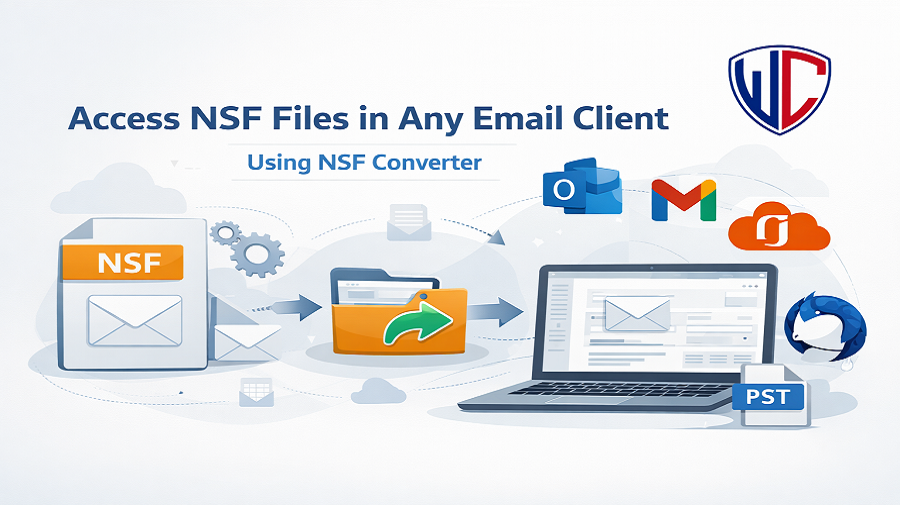
The WholeClear NSF Converter is a dependable and simple tool that lets users open NSF files in any email client. The program converts NSF files into formats that are widely used, such as PST, EML, MSG, and MBOX. This lets you open NSF data in Outlook, Thunderbird, Gmail, and other programs.
The tool can be used by people who are good with computers and others who aren’t. It keeps the original folder structure, email formatting, metadata, and attachments when it converts. There are no problems converting even big NSF files.
Most Important Features
- Converts NSF files into many different email formats
- Can convert a lot of NSF files at once
- Keeps the attributes of emails and the folder hierarchy
- A simple and easy-to-use interface
- Can deal with huge and large NSF files
These features make this converter a good alternative for people who need quick and safe access to NSF data.
How to Use?
It’s easy to use the software. Do these things
- Download and install the software on your PC.
- Open the tool and choose the option to add NSF files.
- Search for and choose the NSF file you want to convert.
- Select the format you want for the output (PST, EML, MSG, etc.).
- Choose where to save the converted file.
- To begin, click the Convert button.
You can open the converted file in your favourite email client without any problems once the NSF conversion is done.
Benefits of Using a Tool
- Easier and faster than doing it manually
- Lessens the chance of losing data
- Lets you open NSF files without Lotus Notes
- Allows both selective and mass conversion
- Makes it easy to switch to other email clients
- It is easy to open NSF files if you have the correct tool.
Final Thoughts
Without the appropriate solution, it can be hard to open NSF files in other email applications. The only real way to deal with NSF files is to convert them because they can only be opened in Lotus Notes. The software is an easy, safe, and effective solution to convert NSF files and get to email data in any email client. This tool is a dependable way to get to old emails or move to a new platform.
Questions and Answers
Q1. Can NSF files be accessed without Lotus Notes?
No, you can’t convert NSF files without having to install Lotus Notes.
Q2. Can the software convert a lot of files at once?
Yes, the software lets you convert many NSF files at once.
Q3: Will my email attachments be safe while they are being converted?
Yes, the software keeps all email properties and attachments.
Q4. Which email programs can open the files that were changed?
Outlook, Gmail, Thunderbird, Office 365, and other programs can open converted files.
Q5. Is it straightforward for beginners to use the software?
Yes, the software has a basic UI that works for everyone.