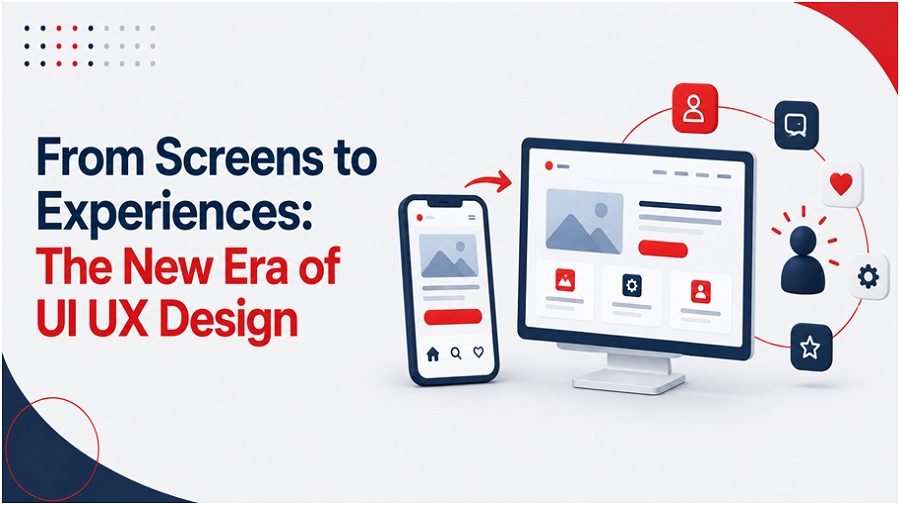
From Screens to Experiences: The New Era of UI UX Design

For over two decades, the basic playbook for digital product design remained much the same. Designers drew rectangles, placed static buttons, strung together pre-rendered screens, and called the resulting wireframe a user journey. The entire industry is built on a single passive assumption: someone sits in front of a flat glass display, decides what to do next, and taps or clicks to trigger a predictable system response.
That static model is disintegrating.
We are crossing over from the screen-first era to the experience-first era. Today’s online interaction doesn’t just happen in desktop browser windows or page layouts. Instead of a passive tool that we manually run, the software is becoming an active environment that responds, driven by intent-based software, spatial computing, continuous voice recognition, and contextual ambient sensors.
To navigate this architectural shift, one must move beyond the superficial visual polish. We need strategic front-end engineering, acute contextual awareness, and specialized UI UX design services to build dynamic, self-adapting systems (not static mockups) that maintain consistency across fluid touchpoints.
1. The Shift from Deterministic Layouts to Generative Intent
——————————-
In traditional software development, designers mapped out every single interface state by hand. If an application accommodated five distinct user pathways, the engineering team built five fixed interface layouts. Today, generative interface systems and real-time contextual telemetry are making static UI templates obsolete.
Instead of presenting the exact same static dashboard to every customer who logs in, modern software renders interfaces dynamically based on real-time user intent. The system interprets what the user is attempting to accomplish within their current session and generates the precise layout, input controls, and data density needed in that moment.
The Structural Evolution of Interface Models
- Legacy Deterministic UI- Traditional UI uses fixed screens where users manually click through pre-mapped pathways.
- Intent-Based Generative Experience- Intent-driven UI analyzes real-time user needs to generate custom interfaces on the fly.
Designing for user intent completely flips the daily workflow of a modern UI UX design company. Product teams no longer spend months drawing pixel-perfect wireframes for every obscure edge case. Instead, they write structural logic, define component boundary rules, establish brand design tokens, and set strict accessibility constraints that govern how an adaptive system creates UI layouts safely on the fly.
2. Multimodal Interaction – Breaking Free from the Glass Box
——————————-
Screen-only design creates unnecessary cognitive friction. Forcing a human to stare down at a glass rectangle to complete every digital action ignores how people naturally communicate and interact with the physical world. The new era belongs to multimodal experience design – software architectures that fluidly blend voice recognition, touch ergonomics, haptic engine feedback, spatial gestures, and dynamic visual displays.
The Multimodal Input Architecture
| Input Vector | Primary Technology | Contextual Application |
| Voice & Speech | Natural Language Processing / Intent Parsing | Hands-free queries, rapid command execution |
| Touch & Haptics | Haptic Feedback Engines / Force Sensors | Tactile confirmations, physical spatial controls |
| Vision & Gaze | Eye-Tracking Sensors / Spatial Cameras | Intent selection, hands-free interface navigation |
| Ambient Telemetry | GPS / Accelerometers / Light Sensors | Environment-aware layout density adjustments |
A truly multimodal system chooses the optimal input channel for every specific operational scenario-
- Seamless Input Mode Switching- A user might initiate a complex query using voice while walking outdoors, glance at a smartwatch display for a two-second visual confirmation, and complete the transaction with a quick tactile haptic tap without losing session continuity.
- Tactile Feedback over Visual Clutter- In environments where visual attention must remain focused elsewhere – such as driving a vehicle or operating medical equipment – haptic engine vibrations and directional auditory cues replace dense visual dashboards.
- Graceful System Fallbacks- Voice recognition struggle in noisy urban environments; optical gesture tracking fails in low-lighting conditions. Advanced software automatically degrades to direct touch or traditional visual controls without throwing application errors or forcing a hard session reset.
Building these multi-sensory feedback loops requires deep technical expertise in cross-platform human factors. Enterprise product teams frequently collaborate with a dedicated UX agency USA to architect interaction frameworks that remain reliable across mixed physical and digital environments.
3. The Business Impact of Experience Maturity
——————————-
Moving away from legacy screen-by-screen design isn’t merely an aesthetic preference – it directly impacts corporate financial statements. Cluttered visual layouts, fragmented multi-screen flows, and confusing navigation models inflict measurable financial damage through abandoned customer transactions, rising support ticket volumes, and lost user productivity.
The maturity of design directly impacts the performance of the enterprise. Companies focused on reducing friction in the user journey can consistently outperform competitors in long-term revenue growth. In contrast, modern users have no tolerance for poor cross-platform execution. A broken layout or an awkward navigation shift between desktop and mobile can often drive a customer to a competitor.
Enterprise organizations that redirect their budget away from superficial surface edits and into comprehensive user experience services will reduce customer drop-offs and significantly lower long-term front-end technical debt.
4. Designing for Emotion and Cognitive Relief
As digital screens and push notifications saturate every hour of modern life, a major shift reshaping product architecture is a pivot toward anxiety reduction and cognitive relief. For over a decade, consumer software platforms optimized aggressively for engagement metrics – using intrusive pop-up overlays, endless feed scrolls, and bright red notification badges to hijack user attention.
The new era of experience design rejects dark patterns in favor of calm, respectful software design patterns-
- Emotionally Aware Adaptive Modes- Software interfaces that adjust pacing, font contrast, and spatial density based on environmental context – slowing down information delivery when telemetry indicates a user is rushed or overwhelmed.
- Progressive Information Disclosure- Hiding secondary controls and heavy data tables until the user explicitly requests them, keeping working memory clear for the core task at hand.
- Micro-Interactions for Human Reassurance- Replacing generic visual loading spinners with clear, human-readable progress indicators that explain precisely what background processes the system is running.
5. Machine Experience (MX) – The Emerging Design Frontier
As autonomous software agents and background AI models assume responsibility for multi-step operational tasks, product designers face a brand-new discipline – Machine Experience (MX).
When software operates autonomously on behalf of a human user – booking corporate travel, reconciling financial invoices, or routing supply chain logistics – the user interface is no longer an input canvas for manual data entry. Instead, the UI transforms into a high-level control tower for system oversight, verification, and manual intervention.
| Core Operational Vector | Traditional Screen Era | Autonomous Machine Experience Era |
| Primary User Action | Manual clicking, tapping, and data entry | Defining high-level goals, auditing outcomes |
| Interface Purpose | Static canvas presenting manual inputs | Real-time control tower showing system reasoning |
| Error Handling | Rigid, inline input validation errors | Transparent, interactive clarification loops |
| System Mechanics | Strictly deterministic (Input A = Output B) | Context-aware and probabilistic outcomes |
Executing effective mobile app UI design within autonomous agent systems requires building clear “trust vectors”. Users must immediately understand why an automated system made a specific operational decision, how confident the model is in that result, and how to manually override the action with a single tap if necessary.
6. Enterprise Implementation Roadmap
——————————-
Transitioning an enterprise software ecosystem from flat screen layouts to a fluid, experience-first design framework requires a systematic execution plan-
- Decouple Presentation from Core Logic- Separate front-end UI components from backend business logic using headless design architecture and centralized design token repositories.
- Map Contextual Intent Journeys- Replace rigid step-by-step click funnels with goal-oriented user journeys that adjust automatically to dynamic device contexts.
- Establish Multimodal Tokens- Expand standard design token libraries beyond hex codes and typography to include haptic feedback profiles, auditory cues, and motion timing curves.
- Enforce Universal WCAG Accessibility- Build WCAG 2.2 AA accessibility standards directly into atomic component libraries, ensuring automatic screen reader and dynamic font scaling across web and mobile views.
- Design Transparent AI Decision Boundaries- Create explicit visual states for non-deterministic feature outputs, giving users full visibility and instant manual override controls.
Concluding Thoughts
The move from screens to experiences is a core realignment of how humans engage with digital systems. Software design doesn’t stop at visual displays – it uses them as a touchpoint in a smart, connected ecosystem.
To succeed in this new era, you need to move beyond rigid, deterministic screen templates. Today’s organizations build software that feels natural, accessible, and indispensable by adopting intent-driven architectures, multimodal input channels, and calm visual design principles. Partnering with dedicated UI UX design services can help you keep your digital product portfolio agile, competitive, and easy to use as technology keeps changing.