
How AI Coding Assistants are Changing Android App Development Workflows?

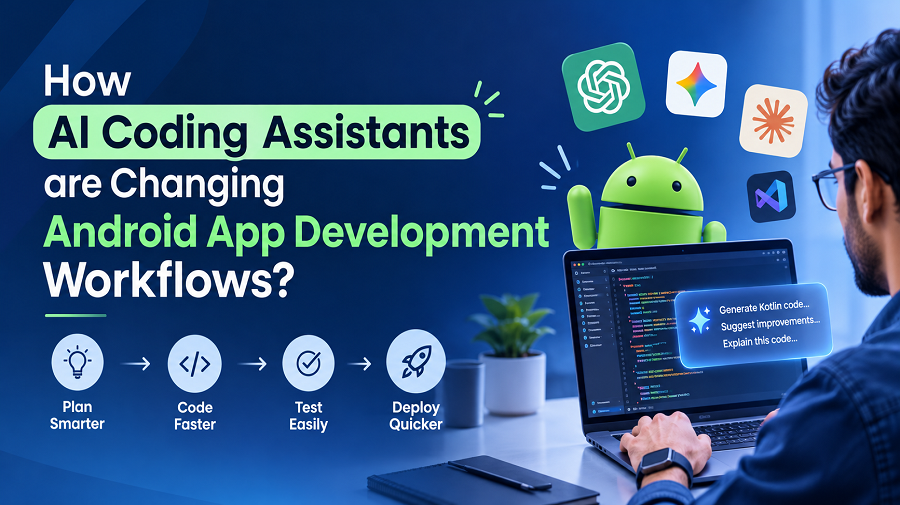
Four or five years ago, programming felt like an alien language. It was something only a select few could speak. Today, even people with no technical background know what it means to build an app.
Some are creating mobile apps entirely on their own just by talking to an AI coding assistant. The process has a name: vibe coding.
It would be dishonest to pretend this shift has been painless. Many of the people who were ahead of the curve when AI began to grow are now struggling to keep their footing as the technology moves forward.
Job losses and uncertainty are real. And as a writer, I am standing on the same shaky ground so it doesn’t feel right to take that topic lightly here.
Instead, I want to explore the other side of the story, the hopeful one. AI coding assistants are quietly reshaping a big space. And Android app development is one of the clearest examples. Here’s how.
7 Ways AI Coding Assistants are Changing Android App Development Workflows
——————————–
These AI coding assistants are changing how Android developers write and maintain their applications. Below are seven ways how AI coding assistants are changing Android development workflows.
1. Faster Android App Prototyping and UI Development
Project idea to prototype conversion is the first step in building an Android application. Currently AI coding assistants can help prototype faster with numerous features such as suggestion of Views, components and layouts in Jetpack Compose based on Natural Language.
Let’s say a developer needs to build an Email Validation Login Screen with a Password Visibility Toggles and a Sign in button, then the AI coding assistant can help generate the initial implementation of the Login View.
The prototype and app testing phase of mobile app development helps verify the app idea with the end users.
Even with AI’s help in prototyping, developers should review if generated components conform to Accessibility guidelines, design for different screens, app navigation and the material design guidelines before using them in production.
2. Reduction in Repetitive Coding
AI coding assistants can help generate a great deal of repetitive code for Android development.
An example would be generating repetitive code to define a data model for a product in an eCommerce app.
In short, developers don’t have to write every field and support functions manually. They can review and adapt the generated code. This frees up more time for business logic and features that require deeper technical thinking.
3. Faster Debugging and Error Resolution
Debugging may take a considerable amount of time during Android development. Especially if there are errors related to unknown libraries or application life cycle events.
AI coding assistants can aid in interpreting compiler errors and suggesting possible solutions. They can provide explanations about the reason behind unexpected behavior of some functions or ways to analyze crashes.
For instance, a developer can share the code of coroutines responsible for network requests in case of an application stop responding after performing some operation.
The AI assistant will analyze the code and the error message to detect possible problems with the code.
It is important to remember that the suggested solution should be verified. Explanations provided by AI may not be complete and developers need to make sure that the code is fixed.
4. Simplified Testing and Code Quality Checks
Testing is very important for developing reliable Android applications. But writing test cases for all scenarios may be rather difficult and it also takes time.
AI coding assistants can create test cases automatically. Moreover they can suggest edge cases and help developers to test different states of their application.
For example when building a payment feature, an assistant can suggest tests for successful transactions, declined payments, and other ‘n’ number of things. Developers can then adapt these cases to the application’s requirements.
AI can also help review code for duplicated logic and potential errors. However, generated tests do not guarantee comprehensive coverage.
5. Easier Integration with APIs and Android Libraries
Most Android apps use outside APIs and databases and login services and libraries. To connect them you have to read the documentation carefully and keep your libraries up to date. AI tools can help with this.
They can explain how an API works and write sample requests. They can also help you set up tools like Retrofit for network calls and Room for saving data on the phone.
For example if you are connecting your app to a product list API then AI can write the first version of the data models and the network code. This helps you get started much faster. But you still need to check a few things yourself.
These are library versions and login steps and error handling and whether the data is sent safely.
6. Faster Code Reviews and Documentation
Android applications are growing with time. So maintaining readable and consistent code is becoming increasingly important. AI coding assistants can summarize unfamiliar functions and identify repeated logic.
In fact they can suggest refactoring approaches and draft technical documentation.
These capabilities are very useful when developers need to understand a feature built by another team.
In my opinion documentation generated by AI can also provide a useful starting point. Although teams should check that explanations accurately reflect the implementation.
7. Better Collaboration Across Android Development Teams
Imagine you are new to a team. You do not understand something in the code. You can ask an AI helper and it will explain it to you like a friendly tutor.
A new developer can ask, “What does this part of Kotlin mean?” or “How does an Android app wake up and go to sleep?”
The AI gives an answer in a few seconds. Older developers use it too. When they find code they have never seen before, they ask the AI to explain it first. They can also ask the AI to make a hard idea easy before they tell it to their team.
This means people do not have to wait for someone else to be free and new teammates feel ready much sooner. But the AI is only a helper. It is not a real teammate. It does not know your team or the people who will use your app.
So when you plan something big, sit together and talk. When you check each other’s code, do it together too. Good teams learn from each other. And AI just makes that a little easier.
What AI Coding Assistants Still Cannot Do Reliably
——————————–
This powerful technology helps you build Android apps faster. But writing code fast does not mean the app will be good. Many people who code only by asking AI forget this.
The AI can misunderstand what you asked for. It can also give you code that looks right but breaks when real people use it. So you must test every important part before it goes live.
Code That Looks Correct Can Still Fail
AI can write Kotlin code that runs without any error messages but still has mistakes inside. It may not know what to do when a user types something strange. For example, a payment screen may work fine on a good day.
Then the internet drops in the middle of a payment and the app does not know what to do. The user may be charged twice or not at all. AI will not warn you about this. You have to test these bad moments yourself and never just trust the code.
Security and Performance Need Human Oversight
All Android apps hold private user data. They also ask for permissions and send data over the internet. And all of this has to be done safely. AI can miss a security hole without telling you.
It can also write code that makes the app slow. You have to read this part of the code yourself. You also have to try the app on different phones. Because an app that works on one phone can act very differently on another.
Complex Requirements Need Engineering Judgment
AI has a hard time when the goal is not clear. Or when one choice will change the whole app. It does not know your project like you do.
Only a developer working on that project knows the code. He can pick the answer that will still work a year from now.
So for now AI is best used as a helper.
How to Use AI Coding Assistants in Android Development | Best Practices
——————————–
Good results from these assistants mostly depend on how your developers use them. Here are a few practical habits that can improve code quality.
- Write specific prompts
- Provide relevant context
- Review every suggestion
- Test incrementally
- Protect proprietary code
- Understand the output
The Future of Android App Development!
I now use AI tools when I build Android apps. They help me write code just like many of your. They help me write tests and find bugs as well. This saves me a lot of time and I can try new ideas faster.
But AI code is generally a first draft. It cannot tell you if your app design will work later. Or if people really need the feature. You still have to check all of that.