How AI-Assisted Testing Is Changing Software Quality Assurance?

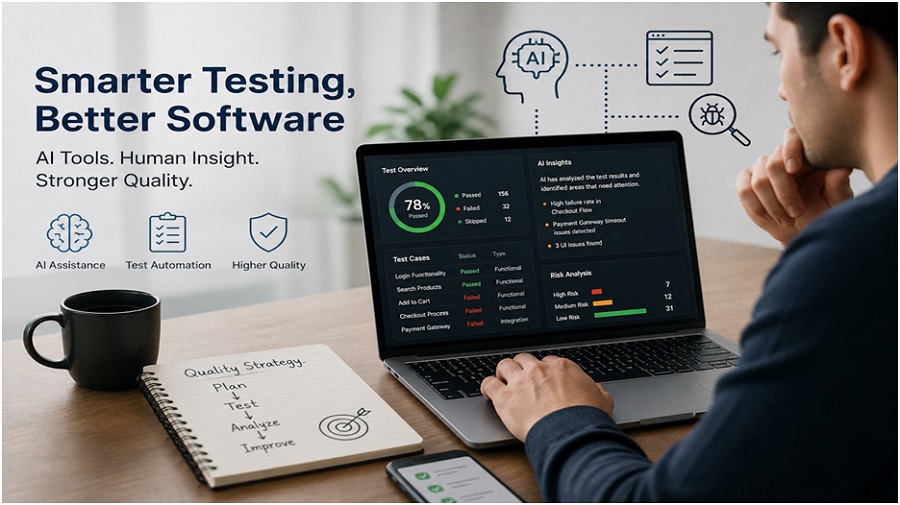
Software teams are being asked to release new features faster while supporting more devices, browsers, operating systems, APIs, and user journeys. At the same time, customers have little patience for broken checkouts, failed payments, slow dashboards, or mobile applications that stop responding after an update.
Quality assurance teams sit in the middle of this pressure. They must examine a growing amount of software without allowing speed to weaken product quality. Traditional manual testing still has a place, and conventional test automation remains useful, but neither approach always keeps pace with the volume of changes found in modern software projects.
AI-assisted testing is beginning to change how quality assurance teams plan tests, review requirements, create test data, maintain scripts, and investigate failures. It does not remove the need for skilled testers. Instead, it gives them new ways to manage repetitive work and focus their attention on areas where human judgment matters most.
What AI-assisted testing actually means
——————————-
AI-assisted testing refers to the use of artificial intelligence tools within software testing activities. These tools may help generate test cases, identify risky areas, analyse logs, suggest automation scripts, create sample data, or group similar defects.
Some products use machine learning to study past test results and predict which parts of an application are most likely to fail. Others use large language models to convert written requirements into possible test scenarios or explain technical error messages in simpler language.
The term should not be confused with fully autonomous testing. Most software products still require people to decide what quality means, which risks deserve attention, and whether a result is acceptable for the business. AI can support those decisions, but it does not understand customers, contracts, regulations, or commercial priorities in the same way an experienced team does.
Test case creation is becoming faster
Writing test cases can consume a large part of a tester’s time, especially when requirements contain many rules, user roles, and possible outcomes. AI tools can read requirement documents, user stories, or acceptance criteria and suggest an initial set of test scenarios.
For example, a requirement for an online payment feature might lead the tool to suggest tests for successful payments, declined cards, expired cards, interrupted connections, repeated submissions, refunds, and different currencies. The tester can then review those suggestions, remove weak cases, and add situations based on business knowledge.
This approach can reduce the time spent creating a first draft. It can also help teams find basic negative cases that may otherwise be missed during a rushed release. The final review still belongs to the tester because generated cases may misunderstand vague requirements or overlook important dependencies.
Requirements can be checked before coding begins
Testing often becomes difficult because the original requirement is unclear. A user story may describe the normal path but fail to explain error handling, permissions, limits, or unusual customer behaviour. These gaps may not appear until development is nearly complete.
AI-assisted requirement review can flag vague phrases, missing acceptance conditions, conflicting statements, and undefined terms. A tool might notice that a requirement says users can export reports but does not state which file formats are supported, which roles have permission, or how much data can be exported at once.
Finding such gaps early gives product owners, developers, and testers a chance to resolve them before code is written. This does not replace conversations between team members. It simply gives those conversations a better starting point and helps teams ask more precise questions.
Automation scripts may require less maintenance
Test automation can save time, but automated scripts are not maintenance-free. A minor change to a page layout, element name, or application flow can cause several scripts to fail even when the underlying feature still works.
Some AI-supported automation tools use contextual information to locate interface elements after small changes. This is sometimes called self-healing automation. Rather than relying on one fixed selector, the tool may examine labels, nearby elements, structure, and past behaviour to find the intended button or field.
This can reduce false failures caused by minor interface updates. Teams should still review self-corrected scripts carefully. A test that silently points to the wrong element can create a false sense of confidence, which may be more dangerous than an obvious failure.
Risk-based testing can become more focused
Not every part of an application carries the same level of risk. A spelling change on an informational page usually deserves less testing than a change to authentication, pricing, payments, or personal data handling.
AI systems can examine code changes, defect history, test results, dependency maps, and usage data to suggest which areas may need deeper testing. A module with frequent defects and many recent code changes may receive a higher risk score than a stable feature with limited use.
This allows teams to make better use of limited testing time. It is especially helpful in large products where running every test after every code change is slow or costly. Risk predictions should support a testing strategy rather than control it because historical data may not capture new business risks or unusual release conditions.
Defect investigation is becoming less repetitive
A failed automated test rarely explains the full problem. Testers may need to examine logs, screenshots, network requests, database entries, device details, and recent code changes before they understand what happened.
AI tools can help by summarising long logs, identifying repeated error patterns, grouping related failures, and suggesting possible causes. When hundreds of tests fail because one shared service is unavailable, grouping those failures can prevent the team from reviewing each one separately.
Generative AI may also help turn raw technical details into a clearer defect report. It can organise steps, expected results, actual results, environment details, and supporting evidence. A tester must verify the report before submitting it because the tool may make assumptions that are not supported by the evidence.
Test data can be created with fewer privacy concerns
Testing often requires realistic customer, transaction, product, or account data. Copying production records into a test environment can expose personal information and create compliance concerns.
AI-based synthetic data tools can create sample records that resemble real data patterns without reproducing actual customer identities. A banking application, for example, may need varied transaction histories, account types, currencies, and fraud indicators. Synthetic records can provide that variety while reducing dependence on live customer data.
Teams must still check whether the generated data represents important edge cases. Poor sample data can hide defects, particularly when it fails to reflect rare values, regional formats, older records, or unusual combinations found in production.
Visual testing can cover more than pixel differences
Traditional visual comparison tools often report minor differences caused by rendering, browser behaviour, or screen size. This can produce a large number of alerts that testers must review manually.
AI-assisted visual testing attempts to distinguish between acceptable visual variation and meaningful interface problems. It may identify overlapping text, hidden controls, broken layouts, missing images, inconsistent spacing, or content that falls outside the visible area.
This is useful for applications that support many screen sizes and browsers. It can help teams review responsive layouts more broadly, but human review remains necessary for brand presentation, readability, accessibility, and overall user experience.
Human testers are still responsible for context
AI can identify patterns, generate suggestions, and process large amounts of test information. It cannot fully judge whether a workflow feels confusing, whether an error message could mislead a customer, or whether a feature behaves appropriately in a sensitive business situation.
Exploratory testing depends on curiosity, domain knowledge, and the ability to notice behaviour that was not described in the requirements. Testers often find serious problems by following unexpected paths, combining features in unusual ways, or questioning assumptions made during product planning.
The value of AI-assisted testing comes from combining machine speed with human reasoning. Teams that treat AI output as unquestionable may miss subtle defects or approve incorrect results. Teams that use it as a starting point can spend more time investigating complex risks.
AI-generated testing also creates new risks
AI tools introduce concerns that quality leaders should address before broad adoption. Sensitive source code, customer information, test records, or internal documents should not be sent to external systems without a clear data policy.
Generated test cases and scripts may contain incorrect assumptions. A convincing response is not necessarily an accurate one. Teams need review rules that define who checks generated material, which tools are approved, and what information may be shared with them.
There is also a risk of skill loss when testers depend too heavily on generated scripts or explanations. QA professionals still need to understand testing methods, system behaviour, APIs, databases, security, accessibility, and automation. Tools should strengthen these skills rather than replace them.
A practical path for adopting AI-assisted testing
Teams do not need to replace their existing QA process all at once. A smaller trial usually provides more useful evidence than a company-wide rollout based on vendor promises.
A sensible starting point is to choose one repetitive activity, such as drafting test cases, summarising failed test logs, or creating non-sensitive sample data. The team can compare the time spent, accuracy, review effort, and defect coverage against the existing approach.
Clear measurements matter. A tool that creates tests quickly but requires extensive correction may not save much time. A log analysis tool may be useful if it reduces investigation work without hiding important details.
Businesses that need help building a broader testing approach may review professional software testing services when assessing manual testing, automation, performance checks, security testing, and AI-supported QA options.
What quality teams should prepare for next
——————————-
AI-assisted testing will likely become a normal part of many QA toolkits, much like test automation, defect tracking, and continuous delivery systems. Its strongest role is not replacing testers but helping them process more information and direct attention toward meaningful product risks.
The teams that gain the most value will set clear boundaries, protect sensitive data, review generated output, and measure whether each tool improves real testing outcomes. They will also keep investing in human skills because good software quality depends on judgment as much as speed.
AI may change how tests are created and maintained, but the central purpose of quality assurance remains the same: understand how software can fail, find problems before users do, and give the business reliable evidence about release readiness.