How to Check If Your Website Has Hidden Malware (Without Being a Developer)

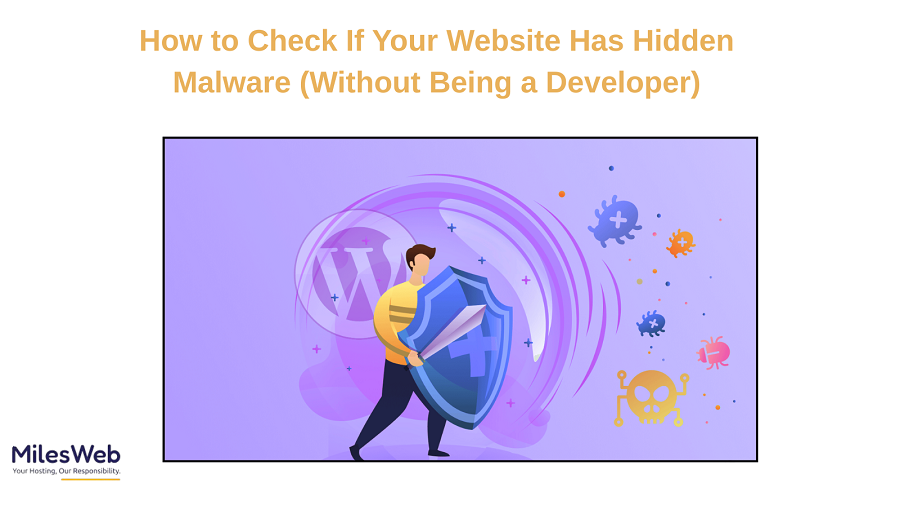
Website malware can be hard to detect. We usually assume a website is only infected if it looks broken or shows scary warning messages, but it’s often much harder to spot. However, in most cases, malware is intentionally hidden on the cheapest domain and hosted on an Indian website.
Hackers often insert malicious code in ways that the cheap domain and hosting Indian website owner doesn’t notice. So even if your website looks normal to you, there are examples of websites that have had malware inserted in them. They might be sending out spam emails, redirecting visitors, or infecting users with hidden malware.
Fortunately, you don’t need to be a developer to identify malware indicators present on your website, even when hosting with popular Hostinger alternatives in India.
Signs your website might be infected
——————————-
Before running any tools to search for hidden malware, watch for unusual activity on your website.
A sudden decrease in website visits could be an indicator that your website is malware-infected. If your website traffic dropped overnight without an obvious reason, your website might have been made invisible (hidden) by search engines or downgraded to a lower ranking (demoted) in SERPs because of the malware that was placed in your website’s code by a hacker.
Unexpected redirects could also be an indicator that your website is infected. If your visitors are redirected to unrelated webpages and advertisements, your website probably has hidden malware in it.
Another clue is speed: if your website is suddenly crawling even though you don’t have more visitors than usual, hidden malware might be the cause. In general, you should not take lightly any messages or emails from your hosting provider or your web browser telling you that your website is unsafe.
Check Google Search Console
The Google Search Console is probably the easiest tool you can use if you don’t have a technical background.
If your website is infected, there is a good chance that Google will find it before you do. The Security Issues section in the Search Console lists all the types of security issues with your website (malware, hacked content, bad redirects) in one convenient location, signified by a red “X.”
You don’t need to know how to do any technical work to read the alerts on the Security Issues page; Google explains what they found and gives you the URLs of all the pages that have security issues.
If Google starts showing a ‘security warning’ next to your website in search results, you need to check the ‘Security Issues’ tool in your Search Console immediately.
Use online malware scanners
There are several malware online scanners to which you can input your URL and check it.
These scanners help verify that your website isn’t a threat to external visitors by checking for malicious files, suspicious scripts, or unsafe redirections. For beginners, they are the ideal tool because they don’t require you to install or configure anything.
Keep in mind that online scanners can only find malware that exists on your website’s surface. There are some infections hidden in files or databases, and the online scanners can’t find these types of infections. However, they are still an excellent first step for quickly identifying potential security issues.
Watch for changes you didn’t make
Your website is the one you know the best.
If there are pages that have been created and you never created them – that’s a sign of trouble! Malware may generate phony pages with lots of spammy links or keywords.
If your homepage title or meta description appears differently in Google search results without you knowing about it, that might mean hackers have inserted hidden content that only search engines see.
Another thing to watch out for is the admin accounts that you don’t recognize. If your website platform shows you an unknown user with admin access, this indicates serious problems.
Check how your website appears to a visitor
As malware is sometimes website-specific, it can behave differently based on who is visiting your website.
Open your website on a different device or in an incognito window. Have a friend check it from a different network. Some malware can hide from logged-in users/admins but activate for regular visitor user types.
If your website has pop-ups, fake download buttons, or ads that you haven’t added to the website, don’t assume that they came from a plugin or your website theme. This check only takes a few minutes, but it often reveals hidden problems you would have never noticed otherwise.
What to do if you suspect malware?
——————————-
If you find warning signs, don’t freak out or make random deletions of files!
- You need to call your web hosting provider. For instance, MilesWeb (a reliable web hosting provider) has an experienced security and cleanup team. They can help confirm the issue and resolve it securely.
- You should also change all of your passwords immediately, including web host, admin, FTP, and email passwords. Many times, malware spreads through weak user passwords or reused passwords.
- Lastly, if you have a clean backup, restore from the backup.
Malware doesn’t just disappear if you ignore it. Acting fast is the only way to protect your traffic, your reputation, and your customers’ trust.
To summarize
Malicious and hidden malware are not just directed at larger companies or more popular websites. Small blogs, portfolios, and local business websites are also victims of malicious and hidden malware because they are easier targets.
The good news is that you don’t need to know how to write code to protect yourself. By keeping an eye out for warning signs, using some basic tools, and checking your website regularly, you can identify issues before they get out of hand.
Security on the web isn’t about fear; it’s a matter of being aware. A few simple minutes of doing routine checks can save months of recovery time afterwards.